MQ2ToolTip
MQ2ToolTip
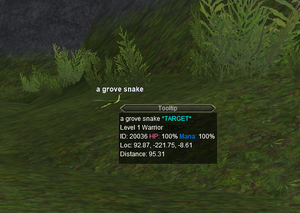
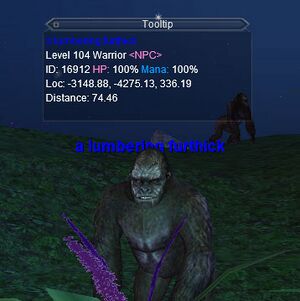
Mouse over any NPC or player to see MQ info about them in the Tooltip window.
Authors: ChatWithThisName (Original Maskoi) • Config: MQ2ToolTip.ini
MQ2ToolTip - Mouse over any NPC or player to see info about them in the Tooltip window.
Credit to Brainiac for the idea.
Quick Start
To enable ToolTip ensure the following:
- Download the latest compile via RedGuides Launcher
- Copy the
MQUI_ToolTipWnd.xmlfile into yourNext\resources\uifiles\defaultfolder - Log into Everquest via MQ
- Make sure your HUD is on either by hitting the F11 key or by typing
/hud always - Load the plugin:
/plugin ToolTip - Reload UI:
/reloadui - Start ToolTip:
/tooltip on - When you hover your mouse over an NPC, mob, or yourself you will see the tooltip window pop-up and show MQ information
Commands
/tooltip [autoclear | follow | guild] [on|off]
/tooltip cleartimer <ms>
Settings
Config file stored in Next > config folder, as file: MQ2ToolTip.ini
[Default]
WindowTop=764
WindowLeft=601
WindowRight=793
WindowBottom=881
Locked=0
Fades=1
Delay=2000
Duration=500
Alpha=200
FadeToAlpha=255
BGType=1
BGTint.alpha=255
BGTint.red=0
BGTint.green=0
BGTint.blue=0
FollowMouse=1
Enabled=1
AutoClear=0
ClearTimer=1000
GuildOn=1