MQ2Nav
MQ2Nav
Assist with intelligent navigation using a Navigation mesh of a zone file.
Authors: brainiac, Knightly, dannuic, eqmule, plure, xowis, jdowling, drwhomphd, ChatWithThisName, Sic • Config: MQ2Nav.ini, Zones.ini
MQ2Nav is a pathfinding plugin for MacroQuest. It is made up of two components: The Plugin (MQ2Nav.dll) and the tool for generating navmeshes (MeshGenerator.exe)
Commands
/navigate {ui | pause | stop | reload | help}
/navigate {target | <spawn search> | waypoint <name> | door | item} [options]
/navigate loc <coordinates> [options]
/navigate {recordwaypoint <name>}
Screenshots
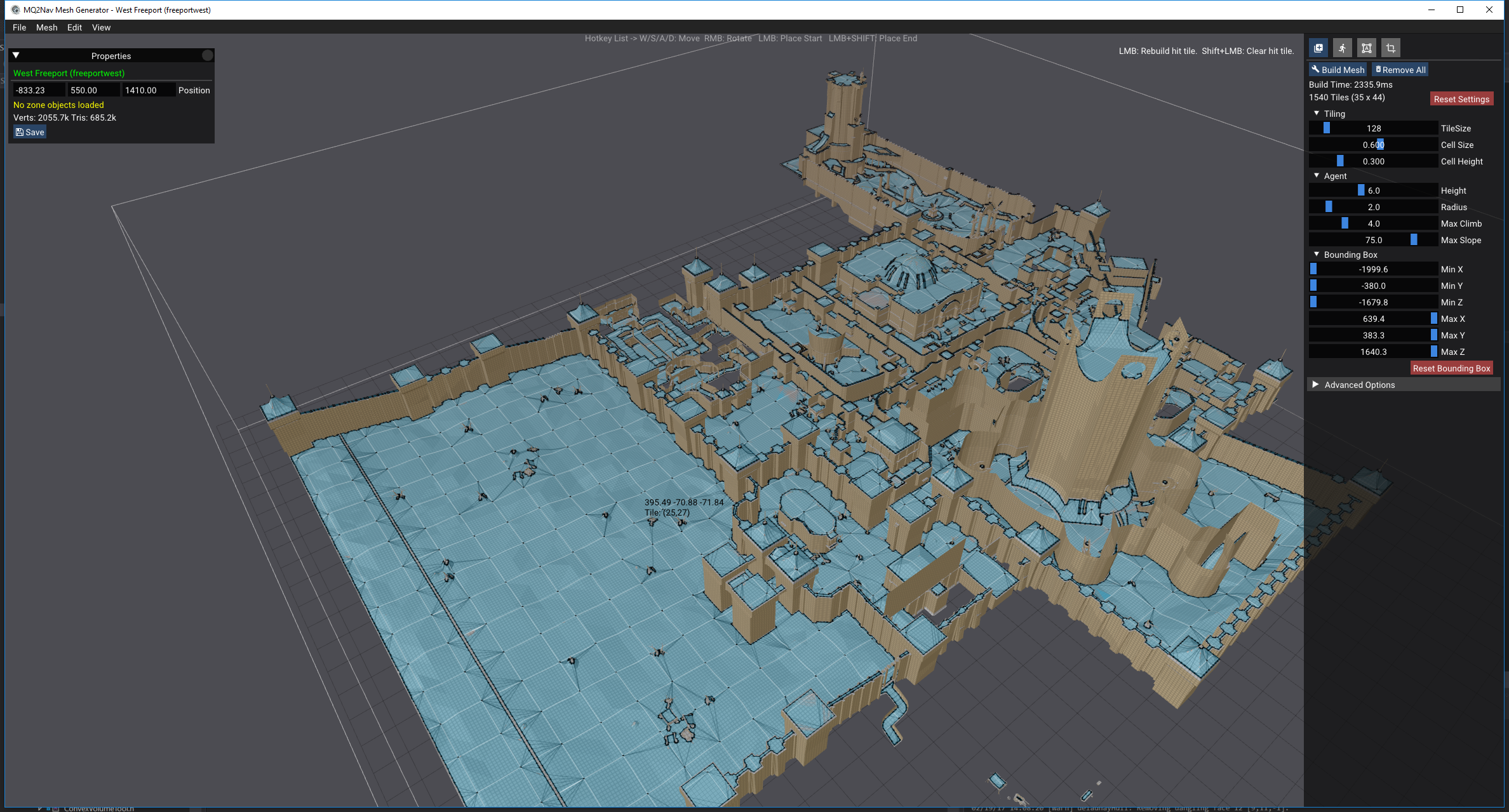
MeshGenerator tool
This is the tool use to generate nav meshes for everquest zones.
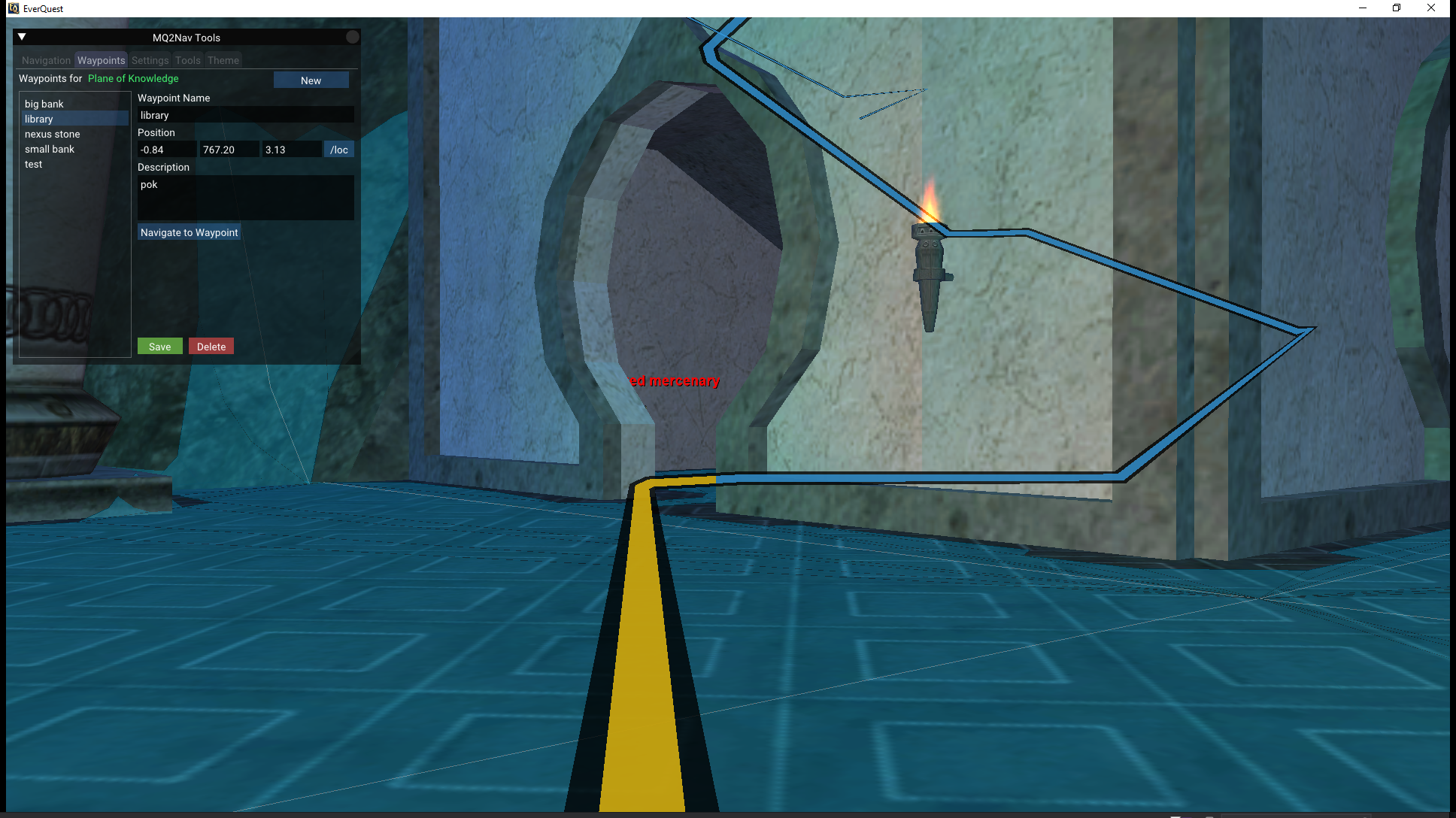
MQ2Nav with path
The MQ2Nav plugin will render an in game path indicating the route that it is currently taking. This can be seen through walls to help navigate tricky terrain
Example: climbing stairs to library in poknowledge
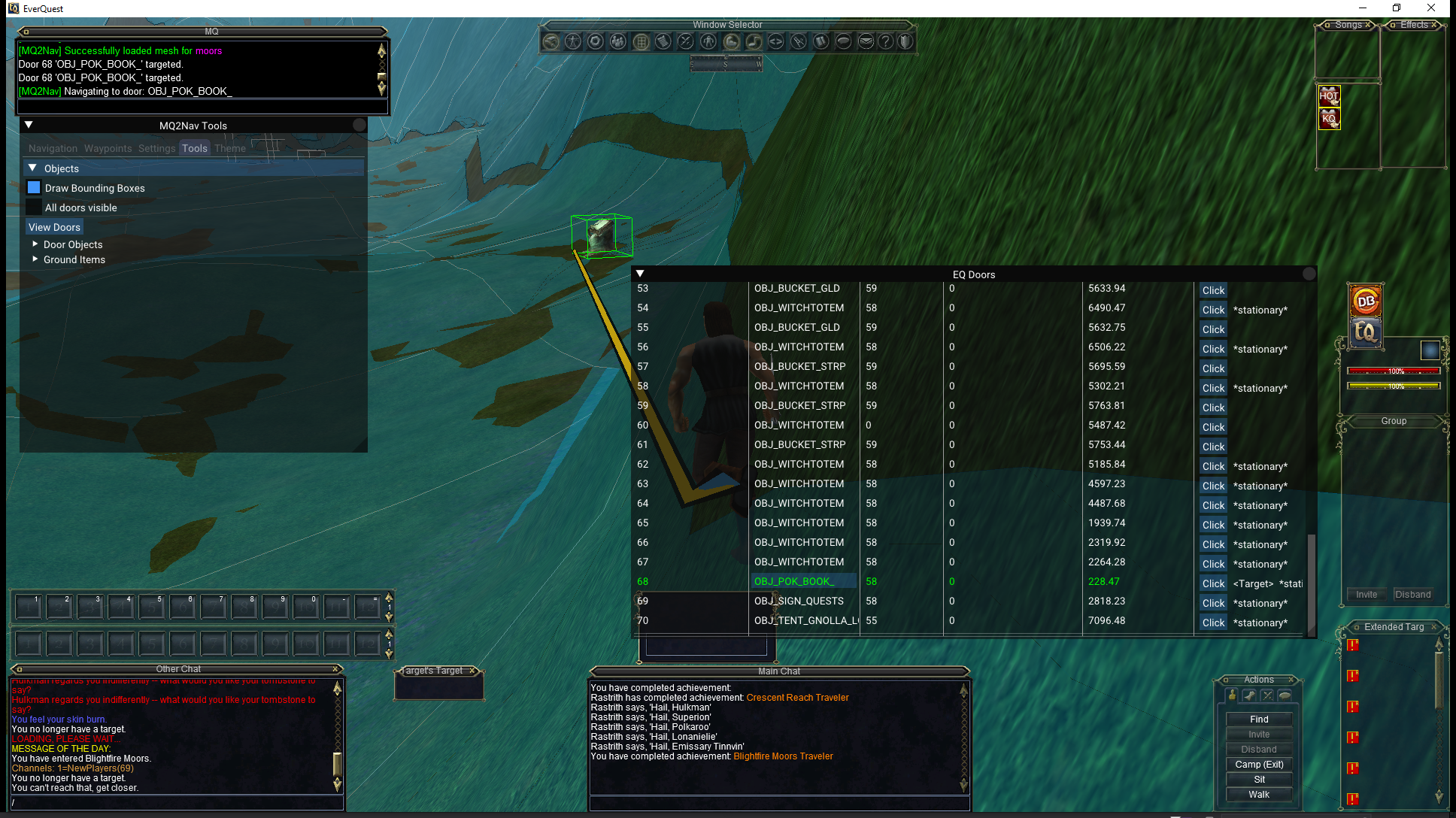
Example: using waypoints to navigate from crescent reach spawn area to Blightfire Moors zone boundary

MQ2Nav destinations
MQ2Nav allows navigating to various kinds of destinations. It allow allows navigating to targetted door/switch objects and clicking them upon arrival.
Example: Navigating to Freeport POK stone using /doortarget. The destination object is highlighted and visible through walls.

Example: Navigating to POK stone in Blightfire Moors using in game debug UI to target switch objects (WIP feature).
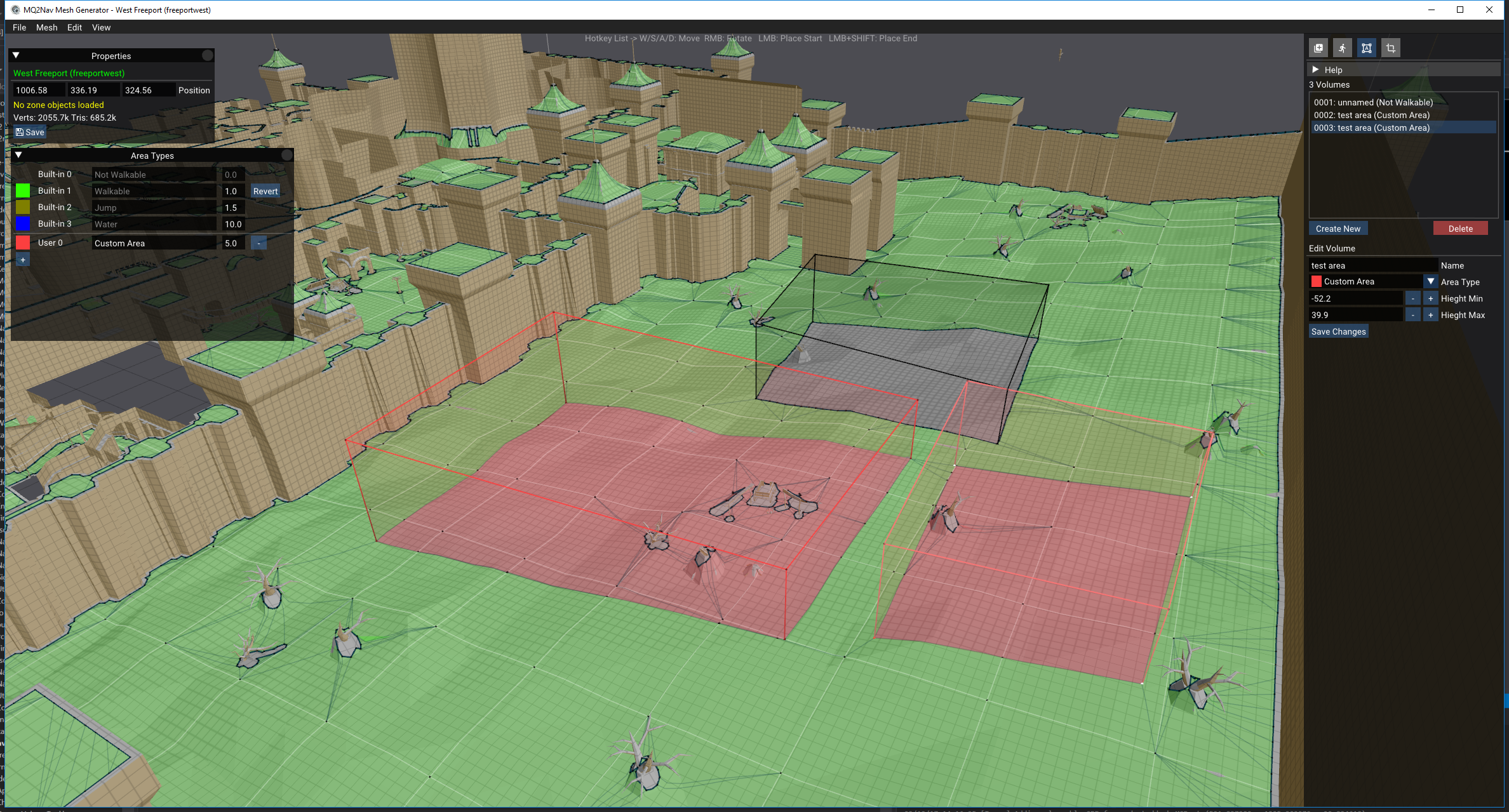
MQ2Nav Navmesh Area Types
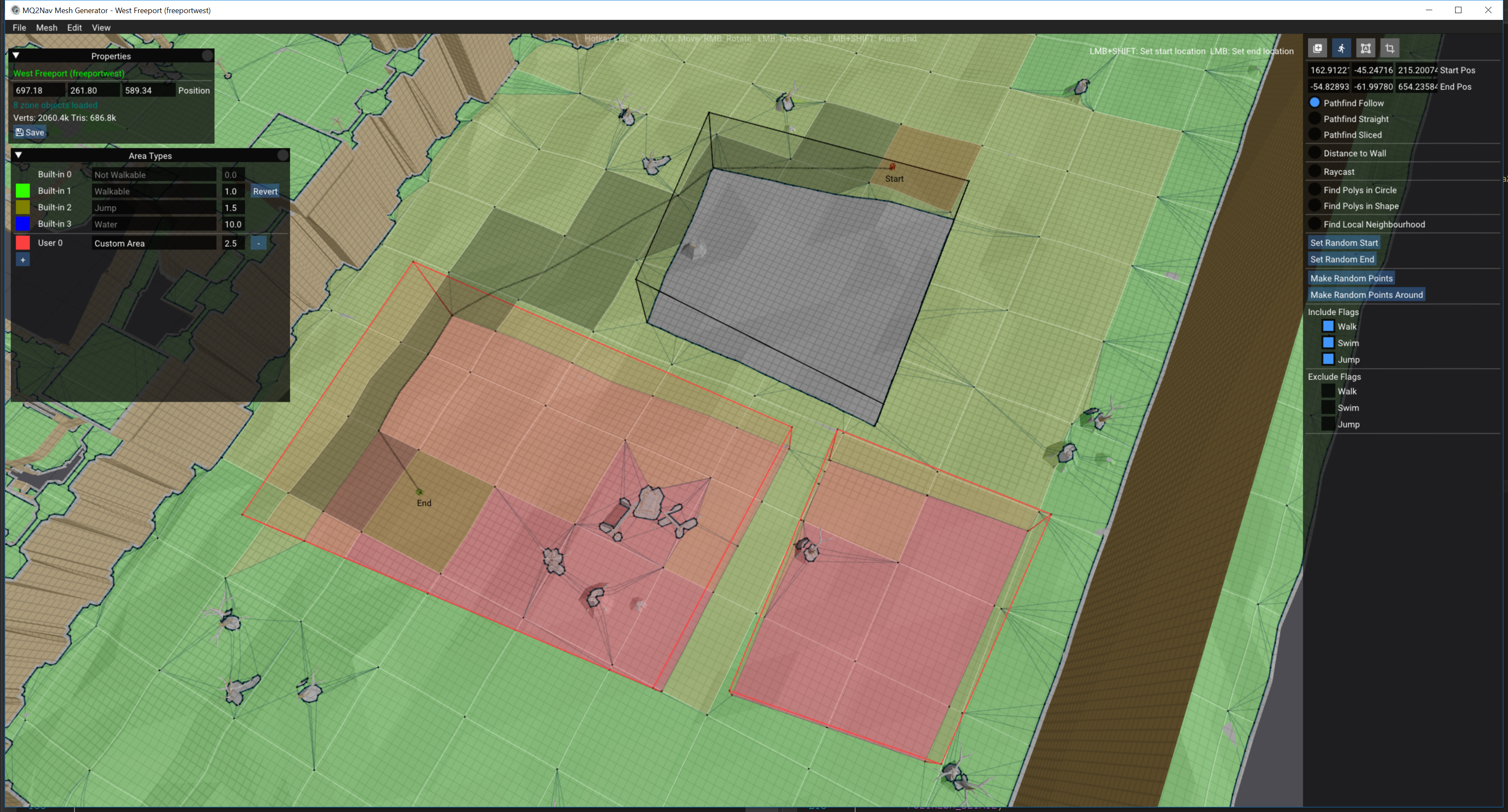
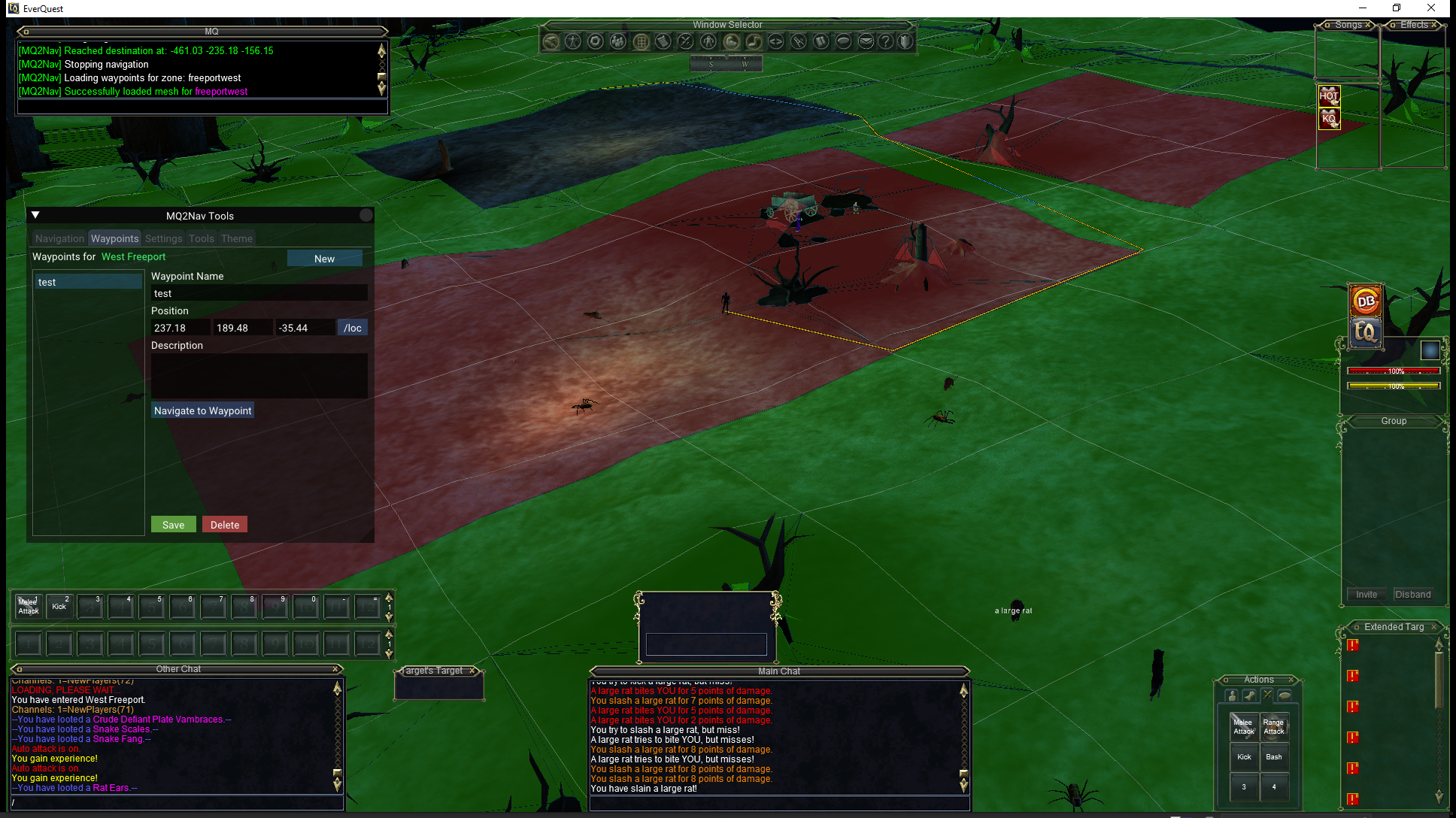
MQ2Nav supports marking areas of the map, to help customize navigation. In this example, a region of the navmesh has been blocked off, and two areas have been marked red with a higher cost, using a custom area. Also present in this example, the default color of navmesh tiles has been changed to green.
The Areas window can be found in the MeshGenerator tool under the 'Edit' menu.
Example: MeshGenerator with areas tool, placing an unwalkable area and two custom areas with modified cost
Example: MeshGenerator with path testing tool, showing how the path will prefer areas with lesser cost.
Example: MQ2Nav will follow the same rules for rendering areas and calculating paths
Settings
It's best to configure Nav's settings through the user interface, /nav ui, but here's an example config/MQ2Nav.ini,
[Settings]
AutoBreak=1
AutoPause=0
AutoReload=1
ShowUI=1
ShowNavPath=1
AttemptUnstuck=0
OpenDoors=1
IgnoreScriptedDoors=1
UseSpawnFloorHeight=1
UseFindPolygonExtents=0
FindPolygonExtentsX=2.000000
FindPolygonExtentsY=4.000000
FindPolygonExtentsZ=2.000000
MapLineEnabled=1
MapLineColor=4278255360
MapLineLayer=3
VisualNavPathBorderColor=0
VisualNavPathHiddenColor=14391348
VisualNavPathVisibleColor=1033457
VisualNavPathLinkColor=14365848
VisualNavPathVisibleOpacity=0.800000
VisualNavPathHiddenOpacity=0.600000
VisualNavPathBorderWidth=0.200000
VisualNavPathLineWidth=0.899999
DebugRenderPathing=0
resources/Zones.ini is also used by the plugin to identify zones.
TLO Members
The TLO Nav (or Navigation) includes the following members,
bool Active
- Returns true if navigation is currently active
bool Paused
- Returns true if navigation is currently paused
bool MeshLoaded
- Returns true if a mesh is loaded in the current zone
bool PathExists[parameters]
- Returns true if the specified navigation parameters results in a navigatable path. Navigation parameters are the same parameters that would be passed to /nav
nav to target if a path exists
/if ${Navigation.PathExists[target]} {
/nav target
}
float PathLength[parameters]
- Similar to PathExists, but returns the length of the path if one is found. Navigation parameters are the same parameters that would be passed to /nav
int Velocity
- Returns current velocity of the player, rounded to nearest integer.
string Setting[<key>]
- Will return the string value of the setting
Example
/echo ${Navigation.Setting[OpenDoors]}
Exported Functions
The following functions are exported for use by other plugins:
// Used to check if MQ2Nav is initialized.
bool IsNavInitialized()

// Used to check if mesh is loaded
bool IsNavMeshLoaded()

// Used to check if a path is active
bool IsNavPathActive()

// Used to check if path is paused
bool IsNavPathPaused()

// Check if path is possible to the specified target
bool IsNavPossible(const char* szLine)

// Check path length
float GetNavPathLength(const char* szLine)

// used to pass mq2nav commands
bool ExecuteNavCommand(const char* szLine)