![Tutorial.mac [Macro] Longest Tutorial Macro I've seen.](https://data.redguides.com/resource_icons/0/71.jpg?1618755070)

- Commits
- 191
Yet another tutorial macro? But wait! There's more.
So of all the macros I realize that the majority of people just want to get the skull and port to pok. Well I was a bit bored and decided to go ahead and take it a step or 20 farther.
This tutorial macro uses MQ2Nav, MQ2Mele, and MQ2MoveUtils to navigate the tutorial including completing combat quests. Quests that require you to loot things and turn them in. It's pretty focused on the toturial, so it won't loot items unless they are for the quest.
Things my macro does that others don't.
I would like assistance in reporting issues on this. Thus far I have done all the coding from scratch and all the testing myself.
The last task that it's setup to attempt is Guard Hobart's "The Battle of Gloomingdeep"
I'm having trouble with it because spiritslavers and wardens tend to be inside the pit and I haven't found a good way to ensure that they get killed without the character getting stuck navigating.
Since this knows what task you are on based on a designed flow and check of things it would be in your interest to stop it after getting your skull and gearing/buffing your toon and reentering the tutorial and resuming the macro.
Please let me know :-) Thanks.
| *2/20/2018
| *Cleared Target after speaking with several NPCs so
| that you properly reacted to adds when navigating
| to the next destination
|
| *Elegist - now closing the extra dialog I missed.
|
| *Guard_Vyrinn - now getting both tasks at once.
|
| *Added a check to ensure you didn't have an add before
| attempting to loot items during the spider caves
|
| *Now verifies you are at least level 8 before trying to
| start Scout Zajeer mission. If you aren't will go about
| exping for you. (or trying lol)
|
| *Will now get tasks from Hobart on the way to Scout Zajeer
|
| *Correction to the group mana check sub. Should now properly
| verify group member (mercenaries) mana prior to pulling anything.
|
| *You will now sit when waiting on group members to get mana.
|
| *Navigating while using FarmStuff sub now checks for adds.
|
| *Will now get the quests from Guard Hobart before doing Scout Zajeer
|
| *Changed the name of "rat" to "a_cave_Rat" to avoid attacking Prathun
|
| *Added efficiency to mob hunting task in the way it decides what to kill
| Mostly helpful for bat/rat/nest quest because bats and rats are place
| holders for each other.
|
| *Changed the loot checking sub to now check all items after pulling to
| to avoid killing more than needed.
|
| *Added all friendly NPCs to ignore list....I think.
|
| *Will now check your subscription status and buy the highest level merc
| you can get for your sub.
Known issues.
The pit causes issues. Period. Specifically while hunting up top. I need a better spot to farm EXP from 5-8 or I need to edit the meshes again.
When you die it sucks. Some logic for death attempted. Doesn't always work correctly.
Bot keeps dying trying to do the last task in the list. It's annoying.
It's worth mentioning that | *Will now get tasks from Hobart on the way to Scout Zajeer *| change now reduces the time it takes to do the task because you kill a lot of those mobs while doing goblin slaves and Rookfyn.
| *2/23/2018
| *Started defining rooms based on your location in
| 3D space in the tutorial to keep track of where you
| are so that the macro can make informed decisions
| on where it should go.
|
| *Corrected the spelling for Subscription from Subsription
|
| *Change the targets for leveling up to 5 from "rat" and "bat"
| to "a_cave_rat" and "a_cave_bat"
|
| *Now casting the Worn Totem received from Basher Alga
|
| *Made corrections to the med routines.
|
| *Fixed targeting a random mob on the add check.
| It will now target your ${Me.XTarget[1].ID} instead
| of the first spawn returned in an area around you.
|
| *Added a check to avoid targets that already have
| an AggroHolder so you don't attack other players mobs.
|
| *Added in Group Task Arachnophobia once you reach level
| 4 which gets you the Helmet.
|
| *Now doing "Spider Caves" "Arachnida" and "Spider Tamer Gugan"
| at the same time.
|
| *Fixed targeting of adds. The check was invalid, it has been
| corrected and now attacks mobs that are on the mercenary
| instead of you.
|
| *Made a new mesh to improve reliability. Better far as
| I can tell.
|
| *
There were a lot more changes and a lot of time spent doing these changes. I simply failed to type in all the changes that were made. My bad :-(. At this point in the macro it takes a long time to do a run through. I typically have to make a change, camp, delete, respawn a toon, start the macro, get it to run all the way through to ensure the change flows well.
With that said. Gold accounts shouldn't have a lot of issues with this current setup. However, if your merc sucks you might find yourself faceplanting.
Updated by Cannonballdex 04/2021
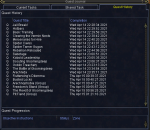
Does all 22 tasks
- Jail Break
- Achievements
- Hot Bars
- Basic Training
- Clearing the Vermin Nests
- Mercenaries for Hire
- Arachnida
- Spider Caves
- Spider Tamer Gugan
- Rebellion Reloaded
- Sabotage
- Kobald Leadership
- Scouting Gloomingdeep
- Goblin Treachery
- The Battle of Gloomingdeep
- Busted Locks
- Flutterwing's Dillema
- Arachnophobia (Group)
- Freedom's Stand (Group)
- Pit Fiend (Group)
- The Revolt of Gloomingdeep
- Kickin' Things Up A Notch - Augmentation
Scribes and uses spells, heals, shield and damage. (Depending on your class)
Uses heal potions from reward
Grabs extra bag from banker
Used Lesson of Devoted
Equips and augments your final reward weapon
Place the Tutorial.mac file in your macros folder and update the navmesh files to your NavMesh folder
Then create a new toon entering the game hit ESC button to skip the video.
Once in game type /mac tutorial
Get the updated Tutorialb.navmesh & Tutoriala.navmesh filed to run this macro smoothly.
Optional - Once you finish the mercenary task set mercenary grouprole to Main Tank.
So of all the macros I realize that the majority of people just want to get the skull and port to pok. Well I was a bit bored and decided to go ahead and take it a step or 20 farther.
This tutorial macro uses MQ2Nav, MQ2Mele, and MQ2MoveUtils to navigate the tutorial including completing combat quests. Quests that require you to loot things and turn them in. It's pretty focused on the toturial, so it won't loot items unless they are for the quest.
Things my macro does that others don't.
- It goes past getting the skull straight into "The Gloomingdeep Revolt" task
- It is currently coded to complete up to task 10 including 1 optional quest (Partially untested. This is a Work in Progress. I coded this as I went through the tasks and tried to let the code do everything. However, in some cases I didn't go back and test a full runthrough of the code.)
- It know's where you are at in the tasks based on your location and progress in "The Gloomingdeep Revolt"
- Accepts rewards
- Completes Basher Alga (added after some of the tutorial macros were made) and loots the runspeed clicky stick.
- Navigates into the spider area and completes quests for cocoon silk and Dugan (requires my mesh)
- Much more.
I would like assistance in reporting issues on this. Thus far I have done all the coding from scratch and all the testing myself.
The last task that it's setup to attempt is Guard Hobart's "The Battle of Gloomingdeep"
I'm having trouble with it because spiritslavers and wardens tend to be inside the pit and I haven't found a good way to ensure that they get killed without the character getting stuck navigating.
Since this knows what task you are on based on a designed flow and check of things it would be in your interest to stop it after getting your skull and gearing/buffing your toon and reentering the tutorial and resuming the macro.
Please let me know :-) Thanks.
| *2/20/2018
| *Cleared Target after speaking with several NPCs so
| that you properly reacted to adds when navigating
| to the next destination
|
| *Elegist - now closing the extra dialog I missed.
|
| *Guard_Vyrinn - now getting both tasks at once.
|
| *Added a check to ensure you didn't have an add before
| attempting to loot items during the spider caves
|
| *Now verifies you are at least level 8 before trying to
| start Scout Zajeer mission. If you aren't will go about
| exping for you. (or trying lol)
|
| *Will now get tasks from Hobart on the way to Scout Zajeer
|
| *Correction to the group mana check sub. Should now properly
| verify group member (mercenaries) mana prior to pulling anything.
|
| *You will now sit when waiting on group members to get mana.
|
| *Navigating while using FarmStuff sub now checks for adds.
|
| *Will now get the quests from Guard Hobart before doing Scout Zajeer
|
| *Changed the name of "rat" to "a_cave_Rat" to avoid attacking Prathun
|
| *Added efficiency to mob hunting task in the way it decides what to kill
| Mostly helpful for bat/rat/nest quest because bats and rats are place
| holders for each other.
|
| *Changed the loot checking sub to now check all items after pulling to
| to avoid killing more than needed.
|
| *Added all friendly NPCs to ignore list....I think.
|
| *Will now check your subscription status and buy the highest level merc
| you can get for your sub.
Known issues.
The pit causes issues. Period. Specifically while hunting up top. I need a better spot to farm EXP from 5-8 or I need to edit the meshes again.
When you die it sucks. Some logic for death attempted. Doesn't always work correctly.
Bot keeps dying trying to do the last task in the list. It's annoying.
It's worth mentioning that | *Will now get tasks from Hobart on the way to Scout Zajeer *| change now reduces the time it takes to do the task because you kill a lot of those mobs while doing goblin slaves and Rookfyn.
| *2/23/2018
| *Started defining rooms based on your location in
| 3D space in the tutorial to keep track of where you
| are so that the macro can make informed decisions
| on where it should go.
|
| *Corrected the spelling for Subscription from Subsription
|
| *Change the targets for leveling up to 5 from "rat" and "bat"
| to "a_cave_rat" and "a_cave_bat"
|
| *Now casting the Worn Totem received from Basher Alga
|
| *Made corrections to the med routines.
|
| *Fixed targeting a random mob on the add check.
| It will now target your ${Me.XTarget[1].ID} instead
| of the first spawn returned in an area around you.
|
| *Added a check to avoid targets that already have
| an AggroHolder so you don't attack other players mobs.
|
| *Added in Group Task Arachnophobia once you reach level
| 4 which gets you the Helmet.
|
| *Now doing "Spider Caves" "Arachnida" and "Spider Tamer Gugan"
| at the same time.
|
| *Fixed targeting of adds. The check was invalid, it has been
| corrected and now attacks mobs that are on the mercenary
| instead of you.
|
| *Made a new mesh to improve reliability. Better far as
| I can tell.
|
| *
There were a lot more changes and a lot of time spent doing these changes. I simply failed to type in all the changes that were made. My bad :-(. At this point in the macro it takes a long time to do a run through. I typically have to make a change, camp, delete, respawn a toon, start the macro, get it to run all the way through to ensure the change flows well.
With that said. Gold accounts shouldn't have a lot of issues with this current setup. However, if your merc sucks you might find yourself faceplanting.
Updated by Cannonballdex 04/2021
Does all 22 tasks
- Jail Break
- Achievements
- Hot Bars
- Basic Training
- Clearing the Vermin Nests
- Mercenaries for Hire
- Arachnida
- Spider Caves
- Spider Tamer Gugan
- Rebellion Reloaded
- Sabotage
- Kobald Leadership
- Scouting Gloomingdeep
- Goblin Treachery
- The Battle of Gloomingdeep
- Busted Locks
- Flutterwing's Dillema
- Arachnophobia (Group)
- Freedom's Stand (Group)
- Pit Fiend (Group)
- The Revolt of Gloomingdeep
- Kickin' Things Up A Notch - Augmentation
Scribes and uses spells, heals, shield and damage. (Depending on your class)
Uses heal potions from reward
Grabs extra bag from banker
Used Lesson of Devoted
Equips and augments your final reward weapon
Place the Tutorial.mac file in your macros folder and update the navmesh files to your NavMesh folder
Then create a new toon entering the game hit ESC button to skip the video.
Once in game type /mac tutorial
Get the updated Tutorialb.navmesh & Tutoriala.navmesh filed to run this macro smoothly.
Optional - Once you finish the mercenary task set mercenary grouprole to Main Tank.
Attachments
Last edited by a moderator: