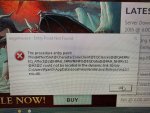
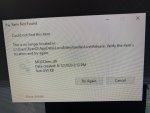
howdy krunix84 - sorry to hear about your launcher issues.
you mentioned you uninstalled it - but did you uninstall AND delete your appdata information?
Code:
1 - delete your AppData - paste this in windows explorer search window (any folder) %LocalAppData%\RedGuides and then delete the contents in that folder
1b - Did you skip step 1? if you did, go back and do step 1 :)
2 - then go to add/remove programs, and remove the redguide's launcher
3 - reinstall the launcher
4 - open launcher
5 - point the re-install to your existing mq2 directory
6 - boom - back in business
7 - get a snack/drink - you earned it!
its also possible trying a different default web browser might help if your browser has some issues with it (sometimes happens with old/non-updated browsers)
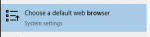
you can press your WindowsKey and then type browser
View attachment 27309
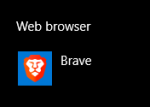
Then find "Web browser"
View attachment 27310
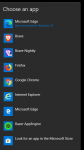
and then try a diff one (despite windows recommending edge, I wouldn't personally recommend it =p)
View attachment 27311
as far as mq2monk goes - you will want to have a subscription to mq2monk to be able to use it (unless you're on test or emu - which appears you download live server so you'll want to get a subscription license)