Jette Blaque
New member
It wont let me install the V.V. because of the error. I deleted and unistalled everything i could find and tried to reinstall.



double check that your anti-virus isn't holding any files.It wont let me install the V.V. because of the error. I deleted and unistalled everything i could find and tried to reinstall.
I don't see anything in my AVG. There is an exception for RG installer, but I cant install VV so, exceptions havent been made.
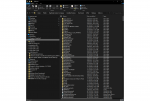
I know you are sick (no pun intended) of me by now ...however, I looked at the list of everything that is or was suppose to be in Very Vanilla installation and I am missing a number of things. I would also appreciate if you would look at the the attachment and tell me if anything is glaringly wrong. and I suppose to move files from the folders and drop them in the Macro main directory of leave them in the sub-directories ...as seen on the screenshot sent. Last question! I have been working on the Guild Buff Assistant buy adding more files, adding to the files casted by specific classes, and I was wondering when I updated my plugins/macros if all my work went by by when I hit update list??? Thanks for your time and stay safe.this is intended to continue to eat "junk" food so as not to automatically consume your good food like eq does naturally
couple things.I know you are sick (no pun intended) of me by now ...however, I looked at the list of everything that is or was suppose to be in Very Vanilla installation and I am missing a number of things. I would also appreciate if you would look at the the attachment and tell me if anything is glaringly wrong. and I suppose to move files from the folders and drop them in the Macro main directory of leave them in the sub-directories ...as seen on the screenshot sent. Last question! I have been working on the Guild Buff Assistant buy adding more files, adding to the files casted by specific classes, and I was wondering when I updated my plugins/macros if all my work went by by when I hit update list??? Thanks for your time and stay safe.
I was just watching your video with your nice halloweenie music. I realized I forgot the attachment.couple things.
1. this is the mq2feedme thread for mq2feedme stuff.
2. there is no attachment.
3. no "custom" stuff gets deleted - just files updated if you edited a file without renaming it and then re-downloaded it
4. everything that comes with the default VV comes with it as part of the launcher installation - additional macros and such you can "watch" and then the launcher downloads any additional "watched" resources.
4b. You should just let the VV launcher download files for you.
Got all my answers except for you to look at this folder and tell me if it looks right. Other than that ....you got it and thank you.I was just watching your video with your nice halloweenie music. I realized I forgot the attachment.
no that is definitely not correct.Got all my answers except for you to look at this folder and tell me if it looks right. Other than that ....you got it and thank you.
I am pretty sure I just screwed it up worse than it was. I am such a numb skull. Would it be best to just remove it all and start over with a fresh install. Then let the installer put things where they belong and not "SCREW WITH IT"???no that is definitely not correct.
macros go in the macro folder - and you should not have any folders for the plugins.
you should delete all of those and let the VV launcher app handle it.
that depends - if you delete everything and re-install you're going to lose all your inis and anything custom - if you do a re-install it won't delete anything extra - which doesn't fix you problem with all that extra stuffI am pretty sure I just screwed it up worse than it was. I am such a numb skull. Would it be best to just remove it all and start over with a fresh install. Then let the installer put things where they belong and not "SCREW WITH IT"???
your folder is crazy atm medicman.
did you try and manually download from git or something and slap it in your macro folder?
you have .h files in there and such
that depends - if you delete everything and re-install you're going to lose all your inis and anything custom - if you do a re-install it won't delete anything extra - which doesn't fix you problem with all that extra stuff
Just go to your settings tab and then point your "MacroQuest2 directory" to a new location (one that isn't exploded), and then hit the install button the VeryVanilla tabLook at previous post.

Last time I will bother you tonight! my location is on my Firecuda 520 2TB NVMe Drive with location /users/public/daybreak game company/installed games/everquest/mq2/release Should this be ok?Just go to your settings tab and then point your "MacroQuest2 directory" to a new location (one that isn't exploded), and then hit the install button the VeryVanilla tab
View attachment 28184
I personally don't install my mq2 in my eq directory - I like it to be in its own directory like D:\MQ2 or E:\Odiibox2\Games\MQ2\Release (on my second pc that the snip is from)Last time I will bother you tonight! my location is on my Firecuda 520 2TB NVMe Drive with location /users/public/daybreak game company/installed games/everquest/mq2/release Should this be ok?
Is there any disadvantage to having it the way I have it ...because I am already back at the beginning and I might as well redo it now if where I have it is a bad place for any reason.I personally don't install my mq2 in my eq directory - I like it to be in its own directory like D:\MQ2 or E:\Odiibox2\Games\MQ2\Release (on my second pc that the snip is from)
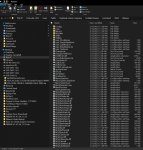
so fresh; so cleanHello my friend. Hope you are having a wonderful day. Just a quick note and pic to show you after a clean install. Lost a lot of work on various resources but, live and learn ...to stop screwing with what works.
Every time I see this it makes me laugh. I do not know what the **** I was thinking when I made that mess. Thanks again for pointing out the error of my ways. Be safe and be happy!!!your folder is crazy atm medicman.
did you try and manually download from git or something and slap it in your macro folder?
you have .h files in there and such
that depends - if you delete everything and re-install you're going to lose all your inis and anything custom - if you do a re-install it won't delete anything extra - which doesn't fix you problem with all that extra stuff
does your "last installed" show a date? if it does it means you installed it - and in which case you would see the Reinstall since it doesn't think there is an update and you already installed itNew to redguides launcher. I did the install and watched the associated video. On the right top corner, the launcher, below the live pulldown menu it says Reinstall and not Download like in the video. is this an error or the way it should be?
thank you

sounds like you might have mq2 loaded already in game? or your antivirus is holding hostage your mq2 (should add it to exceptions).When trying to download the updated Vanilla it says the pathway is denied because of my mq2chatwindow.. it said to contact management.. please help!
Try using a hammer to adjust the keyboard. It rarely works...but what a rush!
what exactly is your issue?didn't work anyone got a keyboard?????
what exactly is your issue?
typical issues are :
still have something from mq2 running while trying to patch (like eqbcs/eqbcs2 --- or still in-game with mq2 loaded)
or
antivirus holding files/folders hostage
I suggest restarting your pc -> checking antivirus (should exempt mq2 folder probably) -> restart launcher -> patch -> GG
ok didnt work either posting from my laptop anyone got a spare desktop?????Not the keyboard silly. Hit the tower with the hammer! That’s where all the annoying parts are that never seem to want to cooperate with you. A couple of good whacks and they will know who the boss really is!
What antivir are you running? I can try and replicateOk, so I just purchased a subscription and downloaded/installed the Launcher. I opted to use a folder on my d: drive (not the default location).
I click the Launcer icon on my desktop, the launcher loads up, then I click the "Login" button just as it says in all the tutorials. Problem is, after clicking the Login button the Launcher sits there about two seconds and then just goes away.
Tried this while my browser is open and logged into my Redguides account - same problem. Tried without browser running - same problem. Tried restarting my computer and doing same steps again - same problem.
Uninstalled the program, went to the %LocalAppData%\RedGuides folder and deleted contents, temporarily disabled my antivirus software, reinstalled the program using default location, and tried again. Same problem - Launcher just goes away after about 2 seconds. No browser window comes up or anything, Launcher just goes away.
Kinda rough doing anything with this shiny new subscription when the Launcher doesn't get past the Login phase. Any help will be greatly appreciated.
I use Avast on this computer. I tried running the installation and Launcher while Avast was disabled and had the same issue.What antivir are you running? I can try and replicate
I also tried switching default browsers; tried Chrome, Firefox, and Edge. Same problem. /shrugWhat antivir are you running? I can try and replicate
if you're interested - I'm available atm to remote in and see if i can get you rolling (if so pm me and we can coordinateI also tried switching default browsers; tried Chrome, Firefox, and Edge. Same problem. /shrug

hello @RealiteaHi, am new here and am not seeing the "Download" button shown in the beginner videos.
This is the url I visited for the download.
Help is appreciated
Thanks,