• You've discovered RedGuides, an EverQuest multi-boxing and scripting community 🧙‍♀️⚙️. We want you to play several EQ characters at once, come join us and say hello! 👋

  • A TLP without truebox has thawed (Very Vanilla ready)
    Frostreaver
RedGuides Launcher

RedGuides Launcher (4 Viewers) 1.1.0

No permission to download
and t hat folder is where yo have mq2 installed?

could you for the sake of testing try and set it to C:\mq2\release instead?
 
now you can just copy your inis and custom macs and settings from the mq2 release eand macros folder and nav over to that spot, its better and more stable to have it there.
 
and t hat folder is where yo have mq2 installed?

could you for the sake of testing try and set it to C:\mq2\release instead?

Good idea and something you suggested worked, but I was unable to recreate an issue with special characters in folder names.
 
I've noticed that last two times I ran the updater that the files in my \mq2\release folder were timestamped several hours into the future. Everything still works! The only practical effect this has is sorting the files by date is sort of wonky for a few hours. This is just an FYI sort of message.
 
@B_I_G__D_A_D_D_Y hmmm I will take a look at the file details and see if I can figure out whats going on there. It should be stamping the date time with whatever time you extracted the zip file.

@madkiller44 I will check the logic around the folder names. I am pretty sure I accounted for spaces, but it may be blowing up on the ' for some reason. At least you are up and running with @kaen01 's help. :)
 
I run the updater every day or so and I update the MuleAssist macro every time I run the updater but it never seems to get updated.

1579301335693.png
 
I seem to be having issues also! I am trying to see if I have 2 different mq2 directory's, I have tried setting the launcher to the folder I can find but when I hover over the mq2 icon in the taskbar it says "jan 9th... I run the reinstall in the launcher and it says last installed 1-18-20... I get the "no nav mesh files loaded" Unfortunately I feel like I am making it worse each pass..
 
Are you saying you've updated Vanilla and MQ2/KA isn't working? Like you're getting the "out-of-date" error window and MQ2 turns off?

For that you can double check you updated EQ too and then re-run the Vanilla launcher.

You can also make sure the launcher is updating the correct Vanilla install folder. A few users have noted it was reverting to a default directory instead of their custom one. You can see this in the settings tab of the launcher.
 
I can not seem to figure out why mq2 is not working, says out of date... I update it in the launcher, it shows the current version. My icon at the bottom of the screen shows (jan 9) navigation not working and everyone stands there and looks as dumb as me!
 
What would cause the launcher to "loose track" of somebody's custom install folder and revert to the default one? That seems to be a common trouble shooting thread. They pick their own folder on install and it works for awhile, then one patch it reverts and they don't notice until something doesn't work. Ini files are missing or their startup icons are starting out-of-date MQ2 or such.
 
I restarted computer and characters and now it seems to be up and running.. thank you for your help
 
Took some time but any way to have mq2advpath auto load? for some reason it did not load like normal?
 
I dropped it down another folder past release,(under settings tab on Launcher), and now it works. Everything is updating now.

Thanks
 
My Dad (Dead2) is having an issue with the RedGuides launcher and I am his IT guy. Below are the 2 errors we are getting in event viewer every time we try to launch the application. This is a Standard windows 10 machine that the launcher has worked on before and it just stopped working today.

I've done the following:
Attempt #1
A. uninstall RG Launcher
B. removed all temp files
C. reinstalled application
result: same errors as below(event viewer)

Attempt #2
A. uninstall RG Launcher
B. removed all traces of RG anywhere in temp folders %appdata% local/roaming %programdata% etc.
C. rebooted computer
D. reinstalled application
result: same errors as below (event viewer)

Attempt #3
A. uninstall RG launcher
B. windows updates including .net framework updates.
C. rebooted computer
D. reinstalled application
result: same errors a below (event viewer)

Attempt #4
A. uninstall RG launcher
B. rebooted computer
C. sfc /scannow (no issues)
D. Ran MalwareBytes (no malware)
E. Checked System32\KernalBase.DLL for permissions and they are identical to my computer which is just the default settings.
F. reinstalled application
result: same errors as below (event viewer)
Faulting application name: RedGuidesLauncher.exe, version: 1.0.2.0, time stamp: 0xe5362da7
Faulting module name: KERNELBASE.dll, version: 10.0.18362.535, time stamp: 0x5bd9df62
Exception code: 0xe0434352
Fault offset: 0x001135d2
Faulting process id: 0x2274
Faulting application start time: 0x01d5cfe13e2c7ff5
Faulting application path: C:\ProgramData\RedGuides\DesktopUtility\RedGuidesLauncher.exe
Faulting module path: C:\Windows\System32\KERNELBASE.dll
Report Id: 51dd40c2-0511-4b0f-9d97-8a0fc1545e2e
Faulting package full name:
Faulting package-relative application ID:
Application: RedGuidesLauncher.exe
Framework Version: v4.0.30319
Description: The process was terminated due to an unhandled exception.
Exception Info: System.Xml.XmlException
at System.Xml.XmlTextReaderImpl.Throw(System.Exception)
at System.Xml.XmlTextReaderImpl.Throw(System.String, System.String[])
at System.Xml.XmlTextReaderImpl.ParseText(Int32 ByRef, Int32 ByRef, Int32 ByRef)
at System.Xml.XmlTextReaderImpl.ParseText()
at System.Xml.XmlTextReaderImpl.ParseElementContent()
at System.Xml.XmlTextReaderImpl.Read()
at System.Xml.XmlTextReader.Read()
at System.Xml.XmlTextReaderImpl.Skip()
at System.Xml.XmlTextReader.Skip()
at System.Configuration.XmlUtil.StrictSkipToNextElement(System.Configuration.ExceptionAction)
at System.Configuration.BaseConfigurationRecord.ScanSectionsRecursive(System.Configuration.XmlUtil, System.String, Boolean, System.String, System.Configuration.OverrideModeSetting, Boolean)
at System.Configuration.BaseConfigurationRecord.ScanSections(System.Configuration.XmlUtil)
at System.Configuration.BaseConfigurationRecord.InitConfigFromFile()

Exception Info: System.Configuration.ConfigurationErrorsException
at System.Configuration.ConfigurationSchemaErrors.ThrowIfErrors(Boolean)
at System.Configuration.BaseConfigurationRecord.ThrowIfParseErrors(System.Configuration.ConfigurationSchemaErrors)
at System.Configuration.BaseConfigurationRecord.ThrowIfInitErrors()
at System.Configuration.ClientConfigurationSystem.OnConfigRemoved(System.Object, System.Configuration.Internal.InternalConfigEventArgs)

Exception Info: System.Configuration.ConfigurationErrorsException
at System.Configuration.ClientConfigurationSystem.OnConfigRemoved(System.Object, System.Configuration.Internal.InternalConfigEventArgs)
at System.Configuration.Internal.InternalConfigRoot.OnConfigRemoved(System.Configuration.Internal.InternalConfigEventArgs)
at System.Configuration.Internal.InternalConfigRoot.RemoveConfigImpl(System.String, System.Configuration.BaseConfigurationRecord)
at System.Configuration.BaseConfigurationRecord.GetSectionRecursive(System.String, Boolean, Boolean, Boolean, Boolean, System.Object ByRef, System.Object ByRef)
at System.Configuration.BaseConfigurationRecord.GetSection(System.String)
at System.Configuration.ClientConfigurationSystem.System.Configuration.Internal.IInternalConfigSystem.GetSection(System.String)
at System.Configuration.ConfigurationManager.GetSection(System.String)
at System.Configuration.ClientSettingsStore.ReadSettings(System.String, Boolean)
at System.Configuration.LocalFileSettingsProvider.GetPropertyValues(System.Configuration.SettingsContext, System.Configuration.SettingsPropertyCollection)
at System.Configuration.SettingsBase.GetPropertiesFromProvider(System.Configuration.SettingsProvider)
at System.Configuration.SettingsBase.GetPropertyValueByName(System.String)
at System.Configuration.SettingsBase.get_Item(System.String)
at System.Configuration.ApplicationSettingsBase.GetPropertyValue(System.String)
at System.Configuration.ApplicationSettingsBase.get_Item(System.String)
at RGResourceManager.Properties.Settings.get_LogLevel()
at RGResourceManager.App.CreateModuleCatalog()
at Prism.PrismApplicationBase.Initialize()
at Prism.PrismApplicationBase.InitializeInternal()
at Prism.PrismApplicationBase.OnStartup(System.Windows.StartupEventArgs)
at System.Windows.Application.<.ctor>b__1_0(System.Object)
at System.Windows.Threading.ExceptionWrapper.InternalRealCall(System.Delegate, System.Object, Int32)
at System.Windows.Threading.ExceptionWrapper.TryCatchWhen(System.Object, System.Delegate, System.Object, Int32, System.Delegate)
at System.Windows.Threading.DispatcherOperation.InvokeImpl()
at System.Windows.Threading.DispatcherOperation.InvokeInSecurityContext(System.Object)
at MS.Internal.CulturePreservingExecutionContext.CallbackWrapper(System.Object)
at System.Threading.ExecutionContext.RunInternal(System.Threading.ExecutionContext, System.Threading.ContextCallback, System.Object, Boolean)
at System.Threading.ExecutionContext.Run(System.Threading.ExecutionContext, System.Threading.ContextCallback, System.Object, Boolean)
at System.Threading.ExecutionContext.Run(System.Threading.ExecutionContext, System.Threading.ContextCallback, System.Object)
at MS.Internal.CulturePreservingExecutionContext.Run(MS.Internal.CulturePreservingExecutionContext, System.Threading.ContextCallback, System.Object)
at System.Windows.Threading.DispatcherOperation.Invoke()
at System.Windows.Threading.Dispatcher.ProcessQueue()
at System.Windows.Threading.Dispatcher.WndProcHook(IntPtr, Int32, IntPtr, IntPtr, Boolean ByRef)
at MS.Win32.HwndWrapper.WndProc(IntPtr, Int32, IntPtr, IntPtr, Boolean ByRef)
at MS.Win32.HwndSubclass.DispatcherCallbackOperation(System.Object)
at System.Windows.Threading.ExceptionWrapper.InternalRealCall(System.Delegate, System.Object, Int32)
at System.Windows.Threading.ExceptionWrapper.TryCatchWhen(System.Object, System.Delegate, System.Object, Int32, System.Delegate)
at System.Windows.Threading.Dispatcher.LegacyInvokeImpl(System.Windows.Threading.DispatcherPriority, System.TimeSpan, System.Delegate, System.Object, Int32)
at MS.Win32.HwndSubclass.SubclassWndProc(IntPtr, Int32, IntPtr, IntPtr)
at MS.Win32.UnsafeNativeMethods.DispatchMessage(System.Windows.Interop.MSG ByRef)
at System.Windows.Threading.Dispatcher.PushFrameImpl(System.Windows.Threading.DispatcherFrame)
at System.Windows.Threading.Dispatcher.PushFrame(System.Windows.Threading.DispatcherFrame)
at System.Windows.Application.RunDispatcher(System.Object)
at System.Windows.Application.RunInternal(System.Windows.Window)
at System.Windows.Application.Run(System.Windows.Window)
at RGResourceManager.App.Main()
 
My Dad (Dead2) is having an issue with the RedGuides launcher and I am his IT guy. Below are the 2 errors we are getting in event viewer every time we try to launch the application. This is a Standard windows 10 machine that the launcher has worked on before and it just stopped working today.

I've done the following:
Attempt #1
A. uninstall RG Launcher
B. removed all temp files
C. reinstalled application
result: same errors as below(event viewer)

Attempt #2
A. uninstall RG Launcher
B. removed all traces of RG anywhere in temp folders %appdata% local/roaming %programdata% etc.
C. rebooted computer
D. reinstalled application
result: same errors as below (event viewer)

Attempt #3
A. uninstall RG launcher
B. windows updates including .net framework updates.
C. rebooted computer
D. reinstalled application
result: same errors a below (event viewer)

Attempt #4
A. uninstall RG launcher
B. rebooted computer
C. sfc /scannow (no issues)
D. Ran MalwareBytes (no malware)
E. Checked System32\KernalBase.DLL for permissions and they are identical to my computer which is just the default settings.
F. reinstalled application
result: same errors as below (event viewer)
Faulting application name: RedGuidesLauncher.exe, version: 1.0.2.0, time stamp: 0xe5362da7
Faulting module name: KERNELBASE.dll, version: 10.0.18362.535, time stamp: 0x5bd9df62
Exception code: 0xe0434352
Fault offset: 0x001135d2
Faulting process id: 0x2274
Faulting application start time: 0x01d5cfe13e2c7ff5
Faulting application path: C:\ProgramData\RedGuides\DesktopUtility\RedGuidesLauncher.exe
Faulting module path: C:\Windows\System32\KERNELBASE.dll
Report Id: 51dd40c2-0511-4b0f-9d97-8a0fc1545e2e
Faulting package full name:
Faulting package-relative application ID:
Application: RedGuidesLauncher.exe
Framework Version: v4.0.30319
Description: The process was terminated due to an unhandled exception.
Exception Info: System.Xml.XmlException
at System.Xml.XmlTextReaderImpl.Throw(System.Exception)
at System.Xml.XmlTextReaderImpl.Throw(System.String, System.String[])
at System.Xml.XmlTextReaderImpl.ParseText(Int32 ByRef, Int32 ByRef, Int32 ByRef)
at System.Xml.XmlTextReaderImpl.ParseText()
at System.Xml.XmlTextReaderImpl.ParseElementContent()
at System.Xml.XmlTextReaderImpl.Read()
at System.Xml.XmlTextReader.Read()
at System.Xml.XmlTextReaderImpl.Skip()
at System.Xml.XmlTextReader.Skip()
at System.Configuration.XmlUtil.StrictSkipToNextElement(System.Configuration.ExceptionAction)
at System.Configuration.BaseConfigurationRecord.ScanSectionsRecursive(System.Configuration.XmlUtil, System.String, Boolean, System.String, System.Configuration.OverrideModeSetting, Boolean)
at System.Configuration.BaseConfigurationRecord.ScanSections(System.Configuration.XmlUtil)
at System.Configuration.BaseConfigurationRecord.InitConfigFromFile()

Exception Info: System.Configuration.ConfigurationErrorsException
at System.Configuration.ConfigurationSchemaErrors.ThrowIfErrors(Boolean)
at System.Configuration.BaseConfigurationRecord.ThrowIfParseErrors(System.Configuration.ConfigurationSchemaErrors)
at System.Configuration.BaseConfigurationRecord.ThrowIfInitErrors()
at System.Configuration.ClientConfigurationSystem.OnConfigRemoved(System.Object, System.Configuration.Internal.InternalConfigEventArgs)

Exception Info: System.Configuration.ConfigurationErrorsException
at System.Configuration.ClientConfigurationSystem.OnConfigRemoved(System.Object, System.Configuration.Internal.InternalConfigEventArgs)
at System.Configuration.Internal.InternalConfigRoot.OnConfigRemoved(System.Configuration.Internal.InternalConfigEventArgs)
at System.Configuration.Internal.InternalConfigRoot.RemoveConfigImpl(System.String, System.Configuration.BaseConfigurationRecord)
at System.Configuration.BaseConfigurationRecord.GetSectionRecursive(System.String, Boolean, Boolean, Boolean, Boolean, System.Object ByRef, System.Object ByRef)
at System.Configuration.BaseConfigurationRecord.GetSection(System.String)
at System.Configuration.ClientConfigurationSystem.System.Configuration.Internal.IInternalConfigSystem.GetSection(System.String)
at System.Configuration.ConfigurationManager.GetSection(System.String)
at System.Configuration.ClientSettingsStore.ReadSettings(System.String, Boolean)
at System.Configuration.LocalFileSettingsProvider.GetPropertyValues(System.Configuration.SettingsContext, System.Configuration.SettingsPropertyCollection)
at System.Configuration.SettingsBase.GetPropertiesFromProvider(System.Configuration.SettingsProvider)
at System.Configuration.SettingsBase.GetPropertyValueByName(System.String)
at System.Configuration.SettingsBase.get_Item(System.String)
at System.Configuration.ApplicationSettingsBase.GetPropertyValue(System.String)
at System.Configuration.ApplicationSettingsBase.get_Item(System.String)
at RGResourceManager.Properties.Settings.get_LogLevel()
at RGResourceManager.App.CreateModuleCatalog()
at Prism.PrismApplicationBase.Initialize()
at Prism.PrismApplicationBase.InitializeInternal()
at Prism.PrismApplicationBase.OnStartup(System.Windows.StartupEventArgs)
at System.Windows.Application.<.ctor>b__1_0(System.Object)
at System.Windows.Threading.ExceptionWrapper.InternalRealCall(System.Delegate, System.Object, Int32)
at System.Windows.Threading.ExceptionWrapper.TryCatchWhen(System.Object, System.Delegate, System.Object, Int32, System.Delegate)
at System.Windows.Threading.DispatcherOperation.InvokeImpl()
at System.Windows.Threading.DispatcherOperation.InvokeInSecurityContext(System.Object)
at MS.Internal.CulturePreservingExecutionContext.CallbackWrapper(System.Object)
at System.Threading.ExecutionContext.RunInternal(System.Threading.ExecutionContext, System.Threading.ContextCallback, System.Object, Boolean)
at System.Threading.ExecutionContext.Run(System.Threading.ExecutionContext, System.Threading.ContextCallback, System.Object, Boolean)
at System.Threading.ExecutionContext.Run(System.Threading.ExecutionContext, System.Threading.ContextCallback, System.Object)
at MS.Internal.CulturePreservingExecutionContext.Run(MS.Internal.CulturePreservingExecutionContext, System.Threading.ContextCallback, System.Object)
at System.Windows.Threading.DispatcherOperation.Invoke()
at System.Windows.Threading.Dispatcher.ProcessQueue()
at System.Windows.Threading.Dispatcher.WndProcHook(IntPtr, Int32, IntPtr, IntPtr, Boolean ByRef)
at MS.Win32.HwndWrapper.WndProc(IntPtr, Int32, IntPtr, IntPtr, Boolean ByRef)
at MS.Win32.HwndSubclass.DispatcherCallbackOperation(System.Object)
at System.Windows.Threading.ExceptionWrapper.InternalRealCall(System.Delegate, System.Object, Int32)
at System.Windows.Threading.ExceptionWrapper.TryCatchWhen(System.Object, System.Delegate, System.Object, Int32, System.Delegate)
at System.Windows.Threading.Dispatcher.LegacyInvokeImpl(System.Windows.Threading.DispatcherPriority, System.TimeSpan, System.Delegate, System.Object, Int32)
at MS.Win32.HwndSubclass.SubclassWndProc(IntPtr, Int32, IntPtr, IntPtr)
at MS.Win32.UnsafeNativeMethods.DispatchMessage(System.Windows.Interop.MSG ByRef)
at System.Windows.Threading.Dispatcher.PushFrameImpl(System.Windows.Threading.DispatcherFrame)
at System.Windows.Threading.Dispatcher.PushFrame(System.Windows.Threading.DispatcherFrame)
at System.Windows.Application.RunDispatcher(System.Object)
at System.Windows.Application.RunInternal(System.Windows.Window)
at System.Windows.Application.Run(System.Windows.Window)
at RGResourceManager.App.Main()
When was it last working? Or is this new for him?
 
It was last working yesterday, not working today after a reboot. Which made me think it has to do with windows updates...
And that's exactly why I asked, nice call. I seen a few people have been dealing with issues with the latest security patch, specifically with the microsoft certificate fix. Roll back the installation before 1903, and then put him in the pool to force 1909.

Thanks @wired420 , he worked through one of the first.
 
If you are having issues with running .NET apps after installing the Windows Certificate Update (Or at this point lack of installing or rolling back because the underlying certificate previously used has been officially revoked) message me directly, and I'll determine the steps you personally need to take to remedy the problem. It's not a one size fits all solution. In @Sum1's case I used a enterprise level tool to rebuild his registry and updates db which reset the pool he was scheduled to get 1909 in. Had him visit the site and click the update button for 1909 before he could be reassigned.

In cases where the registry didn't get borked I can just slide you a Microsoft KB beta (that actually SHOULD'VE started rolling out today general release via updater) file.
 
@wired420 hooked me up with a solution after me and @Festivus racked our brains for hours and hours and hours. I’m really appreciative of the effort they both put in.
 
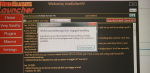
Got this message this morning when I tried updating.

"Sorry looks like there was an issue:
End of Central Directory could not be found.
Please report this to management."

The first time I got the message I clicked ok and the button on the launcher showed I still needed to update so I closed the launcher and rebooted my pc. Got back on the launcher and hit the update button. Got the same message again but this time it shows update complete with today's date.

Can't load any toons. Everything was working fine yesterday morning.

This is the message I'm getting when it tries to log into EQ.

"Either MQ2 or eqgame is out of date (that,s the header)
MQ2 expected eqgame Date and Time to be:
Feb 10 2020 18:39:00
But eqgame's Date and Time is:
Jan 9 2020 13:39:57
Do you need to patch one of them?
Loading of MQ2 can not be completed.
 
Last edited:
RedGuides Launcher

Users who are viewing this thread

Back
Top
Cart