madkiller44
Member
windowskey and s not working



/ooc, /shout or other public channels. This has been an unwritten rule that's kept casino scripts off the site for decades, but we're now compelled to make it clear: keep automated communication private./target over impossible distances when /nav spawn would passively accomplish the same thing, a spawn search that fires 20+ times per second, and other pointless actions that are likely annoying GMs./lua run


It's " windows + shift + s " by default now.windowskey+s to take a screensnip
and t hat folder is where yo have mq2 installed?
could you for the sake of testing try and set it to C:\mq2\release instead?

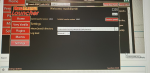
/plugin mq2nav load/nav reloadI'm not convinced that's the same folder as the address bar on the right isn't clear.


Hello,
Under the Very Vanilla tab I have:
Latest version: 1/17/2020
When was it last working? Or is this new for him?My Dad (Dead2) is having an issue with the RedGuides launcher and I am his IT guy. Below are the 2 errors we are getting in event viewer every time we try to launch the application. This is a Standard windows 10 machine that the launcher has worked on before and it just stopped working today.
I've done the following:
Attempt #1
A. uninstall RG Launcher
B. removed all temp files
C. reinstalled application
result: same errors as below(event viewer)
Attempt #2
A. uninstall RG Launcher
B. removed all traces of RG anywhere in temp folders %appdata% local/roaming %programdata% etc.
C. rebooted computer
D. reinstalled application
result: same errors as below (event viewer)
Attempt #3
A. uninstall RG launcher
B. windows updates including .net framework updates.
C. rebooted computer
D. reinstalled application
result: same errors a below (event viewer)
Attempt #4
A. uninstall RG launcher
B. rebooted computer
C. sfc /scannow (no issues)
D. Ran MalwareBytes (no malware)
E. Checked System32\KernalBase.DLL for permissions and they are identical to my computer which is just the default settings.
F. reinstalled application
result: same errors as below (event viewer)Faulting application name: RedGuidesLauncher.exe, version: 1.0.2.0, time stamp: 0xe5362da7
Faulting module name: KERNELBASE.dll, version: 10.0.18362.535, time stamp: 0x5bd9df62
Exception code: 0xe0434352
Fault offset: 0x001135d2
Faulting process id: 0x2274
Faulting application start time: 0x01d5cfe13e2c7ff5
Faulting application path: C:\ProgramData\RedGuides\DesktopUtility\RedGuidesLauncher.exe
Faulting module path: C:\Windows\System32\KERNELBASE.dll
Report Id: 51dd40c2-0511-4b0f-9d97-8a0fc1545e2e
Faulting package full name:
Faulting package-relative application ID:Application: RedGuidesLauncher.exe
Framework Version: v4.0.30319
Description: The process was terminated due to an unhandled exception.
Exception Info: System.Xml.XmlException
at System.Xml.XmlTextReaderImpl.Throw(System.Exception)
at System.Xml.XmlTextReaderImpl.Throw(System.String, System.String[])
at System.Xml.XmlTextReaderImpl.ParseText(Int32 ByRef, Int32 ByRef, Int32 ByRef)
at System.Xml.XmlTextReaderImpl.ParseText()
at System.Xml.XmlTextReaderImpl.ParseElementContent()
at System.Xml.XmlTextReaderImpl.Read()
at System.Xml.XmlTextReader.Read()
at System.Xml.XmlTextReaderImpl.Skip()
at System.Xml.XmlTextReader.Skip()
at System.Configuration.XmlUtil.StrictSkipToNextElement(System.Configuration.ExceptionAction)
at System.Configuration.BaseConfigurationRecord.ScanSectionsRecursive(System.Configuration.XmlUtil, System.String, Boolean, System.String, System.Configuration.OverrideModeSetting, Boolean)
at System.Configuration.BaseConfigurationRecord.ScanSectionsRecursive(System.Configuration.XmlUtil, System.String, Boolean, System.String, System.Configuration.OverrideModeSetting, Boolean)
at System.Configuration.BaseConfigurationRecord.ScanSections(System.Configuration.XmlUtil)
at System.Configuration.BaseConfigurationRecord.InitConfigFromFile()
Exception Info: System.Configuration.ConfigurationErrorsException
at System.Configuration.ConfigurationSchemaErrors.ThrowIfErrors(Boolean)
at System.Configuration.BaseConfigurationRecord.ThrowIfParseErrors(System.Configuration.ConfigurationSchemaErrors)
at System.Configuration.BaseConfigurationRecord.ThrowIfInitErrors()
at System.Configuration.ClientConfigurationSystem.OnConfigRemoved(System.Object, System.Configuration.Internal.InternalConfigEventArgs)
Exception Info: System.Configuration.ConfigurationErrorsException
at System.Configuration.ClientConfigurationSystem.OnConfigRemoved(System.Object, System.Configuration.Internal.InternalConfigEventArgs)
at System.Configuration.Internal.InternalConfigRoot.OnConfigRemoved(System.Configuration.Internal.InternalConfigEventArgs)
at System.Configuration.Internal.InternalConfigRoot.RemoveConfigImpl(System.String, System.Configuration.BaseConfigurationRecord)
at System.Configuration.BaseConfigurationRecord.GetSectionRecursive(System.String, Boolean, Boolean, Boolean, Boolean, System.Object ByRef, System.Object ByRef)
at System.Configuration.BaseConfigurationRecord.GetSection(System.String)
at System.Configuration.ClientConfigurationSystem.System.Configuration.Internal.IInternalConfigSystem.GetSection(System.String)
at System.Configuration.ConfigurationManager.GetSection(System.String)
at System.Configuration.ClientSettingsStore.ReadSettings(System.String, Boolean)
at System.Configuration.LocalFileSettingsProvider.GetPropertyValues(System.Configuration.SettingsContext, System.Configuration.SettingsPropertyCollection)
at System.Configuration.SettingsBase.GetPropertiesFromProvider(System.Configuration.SettingsProvider)
at System.Configuration.SettingsBase.GetPropertyValueByName(System.String)
at System.Configuration.SettingsBase.get_Item(System.String)
at System.Configuration.ApplicationSettingsBase.GetPropertyValue(System.String)
at System.Configuration.ApplicationSettingsBase.get_Item(System.String)
at RGResourceManager.Properties.Settings.get_LogLevel()
at RGResourceManager.App.CreateModuleCatalog()
at Prism.PrismApplicationBase.Initialize()
at Prism.PrismApplicationBase.InitializeInternal()
at Prism.PrismApplicationBase.OnStartup(System.Windows.StartupEventArgs)
at System.Windows.Application.<.ctor>b__1_0(System.Object)
at System.Windows.Threading.ExceptionWrapper.InternalRealCall(System.Delegate, System.Object, Int32)
at System.Windows.Threading.ExceptionWrapper.TryCatchWhen(System.Object, System.Delegate, System.Object, Int32, System.Delegate)
at System.Windows.Threading.DispatcherOperation.InvokeImpl()
at System.Windows.Threading.DispatcherOperation.InvokeInSecurityContext(System.Object)
at MS.Internal.CulturePreservingExecutionContext.CallbackWrapper(System.Object)
at System.Threading.ExecutionContext.RunInternal(System.Threading.ExecutionContext, System.Threading.ContextCallback, System.Object, Boolean)
at System.Threading.ExecutionContext.Run(System.Threading.ExecutionContext, System.Threading.ContextCallback, System.Object, Boolean)
at System.Threading.ExecutionContext.Run(System.Threading.ExecutionContext, System.Threading.ContextCallback, System.Object)
at MS.Internal.CulturePreservingExecutionContext.Run(MS.Internal.CulturePreservingExecutionContext, System.Threading.ContextCallback, System.Object)
at System.Windows.Threading.DispatcherOperation.Invoke()
at System.Windows.Threading.Dispatcher.ProcessQueue()
at System.Windows.Threading.Dispatcher.WndProcHook(IntPtr, Int32, IntPtr, IntPtr, Boolean ByRef)
at MS.Win32.HwndWrapper.WndProc(IntPtr, Int32, IntPtr, IntPtr, Boolean ByRef)
at MS.Win32.HwndSubclass.DispatcherCallbackOperation(System.Object)
at System.Windows.Threading.ExceptionWrapper.InternalRealCall(System.Delegate, System.Object, Int32)
at System.Windows.Threading.ExceptionWrapper.TryCatchWhen(System.Object, System.Delegate, System.Object, Int32, System.Delegate)
at System.Windows.Threading.Dispatcher.LegacyInvokeImpl(System.Windows.Threading.DispatcherPriority, System.TimeSpan, System.Delegate, System.Object, Int32)
at MS.Win32.HwndSubclass.SubclassWndProc(IntPtr, Int32, IntPtr, IntPtr)
at MS.Win32.UnsafeNativeMethods.DispatchMessage(System.Windows.Interop.MSG ByRef)
at System.Windows.Threading.Dispatcher.PushFrameImpl(System.Windows.Threading.DispatcherFrame)
at System.Windows.Threading.Dispatcher.PushFrame(System.Windows.Threading.DispatcherFrame)
at System.Windows.Application.RunDispatcher(System.Object)
at System.Windows.Application.RunInternal(System.Windows.Window)
at System.Windows.Application.Run(System.Windows.Window)
at RGResourceManager.App.Main()
It was last working yesterday, not working today after a reboot. Which made me think it has to do with windows updates...When was it last working? Or is this new for him?
And that's exactly why I asked, nice call. I seen a few people have been dealing with issues with the latest security patch, specifically with the microsoft certificate fix. Roll back the installation before 1903, and then put him in the pool to force 1909.It was last working yesterday, not working today after a reboot. Which made me think it has to do with windows updates...