
I think I figured out most of it now. Where do I look again to find what I own or subscribed too? I think I'm missing raznuke?
Watch this video starting at 4:30



/ooc, /shout or other public channels. This has been an unwritten rule that's kept casino scripts off the site for decades, but we're now compelled to make it clear: keep automated communication private./target over impossible distances when /nav spawn would passively accomplish the same thing, a spawn search that fires 20+ times per second, and other pointless actions that are likely annoying GMs./lua run

I think I figured out most of it now. Where do I look again to find what I own or subscribed too? I think I'm missing raznuke?

* Scary looking login permissions makes one think that MQ launcher will be posting updates on RG forums on my behalf...
* Net 4.8 required also kind of a pain on old older Windows, I know that for a developer having the latest .net makes things easier
Really Bad:
Losing profiles should not be possible, but it did happen on one of the computers (only a single MQ2 install directory there).
How does that happen? How hard would it be to add a check for profile overwrite?
This is really painful when you have 20 profiles
Unfortunately this is a product of the XenForo API. I took the minimum permission set I could to be able to get to all the resources. The best I can do with the current version of the API is to assure you that I wont be putting anything into the launcher that would do anything at all on the forums without your express knowledge and consent, if we even add anything at all.
I will go through and double check, but I didn't believe that I had used anything that required above 4.7.2. I know even this can be a little much for older copies of Windows 7.
Can you explain a little more? Which profiles, MQ2Autologin? Kissassist profiles? Technically, it shouldn't be possible for the launcher to overwrite either. The "install process" for Very Vanilla simply grabs the zip package from the forums and unzips it to the folder you select, or the default folder if you opt to allow it to use that one. On top of that, the process to unzip already takes into account the file extension for every file we extract. If its an ini we ignore it if it already exists. I haven't had this happen to me personally but I am hearing several people talking about it. I will definitely try and track it down, but I really do need any extra information you can provide.
I see no MQ window in eq? Has that gone away?
ya it wiped my autologin. lucky i had a extracted version so it wasnt to bad. reset all my toon ints as well. Kissassist was unaffected. Also, no Plugins or Macros load
Also, no Plugins or Macros load
- Added messages to the Plugins and Macros tabs to explain why it may be empty
- Added a note to the MQ2 folder confirmation prompt to select the existing MQ2 folder if one already exists.
- Added Launcher version info to the bottom right hand corner of the application. If an update is available, the text "Install Launcher Update" shows and is clickable to run the update.
That means Very Vanilla is up to date.launcher updated now it wont update it just gives me a reinstall option
Now that I'm understanding how it works, I am liking the launcher. Thanks for the work on this!
I am working on extending the status messages/indicators to add full progress bars and more representation of exactly what its doing when.can we have a progress bar that shows which step we are ,downloading ? installing? or just searching the database.i am frequently confused if the launcher is dead or just doing something background
It appears that this is still overwriting any adjustments you make to your base config files. Let me know what I need to send you to help debug.

Try setting a different default browser. type "default apps" into the start barI'm having an issue with the Launcher. When I click the 'Login' button on the launcher window it nothing happens. It doesn't open my default browser (Firefox) or login. I have installed the launcher software in both the default location as well as a different location on another drive. Next I thought this might be Firefox blocking pop-ups but the issue remains after enabling pop-ups.
Any thoughts on why the login button isn't working?
Thanks in advance - Wierjyn
I tried setting the default to both IE and Edge - neither worked. I then bit the bullet and downloaded chrome and set it as the default. This time when I started the launcher and hit "Login" Windows prompted me to "select a default program to use with this application" ( or something similar) and I was able to login in and use the various buttons (Very Vanilla, Macros etc).Try setting a different default browser. type "default apps" into the start bar
Thanks for reporting back! Feel free to switch back to Firefox. II tried setting the default to both IE and Edge - neither worked. I then bit the bullet and downloaded chrome and set it as the default. This time when I started the launcher and hit "Login" Windows prompted me to "select a default program to use with this application" ( or something similar) and I was able to login in and use the various buttons (Very Vanilla, Macros etc).
Thank you all for you help!
 Mozilla and don't want to chase anyone away

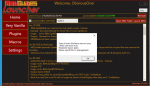
Shut MQ and EQ instances down first, then try, had the same issue. Shutdown the running MQ and it went through like a champI installed it but it won't do anything but show the login button. When I click it nothing happens. Doesn't matter what other buttons I clicked or servers I select it just has the non working login button. I am a beginner to medium skilled user of this stuff (MQ2 and KA and various plugins). I am curious if this might be a patch day thing? I have no reason to think that other than a lot of stuff goes screwy on patch days. I know the MQ2 has to be updated but I mean in my world the car has broken down, ac quit working in the house, got fired from my job, porch collapsed, wife left me, all on patch days.
Can you re-create this issue? If so, can you paste anything relevant you find in your RGDesktopUtility.log file, which you can find here: C:\ProgramData\RedGuides\DesktopUtility\logs
Well everything use to work pretty good now can’t make it work anymoreHaving in-game issues? Please use the appropriate discussion thread (not this one):
Live, Test, Emu
This is a discussion thread for the RedGuides Launcher.
You can read about the launcher here
Well everything use to work pretty good now can’t make it work anymore
I believe this is on the "to do" list, but thanks for the feedback we really appreciate it.Anyway to make this force a refresh on MQ2 when you open the launcher? If you had left mq2 up without closing it separate from launcher and then run the launcher again it shows the reinstall button instead of the update button which was confusing for a minute before i double checked. Just a quality of life improvement if it possible to avoid the confusion on patch days.


 (ie my user error )

