• You've discovered RedGuides, an EverQuest multi-boxing and scripting community 🧙‍♀️⚙️. We want you to play several EQ characters at once, come join us and say hello! 👋

  • A TLP without truebox has thawed (Very Vanilla ready)
    Frostreaver
RedGuides Launcher

RedGuides Launcher (2 Viewers) 1.1.0

No permission to download
Positives and negatives of this launcher:

Good:

* Mq2eqwire update support finally! YAY!
* Found macros I wrote for RG, nice !
* Coordinated MQ2EQBC launch

Kind of Bad:

* Scary looking login permissions makes one think that MQ launcher will be posting updates on RG forums on my behalf...
* Net 4.8 required also kind of a pain on old older Windows, I know that for a developer having the latest .net makes things easier

Really Bad:

Losing profiles should not be possible, but it did happen on one of the computers (only a single MQ2 install directory there).

How does that happen? How hard would it be to add a check for profile overwrite?

This is really painful when you have 20 profiles :(
 
* Scary looking login permissions makes one think that MQ launcher will be posting updates on RG forums on my behalf...

Unfortunately this is a product of the XenForo API. I took the minimum permission set I could to be able to get to all the resources. The best I can do with the current version of the API is to assure you that I wont be putting anything into the launcher that would do anything at all on the forums without your express knowledge and consent, if we even add anything at all.

* Net 4.8 required also kind of a pain on old older Windows, I know that for a developer having the latest .net makes things easier

I will go through and double check, but I didn't believe that I had used anything that required above 4.7.2. I know even this can be a little much for older copies of Windows 7.

Really Bad:

Losing profiles should not be possible, but it did happen on one of the computers (only a single MQ2 install directory there).

How does that happen? How hard would it be to add a check for profile overwrite?

This is really painful when you have 20 profiles :(

Can you explain a little more? Which profiles, MQ2Autologin? Kissassist profiles? Technically, it shouldn't be possible for the launcher to overwrite either. The "install process" for Very Vanilla simply grabs the zip package from the forums and unzips it to the folder you select, or the default folder if you opt to allow it to use that one. On top of that, the process to unzip already takes into account the file extension for every file we extract. If its an ini we ignore it if it already exists. I haven't had this happen to me personally but I am hearing several people talking about it. I will definitely try and track it down, but I really do need any extra information you can provide.
 
Unfortunately this is a product of the XenForo API. I took the minimum permission set I could to be able to get to all the resources. The best I can do with the current version of the API is to assure you that I wont be putting anything into the launcher that would do anything at all on the forums without your express knowledge and consent, if we even add anything at all.


I will go through and double check, but I didn't believe that I had used anything that required above 4.7.2. I know even this can be a little much for older copies of Windows 7.


Can you explain a little more? Which profiles, MQ2Autologin? Kissassist profiles? Technically, it shouldn't be possible for the launcher to overwrite either. The "install process" for Very Vanilla simply grabs the zip package from the forums and unzips it to the folder you select, or the default folder if you opt to allow it to use that one. On top of that, the process to unzip already takes into account the file extension for every file we extract. If its an ini we ignore it if it already exists. I haven't had this happen to me personally but I am hearing several people talking about it. I will definitely try and track it down, but I really do need any extra information you can provide.


ya it wiped my autologin. lucky i had a extracted version so it wasnt to bad. reset all my toon ints as well. Kissassist was unaffected. Also, no Plugins or Macros load
 
ya it wiped my autologin. lucky i had a extracted version so it wasnt to bad. reset all my toon ints as well. Kissassist was unaffected. Also, no Plugins or Macros load

Can you go the Very Vanilla tab of the launcher and click "Open MQ2 Folder" and double check make sure its pointing to the location you are wanting? The character ini's being gone definitely makes it sound like this may be the issue since these are character specific and would not be included in any of the resource downloads.

Also, no Plugins or Macros load

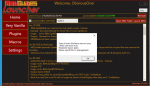
If you mean they don't show in the launcher itself the new version I am about to post should clear that up. Basically the launcher deals with plugins and macros like this
  • For a plugin to show on the Plugins tab, the following must be true:
    • The plugin must NOT be included with the default installation of Very Vanilla
    • The plugins resource must have a downloadable file that is hosted locally on the RedGuides forums. No externally hosted files are available.
    • You must have access to download the plugin. I.E you bought the plugin in the case of paid plugins, you have the right level of access to the forums, or you are the creator of the plugin
  • For a macro to show on the Macros tab, the following must be true:
    • The macro must NOT be included with the default installation of Very Vanilla
    • The macro resource must have a downloadable file that is hosted locally on the RedGuides forums. No externally hosted files are available.
    • You must have access to download the macro. I.E you bought the macro in the case of paid macros, or you have the right level of access to the forums, or you are the creator of the plugin
    • You must have "watched" the macro resource per the steps shown on the home page of the launcher. This step is required due to the sheer number of macros available. (note, you do not need to watch you have created and posted on the forums as a resource)
Make sure when you watch a macro's resource on the forums, you hit watch on the "Overview" tab and not the "Discussion" tab.
 
r1pt1de updated RedGuides Launcher with a new update entry:

Some updates to hopefully clear up some confusion

  • Added messages to the Plugins and Macros tabs to explain why it may be empty
  • Added a note to the MQ2 folder confirmation prompt to select the existing MQ2 folder if one already exists.
  • Added Launcher version info to the bottom right hand corner of the application. If an update is available, the text "Install Launcher Update" shows and is clickable to run the update.

Read the rest of this update entry...
 
issue resolved: Changing where MQ2 was put seemed to fix the it wont update issue. I put it in the same area EQ installed. Im assuming a permissions issue on my end even though everything was clicked to allow read/write.
 
Last edited:
About losing MQ2Autologin profiles on one computer, it turned to be a folder issue :) (ie my user error )

I had 2 MQ2 installations one in a subfolder( C:\MQ2 and C:\MQ2\Release )

Launcher is looking good, love the updating of everything (plugins/macros) in one place.
 
can we have a progress bar that shows which step we are ,downloading ? installing? or just searching the database.i am frequently confused if the launcher is dead or just doing something background
 
can we have a progress bar that shows which step we are ,downloading ? installing? or just searching the database.i am frequently confused if the launcher is dead or just doing something background
I am working on extending the status messages/indicators to add full progress bars and more representation of exactly what its doing when.
 
It appears that this is still overwriting any adjustments you make to your base config files. Let me know what I need to send you to help debug.
 
I did the mqchat reset - got that window back, but I am missing the spawn window. I reloaded the plugin and did /spawnmaster on. How do I get that back?
 
MQ2Spawnmaster doesn't have it's own window that I'm aware of?

If you're talking about MQ2Spawns - then you should /plugin mq2spawns unload

Then go in the mq2 release folder and find MQ2Spawn.ini
then delete the file.
then back in game do /plugin mq2spawns load
 
Your right - it was the spawns (early morning trying to figure this new thing out) I appreciate the help! I did all that you mentioned still missing that window. restarted toon - (now my mqchat window is gone again - easy fix, but is there a perm one?) no luck on the spawns.
 
Sounds like you need to run the updater again. The MQ2ChatWnd fix should not be permanent with the latest update. Even if the updater says you are updated. Had someone's show they were updated, but running the updater fixed them up. So I'd recommend trying that again.
 
Can't update for live, says the latest version is from 1969 and when I click install it instantly says installation complete, and then proceeds to just close when I hit launch

Edit: Fresh install of the launcher fixed the issue
 
I'm having an issue with the Launcher. When I click the 'Login' button on the launcher window it nothing happens. It doesn't open my default browser (Firefox) or login. I have installed the launcher software in both the default location as well as a different location on another drive. Next I thought this might be Firefox blocking pop-ups but the issue remains after enabling pop-ups.

Any thoughts on why the login button isn't working?

Thanks in advance - Wierjyn
 
This sounds like a problem for @r1pt1de you might want to post directly on the thread for the patcher or try to redownload a new version of the patcher. You might need to update it.
 
@Wierjyn howdy! Sorry you're having an issue - I'm gonna tag in @r1pt1de and see if he might have an insight
 
I'm having an issue with the Launcher. When I click the 'Login' button on the launcher window it nothing happens. It doesn't open my default browser (Firefox) or login. I have installed the launcher software in both the default location as well as a different location on another drive. Next I thought this might be Firefox blocking pop-ups but the issue remains after enabling pop-ups.

Any thoughts on why the login button isn't working?

Thanks in advance - Wierjyn
Try setting a different default browser. type "default apps" into the start bar
 
Try setting a different default browser. type "default apps" into the start bar
I tried setting the default to both IE and Edge - neither worked. I then bit the bullet and downloaded chrome and set it as the default. This time when I started the launcher and hit "Login" Windows prompted me to "select a default program to use with this application" ( or something similar) and I was able to login in and use the various buttons (Very Vanilla, Macros etc).

Thank you all for you help!
 
I tried setting the default to both IE and Edge - neither worked. I then bit the bullet and downloaded chrome and set it as the default. This time when I started the launcher and hit "Login" Windows prompted me to "select a default program to use with this application" ( or something similar) and I was able to login in and use the various buttons (Very Vanilla, Macros etc).

Thank you all for you help!
Thanks for reporting back! Feel free to switch back to Firefox. I <3 Mozilla and don't want to chase anyone away 😇
 
I installed it but it won't do anything but show the login button. When I click it nothing happens. Doesn't matter what other buttons I clicked or servers I select it just has the non working login button. I am a beginner to medium skilled user of this stuff (MQ2 and KA and various plugins). I am curious if this might be a patch day thing? I have no reason to think that other than a lot of stuff goes screwy on patch days. I know the MQ2 has to be updated but I mean in my world the car has broken down, ac quit working in the house, got fired from my job, porch collapsed, wife left me, all on patch days.
Shut MQ and EQ instances down first, then try, had the same issue. Shutdown the running MQ and it went through like a champ
 
MQ2 /Kiss randomly crashes on zoning some chars crash some dont its random, most ppl now using E3 on my server because of crashes, im still running older version that doesnt crash as often hoping for a fix sometime soon
 
Anyway to make this force a refresh on MQ2 when you open the launcher? If you had left mq2 up without closing it separate from launcher and then run the launcher again it shows the reinstall button instead of the update button which was confusing for a minute before i double checked. Just a quality of life improvement if it possible to avoid the confusion on patch days.
 
Anyway to make this force a refresh on MQ2 when you open the launcher? If you had left mq2 up without closing it separate from launcher and then run the launcher again it shows the reinstall button instead of the update button which was confusing for a minute before i double checked. Just a quality of life improvement if it possible to avoid the confusion on patch days.
I believe this is on the "to do" list, but thanks for the feedback we really appreciate it.

Btw don't forget to vote for r1pt1de in the ESA2 contest
 
RedGuides Launcher

Users who are viewing this thread

Back
Top
Cart