• You've discovered RedGuides, an EverQuest multi-boxing and scripting community 🧙‍♀️⚙️. We want you to play several EQ characters at once, come join us and say hello! 👋

  • A TLP without truebox has thawed (Very Vanilla ready)
    Frostreaver
KissAssist

KissAssist Release KissAssist (5 Viewers) 12.002.039

No permission to download
Only buffs are affected when you split them across more than 1 computer. But you can get around that by asking for buffs. You just have to ask for buffs once and the buffer will add you to a list that will be checked. The easiest way is to just be near everyone and use /say Buffs Please!

Now the character asking for buffs has to be in 1 of the following or they will be ignored:
Group, Raid, Fellowship, Guild, Friends list.
 
Does KissAssist require the whole party be running on the same PC? Or will it still function properly if split between two PCs that are connected with EQBC?

Only asking because iirc the initial post or the instructional post said to load up all the characters on the same PC

it’ll work, but not all toons will be able to write/read the kissassist_info.ini file and the kissassist_buff.ini file ... so rebuffing might be weird. Other than that, it should work fine.
 
it’ll work, but not all toons will be able to write/read the kissassist_info.ini file and the kissassist_buff.ini file ... so rebuffing might be weird. Other than that, it should work fine.

Going on a long shot here. But what if, say, I had MQ2 running out of a shared network folder with full r/w permissions? Am I trying too hard to reinvent the wheel?
 
You can split them up just fine.... A few different things may not work as well but we are also working on fixing that.
 
Going on a long shot here. But what if, say, I had MQ2 running out of a shared network folder with full r/w permissions? Am I trying too hard to reinvent the wheel?

That setup will work fine, I run it that way all the time. It just takes a little longer to load things on the remote computer.
 
Trying to find a better way to invis and run around. Right now, I feel like I have to outright pause macro, invis, and then use mq2nav to follow me assist around, completely outside of the macro. Is there an easier solution to this?

If I leave the macro running and just set it to /chase then all my toons still try to buff/cast/sing etc whenever a trigger happens for them to do that, even if they're invised up.
 
Trying to find a better way to invis and run around. Right now, I feel like I have to outright pause macro, invis, and then use mq2nav to follow me assist around, completely outside of the macro. Is there an easier solution to this?

If I leave the macro running and just set it to /chase then all my toons still try to buff/cast/sing etc whenever a trigger happens for them to do that, even if they're invised up.

I don't know a way to invis while KA is running. I invis around with a use of a hot key.

In one hot key I use
/mqp command to pause all toons then issue my bard to use invis song and lastly issue a follow command.

Then my second hot key I unpause, unfollow and invis.
 
I don't know a way to invis while KA is running. I invis around with a use of a hot key.

In one hot key I use
/mqp command to pause all toons then issue my bard to use invis song and lastly issue a follow command.

Then my second hot key I unpause, unfollow and invis.

That's what I do, although minus the song (I do perfected invis and ITU at the same time instead). I also have a /dismount in my hotbutton when I invis as mounts cause all sorts of hassle with autofollow, nav etc. To be honest I can't think of anything easier than a single click to get these things done. It's also handy sometimes to have toons outright paused anyway (looking at you trial of 3).
 
I don't know a way to invis while KA is running. I invis around with a use of a hot key.

In one hot key I use
/mqp command to pause all toons then issue my bard to use invis song and lastly issue a follow command.

Then my second hot key I unpause, unfollow and invis.
Is /twist stop in there somewhere too? One of the biggest hurdles to me one-buttoning this stuff is that my bard doesn't shut up haha
 
That's what I do, although minus the song (I do perfected invis and ITU at the same time instead). I also have a /dismount in my hotbutton when I invis as mounts cause all sorts of hassle with autofollow, nav etc. To be honest I can't think of anything easier than a single click to get these things done. It's also handy sometimes to have toons outright paused anyway (looking at you trial of 3).
Oh yes do t forget the /dismount otherwise people lag behind.
 
Is /twist stop in there somewhere too? One of the biggest hurdles to me one-buttoning this stuff is that my bard doesn't shut up haha
Yes add a /twist stop. Even after doing /mqp bard will keep singing.

So I would have my group (make sure to include some pauses between the lines)

1) /mpq on,
2) have bard /twist stop,
3) /dismount,
4) bard invis song,
5) follow command
 
Here is my macro

/pause 5, /bcaa //mqp on
/pause 5, /bcaa //dismount
/pause 5, /bct BARDNAME //twist stop
/pause 5, /bct BARDNAME //bandolier activate drums
/bct BARDNAME //cast (invis gem #)
 
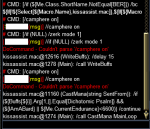
Did the /camphere commands stop working for everyone else? Im not getting "cannot parse /camphere 1" or "/camphere on" followed by a pretty big wall of text that looks like it's checking the buff routine
 

Attachments

  • KA1.png
    KA1.png
    21.7 KB · Views: 15
Ran into an issue w/ the |remove tag not removing the proper buff while trying to remove a Summon Improved Familiar it was removing Summon Drogmor.

INI:
                    /removebuff ${SpellToCast}

Change to fix:

INI:
                    /removebuff "${SpellToCast}"
 
So I know this is a stretch since ive been out of it for about a year and theres been plenty of updates in that time. However using the latest version causes severe lockups when starting the macro up on my boxes. I tried using clean character inis with nothing setup yet and it still seems to still happen. So I tried running the version that was last working for me which was 11.001 and it started up with no issues. Mostly just curious if anyone has had any such issues, or if its just me, before I start searching every nook and cranny for what is causing it for me.
 
So I know this is a stretch since ive been out of it for about a year and theres been plenty of updates in that time. However using the latest version causes severe lockups when starting the macro up on my boxes. I tried using clean character inis with nothing setup yet and it still seems to still happen. So I tried running the version that was last working for me which was 11.001 and it started up with no issues. Mostly just curious if anyone has had any such issues, or if its just me, before I start searching every nook and cranny for what is causing it for me.
could you check in your .ini and see if you have DanNetOn=1 in the General section (near the top)? there have been some users reporting a similar issue. it is is =1 and you don't intend on using mq2dannet, try unloading dannet /plugin mq2dannet unload and then turning your ini to DanNetOn=0 and try restarting kiss and see if that clears up.

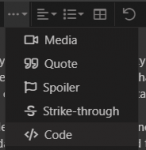
If this is not the case - can you share your ini with us so we can see if there might be something in the ini causing an issue (use the codetag plz for readability - little dropdown from on top of the input window)
1578227110941.png
 
Does KissAssist require the whole party be running on the same PC? Or will it still function properly if split between two PCs that are connected with EQBC?

Only asking because iirc the initial post or the instructional post said to load up all the characters on the same PC
No, Kissassist can be run on as many machines as you would like, but using the DanNet or EQBC server they can be set up to communicate with each other.
Can right click the MQ icon in the windows tray and select <Start EQBC Server> (or load it from the Redguides Launcher automaticly)
then /bccmd connect from each character (for multiple machines the /bccmd connect would require the port parameters of the machine hosting the EQBC server)
 
I saw a post that mentioned Kiss12. Is there a thread with details on what changes and additions are planned?
 
More importantly, where's the version that handles Restless Ice? :)
 
1. Item/buff Begging.​
Format1 From Beggar: ItemIWant|begfor|##|alias|modrod​
Format2 From Beggar: BuffToCheck|begfor|##|alias|focus​
Examples:​
Buffs1=Wand of Pelagic Transvergence|begfor|1|alias|modrodp​
Buffs2=Summoned: Small Modulation Shard|begfor|1|alias|modrods​
Buffs3=Wulthan Focusing|begfor|1|alias|focus​
Format1 From Caster: SpellName|alias|focus​
Format2 From Caster: SpellName|Dual|BuffName|alias|focus​
Format3 From Caster: SpellName|summon|ItemName|1|alias|modrod​
Examples:​
Buffs1=Summon Modulation Shard|summon|Summoned: Small Modulation Shard|1|alias|modrods​
Buffs2=Mass Dark Transvergence|summon|Wand of Pelagic Transvergence|1|alias|modrodp​
Buffs3=Wulthan Focusing|alias|focus (For Single Target)​
Buffs3=Unity of the Wulthan|dual|Wulthan Focusing|alias|focus (For Group)​
**Buffs3 use one or the other but not both.​
0(zero) in 4th arg will skip this entry.​
Valid Item Aliases: modrod,modrodp,modrods,icenuke​
Valid Spell Aliases: Symbol,Aego,Focus,Regen,Haste,Skin,clarity,Brells​

2. Mez check for calling AE Mez when casting Single target mez.​
For this to happen Casting Interrupts had to be added for Mezzing.​
So I made a few changes so interrupts can be better controlled by the user.​
You can now determine What interrupts you want checked. Using 1 in the INI file​
turns on all Interrupts by defaulting CastingInterruptOn=30.​
Each Interrupt check has been given a value:​
Buffs = 2, Heals = 4, DPS = 8, and Mez = 16.​
By doing this you are now able to control any of the interrupts you want turned on.​
To turn on more than one interrupt simply add the values together.​
Example:​
To Interrupt Mezzing(16) and DPS(8) set CastingInterruptOn=24​
To Interrupt Buffing(2) and Heals(4) set CastingInterruptOn=6​
To Interrupt Just Mezzing(16) set CastingInterruptOn=16​

3. If Pulling current mob fails, you can now tell the puller to look for another mob while running back to camp.​
User Has to enable this function. Added new ini entry PullOnReturn.​
PullOnReturn=0/1 - 0 is default.​
4. Add secondary Aggro check. There has been an additional Arg added to control aggro. This new arg lets you monitor the Level of secondary aggro.​
The new arg is <<.​
Example: Aggro1=MobsHateThis|50|<<​
This will use MobsHateThis if targets secondary aggro gets above 50.​
5. Add a custom check in the pull routine. This will allow the user to have a custom condition that they can change. This is controlled in the ini file using the PullPause entry. PullPause now accepts 3 args the last arg is now a condition.​
Example: PullPause=30|2 is Default.​
PullPause=30|2|cond1 The condition now controls pausing pulls if it returns true.​

6. MQ2MeleeOn can now be 0/1/2. This allows for how you want to let MQ2Melee handle sticking.​
StickMode is now set to 0 or 1 based on MQ2MeleeOn setting.​
MQ2MeleeOn=0 Turn off and unload MQ2Melee.​
MQ2MeleeOn=1 Use MQ2Melee and let MQ2Melee auto control sticking. This options does NOT use the melee StickCMD.​
MQ2MeleeOn=2 Use MQ2Melee and let MQ2Melee control sticking. This option uses the melee StickCMD.​
7. Empowered Compfire is now enabled.​
Use CampFireOn to select what campfire you want to select when creating.​
0 = No Fellowship camp fire​
1 = normal Fellowship campfire​
2 = Empowered Fellowship campfire, etc...​
You must have the required items in your inventory or CampFireOn is set to 1(normal Fellowship campfire).​

8. Changed Bard Med to allow just sitting, or Sing 1 song and sit, or use /twist(requires standing).​
Changed TwistMed from int to string type. Twist can now be 0/Gem#/Gem# Gem# Gem#​
TwistMed=0 Bard will NOT sing or twist but just sit.​
TwistMed=1-13 a single value.​
Example: TwistMed=5​
Bard will sing the one song and sit.​
TwistMed=1-13 Multiple values.​
Example: TwistMed=5 6 7 8​
Bard will twist the song list and stay standing.​

9. Add ability for bards to start meleetwist at aggro start and not just combat start.​
MeleeTwistOn=0/1/2​
MeleeTwistOn=0 No Melee Twist. This is the default.​
MeleeTwistOn=1 Start Melee Twist when you engage your target in cambat.​
MeleeTwistOn=2 Start Melee Twist when there are mobs in the XTarget window.​

10. Made change to CampOnDeath can now be 0/1/2.​
0=Ignore. Will stand around till the servers go down or connection is lost.​
1=Camp if not in camp zone. Waits on a 10 minute timer before camping.​
2=Camp if not in camp zone. No waiting, If you wern't rezed while hovering you will be camped out.​
Note: ClickBackToCamp should be turned off if you don't want the characters to use fellowship to zone back to camp zone. If ClickBackToCamp is on then CampOnDeath=2 may not work as described on first death.​

11. SK and Nec check if group member has corpse in zone and summon it to camp.​
New ini Entry CorpseRecoveryOn=0/1​
0=Ignore.(Default)​
1=Check for group member corpses including your own and summon them.​
This requires "Tiny Jade Inlaid Coffin" to work. If you run out of coffins, this function is disabled.​
This can be used to turn on and off summoning corpses when pulling.​


12. Restructure the code in the mainloop so the parts that load the ini file settings are moved to routine(s) This change will allow us to work on re-loading the ini settings without having to restart kiss.​

Created a new Bind for this bind_settings the command for this is /kasettings and has several params.​
Param 1: load, list, help​
list and help are not being supported at the moment.
Load accepts the following params as the second param:​
general, spells, buffs, melee, gom, gmail, ae, dps, aggro,​
heals, cures, pet, merc, mez, burn, pull, afktools, conditions, or all​
To reload your buffs from the ini file use the following command:​
/kasettings load buffs​

13. Changed Debug startup from alias to command with parameters.​
--------------------------------------------------------------------------------------------​
Debug help:​
/debug command action1 action2​
command: help/all/Buffs/Combat/Cast/ChainP/Heals/Mez/Move/Pull/RK/on/off/0/1​
action1: on/off/0/1 or blank​
action2: log or blank​
Examples:​
/debug all on -----> Turns on debug all.​
/debug all off ----> Turns off debug all.​
/debug all --------> Toggles on/off debug all.​
/debug all log ----> Toggles on/off debug all and starts/stops logging.​
/debug on ---------> Turns on debug only.​
/debug off --------> Turns off debug only.​
/debug ------------> Toggles on/off debug only.​
/debug combat on --> Turns on combat debug only.​
/debug combat off -> Turns off combat debug only.​
/debug combat -----> Toggles on/off combat debug only​
/debug log - This is an invalid format and shouldn't be used.​
log - can be used as either action1 or action2, but never as command.​
you do NOT have to specify the log action to turn logging off.​
any action that turns off any debug command will stop logging.​
Note: MQ2Log plugin will be loaded using the noauto option if the plugin is not loaded.​
+++++++++++++++++++++++++++++++++++++++++++++++++++++++++++++++++++​

Additional Release notes list:

1. Change Bard Mez to announce when mezzing/mezzed.​
2. Change Bard Casting to check for proper castreturn. Needed for change #1.​
3. Add check to DoWeChase routine to see if the WhoToChase character is moving, and not leave the routine if they are.​
4. Change so both EQBC and DanNet can be used. If both on the messages will be handled by EQBC and DanNet will replace the Kissassist_buffs.ini file function.​
5. Try and speed up response when pulling while using a spell. Added numerous checks in the casting routines to return if pulling and have aggro.​
6. Activate the removal of the MySpells section from the ini file.​
7. Added check if in raid to not assign master looter.​
8. Added the ability to heal NPCs using XTarHeal.​
9. Made changes to some of the Bool[] checks and changed them to If[]s.​
10. Added code to exit the buff routine, if you become invised while in the middle of buffing. Used CastingInterupts to abort casting.​
11. Puller now monitors for closest mob within MeleeRange to return from waitformob routine and not the MyTargetID.​
12. Merge in changes to castdisc for EMU server. See EQMules changes. Merged.​
13. Add a check when returning to camp, while pulling, to walk when mob gets too far away and then start running as it gets closer.​
14. Fixed puller FD not standing after mob dies and trying to run back to camp spot.​
15. Fix Tank/Pullertank standing in camp when mobs, that are not his target, come into camp first. See #11.​
16. Pull routine now checks for invis and holds pulls if you are invised.​
17. Work on Chain Pulling to be more responsive. Many Pulling improvements made.​
18. Work on FindMobNav routine to cut down on time it takes to find Next mob. See #17​
19. Added check for Skill having MinLevel in CastWhat.​
20. Added check in the sort routine to check if second arg has a numeric value or not. If no numeric value the entry is skipped.​
This will fix crashing the SortArray routine when users use an invalid format in the ini file.​
Added a message so the user can see there is a problem, but allow the macro to continue running.​
21. Check Me.Combat on clerics/healers that do not melee. What does Me.Combat return when casting or just healing. Me.Combat returns false, but Me.CombatState returns combat. so changed to check Me.CombatState.Equal[combat] or there being autohater targets within meledistance of you.​
22. Added Stuck Gem detection code to fix the stuck gem bug.​
23. Use the new mapfilters CampRadius and PullRadius. New stationary filters.​
24. New powersource has to be attuned. Added code to answer the confirmationdialogbox window.​
25. Added New Include file for custom commands. using the /mycmd command you can now create/use your own custom commands that you keep in the KissMycmds.inc file.​
26. Puller will now return and try to grab aggro on mobs that have lost aggro for some reason.​
While pulling if the mob you have on aggro, gets memblured by another mob. The pull routine will now try and re-aggro your pull target.​
This requires pulling with a ranged item, for now. Most Spells and AA's don't refresh fast enough to be used for this function.​
27. Added logic to the single heal routine to help keep from getting locked in the heal loop when using Conditions.​
This issue would keep healers from rezzing.​

Additional ini Include Instructions:

If you have custom code you have to move to kiss every time there is an update, this is for you. This will not work for everyone, but for those that have independent procedures/functions/routines. Move your code to the new kissmycmds.inc file and go to the last line of the macro and remove the Remark character(|) from the front of the line. Don't forget to save.

There is a template file that you should start with. The template has some instructions along with a sample of how to add your own commands.
The code you add to the include file does not have to be accessed through the command structure, you could still use /call for your own custom routines, that don't fit, being called as a command. This is an advanced feature.

Added a new tool to help with figuring out how the Pull Routine will select mobs for pulling. This only applies to MQ2Navigation path distance. This macro will show you what mobs will be pulled and in what order. This tool does NOT include filtering out any mobs you have declared in the kissassist_Info.ini file. You will need to edit the macro and change the values of the MaxRadius and MaxZRange variables before running.

And we are not finished...
 

Attachments

Last edited:
KissAssist v12.001 02-23-2020

Beta testing begins.

New features/Instructions will be provided in the post above, while we continue working on the official Instructions.

02-24-2020
Fixed misspelled command in PullWithPet and removed double brackets. oops.​
02-28-2020
Changed Debug startup process. /debug is now a bind command with parameters and logging can be started as part of /debug.​
If you plan or need to use the new /debug command. You will need to reset your aliases. Edit your ini file and change KissAssistVer=0 then restart the macro.​
04-24-2020
Changed DPSMeter to use MQ2DPSAdv plugin.​
Changed how AECheck validates mobs in AE range.​
Added flag for clerics to check RezMeLast=0/1 This is in combat check related. Will Check MA, group members, then self when turned on.​
Keep your tank closer to 1 spot when grabbing incoming mobs. Set CampRadius and MeleeDistance to the same value.​
Mez routine now checks Me.CombatState and DPSOn as well as Me.Combat, to check if MA's target has changed before exiting the routine.​
Hunter mode now will stop and DPS mobs you pick up on the way to your target. Well they should. Still needs some testing.​
/debug help added for new /debug instructions.​
INICheck routine changed to check more ini entries, like the AEMez entry.​
Changed to allow any class to rez.​
Changed CorpseRecovery logic to allow dragging corpses back to camp for all classes and other minor changes.​
Pets will now change targets when you change targets. Well if they don't they just need better training.​
Added a fix for TargetType returning NULL on items and breaking the logic. I think there is some more work to do here.​
Made some adjustments to assisting MA and targeting for out of group characters.​
Added a check before casting a spell to see if you were sitting and if you were to sit you back down.​
Found where DoWeMove was being called and Not DoWeChase. Oops.​
Added a check in the buff routine to check if MA has acquired a target. This is for out of group characters to stop buffing and start DPS'n or Mez'n.​
05-03-2020
Removed Group V1 TargetType check from the Buff routine. Group V1 is still checked in the Heals and Cure routines.​
Fixed an issue in the Bind_IniWrite routine​
Added a check for an ";" in the first position of any array in the LoadIni routine. Placing an ";" in the first position will keep the entry from being loaded.​
05-14-2020
Fixed an error in the findmobtopull routine.​
05-23-2020
Added debug and debugall parameters that can be used from the command line when starting the macro.​
Remove the debug spam and cleaned up the comments used for beta testing.​
05-26-2020
Added an additional check in the CheckHealth routine to verify if MostHurt Character is within range of the heal spells​
Fixed Issue in the AE Routine.​
06-08-2020
Fixed an issue in the buff routine where the Class tag was being overlooked.​
06-10-2020
Fixed invalid variable usage in PetToys. This was specific to debug code only.​
Removed MaxRange check for corpses in the recovercorpse routine. Now checks the whole zone.​
06-13-2020
Fixed an issue with GroupWatchOn=1 and MedOn=0. The GroupWatch routine now calls the Med routine to med while waiting on others to med. The GroupWatch routine now Turns on MedOn before calling the med routine, and resets MedOn back to its proper value when finished.​
Added some additional logic to give better control over your melee characters in camp. Only works if MQ2MeleeOn is turned off(0) and only affects the combat routine. If you set MeleeDistance and CampRadius to the same value the MA/tank will NOT use any /moveto commands while in combat. If you set StickHow=I, that's an I for Ignore, then no /stick commands are used in the combat routine for all melee characters. This also affects the CantSee and TooFar events but only during combat.​
06-20-2020
Fixed an issue with begfor buffs not getting begged for from non casters. Added additional logic to stop targeting PC pets when MA targets a pet when switching targets. Mezzer will now break invis to mez mobs when needed.​
07-21-2020
Fixed a line with a double /varset.​
12-21-2020
Made a few tweaks to the casting and related routines. The casting routine will now abort waiting for Gem to refresh after meming a spell, when you have mobs on agro and the mob is within a 200 unit radius.​
Added a check in the FindMobsToPull routine to now use your MaxRadius by default when searching for a valid mob to pull. Added a new variable PullMaxCount and defaulted to 500. Not going to go into to much detail on this, but be warned. If you set MaxRadius to include to many mobs(PullMaxCount), then the routine will revert back to searching the area in increments.​
Also added the ability to define areas, that will exclude mobs you do NOT want pulled. Added a new Section [PullAdvanced] with 1 entry PullLocsOn=0/1(Default is 0)​
There is now 6 new entries added in the KissAssist_info.ini file for the zone you are in. You can define 5 areas to block out using the Y,X|Range format. Y, X Defines the Location where you want to block out, and the Range is the area from that Location.​
PullLocsHelp=Y,X|Range​
PullLocs1=5253.50,-4123.88|50​
PullLocs2=0​
PullLocs3=0​
PullLocs4=0​
PullLocs5=0​

Made a few other minor adjustment to various things.
 
Last edited:
Hopefully I will not get flamed too much for this, and realize the work that would be tremendous, but I would be very willing to put my money where my mouth is. While I do love CWTN individual plugins, Really Love them ! I would stick a very large crowbar into my wallet and pry it open for Kissasssist 13 to be a Plugin that supports the Current INI file system. I am sure this has been discussed before (or internally discussed) but Kissassist ported over to a plugin would be beyond mind-blowing. The configurablity of the INI ( I find INI tweaking half the fun of playing Everquest) and the speed of the plugin, would be game changing.
 
ohhh.... I need to try this.

Syntax for our character ini.s the same?
 
When you download the mac it has a different name I have been overwriting my existing Kissassist.mac with this version so all my hotkey still work.
 
Great work everyone! Do the pulling improvements address some of the LoS issues that are remedied with MA?
 
I've been using it for a few weeks and it works great. Haven't tried all the new features yet. Heads up for those running it with clerics. When I first started using it, cleric still wasn't rezzing, turns out,

INI:
AutoRezOn=1

Was set to 0 (off.) Fixed that, restarted the ini and whala cleric rezzing. Weird thing though, I accidently ran 11 for a day or two because I was just hitting my hotkeys to startup, but when I remembered, and came back to v12, cleric wasn't rezzing again. Turns out, AutoRezOn=0 was set again. So if you're having rez issues, make sure that the ini is set properly, and if it stops suddenly, check to make sure it didn't somehow get set off again.

Also, rather than redo hotkeys, just rename kiss 11 to oldkissassist, and rename the new one to just kissassist.mac. Then you only have to worry about things if you update with the launcher.
 
Been using this for about 4 days now, and so far no issues. Me likey :)

2 days now and it's been near flawless. I thought I was having an issue with my chanter not mezzing some but then I found I had never changed the "MezMaxLevel" from last expansions 113 value to 118! That makes a difference!!!
 
KissAssist Release KissAssist

Users who are viewing this thread

Back
Top
Cart