• You've discovered RedGuides, an EverQuest multi-boxing and scripting community 🧙‍♀️⚙️. We want you to play several EQ characters at once, come join us and say hello! 👋

  • A TLP without truebox has thawed (Very Vanilla ready)
    Frostreaver
KissAssist

KissAssist Release KissAssist (2 Viewers) 12.002.039

No permission to download
Not sure why the bard would target the Tank, unless you have a buff to keep up on the tank? The Corpse would be the tanks target most likely. I foy can get me a debug log of that happening it shouldn't be that hard to trace down..
@ctaylor22 thanks for the reply. I should have added my wife was running kiss11 this morning and started having the problem. I had her upgrade to kill12 and the problem persisted. I have never seen this so I think it's something with her ini. She logged for a while will get the debug when it happens again.
 
Yes, you can. The condition is checked when verifying if what you are trying to rez with is ready or not. There are specific things you have to check.

RWCWho - Can be one of the following: status, ma, me, group, xtarget, rezall
RezType - Can be: rez, rezooc, rezcombat

For your divine rez just make sure you have RWCWho.Equal[ma] in the condition

Don't use Target in the rez conditions it won't work.

Heals1=Divine Resurrection|0|rezcombat|cond13

Cond13=${RWCWho.Equal[ma]} && ${AutoRez[${i}].Arg[1,|].Find[Divine Resurrection]}

Yes? Basically i only want him to use it on the MA and only during combat.
 
Looks good Heals1 entry is set to be cast during combat and the condition is checking for the ma. Not sure you need the && ${AutoRez[${i}].Arg[1,|].Find[Divine Resurrection]} unless you plan on using cond13 on other entries.

All you want to do is cast Divine Resurrection during combat and only on the MA. The entry itself is the Divine Resurrection entry so you don't need to check it.
 
What does each circle mean?
Red = Camp
Green = Range of pull weapon??
Blue =???
Yellow = mobs that you can pull?

Also, how feasible would it be to draw the semi-circle for when pulling an arc?
 
What does each circle mean?
Red = Camp
Green = Range of pull weapon??
Blue =???
Yellow = mobs that you can pull?

Also, how feasible would it be to draw the semi-circle for when pulling an arc?

I was thinking the same thing as freeferli. If we say want to pull in just a 110 degree section is it possible to draw those lines on our map or something so we know the boundries of where we are pulling?
 
Blue is the distance you pull mobs within.
[Pull]
MaxRadius=1200

I believe you can add custom radius and colors. /mapfilter help
 
Last edited:
What does each circle mean?
Red = Camp
Green = Range of pull weapon??
Blue =???
Yellow = mobs that you can pull?

Also, how feasible would it be to draw the semi-circle for when pulling an arc?
That looks about right. The Map doesn't have a feature to draw a cone, or I would have added that a long time ago.
 
@ctaylor22 could you draw 2 lines from your character to the calculated boundaries of the arc on the circle?
Presumably the user can figure out which side they are camping. Or you could put an arrow pointing the direction out.
 
@eqtrader74 oh, I assumed that the utility only had a "Draw Circle" but there was no way to create the arc of the circle.
Maybe it only has vertical / horizontal line creation.
 
So is KA12 smart enough to cast a pet rather than sit there popping "I have no pet. Enchanters live longer when they have a pet" in the MQ2 window?
 
That looks about right. The Map doesn't have a feature to draw a cone, or I would have added that a long time ago.
For clarity sake, I believe that Yellow and Blue are typically equivalent, with yellow being static based on camp location, and blue following you around as the defined pull distance from yourself. If you use the /maxradius command to change your search radius, you might see both while in camp at different distances. Your ranged attack might be at 750 for instance, but you re-define your maxradius to be 500, because you want to pull a tighter range, so you'd see both blue and yellow circles while in camp. Then while pulling the blue circle follows you around, while the yellow and red stay centered on your camp location (defined by camphere on, and also if you use pullertank mode with KA)

@Ordell the Enchanter should be summoning a pet, if not you may be out of daggers, or it's possible something else is going on, though it's been working fine for me so far on my pet classes.
 
I have been using kiss 12 for a while, it works great. Should this be graduated out of beta?
 
I would like to make a request. When my ma switches targets, all the pet classes change targets, but their pets stay on the last target. How hard is it to make sure the pets on changing to the MA targets also. The issues is extrapolated in events like the GD mission and the Kael mission. If pets do not switch targets, they can dps the named down and screw you over pretty good.
 
I’ve noticed a small bug with enchanters mez in v12. The enchanter mezzes the add fine when in camp but they don’t then reassist on the main mob and continue to DPS, they just keep the mezzed mob targeted and do nothing until it needs refreshing. Interestingly if you manually change the target they start DPSing and then switch back when the other mob needs a re-mez.
 
I’ve noticed a small bug with enchanters mez in v12. The enchanter mezzes the add fine when in camp but they don’t then reassist on the main mob and continue to DPS, they just keep the mezzed mob targeted and do nothing until it needs refreshing. Interestingly if you manually change the target they start DPSing and then switch back when the other mob needs a re-mez.

I will have to check that out. I don't think my enchanter was doing that. My need for you to get a Debug log for me so I can see what is happening with your enchanter.
 
@Armyboxer99 use this link. Debug Log

Managed to capture it this morning during the Velks mission. Is only really visible when main target is named otherwise the mobs die too quickly to notice. I've cut down the log from the full fight but have it if you need.

In terms of fight summary, Bled Enraged is the tanks main target and enchanter does normal stuff like tash and slow before DPS'ing. An add, A Restless Fleshpile appears and enchanter correctly uses chaotic deception to mez it. The enchanter just then keeps the mezzed mob targeted and doesnt switch back to the named.

Log copied and deleted by Ctaylor22
 
Last edited by a moderator:
bard flips out if only using AoE Mez spell and refuse's to do anything else, i do use Single target Mez on bard only IF AoE mez is resisted. but that is when i manually play. when letting the bot do its thing adding on 15 sec to an already mezed mob is a moot point.
 
Last edited:
also, can we see what we can do about this.. i have manually hit the AoE button to see IF something will agro. and nothing dose.. this is the case a majority of the time.
 

Attachments

  • Bad AoE.png
    Bad AoE.png
    44.4 KB · Views: 19
@Armyboxer99 From looking at the log. Your Target is the mezzed mob, but your MyTargetID is the named mob and all that is good, but at the bottom of the DoMezStuff routine there is a line that is checked if the Target.ID is not Your MyTargetID, and I think the line is being skipped.

Rich (BB code):
/if (${mezCombat} && (!${Target.ID} || ${Target.ID}!=${MyTargetID})) /call CombatTargetCheck 1

That line should call CombatTargetCheck and switch you back to the named. The only part of that line that would fail would be the ${mezCombat} would have to be returning FALSE. Now mezCombat is set to ${Me.Combat} in the top of the routine, so my first question is. Are you using a custom UI? If you are then try switching to the default UI and try it again.

Now if you are using the default UI, then I would need you to try and use this command the next time this happens. /echo ${Me.Combat}
and let me know what it returns.
 
@cotto8177 What is your AERadius set to in your ini file? Just because you cast the AE spell and nothing extra aggroed only proves that there wasn't anything in ranger of your spells AE range, but AERadius is what the AE routine uses to see if there are extra mobs in range.
 
@Armyboxer99 From looking at the log. Your Target is the mezzed mob, but your MyTargetID is the named mob and all that is good, but at the bottom of the DoMezStuff routine there is a line that is checked if the Target.ID is not Your MyTargetID, and I think the line is being skipped.

Rich (BB code):
/if (${mezCombat} && (!${Target.ID} || ${Target.ID}!=${MyTargetID})) /call CombatTargetCheck 1

That line should call CombatTargetCheck and switch you back to the named. The only part of that line that would fail would be the ${mezCombat} would have to be returning FALSE. Now mezCombat is set to ${Me.Combat} in the top of the routine, so my first question is. Are you using a custom UI? If you are then try switching to the default UI and try it again.

Now if you are using the default UI, then I would need you to try and use this command the next time this happens. /echo ${Me.Combat}
and let me know what it returns.


I’m using the default UI so will try the /echo command next time. Do you need a full debug again?
 
@Armyboxer99 From looking at the log. Your Target is the mezzed mob, but your MyTargetID is the named mob and all that is good, but at the bottom of the DoMezStuff routine there is a line that is checked if the Target.ID is not Your MyTargetID, and I think the line is being skipped.

Rich (BB code):
/if (${mezCombat} && (!${Target.ID} || ${Target.ID}!=${MyTargetID})) /call CombatTargetCheck 1

That line should call CombatTargetCheck and switch you back to the named. The only part of that line that would fail would be the ${mezCombat} would have to be returning FALSE. Now mezCombat is set to ${Me.Combat} in the top of the routine, so my first question is. Are you using a custom UI? If you are then try switching to the default UI and try it again.

Now if you are using the default UI, then I would need you to try and use this command the next time this happens. /echo ${Me.Combat}
and let me know what it returns.
the tlo for me.combat isn't based on ui - it goes off of the *EQADDR_ATTACK
 
@cotto8177 What is your AERadius set to in your ini file? Just because you cast the AE spell and nothing extra aggroed only proves that there wasn't anything in ranger of your spells AE range, but AERadius is what the AE routine uses to see if there are extra mobs in range.

set at the default 50. i have even gone to the point of droping it down to 25 and it will still give AE agro message
 
@Sic Thanks for the info, I wasn't sure and it was all I could think of, so their has to be something with Me.Combat that's not returning TRUE. @Armyboxer99 No I don't need another log. I just need to know what Me.Combat is returning. You can also see what ${Me.CombatState} returns. I know in the past when testing clerics that Me.Combat can return False while Me.CombatState will return Combat.
 
@cotto8177 in your camp, could there be mobs above or below you, like on another level? The check for mobcount uses a zradius of 50.
 
closest mobs have been just under 100 range and still set off the AE warning. on the floor/above or on other side of wall. in either way if i set AE down to 25 - 50 should still have plenty of room. personally would like to have a toggle for the aggro check to be simplistic,

settings would love to see toggle for that's not yet made,
Tanking Nav Movement (i personally dont like the tank moving) just need tank to face the direction of the mob is coming from and cast agro spells / disc's.

[Melee]
AssistAt=99
MeleeOn=1
FaceMobOn=1
MeleeDistance=31
StickHow=Loose
AutoFireOn=0
UseMQ2Melee=0
NavTanking=0
TargetSwitchingOn=1

even with my Melee Distance down to 31 Nav wants to do some stupid stuff at times. rarely its helpful other times its damn annoying.

AE agro/non agro check just want AE ability's to go off regardless of how " close " mobs are.
 
Last edited:
@cotto8177 I would rather find out what is wrong with the AE routine and fix it so it works properly. As far as your tank moving, I added some code so the tank won't /moveto the mob unless your MeleeDistance is greater than CampRadius, so to negate the tank running to the mob on incoming, just set your MeleeDistance and CampRadius to the same value. I will be posting an update later this week. Unless you want to test it as is, I can PM you a copy, just let me know.
 
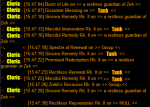
Anyone know how I can fix this? Why would the cleric even target the mob?

wtf2.png
 
The targeting is done from the CastWhat routine. In the Castwhat Routine it checks if your current Target is not the target you want to cast on and it will Target the correct character/mob before it calls the cast routines. The actual /echo of the of the message happens after the spell/aa/whatever has been cast and returned to the calling routine with a success return. So I would need a debug log of this to actually see what is going on. I don't think that your cleric is healing a mob, if you don't have your cleric targeting a mob. When this happens what is your clerics target?
 
The targeting is done from the CastWhat routine. In the Castwhat Routine it checks if your current Target is not the target you want to cast on and it will Target the correct character/mob before it calls the cast routines. The actual /echo of the of the message happens after the spell/aa/whatever has been cast and returned to the calling routine with a success return. So I would need a debug log of this to actually see what is going on. I don't think that your cleric is healing a mob, if you don't have your cleric targeting a mob. When this happens what is your clerics target?

It targets the mob, a lot. Noticed it occasionally over the past few days, then today a lot. I ended, restarted and had no problems after.
 
It targets the mob, a lot. Noticed it occasionally over the past few days, then today a lot. I ended, restarted and had no problems after.
That sounds weird. Something must of flaked out, because I was having a hard time coming up with a situation in kiss where it would do what you had described.
 
I would like to make a request. When my ma switches targets, all the pet classes change targets, but their pets stay on the last target. How hard is it to make sure the pets on changing to the MA targets also. The issues is extrapolated in events like the GD mission and the Kael mission. If pets do not switch targets, they can dps the named down and screw you over pretty good.

I don't think I saw a response on this request, I would like to see this too please.
 
KissAssist Release KissAssist

Users who are viewing this thread

Back
Top
Cart