It was a Velium Threaded Soulslayer Wristguard if that helps.This is a new development, The way I set it up was to destroy based on the name from the tradeskill file. Did the wrist item have a similar name?

-
 Hail, we're RedGuides. We want you to play six (yes, 6!) EverQuest characters at once. We have scripts and a friendly community to help, please join our playstyle and say hello! 👋
You are using an out of date browser. It may not display this or other websites correctly.
You should upgrade or use an alternative browser.
You should upgrade or use an alternative browser.
Release Tradeskill Construction Set |Quests:GOD,TSS,POK,POR Freebie Assister [Deleted] (1 Viewer)
- Thread starter jb321
- Start date
- Status
- Not open for further replies.

This is a new development, The way I set it up was to destroy based on the name from the tradeskill file. Did the wrist item have a similar name?
Here is the code..
/varset item_destroy ${Ini[${dfile_name}.ini,Recipe${cc},Recipe${cc}Item${c}]}
/If (!(${FindItem[=${item_destroy}].ID}==NULL)) {
/call DeleteItems "${item_destroy}" -1
sets the name of the item to destroy based on the file.. in this case it would cycle through and look for:
Blob Of Metal Polish
Thin Silver Wire
If the item destroy ID != Null then destroy that item
by calling DeleteItems.. which is using=$ and unless I am mistaken is looking for an exact match..
I see in output:
Using: Jeweler's Kit
No Available Slots: Jeweler's Kit [ABORT]
SLOT IS NULL: Could not send notification to in pack2
I ended the mac but noticed it was picking up my wrist slot item before I ended it. Put the kit in a slot and restarted it. Then I see:
Destroying 20 Thin Steel Wire
Destroying 20 Thin Steel Wire
Destroying 20 Thin Steel Wire
<in main window> You have successfully destroyed Velium Threaded Soulslayer Wristguard
Ended the mac again and was able to recover wrist with a reclamation token.
Using: Jeweler's Kit
No Available Slots: Jeweler's Kit [ABORT]
SLOT IS NULL: Could not send notification to in pack2
I ended the mac but noticed it was picking up my wrist slot item before I ended it. Put the kit in a slot and restarted it. Then I see:
Destroying 20 Thin Steel Wire
Destroying 20 Thin Steel Wire
Destroying 20 Thin Steel Wire
<in main window> You have successfully destroyed Velium Threaded Soulslayer Wristguard
Ended the mac again and was able to recover wrist with a reclamation token.
I see in output:
Using: Jeweler's Kit
No Available Slots: Jeweler's Kit [ABORT]
SLOT IS NULL: Could not send notification to in pack2
I ended the mac but noticed it was picking up my wrist slot item before I ended it. Put the kit in a slot and restarted it. Then I see:
Destroying 20 Thin Steel Wire
Destroying 20 Thin Steel Wire
Destroying 20 Thin Steel Wire
<in main window> You have successfully destroyed Velium Threaded Soulslayer Wristguard
Ended the mac again and was able to recover wrist with a reclamation token.
Are you able to make a test toon, and just run the jewelry part?
Fresh toon and I'm at the same point I was before with necro. Hasn't deleted any gear but it is just spamming Destroying 20 Thin Steel Wire
ok this has to be server/vv related and if not option related.
The "best" option is to re-write the code to use the item id only and to go and change tradeskill files to have an item id next to the item name, or just remove the item name and go for id only.
but if something else is fowling it up I am not sure that will or will not help, the only thing to do is try.
v/r
ok this has to be server/vv related and if not option related.
The "best" option is to re-write the code to use the item id only and to go and change tradeskill files to have an item id next to the item name, or just remove the item name and go for id only.
but if something else is fowling it up I am not sure that will or will not help, the only thing to do is try.
v/r
Are you able to make a test toon, and just run the jewelry part?
That warning is supposed to signify no bottom left or right slots available to swap and that has worked.. forever.. and when I say forever I mean September 2020

I'm having a problem running the GoD Pottery. 1st combine is Broken Wayfarer Plate + Bonding Agent = Wayfarer Plate
It keeps trying to combine with only 1 ingredient (Bonding Agent).
If I manually 'help' it out and complete a combine, then it tries to combine Wayfarer Plate (resultant) with Bonding Agent.
I've tried the normal voodoo. Logged out/in, restarted RG, removed all but 2 bags, all but 1 bag, then all bags.
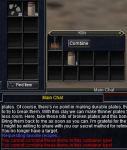
Any ideas?
It keeps trying to combine with only 1 ingredient (Bonding Agent).
If I manually 'help' it out and complete a combine, then it tries to combine Wayfarer Plate (resultant) with Bonding Agent.
I've tried the normal voodoo. Logged out/in, restarted RG, removed all but 2 bags, all but 1 bag, then all bags.
Any ideas?
I'm having a problem running the GoD Pottery. 1st combine is Broken Wayfarer Plate + Bonding Agent = Wayfarer Plate
It keeps trying to combine with only 1 ingredient (Bonding Agent).
If I manually 'help' it out and complete a combine, then it tries to combine Wayfarer Plate (resultant) with Bonding Agent.
I've tried the normal voodoo. Logged out/in, restarted RG, removed all but 2 bags, all but 1 bag, then all bags.
View attachment 30465
Any ideas?
As stated in a prior post, options/server/vv is the issue.. this is a new manifestation and for the longest time worked without issue, with lots of testing. So, it looks like I will take a look at the code and the reference manual and look for changes.
As stated in a prior post, options/server/vv is the issue.. this is a new manifestation and for the longest time worked without issue, with lots of testing. So, it looks like I will take a look at the code and the reference manual and look for changes.
Sucks that you gotta do work for something that was working. It worked great for me some time ago, just have an alt I was going to bring up.
If you need a warm body to do any testing, let me know.
As the name of the of the attached file implies, this is about taking the Baking skill to 282 with 1 lb. Saltwater Crab. The same file can be used for the Tuna variant (with appropriate substitutions). I think the totals are safe, but you might find the rnd is unkind. I used another file to take Baking to 191 (fish fillets, fish rolls, bear patty melts) before this file.
Also, note you'll need 1350 crab and 600 coarse salt.
Also, note you'll need 1350 crab and 600 coarse salt.
Attachments
Last edited:

- Commits
- 2
I've added a small change to the current TSC_Core.inc (TSC 3.7b) I think is beneficial to the overall operation. It involves reporting the trivial of the current making item in the context of doing skillups (
New lines begin after lines 534:
TSC_Core.inc
552:
TSC_Core.inc
and 608:
TSC_Core.inc
/mac tsc skillup ...). The macro already reports the trivial of items for which skillups are not possible. Not sure how you want this reported, so I'll just include the additions here.New lines begin after lines 534:
TSC_Core.inc
Code:
    /declare item_name string local
    /declare item_trivial string local
552:
TSC_Core.inc
Code:
    /varset item_name ${Ini[${IniName}.ini,Recipe${CRN},Recipe${CRN}Item${a}]}
    /varset item_trivial ${Ini[${IniName}.ini,Recipe${CRN},Recipe${CRN}Trivial]}
and 608:
TSC_Core.inc
Code:
     /echo \ao[\atTCS\ao]: \ay[\agMaking:\ay] \ap[\aw${CurrentItemName}\ap]
/echo \ao[\atTCS\ao]: \awRecipe Trivial:\ap[\ag${item_trivial}\ap]How do I mark a recipe item as a mulit-use tool? Currently working on pottery to 300. Some of the recipes call for Sculpting Tools which are a "buy-once, use many" tool that doesn't stack. I ran a shoplist before starting my routine to go through all the recipes and TSC thinks it should by 1300 of them. How do I get TSC to treat this item like a File or Planing Tool?
- Commits
- 2
Not tested but you can try editing your tsc.mac file at around line 60How do I mark a recipe item as a mulit-use tool? Currently working on pottery to 300. Some of the recipes call for Sculpting Tools which are a "buy-once, use many" tool that doesn't stack. I ran a shoplist before starting my routine to go through all the recipes and TSC thinks it should by 1300 of them. How do I get TSC to treat this item like a File or Planing Tool?
INI:
/declare ToolItem[7] string outer
    /varset ToolItem[1] File
    /varset ToolItem[2] Smithing Chisel
    /varset ToolItem[3] Smithy Hammer
    /varset ToolItem[4] Planing Tool
    /varset ToolItem[5] Pie Tin
    /varset ToolItem[6] Pliers
/varset ToolItem[7] Sculpting ToolsNot tested but you can try editing your tsc.mac file at around line 60
INI:/declare ToolItem[7] string outer /varset ToolItem[1] File /varset ToolItem[2] Smithing Chisel /varset ToolItem[3] Smithy Hammer /varset ToolItem[4] Planing Tool /varset ToolItem[5] Pie Tin /varset ToolItem[6] Pliers /varset ToolItem[7] Sculpting Tools
Yes this section specifies if it is something that is reusable/non-consumable (typically) on combine so it will buy only 1.
Yes this section specifies if it is something that is reusable/non-consumable (typically) on combine so it will buy only 1.
It's been so long, I would have to look at the code to see if that is applied to one off recipes, or to the tradeskill quests. film at 11...
So, if you created a shopping list, I am going to go with a yes..It's been so long, I would have to look at the code to see if that is applied to one off recipes, or to the tradeskill quests. film at 11...
This is called throughout the TSC_Shoplist.inc
Sub ToolList (string p_name)
/declare i int local 0
/declare tempstring string local
/for i 1 to ${ToolItem.Size}
/varset tempstring ${ToolItem[${i}]}
/if (${p_name.Equal[${tempstring}]}) {
/return TRUE
}
/next i
/return false
Sub ToolList (string p_name)
/declare i int local 0
/declare tempstring string local
/for i 1 to ${ToolItem.Size}
/varset tempstring ${ToolItem[${i}]}
/if (${p_name.Equal[${tempstring}]}) {
/return TRUE
}
/next i
/return false
- Commits
- 2
My only issue right now is that when it swaps the trophy it doesn't drop my range item hanging up the macro. If I drop the item manually it picks up and goes and switches the item back as intended. Something in the MQ2 code changed causing havoc to the itemnotify crap.

Ordell
Well-known member
Sounds like something to do with using an item from a primary inventory slot. Did you say it works fine if you have a bag in that slot?
I can confirm this. I had 6 bags and 4 open slots when I ran this and it would not work AT ALL. When I took items out of the bags and filled all the bag slots, so the TS mats were in a bag rather than one of the 10 bag slots, it worked fine. Happened with both Crescent Reach and Abysmal Sea combines.
Last edited:
Not tested but you can try editing your tsc.mac file at around line 60
INI:/declare ToolItem[7] string outer /varset ToolItem[1] File /varset ToolItem[2] Smithing Chisel /varset ToolItem[3] Smithy Hammer /varset ToolItem[4] Planing Tool /varset ToolItem[5] Pie Tin /varset ToolItem[6] Pliers /varset ToolItem[7] Sculpting Tools
Thanks. I didn't expect to see something like this in the upper-level macro. I either expected it in TS_Buy or a separate file (like TS_Vendor).
I'm not sure what to do if the mq2 may be experiencing some issues. I should also take a gander at the forums.
Take a look at the thread 'is there item turn in troubles?'. Might be relevant here.
I can echo cannonballdex's sentiment that dropping the range item on trophy swap is an issue. Unlike him, though, unless I catch it in time, the macro gets in a state where it thinks it should be doing combines, but it hasn't yet opened the tradeskill container to accept recipe items for combine. My experience is that the macro must be stopped and restarted as even if I open the container and put it in experiment mode (if necessary). It'll fill the items, but won't click the Combine button. Thus, it's stuck in a loop of putting items in, not combining, realizing the "combine" failed, and taking the items back out. Rinse and repeat. And restarting the macro in this way negates the nicety of swapping the range item back in.
Thanks. I didn't expect to see something like this in the upper-level macro. I either expected it in TS_Buy or a separate file (like TS_Vendor).
I was trying to figure out where to put the tool array and left it in TSC for the time being.
Seems to be an issue with NINJAADVLOOT from some further debugging. WRIST1 is getting called when there are not bags in every inventory slot. If you are trying to use an item that is not in a bag and instead in your main 1-10 inventory slot, the macro can't pick it up and instead tries to grab wrist1 (weird, I know). In my case, the macro was trying to pick up a bundle of wire to destroy from main slot 9 and instead destroyed my wrist. Simple workaround is putting bags in every slot (such has already been communicated) but that was a potential disastrous lesson learned.
I've mentioned before an issue with bagging the item that is swapped out for a trophy (and often other trophies) and I decided to take a peak. Toward the bottom of TSC_Core.ini, in the SwapTrophy sub I added a couple delays and another autoinventory. This change is to the latest available downloadable version (3.7b?c?d?).
SwapTrophy modification
Maybe I could've just called CheckCursor again, but there's quit a few times where a bit of logic will directly bag items instead of calling this routine. I'll test it out.
SwapTrophy modification
Code:
  /if (${FindItemCount[${p_trophy_n}]} > 0) {
    |If trophy don't pick up
    /if (!(${OldRange.Find[${p_trophy_n}]})) {
      /varset RangedItem ${Me.Inventory[11].Name}
      /delay 5
      /itemnotify in pack${Math.Calc[${FindItem[${SpecificItem}].ItemSlot}-22].Int} ${Math.Calc[${FindItem[${SpecificItem}].ItemSlot2}+1].Int} leftmouseup
      /delay 5
      /itemnotify in pack${Math.Calc[${FindItem[=${RangedItem}].ItemSlot}-22].Int} ${Math.Calc[=${FindItem[${RangedItem}].ItemSlot2}+1].Int} leftmouseup
      |give mod stats?
      /delay 5
      /autoinventory
      /delay 2
      /autoinventory
      /delay 2
      /echo \ao[\atTCS\ao]: \ay[\awTrophy:\ay] \ay[\ao${Me.Inventory[11].Name}\ay]
    }
  }
Maybe I could've just called CheckCursor again, but there's quit a few times where a bit of logic will directly bag items instead of calling this routine. I'll test it out.

proutos
Member
I dont know what is the problem, all worked well with my necro 1 year ago but did not work at all anymore. Always got this message:
SLOT IS NULL: Could not send notification to 33 leftmouseup
I type that sentence in google and i see than some other macro have the exact same phrase so i dont know what is the problem? I play on test.
EDIT: finally been able to use it using ONLY this line of command: /mac TSC ShopMake potterytrophy (replace pottery by the TS you need). You need to restart it until all is done.
OH, and by the way, tailoring is tailor, remove the ing
SLOT IS NULL: Could not send notification to 33 leftmouseup
I type that sentence in google and i see than some other macro have the exact same phrase so i dont know what is the problem? I play on test.
EDIT: finally been able to use it using ONLY this line of command: /mac TSC ShopMake potterytrophy (replace pottery by the TS you need). You need to restart it until all is done.
OH, and by the way, tailoring is tailor, remove the ing
Last edited:
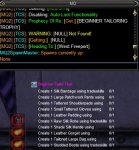
Is there a knack to getting TSC to use a Jewelry Making Table in PoK instead of a Jeweler's Kit? I've confirmed the table is named as such and my ini has the correct spelling/wording. TSC will use the table if I navigate to it and open it manually, but won't do the actual navigating to (or opening). This suggests I don't have the correct name, but SEQ matches what I'm using.
- Commits
- 2
[Recipe1]
Recipe1ItemName=Electrum Opal Amulet
Recipe1ItemID=16738
Recipe1Container=Jewelry Table
Recipe1Known=FALSE
Recipe1Trivial=119
Recipe1SkillType=Jewelry Making
Recipe1MakeTotal=0
Recipe1Items=2
Recipe1Item1=Electrum Bar
Recipe1Item2=Opal
Recipe1ItemName=Electrum Opal Amulet
Recipe1ItemID=16738
Recipe1Container=Jewelry Table
Recipe1Known=FALSE
Recipe1Trivial=119
Recipe1SkillType=Jewelry Making
Recipe1MakeTotal=0
Recipe1Items=2
Recipe1Item1=Electrum Bar
Recipe1Item2=Opal
proutos
Member
With /mac tsc god all, he ALWAYS get stuck at tailoring. You need to put jeweler bag in a slot or he try to combine in the air. Pretty often, i need to manually press combine button for jewelry (not always)
If you try with big race, the pathing around doesnt work and he stay stuck hum everywhere.
If you try with big race, the pathing around doesnt work and he stay stuck hum everywhere.
- Commits
- 2
I usually do them individual starting with the ones that don't require farming, Pottery, Alchemy, Research, Fletching then the ones with farmed supplies in hand. I haven't tried this macro since all of the /grabitem stuff has been bugged, but from what I read you will need to have bags in all your inventory slots.
/mac tsc beginner pottery
/mac tsc beginner pottery
- Status
- Not open for further replies.
Users who are viewing this thread
Total: 2 (members: 0, guests: 2)
Share: