Lightbringer
Member
- Joined
- Nov 24, 2020
- RedCents
- 220¢
will try that

Follow along with the video below to see how to install our site as a web app on your home screen.
Note: This feature may not be available in some browsers.




that sounds like a PC or EQ question. Folks here can maybe walk you through PC, EQ stuff, should reach out to DBGs (i wouldnt mention the MQ part)I haven't loaded redguide and i still can't load my 6th char.
what error do you get? Sounds almost like you try and load 2 chars from the same accountI can load 5 accounts, camp one and login the other 6th so I know I'm not banned or suspended.
that's what it sounds like to me toowhat error do you get? Sounds almost like you try and load 2 chars from the same account
So 'what' is stopping you? You get an error? Cant press the button? It freezez?they are on different accounts.
Bless your heart for being willing to pull teeth to help this dude out.So 'what' is stopping you? You get an error? Cant press the button? It freezez?
A little off-topic but I actually recommend that you check the integrity of your drive. Good luck with the issues.Sorry, i've away for a bit. I don't think it's a redguide issue. I try to load eq manually and my computer some times restart by itself with the following errors. fltmgr.sys and system_service_exceptio errors. I plan to get Norton to see if i have a malware in the computer.
I suggest trying redfetchhey guys having a problem with launcher,will not load do i need to redownload it? has been working fine for a long time now wont load at all

 www.redguides.com
thank you again Sic ,worked perfectly using redfetchI suggest trying redfetch
redfetch
redfetch is for updating software and scripts for EverQuest that RedGuides recommends, as well as those you "watch". It's also open source, how nice. Installation On Windows the easiest way to install redfetch is to download and run...
just point it to your mq and eq folders
I have multiple accounts all running from their own EQ folders, will that be a problem with Redfetch?Uninstalled Launcher, going all in on Redfetch!
well. what do you do now? there shouldn't be much differenceI have multiple accounts all running from their own EQ folders, will that be a problem with Redfetch?
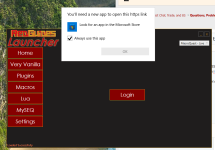 www.redguides.com
you could check in your %appdata% folder that you didn't get something whacky with your rg launcher settingsMy AV software decided to blast the RG Launcher. I resolved that issue (including an exception for the future), re-installed the Launcher, but now I am getting the error message of "Failed to authenticate with the forums" in the launcher. My login is working properly (I am here posting this, after all), have tried to repair, reinstall the Launcher again, used 3 different browsers as default, forced my router to get a different IP address, all with the same result.
Any ideas from this point? Everything was working fine until this started happening.
Went in and completely removed RGLauncher once again, including the settings folders in %appdata%, then reinstalled the Launcher, followed by redfetch. Everything seems to be working once again, now (likely due to redfetch!). Thank you!you could check in your %appdata% folder that you didn't get something whacky with your rg launcher settings
If i were in your shoes i'd use this as a good opportunity to swap over to > redfetch < all you need to do is point the settings tab to your current installation locations and you'll be gtg


To be clear, you only need redfetch. You do not also need the rglauncher.Went in and completely removed RGLauncher once again, including the settings folders in %appdata%, then reinstalled the Launcher, followed by redfetch. Everything seems to be working once again, now (likely due to redfetch!). Thank you!
Howdy, sorry you're having issuesstarted the download as the video explain. installed very vanilla (up to date now.)
i checked the setting: i populated macroquest directory (default location). my SEQ directory (default location)
under mySEQ, i installed the main application, ini file and maps
in very vanilla i launched the mesh updater
when i launch MQ (Launch EQBCS with MQ is checked) i get EQBCS (EQ BOX Chat server) 1.9, waiting for connection on port 2112... and it hangs there...
ANY IDEA what i'm missing?
also how do i create and autoload my group? (in macroquest?)
the video for the launcher really needs to be updated...
shadowcat
I answered you in pm with link to both a grimier walkthrough video and a post I made with step by step pictures.my problem is i don't even get to the login menu. i get stuck at the launch MQ (like i said it hangs out querrying a port. and nothing is installed in my tray (i see macroquest but it's talking about logging cleanup, macroquest info, and processes, i don't think that's the loading stuff
Make sure you are not running anything as admin.my problem is i don't even get to the login menu. i get stuck at the launch MQ (like i said it hangs out querrying a port. and nothing is installed in my tray (i see macroquest but it's talking about logging cleanup, macroquest info, and processes, i don't think that's the loading stuff
@Sic @hytiek I would 1000000% take your name off thisIs there a way to sort Macros and LUA alphabetically in the launcher? It would sure make updating or finding easier.
you shoudl consider using redfetch and not have to worry about those issuesIs there a way to sort Macros and LUA alphabetically in the launcher? It would sure make updating or finding easier.
www.redguides.com
www.redguides.com

 just something to know.


