• You've discovered RedGuides, an EverQuest multi-boxing and scripting community 🧙‍♀️⚙️. We want you to play several EQ characters at once, come join us and say hello! 👋

  • A TLP without truebox has thawed (Very Vanilla ready)
    Frostreaver
RedGuides Launcher

RedGuides Launcher (2 Viewers) 1.1.0

No permission to download
Have an issue with Redguides Launcher installed on my new computer:
When click the Launcher icon (both on the desktop or in the folder) ... the launcher widow with briefly showed up on the Window 10 desktop... then it disappeared...
  • I tried uninstall and reinstall Redguides Launcher and still the same
  • I am able to launch MQ2 with the MQ2 button from the same folder
  • The Redguides launcher is installed at the default location c:\ProgramData\RedGuides\DesktopUtility
  • I am able to start the Redguides Launcher on other computers

So now I don't know how I can use the Launcher to update for the next eq patch....

Help please and thanks
try changing your default browser to another browser, and then try that again

(also if you haven't rebooted, give that a whirl first)
 
  • Changed the default browser, still the same (don't know why would the browser would matter?)
  • Rebooted - still the same.
  • When I watch the briefly opened Redguides Launcher... it showed "loaded sucessfully" then the window disappeared
 
Last edited:
  • Changed the default browser, still the same (don't know why would the browser would matter?)
  • Rebooted - still the same.
Re: browser - I've helped over a dozen folks who's browsers were out of date, not compatible, or other issues related specifically to their brower and configuration (usually just being years out of date) that cause the launcher to fail

Re: your situation - I would recommend trying to reinstall the updater to another directory - some users are reporting issues with the default programdata location (which r1pt1de is looking into)

if that still doesn't fix it you can get a temp fix by downloading the zip file > HERE <
 
r1pt1de updated RedGuides Launcher with a new update entry:

Logout button, Auth workaround, and new default MQ2 location

  • Added a new logout link at the top, only visible if a user is logged in
  • Set the recommended location for MQ2 Installs to LocalAppData (ex. C:\Users\username\AppData\Local\VeryVanilla\server_type\Release). This should eliminate the permissions issues we have been running in to.
  • Added a workaround for users that could not login in the Launcher

For the login workaround. This will work for those users who would get a web page similar to this:
[ATTACH...

Read the rest of this update entry...
 
the launcher keeps crashing. I reinstalled it and tried to use admin and still just flashes. Any suggestions?
 
Couple of things to look at.
1. When you install it are you using the default settings or are you making the install go to somewhere else?
2. Does the launcher window show?
3. If the launcher window is on your screen and you click on the settings button is it showing the directory where RedGuides Launcher is on your hard drive. Or
where you installed it at.
Example: C:\ProgramData\RedGuides\DesktopUtility\MQ2\Live\Release <--- this is the default directory location.

The only other thing I can think of is your OS is not seeing the directory where you have the launcher.
 
many folks find creating an MQ2 folder on their base hard drive and then installing there fixes some of their issues
 
Everything was fine form first day .... until now (yesterday I updated the Launcher to 1.0.48). RedGuide Launcher starts and immediately closed after it popped up. Downloaded ""RGResourceManager.Installer.msi" and attempt "Repair" ... which produced an Error message about "InputBox missing in cab". A new start of the Launcher resulted in an immediate closure again. At next I choosed to uninstall the Launcher (not feeling really comfortable doing so). I startet again the msi and let the launcher install at his choosen default location. After that it startet well. I went to settings and set the install directory of mq2. After some minutes the installed macros where shown again.
Everything back to normal, as far as I can tell for now.
 
Everything was fine form first day .... until now (yesterday I updated the Launcher to 1.0.48). RedGuide Launcher starts and immediately closed after it popped up. Downloaded ""RGResourceManager.Installer.msi" and attempt "Repair" ... which produced an Error message about "InputBox missing in cab". A new start of the Launcher resulted in an immediate closure again. At next I choosed to uninstall the Launcher (not feeling really comfortable doing so). I startet again the msi and let the launcher install at his choosen default location. After that it startet well. I went to settings and set the install directory of mq2. After some minutes the installed macros where shown again.
Everything back to normal, as far as I can tell for now.
Dragonslayer,
I know that you have it working, but I will still try and look into this. This shouldn't have happened. The fact that the msi installed fine as a full download means the auto update should have worked as well (its the same msi file). I have a couple dev environments I will see if I can reproduce this.
 
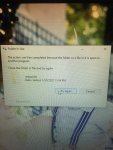
Trying to update MQ2 through the updater and I'm getting an error "Sorry it looks like there was an issue: Access to the path 'C:\Users\Public\MQ2\MQ2DanNet.dll' is denied. Please report this to management.

I'm not sure if this is the right spot to post this or not.
 
Trying to update MQ2 through the updater and I'm getting an error "Sorry it looks like there was an issue: Access to the path 'C:\Users\Public\MQ2\MQ2DanNet.dll' is denied. Please report this to management.

I'm not sure if this is the right spot to post this or not.
couple other folks have mentioned their BitDefender was giving a false positive on mq2dannet

from Knighty:
Bitdefender triggers false positives on a lot of different MQ2 components as part of it's advanced threat detection.

You can either exclude the folders from bit defender or turn off that specific component.
 
Put me in the crowd with BitDefender. Even with exceptions for DanNet and then with AV totally off (but still installed), "Access to the path 'C:\Users\Public\MQ2\MQ2DanNet.dll' is denied. Please report this to management. " happens. Clean install and new folder make no difference. I am going to try it with BitDefender de installed.
 
So quick update. Make the exceptions in BitDefender and reboot. Then do an update. That seems to work.
 
I hate to make another post like this but I checked the status of the update and it seems to be completed. I downloaded the update but still can not log my toons in using MQ2. Same issue times do not match up. Am I doing something wrong?
 
I hate to make another post like this but I checked the status of the update and it seems to be completed. I downloaded the update but still can not log my toons in using MQ2. Same issue times do not match up. Am I doing something wrong?

Run the redguides launcher and the everquest launcher, update everything, try again. You forgot to update one or the other.
 
I've DL'd the latest VeryVanilla as of a few mins ago. Latest MQ2Eskay as well. Everything loads fine. Dashboard is there, all the settings look normal. Literally nothing changed on my end except new files today. I've shut everything down(EQ included), restarted PC and started fresh. Same thing.

He works fine in Puller mode. Runs off and retrieves things to kill. Does his normal routines. But in Tank mode, where I could normal drag a mob over him and he'd jump up and grab it.... now he couldn't care less and just sits there.

Possibly related.... it also no longer pops up on screen after kill showing DPS, Exp, etc. I used to get a mini-report kinda after every kill. No more.

Help?
 
Run the redguides launcher and the everquest launcher, update everything, try again. You forgot to update one or the other.
I have been playing EQ all day, it is definitely updated, I updated MQ2 launcher, then reinstalled several times. Both have been updated. I restarted my computer. Still not working, I don't know what to do now...
 
I have been playing EQ all day, it is definitely updated, I updated MQ2 launcher, then reinstalled several times. Both have been updated. I restarted my computer. Still not working, I don't know what to do now...
have you ever re-installed the launcher, or moved your very vanilla folder? If so, my guess is that you have two MQ2 folders and one of them is out of date. Sic made a video about this issue:

 
I just insta
have you ever re-installed the launcher, or moved your very vanilla folder? If so, my guess is that you have two MQ2 folders and one of them is out of date. Sic made a video about this issue:


I just installed it for the first time yesterday. Got it working late last night, barely used it.
 
I'd prefer on your PC so you can share your screen. I also have skype and teamviewer, whatever is easier.
 
The "out of date" issue Spartacus was experiencing was due to MQ2 already running. Usually the launcher closes it out before updating, but for some reason couldn't close this one.

Moving these posts to the launcher thread.
 
Kissassist wont work on two of my toons. But was working on one. I saw that i might have reinstalled mq2. I did. So I deleted one. But it wont update now. Keep getting an error message. So i try to delete the other folder to reinstall fresh and it says a file is in use but i just restarted my computer and didn’t run any part of mq2. So im not sure what to do now. Someone help please
 

Attachments

  • 340D961B-7E51-4B79-B602-97F858D7FACE.jpeg
    340D961B-7E51-4B79-B602-97F858D7FACE.jpeg
    2.2 MB · Views: 10
  • 28DA4AC0-3F0D-4B8A-B83C-AB7EEE877F25.jpeg
    28DA4AC0-3F0D-4B8A-B83C-AB7EEE877F25.jpeg
    3 MB · Views: 10
Kissassist wont work on two of my toons. But was working on one. I saw that i might have reinstalled mq2. I did. So I deleted one. But it wont update now. Keep getting an error message. So i try to delete the other folder to reinstall fresh and it says a file is in use but i just restarted my computer and didn’t run any part of mq2. So im not sure what to do now. Someone help please

Folder in use means something has it opened and "locked up" its use elsewhere, I would start by exiting out of everything, doing another restart. then uninstalling the launcher and starting fresh in that order - don't open anything after your reboot until you have uninstalled/deleted/and otherwise removed it
 
Kissassist wont work on two of my toons. But was working on one. I saw that i might have reinstalled mq2. I did. So I deleted one. But it wont update now. Keep getting an error message. So i try to delete the other folder to reinstall fresh and it says a file is in use but i just restarted my computer and didn’t run any part of mq2. So im not sure what to do now. Someone help please
If what Sic said doesn't work, reboot and start fresh.

Also,
Take an easy screen snip:
  1. Shift+Windows Key+S
  2. Select the area you wish to copy
  3. Control+V to paste it into a forum message
 
Folder in use means something has it opened and "locked up" its use elsewhere, I would start by exiting out of everything, doing another restart. then uninstalling the launcher and starting fresh in that order - don't open anything after your reboot until you have uninstalled/deleted/and otherwise removed it

i uninstalled redguides launcher but the folder with the files and mq2 is still on the computer. when i try to delete the folder with the files in it it still says a file is in use even though i dont touch anything once i turn on the computer. i feel like im at a dead end. still not sure whats going on
 
i uninstalled redguides launcher but the folder with the files and mq2 is still on the computer. when i try to delete the folder with the files in it it still says a file is in use even though i dont touch anything once i turn on the computer. i feel like im at a dead end. still not sure whats going on
Did you reboot first? Don't start any programs, just reboot and try to delete.
 
Did you reboot first? Don't start any programs, just reboot and try to delete.
i did, but will try it again now. i tried it from a shut down and from restart. everytime it says a file is in use even though i dont touch anything
 
i did, but will try it again now. i tried it from a shut down and from restart. everytime it says a file is in use even though i dont touch anything
Very strange. If you don't see "macroquest2" or "everquest" in your task manager, send me a private message and we'll set up a private screenshare.
 
Very strange. If you don't see "macroquest2" or "everquest" in your task manager, send me a private message and we'll set up a private screenshare.
still didnt work and nothing in task, thats why im so confused. how do i send a private message
 
still didnt work and nothing in task, thats why im so confused. how do i send a private message
You should see a little envelope next to my name. Click that.

Solution found: EQBCS was running on windows startup, making it impossible for him to delete the folder. Ending the task fixed it.
 
Last edited:
RedGuides Launcher

Users who are viewing this thread

Back
Top
Cart