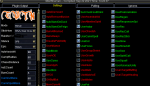
Is there a way to modify the "Stickhow" list. For me it seems 4 to 10 are the same as 1.
Lots of casts are interrupted by too much movements of the char, despite the fact, that target seems not to move at all.
Would like to find a Stickhow which allows the toon to stay in place once positioned.
luckly today after the sync all seems running smooth.
Seems all well done so far.
Howdy again Dragon,
Thanks for the question, I noticed that this wasn't one of the items in the
> Getting Started With the CWTN Plugins < link, and it should definitely be, so my apologies for that.
for the caster toons we already default a "loose" stick, which is intended to help eliminate that issue, this is particularly noticable with beastlords and their sha's reprisal AA spell - eq/mq will show/look like they are done casting, but if they move too quickly, it will actually not allow the spell to "finish" so we default those castery types to a loose
I'm going to make a new post and sticky it and add it to the getting started thing, but here is the answer specifically:
In February 2021 we added some additional "StickHow" options to the plugins. They come with a default list for their character type and then a bunch more (10 total) pre-populated "StickHows".
The "stick" stuff is from
mq2moveutils if you need a reference
Code:
CWTN Plugins - ALL
- StickHow has been replaced with StickSelection, with StickHow0 - StickHow9 options available.
-- AS ALWAYS the "stickhow" options are only for during an assist mode.
-- The default for "castery" classes has been updated to be more functional for castery classes
-- AS ALWAYS Do not use percent signs in the stickhow listings, unless you double percent it like: 55%%.
--- You will crash otherwise.
-- So if are currently using a custom StickHow you will want to ensure you go and update your StickHow0. Since the StickSelection is 0.
-- There are now (10), yes that many, StickHow0-StickHow9, options you can pre-define in your settings ini.
-- The UI window now has a dropdown for stickselection choice
-- you can also swap with slash command /zerk stickselection 2
This is the only thing in the cwtn plugins that you have to open your mq2pluginname_toonname.ini and edit directly. Long term this will be adjusted to allow for changing/setting them with a slash command, but at this time you have to edit it directly in the .ini.
for MacroQuest "Next" the location would be in your config->CWTN folder under the pluginname_toonname.ini --- for example, MQ2BerZerker_zerkerdude.ini
for MacroQuest2 "Legacy" the location is ->Release pluginname_toonname.ini for example MQ2BerZerker_zerkerdude.ini
This is an example of what that section looks like for MQ2BerZerker:
The 0, 1, and 2 are "useful" pre-populated entries, and the rest are just "dummy" entries, with the intent that you would change them to meet your needs.
and on the fly you could
/ber stickselection 2 or
/ber stickselection 8 of if you're using the cwtn/cwtna aliases in the
Sic's HotKey Guide you could just
/cwtn stickselection 2 and have the rest of your group swap to their populated stickselection 2
INI:
[Stick]
UseStick=true
StickHow=Do not use percent signs in the stickhow listings, unless you double percent it like: "55%%".
StickSelection=0
StickHow0=snaproll behind 10 moveback uw
StickHow1=snaproll left 10 moveback uw
StickHow2=snaproll right 10 moveback uw
StickHow3=snaproll behind 10 moveback uw
StickHow4=snaproll behind 10 moveback uw
StickHow5=snaproll behind 10 moveback uw
StickHow6=snaproll behind 10 moveback uw
StickHow7=snaproll behind 10 moveback uw
StickHow8=snaproll behind 10 moveback uw
StickHow9=snaproll behind 10 moveback uw
Here are some discussion posts that might be helpful
> Here < and
> Here <