
-
 Hail, we're RedGuides. We want you to play six (yes, 6!) EverQuest characters at once. We have scripts and a friendly community to help, please join our playstyle and say hello! 👋
 -
 We've added LLM sections to our Terms & Rules and Resource Rules, for everyone's sanity & in-game safety.
Read more
a. Do not replace your voice with an LLM. This goes for your posts and your scripts. Drafting and editing with a tool is fine, but don't take you out of what you share.
b. Do not replace your EQ character's voice with an LLM. We don't want scripts that speak over/ooc,/shoutor other public channels. This has been an unwritten rule that's kept casino scripts off the site for decades, but we're now compelled to make it clear: keep automated communication private.
Why Does RG Review Scripts?
Nearly every LLM-written Lua script we see is making your character do impossible things, and rarely in a way that's beneficial to you. We've seen heavy server hammering,/targetover impossible distances when/nav spawnwould passively accomplish the same thing, a spawn search that fires 20+ times per second, and other pointless actions that are likely annoying GMs.
You are welcome to use LLMs as a tool to structure, draft, and edit your work, but please read critically before hitting/lua run
You are using an out of date browser. It may not display this or other websites correctly.
You should upgrade or use an alternative browser.
You should upgrade or use an alternative browser.
Resource icon
Release MQ2EasyFind
- Thread starter brainiac
- Start date

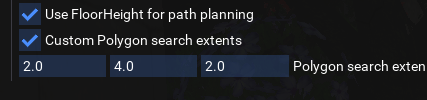
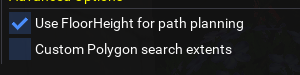


All I found in mine too.
Have to add to the kaeltwo entry?
Edit: Assuming your talking ToV and not original...
Code:
eastwastes:
        -   type: ZoneConnection
            location: [-1771.37, 6685, 198.47]
            targetZone: greatdivide
eastwastestwo:
        -   type: Translocator
            name: '#Deaen Greyforge'
            keyword: get on
            targetZone: northro
        -   type: ZoneConnection
            switch: OBJ_SLEEPERTELEPORT
            targetZone: sleepertwo
kaeltwo:
        -   type: ZoneConnection
            location: [-2160, 1550, -432.33]
targetZone: cobaltscartwoEdit: Assuming your talking ToV and not original...
Last edited:


do you mean easyfind?Hey, just FYI, if you try to autonav to nexus from PoK to Nexus, it takes you to Field of Bone (old)

Cedr
Member
I mean with /traveltodo you mean easyfind?
/travelto is from mq2easyfindI mean with /travelto
i'll move your post there
 Commits
- Commits
- 1
There is an issue with /travelto Relic. In arcstone, you pop in and when you start run to relic, you hit the pad back to west freeport.

- Commits
- 2
Try this in your navmesh folder. Avoids running back over the pad.There is an issue with /travelto Relic. In arcstone, you pop in and when you start run to relic, you hit the pad back to west freeport.
Attachments
that is a mesh issue, not easyfind issue.There’s an issue in Cobalt Scar running to WW. Toons get stuck running into a wall right after the waterfall that used to be in Sirens Grotto.
that spot is particularly difficult to ensure it is a "smooth" navigation due to how it was created. I believe the one in the repo is the best i could come up with and works 85% of the time.
Cedr
Member
Fair nuff! Just trying to be helpful.that is a mesh issue, not easyfind issue.
that spot is particularly difficult to ensure it is a "smooth" navigation due to how it was created. I believe the one in the repo is the best i could come up with and works 85% of the time.
Cedr
Member
What repo are you talking about? Easyfind or Nav?that is a mesh issue, not easyfind issue.
that spot is particularly difficult to ensure it is a "smooth" navigation due to how it was created. I believe the one in the repo is the best i could come up with and works 85% of the time.
Easy find uses mq2nav, and mq2nav uses nav meshes. I was referring to the mesh repository that you can access via the launcherWhat repo are you talking about? Easyfind or Nav?

Gekko
Seasoned veteran member
Hi all,
Noticed an issue with EasyFind using both the /travelto command and also the ctrl-F pop window. The issue occurred while traveling to The Nexus. I was in the guild lobby and typed /travelto nexus. The destination steps showed correctly in the nav window pop-up. The issue occurred with the execution of the navigation itself. The plugin ran to POK as expected but then instead of running to the Nexus stone, it ran to the Field of Bone Stone. After zoning into Field of Bone, it ran back to the POK stone and began an infinite loop. I had to force close the game instance from the Windows task manager. This has not happened in the past. In the past I was able to do a /travelto griegsend which paths through the nexus with no issue. I thought perhaps there might be something wrong with my mesh so I used the mesh generator to regenerate a mesh for POK but that was not the problem. It seems to be an issue with the zone connection. I tried using the ctrl-F find window while standing in POK. I did a ctrl-click on The Nexus zone connection from the ctrl-F window and the same thing happened. It ran me to the field of bone stone and zoned me into Field of bone. Is there a definition file somewhere that has the wrong location of the stone for the Nexus in POK?
Appreciate the help and guidance.
Be well.
Noticed an issue with EasyFind using both the /travelto command and also the ctrl-F pop window. The issue occurred while traveling to The Nexus. I was in the guild lobby and typed /travelto nexus. The destination steps showed correctly in the nav window pop-up. The issue occurred with the execution of the navigation itself. The plugin ran to POK as expected but then instead of running to the Nexus stone, it ran to the Field of Bone Stone. After zoning into Field of Bone, it ran back to the POK stone and began an infinite loop. I had to force close the game instance from the Windows task manager. This has not happened in the past. In the past I was able to do a /travelto griegsend which paths through the nexus with no issue. I thought perhaps there might be something wrong with my mesh so I used the mesh generator to regenerate a mesh for POK but that was not the problem. It seems to be an issue with the zone connection. I tried using the ctrl-F find window while standing in POK. I did a ctrl-click on The Nexus zone connection from the ctrl-F window and the same thing happened. It ran me to the field of bone stone and zoned me into Field of bone. Is there a definition file somewhere that has the wrong location of the stone for the Nexus in POK?
Appreciate the help and guidance.
Be well.
- Commits
- 2
Any chance we can get an option to not overwrite our zone.yaml file when updating or an option to specify a different file to use as to not have to update the yaml file after every update?
- Commits
- 2
Have you updated to the latest? Seems I have seen this same thing a while back but heard nothing since. Not an issue with the latest zone.yaml fileHi all,
Noticed an issue with EasyFind using both the /travelto command and also the ctrl-F pop window. The issue occurred while traveling to The Nexus. I was in the guild lobby and typed /travelto nexus. The destination steps showed correctly in the nav window pop-up. The issue occurred with the execution of the navigation itself. The plugin ran to POK as expected but then instead of running to the Nexus stone, it ran to the Field of Bone Stone. After zoning into Field of Bone, it ran back to the POK stone and began an infinite loop. I had to force close the game instance from the Windows task manager. This has not happened in the past. In the past I was able to do a /travelto griegsend which paths through the nexus with no issue. I thought perhaps there might be something wrong with my mesh so I used the mesh generator to regenerate a mesh for POK but that was not the problem. It seems to be an issue with the zone connection. I tried using the ctrl-F find window while standing in POK. I did a ctrl-click on The Nexus zone connection from the ctrl-F window and the same thing happened. It ran me to the field of bone stone and zoned me into Field of bone. Is there a definition file somewhere that has the wrong location of the stone for the Nexus in POK?
Appreciate the help and guidance.
Be well.
Gekko
Seasoned veteran member
Have you updated to the latest? Seems I have seen this same thing a while back but heard nothing since. Not an issue with the latest zone.yaml file
CBD,
I was screwing around on Test when I noticed this. I was speaking to Kaen on Discord the other day. He thinks it just might be because of Test and things sometimes being funk-a-delic on Test.
You bring up a good point. I will make sure both my Live install and Test install are up to date and then I can look for and compare the location files.
Might be a day or so. Right now @hytiek and I are dodging hurricanes and tornadoes.
Be well. Appreciate the input.
- Commits
- 2
Be Safe!CBD,
I was screwing around on Test when I noticed this. I was speaking to Kaen on Discord the other day. He thinks it just might be because of Test and things sometimes being funk-a-delic on Test.
You bring up a good point. I will make sure both my Live install and Test install are up to date and then I can look for and compare the location files.
Might be a day or so. Right now @hytiek and I are dodging hurricanes and tornadoes.
Be well. Appreciate the input.

Panda
Member
Charasistwo is missing from the ZoneConnections.yaml, Overtheretwo has charasis, it needs to be charasistwo
ZoneConnections.yaml Modifications
ZoneConnections.yaml Modifications
YAML:
    charasistwo:
        -   type: ZoneConnection
            location: [-464.37, -294.15, -16.26]
            targetZone: charasisb
        -   type: ZoneConnection
            switch: OBJ_TELEPORTSTEP
            location: [-39, -802.84, -7.25]
            targetZone: overtheretwo
    overtheretwo:
        -   type: ZoneConnection
            switch: 6
            targetZone: charasisb
        -   type: ZoneConnection
            location: [24, 2575, 21]
targetZone: skyfiretwo- Commits
- 2
Making use of the find button in the guild hall. Play music boxes and use teleport items. If you got them use them.  Place your items and update your zoneconnection.yaml with the locations of your items.
Place your items and update your zoneconnection.yaml with the locations of your items.
Code:
guildhalllrg:
        -   type: ZoneConnection
            location: [1, 82, 0]
            switch: OBJ_FRONTENTRANCE
            targetZone: neighborhood
        -   type: ZoneConnection
            location: [-14.24, 86.10, 1.01]
            script: |
                mq.cmd('/itemtarget "Shabby Lobby Door"')
                mq.delay(2000)
                mq.cmd('/click right item')
                mq.delay(2000)
                mq.cmd('/notify "open the door" menuselect')
            targetZone: guildlobby
        -   type: ZoneConnection
            name: Rivervale Music Box
            location: [0, 0, 1.49]
            identifier: 1
            script: |
                mq.cmd('/itemtarget "Music Box: Rivervale"')
                mq.delay(2000)
                mq.cmd('/click right item')
                mq.delay(2000)
                mq.cmd('/notify "Wind the Music Box" menuselect')
            targetZone: guildhalllrg
        -   type: ZoneConnection
            name: Qeynos Music Box
            location: [16.44, 40.85, 1.49]
            identifier: 2
            script: |
                mq.cmd('/itemtarget "Music Box: Qeynos"')
                mq.delay(2000)
                mq.cmd('/click right item')
                mq.delay(2000)
                mq.cmd('/notify "Wind the Music Box" menuselect')
            targetZone: guildhalllrg
        -   type: ZoneConnection
            name: Kaladim Music Box
            location: [0, 0, 10]
            identifier: 3
            script: |
                mq.cmd('/itemtarget "Music Box: Kaladim"')
                mq.delay(2000)
                mq.cmd('/click right item')
                mq.delay(2000)
                mq.cmd('/notify "Wind the Music Box" menuselect')
            targetZone: guildhalllrg
        -   type: ZoneConnection
            name: Kelethin Music Box
            location: [104, 0.51, 1.49]
            identifier: 4
            script: |
                mq.cmd('/itemtarget "Music Box: Kelethin"')
                mq.delay(2000)
                mq.cmd('/click right item')
                mq.delay(2000)
                mq.cmd('/notify "Wind the Music Box" menuselect')
            targetZone: guildhalllrg
        -   type: ZoneConnection
            name: The Feerrott Music Box
            location: [0.44, 0.85, 0.49]
            identifier: 5
            script: |
                mq.cmd('/itemtarget "Music Box: The Feerrott"')
                mq.delay(2000)
                mq.cmd('/click right item')
                mq.delay(2000)
                mq.cmd('/notify "Wind the Music Box" menuselect')
            targetZone: guildhalllrg
        -   type: ZoneConnection
            name: Grobb Music Box
            location: [0, 0.85, 1.49]
            identifier: 6
            script: |
                mq.cmd('/itemtarget "Music Box: Grobb"')
                mq.delay(2000)
                mq.cmd('/click right item')
                mq.delay(2000)
                mq.cmd('/notify "Wind the Music Box" menuselect')
            targetZone: guildhalllrg
        -   type: ZoneConnection
            name: Halas Music Box
            location: [14.0, 0, 1.0]
            identifier: 7
            script: |
                mq.cmd('/itemtarget "Music Box: Halas"')
                mq.delay(2000)
                mq.cmd('/click right item')
                mq.delay(2000)
                mq.cmd('/notify "Wind the Music Box" menuselect')
            targetZone: guildhalllrg
        -   type: ZoneConnection
            name: Lesser Faydark
            location: [0.24, -0.10, 0.97]
            script: |
                mq.cmd('/itemtarget "Painting: Brownie Encampment"')
                mq.delay(2000)
                mq.cmd('/click right item')
                mq.delay(2000)
                mq.cmd('/notify "Teleport to Lesser Faydark" menuselect')
            targetZone: lfaydark
        -   type: ZoneConnection
            name: Valley of King Xorbb
            location: [-17.0, 0, 1.97]
            script: |
                mq.cmd('/itemtarget "Painting: Throne of Xorbb"')
                mq.delay(2000)
                mq.cmd('/click right item')
                mq.delay(2000)
                mq.cmd('/notify "Teleport to Valley of King Xorbb" menuselect')
            targetZone: xorbb
        -   type: ZoneConnection
            name: North Qeynos
            location: [0, -21, -6.97]
            script: |
                mq.cmd('/itemtarget "Coat of Arms: Qeynos"')
                mq.delay(2000)
                mq.cmd('/click right item')
                mq.delay(2000)
                mq.cmd('/notify "Teleport to North Qeynos" menuselect')
            targetZone: qeynos2
        -   type: ZoneConnection
            name: Thurgadin
            location: [0, -51, -5.96]
            script: |
                mq.cmd('/itemtarget "Dwarven Ice Statue"')
                mq.delay(2000)
                mq.cmd('/click right item')
                mq.delay(2000)
                mq.cmd('/notify "Teleport to Thurgadin" menuselect')
            targetZone: thurgadina
        -   type: ZoneConnection
            name: South Qeynos
            location: [101, -40, -6.96]
            script: |
                mq.cmd('/itemtarget "Painting: Lion\'s Mane Tavern"')
                mq.delay(2000)
                mq.cmd('/click right item')
                mq.delay(2000)
                mq.cmd('/notify "Teleport to South Qeynos" menuselect')
            targetZone: qeynos
        -   type: ZoneConnection
            name: Dulak's Harbor
            location: [0, -0, -6.96]
            script: |
                mq.delay(1000)
                mq.cmd('/itemtarget "Painting: Dulak\'s Harbor"')
                mq.delay(2000)
                mq.cmd('/click right item')
                mq.delay(2000)
                mq.cmd('/notify "Teleport to Dulak\'s Harbor" menuselect')
            targetZone: dulak
        -   type: ZoneConnection
            name: North Qeynos (Crow's Pub)
            identifier: 2
            location: [0, -74, -6.96]
            script: |
                mq.cmd('/itemtarget "Painting: Crow\'s Pub & Casino"')
                mq.delay(2000)
                mq.cmd('/click right item')
                mq.delay(2000)
                mq.cmd('/notify "Teleport to North Qeynos" menuselect')
            targetZone: qeynos2
        -   type: ZoneConnection
            name: Drunder
            location: [97, -91, -6.96]
            script: |
                mq.cmd('/itemtarget "Painting: Drunder, the Fortress of Zek"')
                mq.delay(2000)
                mq.cmd('/click right item')
                mq.delay(2000)
                mq.cmd('/notify "Teleport to Drunder, Fortress of Zek" menuselect')
            targetZone: potactics
        -   type: ZoneConnection
            name: Ocean of Tears
            location: [0, -0, -6.96]
            script: |
                mq.cmd('/itemtarget "Islander Hammock"')
                mq.delay(2000)
                mq.cmd('/click right item')
                mq.delay(2000)
                mq.cmd('/notify "Teleport to Ocean of Tears" menuselect')
            targetZone: oceanoftears
        -   type: ZoneConnection
            name: Rivervale
            location: [0, -0, -6.96]
            script: |
                mq.cmd('/itemtarget "Rivervale Jumjum Cart"')
                mq.delay(2000)
                mq.cmd('/click right item')
                mq.delay(2000)
                mq.cmd('/notify "Teleport to Rivervale" menuselect')
            targetZone: rivervale
        -   type: ZoneConnection
            name: Misty Thicket
            location: [0, -0, -6.96]
            script: |
                mq.cmd('/itemtarget "Misty Thicket Halfling Bed"')
                mq.delay(2000)
                mq.cmd('/click right item')
                mq.delay(2000)
                mq.cmd('/notify "Teleport to Misty Thicket" menuselect')
            targetZone: mistythicket
        -   type: ZoneConnection
            name: North Kaladim
            location: [0, -46, -6.96]
            script: |
                mq.cmd('/itemtarget "Underfoot Monument"')
                mq.delay(2000)
                mq.cmd('/click right item')
                mq.delay(2000)
                mq.cmd('/notify "Teleport to North Kaladim" menuselect')
            targetZone: kaladimb
        -   type: ZoneConnection
            name: Oggok
            location: [0.70, -23.05, -6.96]
            script: |
                mq.cmd('/itemtarget "Oggok Boulder Lounger"')
                mq.delay(2000)
                mq.cmd('/click right item')
                mq.delay(2000)
                mq.cmd('/notify "Teleport to Oggok" menuselect')
            targetZone: oggok
        -   type: ZoneConnection
            name: Paineel
            location: [0.65, -13.81, -7.88]
            script: |
                mq.cmd('/itemtarget "Bookshelf of Paineel"')
                mq.delay(2000)
                mq.cmd('/click right item')
                mq.delay(2000)
                mq.cmd('/notify "Teleport to Paineel" menuselect')
            targetZone: paineel
Is it still just right or left click in Find window? New PC and not having settings from old one (kid + powerful magnets are unhealthy for HD), I thought I had gotten all the meshes setup. Plug-in is loaded, what do you mean “read find window title”?make sure you have the easyfind plugin loaded, then read the find window title, also make sure you got all your nav meshes installed.
Edit: nvm… when did that change? Kids have gotten to me, lack of sleep is unreal.
There are a couple of small, yet important changes with MacroQuest vs the old MQ2 as explained > HERE <
Moving to MacroQuest mental notes:
1. mq2map click is
2. new easyfind self travel is
3. new easyfind group travel is
4. If you selected a destination in your zone guide and want to activate it you
5.
6. your ini configuration files (like for kissassist) now reside in your "Config" folder and not your "Macro" folder
7. if you want the functionality of the MQ2 "MQ2TargetInfo" - They are now in 3 separate plugins:
Moving to MacroQuest mental notes:
1. mq2map click is
Control+Shift+Click2. new easyfind self travel is
Control+Click (reminder in find window title bar)3. new easyfind group travel is
Control+Shift+Click4. If you selected a destination in your zone guide and want to activate it you
/travelto activate5.
/yes and /no are now aliases6. your ini configuration files (like for kissassist) now reside in your "Config" folder and not your "Macro" folder
7. if you want the functionality of the MQ2 "MQ2TargetInfo" - They are now in 3 separate plugins:
/plugin groupinfo /plugin targetinfo /plugin xtarinfo
- Commits
- 2
Code:
weddingchapeldark:
        -   type: ZoneConnection
            switch: 1
            targetZone: poknowledge
    weddingchapel:
        -   type: ZoneConnection
            switch: 1
targetZone: poknowledgeI'm having an issue on test server where the easy find (CTRL + CLICK on find window) is giving errors in PoK about the switch not found.
I've compared my test install to the live install and one thing I'm noticing is the poknowledge_doors.json file in the resources\MQ2Nav directory is giving names like "OKOGPORT500" when the live install that works it's correctly named "POKOGPORT500".
I've tried fixing this directly, but the json file seems to be generated when the MQ2Nav plugin is loaded, so any changes I make get reverted.
I'm sure I'm doing something wrong or maybe missed a step in the test server install (I did do the Mesh Updater), so any advice on where to go from here would be appreciated.
I've compared my test install to the live install and one thing I'm noticing is the poknowledge_doors.json file in the resources\MQ2Nav directory is giving names like "OKOGPORT500" when the live install that works it's correctly named "POKOGPORT500".
I've tried fixing this directly, but the json file seems to be generated when the MQ2Nav plugin is loaded, so any changes I make get reverted.
I'm sure I'm doing something wrong or maybe missed a step in the test server install (I did do the Mesh Updater), so any advice on where to go from here would be appreciated.

The zone connections on test have been messed up forever. so when you go to find 
Users who are viewing this thread
Total: 1 (members: 0, guests: 1)
Share: