• You've discovered RedGuides, an EverQuest multi-boxing and scripting community 🧙‍♀️⚙️. We want you to play several EQ characters at once, come join us and say hello! 👋

  • A TLP without truebox has thawed (Very Vanilla ready)
    Frostreaver
AutoLogin (core plugin)

Release AutoLogin (core plugin)

Been putting this off as it's not a game breaker, just annoying.

But now I want to get it fixed.

Couple months ago my VV Autologin stopped working.

It gets to password screen on EQ and fails to enter the password, so i get incorrect PW error from EQ and have to enter it manually.

It also will NOT let me add new accounts or characters, I enter the info, and nothing happens, it acts like it accepted it, but nothing shows up.

How do I fix or reinstall this feature?

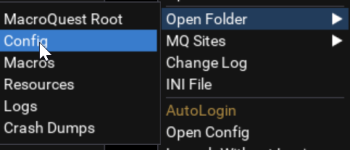
I tried searching in the RG folder for autologin and nothing is found so I'm puzzled where this even lives?
I'm on the current build on tlp and it's been this way the last 2 builds at least.
I've also reinstalled RG VV over the old one, no change.

Thanks for any advice.
I deleted the 2 db files mentioned by others, and rewrote my account info stuff and now it works again.

Problem solved (for now)
 
I have this on two PCs, one is great, the other one gives wrong password. I think because the PC is so slow it tries to enter the password before it managed to tab to the right field or something. Anyone know a solution to this or a way I can add a delay?
 
I have this on two PCs, one is great, the other one gives wrong password. I think because the PC is so slow it tries to enter the password before it managed to tab to the right field or something. Anyone know a solution to this or a way I can add a delay?
Autologin injects into the exe so entering info on the wrong window is almost impossible. One client being at char select wont impact any other eq window since autologin knows what process ID its attached to and what one to interact with.
 
Autologin injects into the exe so entering info on the wrong window is almost impossible. One client being at char select wont impact any other eq window since autologin knows what process ID its attached to and what one to interact with.
Thanks that is good to know. Any idea why it would be getting the password wrong? It is right in the setup.
 
I think it is fixed. I updated, reset master password to the same thing, made a new profile and it worked. I will check the old profile and see if that works.
 
Release AutoLogin (core plugin)

Users who are viewing this thread

Back
Top
Cart