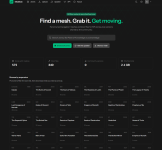
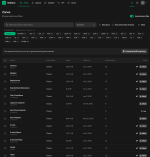
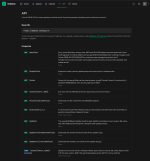
No installation. Just the website and repo for a large set of per-generated meshes for your using.
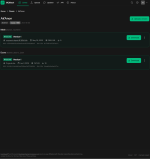
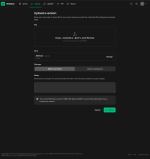
Logging into the site will now allow you to view, edit, and upload meshes. They will then show up in the updater as a community mesh once approved by a site moderator or admin.
There's even an api you can use to write your own downloader or uploader (Uploading requires andaccount and generating an api token).
Laravel 12, Livewire (Volt) with Flux UI, Tailwind 4, MariaDB. Runs under Apache + PHP-FPM.
Run the import and sync commands as
Logging into the site will now allow you to view, edit, and upload meshes. They will then show up in the updater as a community mesh once approved by a site moderator or admin.
There's even an api you can use to write your own downloader or uploader (Uploading requires andaccount and generating an api token).
MQMesh v2
The community site for MQ2Nav navigation meshes and door files: https://mqmesh.comLaravel 12, Livewire (Volt) with Flux UI, Tailwind 4, MariaDB. Runs under Apache + PHP-FPM.
How files work
- Every zone has at most one Site file per type (mesh, doors). It is always listed first.
- Site meshes come from mqmesh-depot. The site keeps its own clone in
storage/app/depotand only ever runsgit pull --ff-onlythere. It never commits or pushes. - Users upload community versions. They wait for a moderator unless the user is trusted, a moderator or an admin.
- Only an admin can make a community version the Site file.
- Files are stored once per SHA-256 under
storage/app/meshesand never overwritten, so old versions keep working.
Old updater feeds
public/zones.json, public/updater.json and public/meshdb.json are written in the old site's exact formats whenever a Site file changes, and /resources/meshes/<zone>.navmesh and /resources/doors/<zone>_doors.json serve the Site files. The existing updaters work unchanged once mqmesh.com points here.Commands
| Command | What it does |
|---|---|
php artisan mqmesh:import-zones <path to zoneinfo.csv> | Create or update expansions and zones |
php artisan mqmesh:sync-depot | Pull the depot and import changed meshes (runs at 04:00 and 16:00 UTC) |
php artisan mqmesh:import-files <dir> --type=doors | Import a folder of files as Site files (read only on the folder) |
php artisan mqmesh:write-feeds | Rebuild the three old-format JSON feeds |
php artisan mqmesh:set-role <email> admin | Make a user an admin or moderator |
php artisan mqmesh:prune-unverified --dry-run | List accounts that never confirmed their email within 7 days; without --dry-run, delete them (runs at 05:00 UTC) |
www-data (sudo -u www-data php artisan …) so stored files belong to the web server.Deploying
Build locally, then stream the package to the server:
Bash:
bash scripts/package.sh
cat /tmp/mqmesh-v2.tgz | ssh <user>@<server> 'bash <site folder>/scripts/install.sh'
install.sh puts the site in maintenance mode, unpacks, migrates, rebuilds caches and the feeds, and brings it back up.Local development
Bash:
composer install && npm install && npm run build
cp .env.example .env && php artisan key:generate && php artisan migrate
php artisan serve
php artisan test