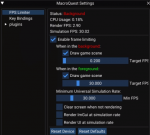
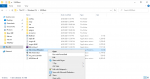
They install to two different places (assuming you choose a different place to install it, which you should).
They are independent of each other. The plugins in your MQ2 folder are not compatible with MQNext, but the macros should be. If we’re missing a plugin that you use, let us know and we’ll add it. We’ve not converted every plugin, but we have converted every plugin that anyone has requested and we were in beta for a very long time with a lot of different people so I feel like we have the majority of plugins that people use converted.
The migrator script is mostly “copy” but it will ask you whether you want to move or copy your nav meshes since they’re so large. Since you want to be able to go back and forth between versions, you’ll want to choose “copy.” The script should explain this as well. The rest is small enough that it will copy and before it runs it will tell you the commands it is going to run. It will handle everything for you and put it in the right place so you shouldn’t have to do anything manually.
The only caveat to this is if you are switching back and forth and editing macros, you’ll need to copy those macros over to Next again after you edit. You can run the migrator script again and it will do this, but it will overwrite your config every time, which may not be what you want. Or, for a more advanced user, you can just edit your macroquest.ini and point your macro directory to your old macro folder and it will all work. However the latter can get confusing once you’re ready to stop switching back and forth, so I’d go the copy route (which is why I wrote that script).
There’s no harm in trying, unless you install over your existing copy (which requires you changing the defaults from the updater). So just don’t do that, the rest my suggestion is: Try it and see, if you run into issues let us know.