• You've discovered RedGuides, an EverQuest multi-boxing and scripting community 🧙‍♀️⚙️. We want you to play several EQ characters at once, come join us and say hello! 👋

  • A TLP without truebox has thawed (Very Vanilla ready)
    Frostreaver
Resource icon

Release Tradeskill.mac (1 Viewer) 2.02

No permission to download

Rooster

Well-known member
Joined
Jan 2, 2014
RedCents
1,611¢
Ok, so - I don't technically have a background in programming etc, just what I do with MQ2 macros (lots of trial and error, making shit up as i go) . . . so this code can and will probably get some improvements , open to suggestions, but this works in my limited testing so here goes...

I made the macro with original intentions of just being able to make a list of items faster than i could manually to make good use of tradeskill potion/not have to stuff around too with low skill potion using tinker bot

The macro can use items you have already purchased based on your recipe list/combines you put in your ini as described below, it will requires MQ2Nav to move from container to container, however if you start in front of the necessary container you list in the ini for first recipe/first recipe you will make it will use it. It won't go buy anything as yet.

Macro usage:

Fletching trophy example file with fixed typos (thanks jande) here

/mac macroname newininame howmanyrecipes --- eg. /mac tradeskillmac fletchingtrophy 6

This will create an ini with 6 recipe sections like below (i only listed 2 for example) for filling in by yourself, and hopefully shared by others here for some recipe lists etc.

Rich (BB code):
[General]
TotalRecipeNumber=2           How many recipes in the file, this is used to setup the array to reduce disk access while cycling recipes it may not even want to make
DoSkillUps=FALSE                TRUE/FALSE - This will toggle whether when making recipes it will just keeping making the item until its reaches trivial
[Recipe1]
Recipe1ItemName=NULL           This is any name you want to give the item, I have used Item ID's to check items as with recipes with multiple recipe ingredients can produce the same item name with different ID's - it's mostly for your reference/ease
Recipe1ItemID=NULL                Item ID - used to check Item Counts for how many you want to make
Recipe1Container=NULL            Environmental container that is used to make the item, ie Pottery Wheel, Fishing Table, Loom etc...
Recipe1Known=FALSE              This will default to FALSE on ini creation, it will update when the macro first makes the item. Useful for learning recipes >300 lists,
Recipe1Trivial=0                   Trival of the item, used to check against your relevant skill to see whether it can use the item to skill up (careful not to set this incorrectly, if you can't skill up and it thinks it can you will just make the item until you run out of items)
Recipe1SkillType=0                 This is the skill you're using to check against, again if you set this incorrectly you run the risk of just using up items and making stuff or not making something because what ever skill you're checking is too high
Recipe1MakeTotal=0                This is how many of the item you want to make, the macro will make 1 item to make the recipe 'known' , it will keep making it if you want to DoSkillUps until trivial, or it will make as many as you want here provided you have supplies
Recipe1Items=3                     This is how many items in the recipe, you need to increase this and add Recipe#Item#= as needed , i defaulted  the macro to make 3 entries it could probably be changed but 3 was ok
Recipe1Item1=NULL
Recipe1Item2=NULL
Recipe1Item3=NULL
[Recipe2]
Recipe2ItemName=NULL
Recipe2ItemID=NULL
Recipe2Container=NULL
Recipe2Known=FALSE
Recipe2Trivial=0
Recipe2SkillType=0
Recipe2MakeTotal=0
Recipe2Items=3
Recipe2Item1=NULL
Recipe2Item2=NULL
Recipe2Item3=NULL


Fletching trophy example file with fixed typos (thanks jande!) here , it is a filled in fletching beginning trophy list , to use the ini created from step one ( or this one , saved as a name you will remember) simple -- /mac macroname ininame -- eg /mac tradeskillmac fletchingtrophy

If you have a skill of 50 fletching you can get the quest, buy the items from the vendor in PoK - start the macro with the ini and it'll make them all for you to go deliver. You could just buy a stack of everything and DoSkillUps=TRUE and it'll go through the list as necessary to get to 56.

I will make a shopping macro at some point, that can use the recipe items from this ini layout. Just limited on time personally (this macro took a lot longer the it should have for me)

i also attached a brellsbounty.ini which if you buy everything you can from vendors and source brells bounty and have some / farm some / bought some from bazaar it'll do all the sub combines in order to make the final item, if you tweak numbers and buy enough you could potentially max baking out with it. I haven't tested it at all, i don't have any brells bounty and im headed to bed... i'll test tomorrow or if someone else has a go and i typo'd something let me know :p
 
Last edited:
I have just been playing with this since i re-subbed yesterday, it is a crash related with the use of InvSlot. I remember writing this macro having trouble getting the enviro slot informations (You can't do a ${FindItem[Lumber Plank].ItemSlot}/${FindItem[Lumber Plank].ItemSlot2} to find items in the enviromental containers it just return null, and when you do an /echo ${InvSlot[enviro1].Item} without crashing. Looking back there was a change to InvSlot in May 2018 (i think this was at a time this macro still worked) and then more changes with item stuff following it. I am not sure how to fix it currently, i will msg eqmule and see if there was something broken or if InvSlot has been completely deprecated now to not even work.
 
Last edited:
This should work, i removed any inv slot ref and fixed up adding ingredients... seems something else with itemnotify didnt like my macro anymore

Edit: Removed code, added temp fix as update and download via resource download link (duh .. i am slow)
 
Last edited:
Did you try it? It worked when I used it a couple of weeks ago for a few things for TBL

Did you have any specific issue if you did try it?
 
it doesnt work.. keep in a random loop changin the item in the cursor... been tryin to do low level tradeskill
 
I'll have a look if compile is up in time tonight or tomorrow when I get up

I have meaning to do a rewrite, mostly for ini simplification and to improve the combine stuff... I got half way through the ini conversion then other stuff distracted me
 
Thanks! I think for now the latest download has a simple smith test ini and the example in original post will suffice, i can't change the files there (or at least i don't know how?) without making it a new version. I will edit the first post and link to your post with them typo fixes!
 
Thanks! I think for now the latest download has a simple smith test ini and the example in original post will suffice, i can't change the files there (or at least i don't know how?) without making it a new version. I will edit the first post and link to your post with them typo fixes!
Let me know if you ever find out how, would be usefull to at least add new trophy ini's in the download section
Ini's coming as I have time.
 
Let me know if you ever find out how, would be usefull to at least add new trophy ini's in the download section
Ini's coming as I have time.
with a little work you can get trophies in your downshit section of mq2melee if you took the time to set it up

here is I think the *first* thing I did with anything around here, no it is probably poorly done

Code:
downshit0=/if (${Select[${Window[TradeSkillWnd].Child[COMBW_ContainerName].Text}, Forge]} && ${InvSlot[22].Item.Name.NotEqual[Master Smith Trophy]}) /exchange "Master Smith Trophy" 22
 
with a little work you can get trophies in your downshit section of mq2melee if you took the time to set it up

here is I think the *first* thing I did with anything around here, no it is probably poorly done

Code:
downshit0=/if (${Select[${Window[TradeSkillWnd].Child[COMBW_ContainerName].Text}, Forge]} && ${InvSlot[22].Item.Name.NotEqual[Master Smith Trophy]}) /exchange "Master Smith Trophy" 22

trophy ini's :lol: e.g uploading the recipe ini to make all the tradeskill trophy items.
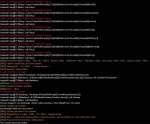
Appreciate the snippet, have not even thought of switching items in-game yet. Would probably need to do a search for beginner fletching trophy etc
 
This worked great and I am about halfway done with maxed trophys from nothing. I did end up tightening the timings quite a bit on the macro that seemed to massively speed things up. Works really well on my desktop computer and ok on a laptop connected through a cellular hotspot. Attached are some ini's and the tweaked macro if anyone else is interested.
 

Attachments

Primordial Noodle recipe. Default to snake eggs for dough and Clown fish for Primordial fish. Only hiccup is an overload of Whispering Twilight scales lol.
 

Attachments

So... I've been gone a while, I only have access to the version on the forums here now so I don't think I'll do a rewrite anymore... But I think I need to add in trophy/mod support and fix on bug that I never worked out (picking up a stack from top level bag slot)

Thanks for the shared recipes !
 
Friend told me about this. I'm still relatively new with MQ and macro reading, it all looks like chicken scratch. This is what i did from download to running into errors.
Downloaded it
Tweaked the Smithtest.ini to do the Beginner Smith Test. Imputed all the necessary info for the 10 recipes, id#, ingredients and so on.
Stood in front of the Forge in PoK Small Bank area.
/mac Tradeskill Smithtest 10
- 1st Test without opening the forge
- 2nd Test opened the forge before /mac, it closed the forge, ran the errors and ended.
MQ Window showed the following.
 

Attachments

  • TSMacError.jpg
    TSMacError.jpg
    273.1 KB · Views: 68
I am trying to do the Crystalline valor glaze but mac says glaze mortar isn't a container. any suggestions?
 

Attachments

Upload the ini that you tweaked and I can have a peek

Here's the Ini, all 10 recipes for the beginner smithing trophy. Yes i know the ini name is different from my post but i did type the correct macro path. /mac Tradeskill testsmith 10
 

Attachments

Rooster updated Tradeskill.mac with a new update entry:

Skill mod support, ini's moved to a folder, and changes

Long time coming, had a few other life hiccups from my previous attempt at getting back into game... sat down today and I think I finished what I was doing back in December

Made it so inis are created in mq2\macro\tradeskill folder -- as per Jande request to me back in Dec

Skill mods/trophies will get swapped in via defining them in the ini and at the end of the macro will swap back in the item from range slot that was present when macro started

Made other small changes to code, mostly...

Read the rest of this update entry...
 
Nice job with this. I use it all the time for various trade skill stuff. One thing I noticed is when you have multiple recipes and you run out of items and moves to the next recipe, if you don't have those items you get an error saying that name has already been used, then it proceeds to try and combine a couple of the items from the previous recipe. Also, if you have NULL for trophies it paused mqp and asks if you want to continue? Thanks for the great work on this.

Not suggesting you change the mpq thing, but anyways thought I would add what I would like. :)
/if (${MissingMod}>0) {
/echo Missing one or more trophies/mods either typo in the name, or it's in the bank... will continue without it
}
 
Try this one if you wouldn't mind, if it doesn't repeat that error I'll post an update. Also changed the trophy check to just delay with msg to either end or pause manually to check

Thanks for the feedback :)

Edit: removed attachment
 
Last edited:
That seemed to work better, it did get to where I ran out of items and it tried several time to combine the left over items with a missing item, but then it went to you are out of items and ended the macro. I am going to test this out again after dinner on a new toon from scratch. :) Nice work.
 
There was no container in slot 0
(MakeItem): /next a
(Main): /call MakeItem
The current macro has ended.

Something to do with not having bags in inventory?

INI:
/if (!${Window[ContainerCombine_Items]}) /call Cleanup
            /call ContainerCleanup
                    /for a 1 to ${TradeSkillArray[${CurrentRecipeNumber},7]}
                /if (${FindItemCount[=${Item${a}}]} > 0) {
                        /if (${FindItem[=${Item${a}}].ItemSlot2}<0) {
                            /ctrlkey /itemnotify ${Math.Calc[${FindItem[=${Item${a}}].ItemSlot}+1].Int} leftmouseup
                            /delay 2s ${Cursor.ID}
                               /nomodkey /itemnotify enviro${a} leftmouseup
                               /delay 2s !${Cursor.ID}
                            /next a
                        }
/if (${FindItem[=${Item${a}}].ItemSlot2}<0) to == 0 ?
 
Last edited:
Rooster updated Tradeskill.mac with a new update entry:

Re-released 2 as 2.01

Fixed up a few flow issues which resulted in skipping recipes if skilling up/running out of items etc.

Also removed a bit of the spam

otherwise remains the same as original release adding trophy support through ini

Working on a shopping list pulled from recipe files , feels a bit beyond my current mental capacity/current ability to concentrate but it's something

Read the rest of this update entry...
 
There was no container in slot 0
(MakeItem): /next a
(Main): /call MakeItem
The current macro has ended.

Something to do with not having bags in inventory?

INI:
/if (!${Window[ContainerCombine_Items]}) /call Cleanup
            /call ContainerCleanup
                    /for a 1 to ${TradeSkillArray[${CurrentRecipeNumber},7]}
                /if (${FindItemCount[=${Item${a}}]} > 0) {
                        /if (${FindItem[=${Item${a}}].ItemSlot2}<0) {
                            /ctrlkey /itemnotify ${Math.Calc[${FindItem[=${Item${a}}].ItemSlot}+1].Int} leftmouseup
                            /delay 2s ${Cursor.ID}
                               /nomodkey /itemnotify enviro${a} leftmouseup
                               /delay 2s !${Cursor.ID}
                            /next a
                        }
/if (${FindItem[=${Item${a}}].ItemSlot2}<0) to == 0 ?

The error didn't happen to have anything to do with bags/inventory. But I did clean up the code a bit when fixing it, I re-released and removed the old release hopefully no more new issues because I'm having trouble concentrating on anything at the moment.
 
Now it just does a continuous loop on the first recipe that is missing ingredients. :) Get some rest. hehe
I downloaded the copy from the boards and ran through the fletching trophy list ensuring I had missing items from the first recipe(and others) and it went through ok, I repeated and made sure I was only missing an item from the first recipe and none others.

Are you are to share any screenshot of if just skipping/looping?
 
Fresh toon with 25 brewing and no supplies for the recipes. Just a continuous loop opening the table, then the smaller combine window. Maybe uploaded the wrong file to the thread? Just making sure. hehe
 

Attachments

  • loop.png
    loop.png
    432.6 KB · Views: 28
Last edited:
This is working great. How do I bypass once I know the recipe from only making 1 if my SkillUp is set to TRUE? SkillUp=TRUE and Recipetomake=1 Doesn't seem to keep going to skill up or I am missing something. Thanks. Also, before it would go back to try making the first one after the second one ran out of items. Is this changed now?
 
It shouldn't skip past something if it can skill up regardless of how many you have, I'm not sure how it does based on how I originally wrote that part. The skill up check comes before learning and quantity making and if the combine portion it shouldn't return if skill ups is set to true

Also, I don't think it ever repeated recipes... If it ever did it was unintentional. I could probably put in a reset counter if you like

It will have to wait until tomorrow though sorry, I have to go to bed I'm getting up in 7 hours for another 12.5hr night shift
 
Awesome job. Thanks again for the time in the program and the answers. I appreciate it. I know how 12 hour shifts are, just put in 26 hours in two days. Headed back out monday for 4 12s. Thanks again.
 
Release Tradeskill.mac

Users who are viewing this thread

  • J
Back
Top
Cart