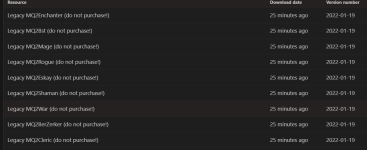
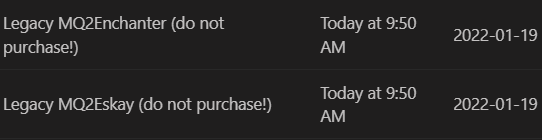
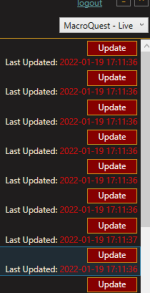
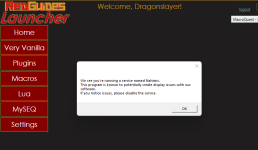
I just looked at your downloads again to follow up, you appear to have re-downloaded the legacy files again
Let's take a step back here.
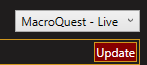
This is the RG Launcher page. in the top right corner you should have selected MacroQuest - Live.
You will want to make sure in the bottom right hand site you see "Launcher: v1.0.74" if that is any other number you will want to hit that Settings button in the bottom left
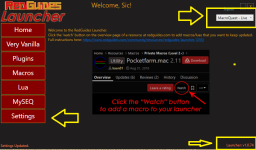
Once in that settings tab, on the far right hand side you will see a "Check For Updates" button. make sure to click that if your launcher version is incorrect

If will tell you "you already have the latest version" if you are already updated.
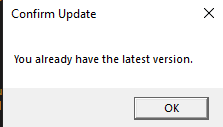
once you have done that you can click the "Plugins" tab on the left-hand side.
There is an "Update ALL" button in the bottom right side, you can either individually update/install each plugin, or if it shows "update" and not "install" then you can click update all - if it shows "install" make sure you hit them individually to install them.
With the launcher changing versions you might just have some hiccup with not having downloaded things yet
When you launch macroquest, this should be the icon that you see - this is "MacroQuest" which we formerly referred to as "next". This is what you want, if you see the old MQ2 logo, then that is not what you want to be running.

In case you need to re-do migration or setup here is the Migration guide/tutorial and some notes about some minor differences.
It is
OFFICIAL! MacroQuest is
the version of MacroQuest that we offer here at RedGuides.
You will see this with
"MacroQuest - Live" in the RG Launcher.
Please, check out this link:
>>> Functions & Features Demo + Migration to the new MacroQuest<<<
There are a couple of small, yet important changes with MacroQuest:
1.
mq2map click is Control+Shift+Click
2. new easyfind self travel is Control+Click (reminder in find window title bar)
3. new easyfind group travel is Control+Shift+Click
4. If you selected a destination in your zone guide and want to activate it you /travelto activate
5. /yes and /no are now aliases
6. your ini configuation files (like for kissassist) now reside in your "Config" folder and not your "Macro" folder




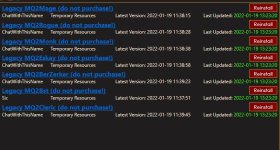




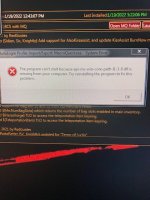
 and thus isn't supported for macroquest