
-
 Hail, we're RedGuides. We want you to play six (yes, 6!) EverQuest characters at once. We have scripts and a friendly community to help, please join our playstyle and say hello! 👋
You are using an out of date browser. It may not display this or other websites correctly.
You should upgrade or use an alternative browser.
You should upgrade or use an alternative browser.

RedGuides Launcher (4 Viewers) 1.1.0
- Thread starter r1pt1de
- Start date

?So how is this fixed? Also, if the fix is on RG, how long does that typically take?
you necro'd a post from november of 2020 (i moved the whole thing and the reply to the RG launcher thread discussion)
all versions of VV are patched and up to date as of right now.
run your redguide's launcher to update
if you are having "file locked" issues or similar - you need to check your antivirus for holding up any files (would suggest white-listing your mq2 directory) or doing a fresh restart and then running patcher in case you have any mq2 programs running and didn't get exited correctly.

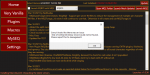
that can happens sometimes when you get a hiccup in your internet connection and the files don't download quite right.
give your pc a restart and re-run the updater
Thank you for the information, I am on a throttled hotspot so that has to be itthat can happens sometimes when you get a hiccup in your internet connection and the files don't download quite right.
give your pc a restart and re-run the updater

My PC had an issue with the cooling unit and so wouldn't start. This has now been replaced and everything seems to be fine apart from the redguides launcher not starting.
I see the following in the event logs. Has anyone any Ideas on fixing this.
Faulting application name: RedGuidesLauncher.exe, version: 1.0.2.0, time stamp: 0x80b11d3b
Faulting module name: KERNELBASE.dll, version: 10.0.18362.1411, time stamp: 0xf139396b
Exception code: 0xe0434352
Fault offset: 0x001146d2
Faulting process id: 0x4188
Faulting application start time: 0x01d72319688bde35
Faulting application path: D:\ProgramData\RedGuides\DesktopUtility\RedGuidesLauncher.exe
Faulting module path: C:\WINDOWS\System32\KERNELBASE.dll
Report Id: a2bcf975-2de9-4b9a-b288-8eda9ad9da36
Faulting package full name:
Faulting package-relative application ID:
and also a .NET error
Application: RedGuidesLauncher.exe
Framework Version: v4.0.30319
Description: The process was terminated due to an unhandled exception.
Exception Info: System.Xml.XmlException
at System.Xml.XmlTextReaderImpl.Throw(System.Exception)
at System.Xml.XmlTextReaderImpl.Throw(System.String, System.String[])
at System.Xml.XmlTextReaderImpl.ParseText(Int32 ByRef, Int32 ByRef, Int32 ByRef)
at System.Xml.XmlTextReaderImpl.ParseText()
at System.Xml.XmlTextReaderImpl.ParseElementContent()
at System.Xml.XmlTextReaderImpl.Read()
at System.Xml.XmlTextReader.Read()
at System.Xml.XmlTextReaderImpl.Skip()
at System.Xml.XmlTextReader.Skip()
at System.Configuration.XmlUtil.StrictSkipToNextElement(System.Configuration.ExceptionAction)
at System.Configuration.BaseConfigurationRecord.ScanSectionsRecursive(System.Configuration.XmlUtil, System.String, Boolean, System.String, System.Configuration.OverrideModeSetting, Boolean)
at System.Configuration.BaseConfigurationRecord.ScanSectionsRecursive(System.Configuration.XmlUtil, System.String, Boolean, System.String, System.Configuration.OverrideModeSetting, Boolean)
at System.Configuration.BaseConfigurationRecord.ScanSections(System.Configuration.XmlUtil)
at System.Configuration.BaseConfigurationRecord.InitConfigFromFile()
Exception Info: System.Configuration.ConfigurationErrorsException
at System.Configuration.ConfigurationSchemaErrors.ThrowIfErrors(Boolean)
at System.Configuration.BaseConfigurationRecord.ThrowIfParseErrors(System.Configuration.ConfigurationSchemaErrors)
at System.Configuration.BaseConfigurationRecord.ThrowIfInitErrors()
at System.Configuration.ClientConfigurationSystem.OnConfigRemoved(System.Object, System.Configuration.Internal.InternalConfigEventArgs)
Exception Info: System.Configuration.ConfigurationErrorsException
at System.Configuration.ClientConfigurationSystem.OnConfigRemoved(System.Object, System.Configuration.Internal.InternalConfigEventArgs)
at System.Configuration.Internal.InternalConfigRoot.OnConfigRemoved(System.Configuration.Internal.InternalConfigEventArgs)
at System.Configuration.Internal.InternalConfigRoot.RemoveConfigImpl(System.String, System.Configuration.BaseConfigurationRecord)
at System.Configuration.BaseConfigurationRecord.GetSectionRecursive(System.String, Boolean, Boolean, Boolean, Boolean, System.Object ByRef, System.Object ByRef)
at System.Configuration.BaseConfigurationRecord.GetSection(System.String)
at System.Configuration.ClientConfigurationSystem.System.Configuration.Internal.IInternalConfigSystem.GetSection(System.String)
at System.Configuration.ConfigurationManager.GetSection(System.String)
at System.Configuration.ClientSettingsStore.ReadSettings(System.String, Boolean)
at System.Configuration.LocalFileSettingsProvider.GetPropertyValues(System.Configuration.SettingsContext, System.Configuration.SettingsPropertyCollection)
at System.Configuration.SettingsBase.GetPropertiesFromProvider(System.Configuration.SettingsProvider)
at System.Configuration.SettingsBase.GetPropertyValueByName(System.String)
at System.Configuration.SettingsBase.get_Item(System.String)
at System.Configuration.ApplicationSettingsBase.GetPropertyValue(System.String)
at System.Configuration.ApplicationSettingsBase.get_Item(System.String)
at RGResourceManager.Properties.Settings.get_LogLevel()
at RGResourceManager.App.CreateModuleCatalog()
at Prism.PrismApplicationBase.Initialize()
at Prism.PrismApplicationBase.InitializeInternal()
at Prism.PrismApplicationBase.OnStartup(System.Windows.StartupEventArgs)
at System.Windows.Application.<.ctor>b__1_0(System.Object)
at System.Windows.Threading.ExceptionWrapper.InternalRealCall(System.Delegate, System.Object, Int32)
at System.Windows.Threading.ExceptionWrapper.TryCatchWhen(System.Object, System.Delegate, System.Object, Int32, System.Delegate)
at System.Windows.Threading.DispatcherOperation.InvokeImpl()
at System.Windows.Threading.DispatcherOperation.InvokeInSecurityContext(System.Object)
at MS.Internal.CulturePreservingExecutionContext.CallbackWrapper(System.Object)
at System.Threading.ExecutionContext.RunInternal(System.Threading.ExecutionContext, System.Threading.ContextCallback, System.Object, Boolean)
at System.Threading.ExecutionContext.Run(System.Threading.ExecutionContext, System.Threading.ContextCallback, System.Object, Boolean)
at System.Threading.ExecutionContext.Run(System.Threading.ExecutionContext, System.Threading.ContextCallback, System.Object)
at MS.Internal.CulturePreservingExecutionContext.Run(MS.Internal.CulturePreservingExecutionContext, System.Threading.ContextCallback, System.Object)
at System.Windows.Threading.DispatcherOperation.Invoke()
at System.Windows.Threading.Dispatcher.ProcessQueue()
at System.Windows.Threading.Dispatcher.WndProcHook(IntPtr, Int32, IntPtr, IntPtr, Boolean ByRef)
at MS.Win32.HwndWrapper.WndProc(IntPtr, Int32, IntPtr, IntPtr, Boolean ByRef)
at MS.Win32.HwndSubclass.DispatcherCallbackOperation(System.Object)
at System.Windows.Threading.ExceptionWrapper.InternalRealCall(System.Delegate, System.Object, Int32)
at System.Windows.Threading.ExceptionWrapper.TryCatchWhen(System.Object, System.Delegate, System.Object, Int32, System.Delegate)
at System.Windows.Threading.Dispatcher.LegacyInvokeImpl(System.Windows.Threading.DispatcherPriority, System.TimeSpan, System.Delegate, System.Object, Int32)
at MS.Win32.HwndSubclass.SubclassWndProc(IntPtr, Int32, IntPtr, IntPtr)
at MS.Win32.UnsafeNativeMethods.DispatchMessage(System.Windows.Interop.MSG ByRef)
at System.Windows.Threading.Dispatcher.PushFrameImpl(System.Windows.Threading.DispatcherFrame)
at System.Windows.Threading.Dispatcher.PushFrame(System.Windows.Threading.DispatcherFrame)
at System.Windows.Application.RunDispatcher(System.Object)
at System.Windows.Application.RunInternal(System.Windows.Window)
at System.Windows.Application.Run(System.Windows.Window)
at RGResourceManager.App.Main()
I see the following in the event logs. Has anyone any Ideas on fixing this.
Faulting application name: RedGuidesLauncher.exe, version: 1.0.2.0, time stamp: 0x80b11d3b
Faulting module name: KERNELBASE.dll, version: 10.0.18362.1411, time stamp: 0xf139396b
Exception code: 0xe0434352
Fault offset: 0x001146d2
Faulting process id: 0x4188
Faulting application start time: 0x01d72319688bde35
Faulting application path: D:\ProgramData\RedGuides\DesktopUtility\RedGuidesLauncher.exe
Faulting module path: C:\WINDOWS\System32\KERNELBASE.dll
Report Id: a2bcf975-2de9-4b9a-b288-8eda9ad9da36
Faulting package full name:
Faulting package-relative application ID:
and also a .NET error
Application: RedGuidesLauncher.exe
Framework Version: v4.0.30319
Description: The process was terminated due to an unhandled exception.
Exception Info: System.Xml.XmlException
at System.Xml.XmlTextReaderImpl.Throw(System.Exception)
at System.Xml.XmlTextReaderImpl.Throw(System.String, System.String[])
at System.Xml.XmlTextReaderImpl.ParseText(Int32 ByRef, Int32 ByRef, Int32 ByRef)
at System.Xml.XmlTextReaderImpl.ParseText()
at System.Xml.XmlTextReaderImpl.ParseElementContent()
at System.Xml.XmlTextReaderImpl.Read()
at System.Xml.XmlTextReader.Read()
at System.Xml.XmlTextReaderImpl.Skip()
at System.Xml.XmlTextReader.Skip()
at System.Configuration.XmlUtil.StrictSkipToNextElement(System.Configuration.ExceptionAction)
at System.Configuration.BaseConfigurationRecord.ScanSectionsRecursive(System.Configuration.XmlUtil, System.String, Boolean, System.String, System.Configuration.OverrideModeSetting, Boolean)
at System.Configuration.BaseConfigurationRecord.ScanSectionsRecursive(System.Configuration.XmlUtil, System.String, Boolean, System.String, System.Configuration.OverrideModeSetting, Boolean)
at System.Configuration.BaseConfigurationRecord.ScanSections(System.Configuration.XmlUtil)
at System.Configuration.BaseConfigurationRecord.InitConfigFromFile()
Exception Info: System.Configuration.ConfigurationErrorsException
at System.Configuration.ConfigurationSchemaErrors.ThrowIfErrors(Boolean)
at System.Configuration.BaseConfigurationRecord.ThrowIfParseErrors(System.Configuration.ConfigurationSchemaErrors)
at System.Configuration.BaseConfigurationRecord.ThrowIfInitErrors()
at System.Configuration.ClientConfigurationSystem.OnConfigRemoved(System.Object, System.Configuration.Internal.InternalConfigEventArgs)
Exception Info: System.Configuration.ConfigurationErrorsException
at System.Configuration.ClientConfigurationSystem.OnConfigRemoved(System.Object, System.Configuration.Internal.InternalConfigEventArgs)
at System.Configuration.Internal.InternalConfigRoot.OnConfigRemoved(System.Configuration.Internal.InternalConfigEventArgs)
at System.Configuration.Internal.InternalConfigRoot.RemoveConfigImpl(System.String, System.Configuration.BaseConfigurationRecord)
at System.Configuration.BaseConfigurationRecord.GetSectionRecursive(System.String, Boolean, Boolean, Boolean, Boolean, System.Object ByRef, System.Object ByRef)
at System.Configuration.BaseConfigurationRecord.GetSection(System.String)
at System.Configuration.ClientConfigurationSystem.System.Configuration.Internal.IInternalConfigSystem.GetSection(System.String)
at System.Configuration.ConfigurationManager.GetSection(System.String)
at System.Configuration.ClientSettingsStore.ReadSettings(System.String, Boolean)
at System.Configuration.LocalFileSettingsProvider.GetPropertyValues(System.Configuration.SettingsContext, System.Configuration.SettingsPropertyCollection)
at System.Configuration.SettingsBase.GetPropertiesFromProvider(System.Configuration.SettingsProvider)
at System.Configuration.SettingsBase.GetPropertyValueByName(System.String)
at System.Configuration.SettingsBase.get_Item(System.String)
at System.Configuration.ApplicationSettingsBase.GetPropertyValue(System.String)
at System.Configuration.ApplicationSettingsBase.get_Item(System.String)
at RGResourceManager.Properties.Settings.get_LogLevel()
at RGResourceManager.App.CreateModuleCatalog()
at Prism.PrismApplicationBase.Initialize()
at Prism.PrismApplicationBase.InitializeInternal()
at Prism.PrismApplicationBase.OnStartup(System.Windows.StartupEventArgs)
at System.Windows.Application.<.ctor>b__1_0(System.Object)
at System.Windows.Threading.ExceptionWrapper.InternalRealCall(System.Delegate, System.Object, Int32)
at System.Windows.Threading.ExceptionWrapper.TryCatchWhen(System.Object, System.Delegate, System.Object, Int32, System.Delegate)
at System.Windows.Threading.DispatcherOperation.InvokeImpl()
at System.Windows.Threading.DispatcherOperation.InvokeInSecurityContext(System.Object)
at MS.Internal.CulturePreservingExecutionContext.CallbackWrapper(System.Object)
at System.Threading.ExecutionContext.RunInternal(System.Threading.ExecutionContext, System.Threading.ContextCallback, System.Object, Boolean)
at System.Threading.ExecutionContext.Run(System.Threading.ExecutionContext, System.Threading.ContextCallback, System.Object, Boolean)
at System.Threading.ExecutionContext.Run(System.Threading.ExecutionContext, System.Threading.ContextCallback, System.Object)
at MS.Internal.CulturePreservingExecutionContext.Run(MS.Internal.CulturePreservingExecutionContext, System.Threading.ContextCallback, System.Object)
at System.Windows.Threading.DispatcherOperation.Invoke()
at System.Windows.Threading.Dispatcher.ProcessQueue()
at System.Windows.Threading.Dispatcher.WndProcHook(IntPtr, Int32, IntPtr, IntPtr, Boolean ByRef)
at MS.Win32.HwndWrapper.WndProc(IntPtr, Int32, IntPtr, IntPtr, Boolean ByRef)
at MS.Win32.HwndSubclass.DispatcherCallbackOperation(System.Object)
at System.Windows.Threading.ExceptionWrapper.InternalRealCall(System.Delegate, System.Object, Int32)
at System.Windows.Threading.ExceptionWrapper.TryCatchWhen(System.Object, System.Delegate, System.Object, Int32, System.Delegate)
at System.Windows.Threading.Dispatcher.LegacyInvokeImpl(System.Windows.Threading.DispatcherPriority, System.TimeSpan, System.Delegate, System.Object, Int32)
at MS.Win32.HwndSubclass.SubclassWndProc(IntPtr, Int32, IntPtr, IntPtr)
at MS.Win32.UnsafeNativeMethods.DispatchMessage(System.Windows.Interop.MSG ByRef)
at System.Windows.Threading.Dispatcher.PushFrameImpl(System.Windows.Threading.DispatcherFrame)
at System.Windows.Threading.Dispatcher.PushFrame(System.Windows.Threading.DispatcherFrame)
at System.Windows.Application.RunDispatcher(System.Object)
at System.Windows.Application.RunInternal(System.Windows.Window)
at System.Windows.Application.Run(System.Windows.Window)
at RGResourceManager.App.Main()

Making the assumption your machine would shut itself down on over temp. This could have corrupted files on your disk drive. So step 1 to resolve this would be to open a command prompt AS ADMINISTRATOR and type in
This may not fix the problem but will ensure disk corruption isn't part of the issue.
chkdsk c: /f and then answer yes to the prompt about running at boot time, then do a reboot and let the chkdsk routine run.This may not fix the problem but will ensure disk corruption isn't part of the issue.
Thanks - however that didnt work - have also run DISM and SFC - DISM found no issues and SFC repaired a couple of minor issue - I have tried the .NET repair tool without much luck. The next option I was thinking of was uninstalling .net framework and reinstalling.Making the assumption your machine would shut itself down on over temp. This could have corrupted files on your disk drive. So step 1 to resolve this would be to open a command prompt AS ADMINISTRATOR and type inchkdsk c: /fand then answer yes to the prompt about running at boot time, then do a reboot and let the chkdsk routine run.
This may not fix the problem but will ensure disk corruption isn't part of the issue.
Somewhere in the Launcher discussion thread there are posts about how to force a launcher reinstall.
Here are instructions on re-installing the launcher:
1 - delete your AppData - paste this in windows explorer search window (any folder) %LocalAppData%\RedGuides and then delete the contents in that folder
1b - Did you skip step 1? if you did, go back and do step 1
2 - then go to add/remove programs, and remove the redguide's launcher
3 - reinstall the launcher
4 - open launcher
5 - point the re-install to your existing mq2 directory
6 - boom - back in business
7 - get a snack/drink - you earned it!
1 - delete your AppData - paste this in windows explorer search window (any folder) %LocalAppData%\RedGuides and then delete the contents in that folder
1b - Did you skip step 1? if you did, go back and do step 1
2 - then go to add/remove programs, and remove the redguide's launcher
3 - reinstall the launcher
4 - open launcher
5 - point the re-install to your existing mq2 directory
6 - boom - back in business
7 - get a snack/drink - you earned it!
Well - Updated Windows to 20H2 - ran updates for .Net framework - and still the same issue - This is frustrating.Making the assumption your machine would shut itself down on over temp. This could have corrupted files on your disk drive. So step 1 to resolve this would be to open a command prompt AS ADMINISTRATOR and type inchkdsk c: /fand then answer yes to the prompt about running at boot time, then do a reboot and let the chkdsk routine run.
This may not fix the problem but will ensure disk corruption isn't part of the issue.
Edit: I suppose I should have opened the config file in VS as a first off - the Kernel dll threw me a little - was a simple corrupted config file --
Last edited:
Well - Updated Windows to 20H2 - ran updates for .Net framework - and still the same issue - This is frustrating.
Did you follow @Sic 's instructions about 3 posts up on re-installing the launcher?
Upon reading through the .Net dump it indicated that the launcher is choking on an XML configuration file. The file could be corrupt or your XML handlers (which are built into Windows 10) are broken.
Since a chkdsk and a major Windows update didn't fix the problem this sorta puts it into the more difficult realm of a permission or registry key issue. Since you've already ran DISM and SFC you've already done the easy fixes.
You can google "repair msxml" and run the regsvr32 commands and if that doesn't fix it perhaps look into a utility like Tweaking.com's Windows Repair Tool or the Reddit Tron (Fights for the User) repair utility. Be warned both utilities can actually make things worse so you absolutely need to have a good backup of your system before starting them!
An obvious alternative would be to just do a pristine clean install of Windows 10. Again, being very careful to backup all your "stuff".
Well - Updated Windows to 20H2 - ran updates for .Net framework - and still the same issue - This is frustrating.
Just found out that this "does not remove" the user confg file - also need to remove %LocalAppData%\RGResourceManagerHere are instructions on re-installing the launcher:
1 - delete your AppData - paste this in windows explorer search window (any folder) %LocalAppData%\RedGuides and then delete the contents in that folder
1b - Did you skip step 1? if you did, go back and do step 1
2 - then go to add/remove programs, and remove the redguide's launcher
3 - reinstall the launcher
4 - open launcher
5 - point the re-install to your existing mq2 directory
6 - boom - back in business
7 - get a snack/drink - you earned it!
Did you follow @Sic 's instructions about 3 posts up on re-installing the launcher?
Upon reading through the .Net dump it indicated that the launcher is choking on an XML configuration file. The file could be corrupt or your XML handlers (which are built into Windows 10) are broken.
Since a chkdsk and a major Windows update didn't fix the problem this sorta puts it into the more difficult realm of a permission or registry key issue. Since you've already ran DISM and SFC you've already done the easy fixes.
You can google "repair msxml" and run the regsvr32 commands and if that doesn't fix it perhaps look into a utility like Tweaking.com's Windows Repair Tool or the Reddit Tron (Fights for the User) repair utility. Be warned both utilities can actually make things worse so you absolutely need to have a good backup of your system before starting them!
An obvious alternative would be to just do a pristine clean install of Windows 10. Again, being very careful to backup all your "stuff".
Thanks for all the help , there was some windows stuff in there that I wasn't aware of, more of a unix/linux guy. I did follow Sic's instructions, it was the first thing I tried - but unfortunatley this doesnt remove the User config file as this is stored in the RGResourceManager directory and it was this that was FUBAR. Just adding the closing XML tags and cleaning up the odd suprious char fixed thinsg.
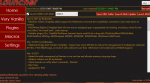
Says 12/31/1969 7:00:00PM.
My latest install is 3/27/2021. I see the updates done on 4/2 but I can't reinstall.
Is this a problem?
My latest install is 3/27/2021. I see the updates done on 4/2 but I can't reinstall.
Is this a problem?

Says 12/31/1969 7:00:00PM.
My latest install is 3/27/2021. I see the updates done on 4/2 but I can't reinstall.
Is this a problem?
Yeah, i just noticed this, too, today (4/4). See my attachment. There is also an error in the bottom left corner which you can see in the screenshot.
Edit: I haven't run RG launcher since maybe 5 days ago, so if there was an update since then I can't even see it.
Attachments
Last edited:

Strange but I ended up going into the DesktopUtilInstaller folder, clicked the RGResourceManager.Installer, did a Repair install, and then I was able to update to the 4/2 version finally. No errors appeared on the RG launcher anymore at the bottom left corner, and all seems to work fine.
I guess there was something about the 3/25 install, who knows. Although, it was just an MQ update and not a utility update if I vaguely recall? I can't remember. In any case, the repair did the trick for me. All is well. But just relaying this information here in case anyone else gets the same issue.
I guess there was something about the 3/25 install, who knows. Although, it was just an MQ update and not a utility update if I vaguely recall? I can't remember. In any case, the repair did the trick for me. All is well. But just relaying this information here in case anyone else gets the same issue.
Last edited:
Edit: I haven't run RG launcher since maybe 5 days ago, so if there was an update since then I can't even see it.
That's one thing that always seemed odd about the launcher. There isn't an option to refresh on the VV tab/page. Whereas the Plugins and Macros tabs have that ability.
the plugin tab only shows any "premium" plugins that you have access to for live server installation only.launcher working fine but plugins are not showing up on it...any thoughts??
so, if for some reason you're looking at another installation/server, you wouldn't see it
your war/clr/zerk licenses are all current, so you should see them on the plugin tab (for live).
if you don't you might want to restart the launcher and/or your computer then the launcher
always showed up before, I have paid and just recently paid for mq2war and zerker...they are not showing there now.the plugin tab only shows any "premium" plugins that you have access to for live server installation only.
so, if for some reason you're looking at another installation/server, you wouldn't see it
your war/clr/zerk licenses are all current, so you should see them on the plugin tab (for live).
if you don't you might want to restart the launcher and/or your computer then the launcher
correct, they do (for live server for plugins you have access to) - did you read what you quoted where i said the things i said? =palways showed up before, I have paid and just recently paid for mq2war and zerker...they are not showing there now.
anyhow - like i said, if you're on your live install directory and don't see them, you might want a restart of the launcher and/or your computer.

i ve done both bro...this has gone on for a few days was hoping it would right itself out but no avail....reinstall launcher? licenses are all current btw and showing live.the plugin tab only shows any "premium" plugins that you have access to for live server installation only.
so, if for some reason you're looking at another installation/server, you wouldn't see it
your war/clr/zerk licenses are all current, so you should see them on the plugin tab (for live).
if you don't you might want to restart the launcher and/or your computer then the launcher
yes I Read that it IS set to live like I replied.correct, they do (for live server for plugins you have access to) - did you read what you quoted where i said the things i said? =p
anyhow - like i said, if you're on your live install directory and don't see them, you might want a restart of the launcher and/or your computer.
View attachment 29324
might try @Evelyn's fix from last nightyes I Read that it IS set to live like I replied.
Strange but I ended up going into the DesktopUtilInstaller folder, clicked the RGResourceManager.Installer, did a Repair install, and then I was able to update to the 4/2 version finally. No errors appeared on the RG launcher anymore at the bottom left corner, and all seems to work fine.
So it just happened again. The one thing I didn't mention yesterday is that I didn't actually run MQ from the launcher after I repaired it.
This morning, when trying to actually use MQ and EQ, I loaded the RG launcher again. It showed the same issue as yesterday. However, this time, repairing it didn't work. Since I had the latest MQ version anyhow, I decided to still see how it will work.
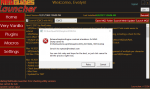
I can still load MQ in game, but EBCS is not working (it just says starting... and does nothing). Running MQ initially gave a crash error (as in my screenshot)
Took a look at the dmp file. I mean, it says EQgraphicsdx9.dll is the culprit here anyway in the crash error:
SYMBOL_NAME: EQGraphicsDX9!ReleaseGraphicsEngine+a886a
MODULE_NAME: EQGraphicsDX9
IMAGE_NAME: EQGraphicsDX9.DLL
STACK_COMMAND: ~0s ; .ecxr ; kb
FAILURE_BUCKET_ID: NULL_CLASS_PTR_WRITE_c0000005_EQGraphicsDX9.DLL!ReleaseGraphicsEngine
I don't have any issues with EQ itself though. I never changed a single thing. Something seems to have changed in the last couple of days somewhere with the patcher perhaps? I don't bypass the EQ launcher. I use it load all my toons first, get them into the zone and then I run RG, launch MQ and EQBCS. This has usually been my practice for like... forever.
This morning, when trying to actually use MQ and EQ, I loaded the RG launcher again. It showed the same issue as yesterday. However, this time, repairing it didn't work. Since I had the latest MQ version anyhow, I decided to still see how it will work.
I can still load MQ in game, but EBCS is not working (it just says starting... and does nothing). Running MQ initially gave a crash error (as in my screenshot)
Took a look at the dmp file. I mean, it says EQgraphicsdx9.dll is the culprit here anyway in the crash error:
SYMBOL_NAME: EQGraphicsDX9!ReleaseGraphicsEngine+a886a
MODULE_NAME: EQGraphicsDX9
IMAGE_NAME: EQGraphicsDX9.DLL
STACK_COMMAND: ~0s ; .ecxr ; kb
FAILURE_BUCKET_ID: NULL_CLASS_PTR_WRITE_c0000005_EQGraphicsDX9.DLL!ReleaseGraphicsEngine
I don't have any issues with EQ itself though. I never changed a single thing. Something seems to have changed in the last couple of days somewhere with the patcher perhaps? I don't bypass the EQ launcher. I use it load all my toons first, get them into the zone and then I run RG, launch MQ and EQBCS. This has usually been my practice for like... forever.
Attachments
Last edited:
Interesting.... so exited entirely out of everything. I rebooted just to be on the safe side. Loaded and zoned in all my toons. I did not load RG. Instead, I immediately did the repair utility first, then loaded RG, and then launched MQ with EQBCS. Everything then worked correctly with no crash errors.
It looks like I may need to keep doing this each time I want to run MQ for the time being.
It looks like I may need to keep doing this each time I want to run MQ for the time being.
Last edited:
I haven’t tried evelyn’s fix yet. I was able to log in fine last night with the 3/27 update as my most recent install. It thinks I’m current I guess because of the 1969 date it’s looking for.
non of my premium plug ins showed up, but everything worked fine.
I use isboxer to log in my 6.
non of my premium plug ins showed up, but everything worked fine.
I use isboxer to log in my 6.
That did it! Thanks!Please check your launcher now, I changed something server-side.
I checked the launcher again and seems ok. Hope it stays like this. Thank you for your help, Redbot!
Edit: So far so good. I had to break away a couple of times from my PC to do RL things. So I was reloading toons and RG a couple of times since then and still working solid.
Edit: So far so good. I had to break away a couple of times from my PC to do RL things. So I was reloading toons and RG a couple of times since then and still working solid.
Last edited:
Hi,
I haven't been able to update to the latest 4/2 version of MQ2 using the RG Launcher. Everytime i click on it, it just highlights and nothing happens. I just reinstalled the launcher and the button changed from "Update" to "Install" but does the same thing. Any idea what to try next?
I haven't been able to update to the latest 4/2 version of MQ2 using the RG Launcher. Everytime i click on it, it just highlights and nothing happens. I just reinstalled the launcher and the button changed from "Update" to "Install" but does the same thing. Any idea what to try next?
open file explorer and go to %LocalAppData%\RedGuides and delete the folder ResourceManagerHi,
I haven't been able to update to the latest 4/2 version of MQ2 using the RG Launcher. Everytime i click on it, it just highlights and nothing happens. I just reinstalled the launcher and the button changed from "Update" to "Install" but does the same thing. Any idea what to try next?
Thanks for the quick response. Saw that in someone's earlier post and tried it.. Since you recommended it too, it was worth trying again, with a full reinstall of the launcher. Launcher installed without a hitch but the install button is simply just lighting up again with the rest of the window frozen. Would love to get this fixed prior to patch tomorrow.open file explorer and go to %LocalAppData%\RedGuides and delete the folder ResourceManager

I may have found a conflict with the directories. when i install MQ2, i stupidly set it to the same directory as RG. I suspect that may do it since i chose a different path and it's not hanging. Thank you and will report back if it doesn't pan out!
Update: Yeap! That was it.. Update was hanging probably due to write issues having both MQ2 and RedGuides share the same directory. I knew that would catch up to me.. i clicked on the wrong directory in a recent PC build and thought i would get away with it. I did not
Last edited:
Users who are viewing this thread
Total: 5 (members: 0, guests: 5)
Share: