
It's an error that comes up when the launcher can't access one of the files. It could be that you have one of the files running, have you rebooted? If so, perhaps you have something running as a service, such as EQBC, or that you start MQ2 on reboot. Another cause could be permissions, you made a new Windows user account, or your current account doesn't have access. Right-click macroquest2.exe or the entire folder and make sure you have access to modify.My MQ2 is here: C:\Program Files\Macroquest2
RGLauncher here: C:\Program Files (x86)\MacroQuest2\RGLauncher
Should I move the Launcher into the MQ2 folder?
Note: It has been working before, this is something that just started after this last server crash.

-
 Hail, we're RedGuides. We want you to play six (yes, 6!) EverQuest characters at once. We have scripts and a friendly community to help, please join our playstyle and say hello! 👋
You are using an out of date browser. It may not display this or other websites correctly.
You should upgrade or use an alternative browser.
You should upgrade or use an alternative browser.

RedGuides Launcher (7 Viewers) 1.1.0
- Thread starter r1pt1de
- Start date

It's an error that comes up when the launcher can't access one of the files. It could be that you have one of the files running, have you rebooted? If so, perhaps you have something running as a service, such as EQBC, or that you start MQ2 on reboot. Another cause could be permissions, you made a new Windows user account, or your current account doesn't have access. Right-click macroquest2.exe or the entire folder and make sure you have access to modify.
I rebooted and did the "Take Ownership" on both my EQ game directory as well as the MQ2 directory. The weird thing here is that I have changed absolutely nothing since before the server crash. Same computer, same user, same directories. Not a single change.
did it work? if not, back up your folder (your .ini's especially) and re-installI rebooted and did the "Take Ownership" on both my EQ game directory as well as the MQ2 directory. The weird thing here is that I have changed absolutely nothing since before the server crash. Same computer, same user, same directories. Not a single change.
did it work? if not, back up your folder (your .ini's especially) and re-install
No, it didn't work. =( I will try a re-install
Removed and reinstalled and getting a crash upon opening RedGuides Launcher. Get the following two entries in event viewer:
And then:
Any thoughts on how to resolve? I've tried cleaning out registry and doing a fresh install to no avail. Any help is appreciated!
INI:
Faulting application name: RedGuidesLauncher.exe, version: 1.0.2.0, time stamp: 0xb4e71673
Faulting module name: KERNELBASE.dll, version: 10.0.19041.207, time stamp: 0xae908b72
Exception code: 0xe0434352
Fault offset: 0x00129862
Faulting process id: 0x1a88
Faulting application start time: 0x01d635559e782268
Faulting application path: C:\ProgramData\RedGuides\DesktopUtility\RedGuidesLauncher.exe
Faulting module path: C:\WINDOWS\System32\KERNELBASE.dll
Report Id: 5a127d7a-08ee-4811-ab58-ccb69a265431
Faulting package full name:
Faulting package-relative application ID:
And then:
INI:
Application: RedGuidesLauncher.exe
Framework Version: v4.0.30319
Description: The process was terminated due to an unhandled exception.
Exception Info: System.ComponentModel.Win32Exception

Exception Info: System.Exception
   at VVUpdaterCore.Encryption2.Decrypt(Byte[], Byte[], System.String ByRef)

Exception Info: System.Exception
   at VVUpdaterCore.Encryption2.Decrypt(Byte[], Byte[], System.String ByRef)
   at VVUpdaterCore.Encryption2.Decrypt(System.String, System.String, System.String ByRef)
   at VVUpdaterCore.Authorization.GetStoredTokenData()
   at VVUpdaterCore.XFApiHelper+<DoAuth>d__37.MoveNext()
   at System.Runtime.CompilerServices.TaskAwaiter.ThrowForNonSuccess(System.Threading.Tasks.Task)
   at System.Runtime.CompilerServices.TaskAwaiter.HandleNonSuccessAndDebuggerNotification(System.Threading.Tasks.Task)
   at AuthModule.ViewModels.AuthContentViewModel+<Login>d__24.MoveNext()
   at System.Runtime.CompilerServices.TaskAwaiter.ThrowForNonSuccess(System.Threading.Tasks.Task)
   at System.Runtime.CompilerServices.TaskAwaiter.HandleNonSuccessAndDebuggerNotification(System.Threading.Tasks.Task)
   at AuthModule.ViewModels.AuthContentViewModel+<VerifyLogin>d__23.MoveNext()
   at System.Runtime.CompilerServices.AsyncMethodBuilderCore+<>c.<ThrowAsync>b__6_0(System.Object)
   at System.Windows.Threading.ExceptionWrapper.InternalRealCall(System.Delegate, System.Object, Int32)
   at System.Windows.Threading.ExceptionWrapper.TryCatchWhen(System.Object, System.Delegate, System.Object, Int32, System.Delegate)
   at System.Windows.Threading.DispatcherOperation.InvokeImpl()
   at System.Windows.Threading.DispatcherOperation.InvokeInSecurityContext(System.Object)
   at MS.Internal.CulturePreservingExecutionContext.CallbackWrapper(System.Object)
   at System.Threading.ExecutionContext.RunInternal(System.Threading.ExecutionContext, System.Threading.ContextCallback, System.Object, Boolean)
   at System.Threading.ExecutionContext.Run(System.Threading.ExecutionContext, System.Threading.ContextCallback, System.Object, Boolean)
   at System.Threading.ExecutionContext.Run(System.Threading.ExecutionContext, System.Threading.ContextCallback, System.Object)
   at MS.Internal.CulturePreservingExecutionContext.Run(MS.Internal.CulturePreservingExecutionContext, System.Threading.ContextCallback, System.Object)
   at System.Windows.Threading.DispatcherOperation.Invoke()
   at System.Windows.Threading.Dispatcher.ProcessQueue()
   at System.Windows.Threading.Dispatcher.WndProcHook(IntPtr, Int32, IntPtr, IntPtr, Boolean ByRef)
   at MS.Win32.HwndWrapper.WndProc(IntPtr, Int32, IntPtr, IntPtr, Boolean ByRef)
   at MS.Win32.HwndSubclass.DispatcherCallbackOperation(System.Object)
   at System.Windows.Threading.ExceptionWrapper.InternalRealCall(System.Delegate, System.Object, Int32)
   at System.Windows.Threading.ExceptionWrapper.TryCatchWhen(System.Object, System.Delegate, System.Object, Int32, System.Delegate)
   at System.Windows.Threading.Dispatcher.LegacyInvokeImpl(System.Windows.Threading.DispatcherPriority, System.TimeSpan, System.Delegate, System.Object, Int32)
   at MS.Win32.HwndSubclass.SubclassWndProc(IntPtr, Int32, IntPtr, IntPtr)
   at MS.Win32.UnsafeNativeMethods.DispatchMessage(System.Windows.Interop.MSG ByRef)
   at System.Windows.Threading.Dispatcher.PushFrameImpl(System.Windows.Threading.DispatcherFrame)
   at System.Windows.Threading.Dispatcher.PushFrame(System.Windows.Threading.DispatcherFrame)
   at System.Windows.Application.RunDispatcher(System.Object)
   at System.Windows.Application.RunInternal(System.Windows.Window)
   at System.Windows.Application.Run(System.Windows.Window)
at RGResourceManager.App.Main()Removed and reinstalled and getting a crash upon opening RedGuides Launcher. Get the following two entries in event viewer:
INI:Faulting application name: RedGuidesLauncher.exe, version: 1.0.2.0, time stamp: 0xb4e71673 Faulting module name: KERNELBASE.dll, version: 10.0.19041.207, time stamp: 0xae908b72 Exception code: 0xe0434352 Fault offset: 0x00129862 Faulting process id: 0x1a88 Faulting application start time: 0x01d635559e782268 Faulting application path: C:\ProgramData\RedGuides\DesktopUtility\RedGuidesLauncher.exe Faulting module path: C:\WINDOWS\System32\KERNELBASE.dll Report Id: 5a127d7a-08ee-4811-ab58-ccb69a265431 Faulting package full name: Faulting package-relative application ID:
And then:
Any thoughts on how to resolve? I've tried cleaning out registry and doing a fresh install to no avail. Any help is appreciated!INI:Application: RedGuidesLauncher.exe Framework Version: v4.0.30319 Description: The process was terminated due to an unhandled exception. Exception Info: System.ComponentModel.Win32Exception Exception Info: System.Exception at VVUpdaterCore.Encryption2.Decrypt(Byte[], Byte[], System.String ByRef) Exception Info: System.Exception at VVUpdaterCore.Encryption2.Decrypt(Byte[], Byte[], System.String ByRef) at VVUpdaterCore.Encryption2.Decrypt(System.String, System.String, System.String ByRef) at VVUpdaterCore.Authorization.GetStoredTokenData() at VVUpdaterCore.XFApiHelper+<DoAuth>d__37.MoveNext() at System.Runtime.CompilerServices.TaskAwaiter.ThrowForNonSuccess(System.Threading.Tasks.Task) at System.Runtime.CompilerServices.TaskAwaiter.HandleNonSuccessAndDebuggerNotification(System.Threading.Tasks.Task) at AuthModule.ViewModels.AuthContentViewModel+<Login>d__24.MoveNext() at System.Runtime.CompilerServices.TaskAwaiter.ThrowForNonSuccess(System.Threading.Tasks.Task) at System.Runtime.CompilerServices.TaskAwaiter.HandleNonSuccessAndDebuggerNotification(System.Threading.Tasks.Task) at AuthModule.ViewModels.AuthContentViewModel+<VerifyLogin>d__23.MoveNext() at System.Runtime.CompilerServices.AsyncMethodBuilderCore+<>c.<ThrowAsync>b__6_0(System.Object) at System.Windows.Threading.ExceptionWrapper.InternalRealCall(System.Delegate, System.Object, Int32) at System.Windows.Threading.ExceptionWrapper.TryCatchWhen(System.Object, System.Delegate, System.Object, Int32, System.Delegate) at System.Windows.Threading.DispatcherOperation.InvokeImpl() at System.Windows.Threading.DispatcherOperation.InvokeInSecurityContext(System.Object) at MS.Internal.CulturePreservingExecutionContext.CallbackWrapper(System.Object) at System.Threading.ExecutionContext.RunInternal(System.Threading.ExecutionContext, System.Threading.ContextCallback, System.Object, Boolean) at System.Threading.ExecutionContext.Run(System.Threading.ExecutionContext, System.Threading.ContextCallback, System.Object, Boolean) at System.Threading.ExecutionContext.Run(System.Threading.ExecutionContext, System.Threading.ContextCallback, System.Object) at MS.Internal.CulturePreservingExecutionContext.Run(MS.Internal.CulturePreservingExecutionContext, System.Threading.ContextCallback, System.Object) at System.Windows.Threading.DispatcherOperation.Invoke() at System.Windows.Threading.Dispatcher.ProcessQueue() at System.Windows.Threading.Dispatcher.WndProcHook(IntPtr, Int32, IntPtr, IntPtr, Boolean ByRef) at MS.Win32.HwndWrapper.WndProc(IntPtr, Int32, IntPtr, IntPtr, Boolean ByRef) at MS.Win32.HwndSubclass.DispatcherCallbackOperation(System.Object) at System.Windows.Threading.ExceptionWrapper.InternalRealCall(System.Delegate, System.Object, Int32) at System.Windows.Threading.ExceptionWrapper.TryCatchWhen(System.Object, System.Delegate, System.Object, Int32, System.Delegate) at System.Windows.Threading.Dispatcher.LegacyInvokeImpl(System.Windows.Threading.DispatcherPriority, System.TimeSpan, System.Delegate, System.Object, Int32) at MS.Win32.HwndSubclass.SubclassWndProc(IntPtr, Int32, IntPtr, IntPtr) at MS.Win32.UnsafeNativeMethods.DispatchMessage(System.Windows.Interop.MSG ByRef) at System.Windows.Threading.Dispatcher.PushFrameImpl(System.Windows.Threading.DispatcherFrame) at System.Windows.Threading.Dispatcher.PushFrame(System.Windows.Threading.DispatcherFrame) at System.Windows.Application.RunDispatcher(System.Object) at System.Windows.Application.RunInternal(System.Windows.Window) at System.Windows.Application.Run(System.Windows.Window) at RGResourceManager.App.Main()
Open file explorer and go to
%LocalAppData%\RedGuides and delete the folder ResourceManager I knew it had to be something I'd overlooked. Thank you!Open file explorer and go to%LocalAppData%\RedGuidesand delete the folderResourceManager
Am spankin new... Downloaded launcher, opened, but when i click "Login" it opens a browser page asking to 'Authorize Access', when i click that button it crashes to:
This site can’t be reached
127.0.0.1 refused to connect.
Try:
Cant figure out what settings to change or how to get passed...
This site can’t be reached
127.0.0.1 refused to connect.
Try:
- Checking the connection
- Checking the proxy and the firewall
Cant figure out what settings to change or how to get passed...
Am spankin new... Downloaded launcher, opened, but when i click "Login" it opens a browser page asking to 'Authorize Access', when i click that button it crashes to:
This site can’t be reached
127.0.0.1 refused to connect.
Try:
ERR_CONNECTION_REFUSED
- Checking the connection
- Checking the proxy and the firewall
Cant figure out what settings to change or how to get passed...
This sounds a lot like,
Can you ping 127.0.0.1? Have you tried setting a different default browser? What antivir are you running, and can you disable temporarily?
Last edited:
Not sure if launcher issue or website issue. I have "watched" a few of the macros here for a little while, and whenever I go to my macros section in the launcher it still shows I am not watching anything. Is there anything else I need to do for the watched macros to show up in the launcher?
Which macro isn't showing up?Not sure if launcher issue or website issue. I have "watched" a few of the macros here for a little while, and whenever I go to my macros section in the launcher it still shows I am not watching anything. Is there anything else I need to do for the watched macros to show up in the launcher?
Which macro isn't showing up?
The Overseer Automation macro, and both X-gen macros. I may not have clicked on the right "watch". I went to the resource page for the macros where it has the download button and clicked watch on that.
Which macro isn't showing up?
Nevermind, I figured out what I did wrong. Instead of watching the macro on the resource page, I had clicked on watching the discussion thread on the resource page.
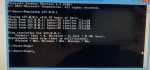
Ping seemed ok: cant figure out how to copy/paste from it, am really not all that literate... Pin
Most of the rest of that thread was beyond me, but will try anything you can suggest...
Have tried Firefox, google, ie, and opera as default, all with similar results... This box was changed from 7 to 10 once upon a time, so that might be it...
Most of the rest of that thread was beyond me, but will try anything you can suggest...
Have tried Firefox, google, ie, and opera as default, all with similar results... This box was changed from 7 to 10 once upon a time, so that might be it...
Attachments
Last edited:
Ping seemed ok: cant figure out how to copy/paste from it, am really not all that literate... Pin
View attachment 21990
Most of the rest of that thread was beyond me, but will try anything you can suggest...
Have tried Firefox, google, ie, and opera as default, all with similar results... This box was changed from 7 to 10 once upon a time, so that might be it...
Well I'm sorry to say, but as you can see with @Crelen's issue we were never able to find the problem. ArcaneProphet reports it was a conflicting app, so far that's our only solution to this issue.
You can download all of our resources manually, including Very Vanilla, but that's not ideal so if you'd like a refund just let me know at [email protected]

Not a bad idea, and no Crelen never reported a fix. r1pt1de logged on his PC and couldn't figure it out.

FCTejas I'll be around in a couple hours - I could remote in and see if i can help you out if you want - shoot me a pm if you are interestedThanks, will let ya know if I go the refund route...
So TL;DR - I remoted in for a bit and then tagged in wired for some of his networking experience - we tried everything under the sun and was unable to get it working. It appears it is possibly an issue with windows 8 and the legacy wifi device refusing to the connection to the 127.0.0.1 on the port the launcher uses. @wired420 would be able to explain some of the finer details - but we went through all of the tricks-of-the-trade - from "text book" to "i heard some guy do this once and it fixed it".
coincidentally - we replaced the installed antivirus because it had a potentially risky stuff installed - but that wasn't causing the issue.
@FCTejas thanks for hanging in there with me, I appreciate your patience
Edited to add: upon further discussion @wired420 suspect it is due to how the OAuth 2.0 is handled via the default browser - which isn't natively with windows 8 (some resources appear to imply that there are some developer software that might give the ability to do so. (also, it appears 8.1 does support it) but iirc @FCTejas was win 8 6.3 version
Wired - you should chime in here and explain that side of stuff since i'm just parroting some schtuff you told me
coincidentally - we replaced the installed antivirus because it had a potentially risky stuff installed - but that wasn't causing the issue.
@FCTejas thanks for hanging in there with me, I appreciate your patience
Edited to add: upon further discussion @wired420 suspect it is due to how the OAuth 2.0 is handled via the default browser - which isn't natively with windows 8 (some resources appear to imply that there are some developer software that might give the ability to do so. (also, it appears 8.1 does support it) but iirc @FCTejas was win 8 6.3 version
Wired - you should chime in here and explain that side of stuff since i'm just parroting some schtuff you told me
Last edited:

The Release Candidate of 8.0 you are using either doesn't support the .NET library needed to open listeners for ONE reason or another (Don't ask me why major features got left out of some RC versions and not others back then), or your files for it have been corrupted at some point. The file is not even there, and it throws event log errors about the http ip listen interface not existing or being the wrong one. It's most likely the second one, as that RC is vulnerable to MANY remote exploits at this point (Bad to use RC's once they turn updates off).
So it really comes down to being on a release candidate that was end of life'd. Windows update can't replace the files for you because Microsoft turned it off when they Released To Market the full version. You can't remove/add/reinstall the feature because when Microsoft end of life'd the updates, it end of life'd you using that menu to auto install the files. There's a possibility you could go manually download the files and try the repair function, but in Windows 8.0/8.1 repairs were known to break more than they fixed.
Clean install was usually recommended. Can't recommend a clean install without knowing if you could reinstall at all. Could break everything else.
I don't think that Refresh my install thing was available til 8.1 (NOT System Restore), but I'm pretty sure it uses Windows update as well when it needs to replace files.
So I really don't have an answer on how to fix it, but I have an idea of why it doesn't work.
If you want to use MQ you'll probably just need to download the zip each time Everquest updates its .exe for now. I'll speak with the updater dev and admin, before I offer any fixes in public that they aren't interested in. Most software developers don't support End of Life Cycle operating systems. So I'll leave that choice to the people who matter.
There is ONE other option, but I never run it remotely, and I won't speak its name in public. I'll require a release from liability in return for a link to it. I say this because, if it works. It'll fix problems you didn't you know had. If it doesn't, not even an expert with a disc in hand will get it booting again without a full wipe and reinstall.
So it really comes down to being on a release candidate that was end of life'd. Windows update can't replace the files for you because Microsoft turned it off when they Released To Market the full version. You can't remove/add/reinstall the feature because when Microsoft end of life'd the updates, it end of life'd you using that menu to auto install the files. There's a possibility you could go manually download the files and try the repair function, but in Windows 8.0/8.1 repairs were known to break more than they fixed.
Repair Tool: If you're brave!
I don't think that Refresh my install thing was available til 8.1 (NOT System Restore), but I'm pretty sure it uses Windows update as well when it needs to replace files.
So I really don't have an answer on how to fix it, but I have an idea of why it doesn't work.
If you want to use MQ you'll probably just need to download the zip each time Everquest updates its .exe for now. I'll speak with the updater dev and admin, before I offer any fixes in public that they aren't interested in. Most software developers don't support End of Life Cycle operating systems. So I'll leave that choice to the people who matter.
There is ONE other option, but I never run it remotely, and I won't speak its name in public. I'll require a release from liability in return for a link to it. I say this because, if it works. It'll fix problems you didn't you know had. If it doesn't, not even an expert with a disc in hand will get it booting again without a full wipe and reinstall.
Last edited:
Very much appreciated, sic and friends were fantastic...
Downloading Win10, will update if it is fixed...
UPDATE: Win10 and driver updates seem to have solved all my compatibility issues, launcher works as intended now... Again, thanks so much to Sic and friends, as they put in hours for a complete stranger... Have no idea if Crelen’s issue is the same, as I don’t know his OS...
Downloading Win10, will update if it is fixed...
UPDATE: Win10 and driver updates seem to have solved all my compatibility issues, launcher works as intended now... Again, thanks so much to Sic and friends, as they put in hours for a complete stranger... Have no idea if Crelen’s issue is the same, as I don’t know his OS...
Last edited:

Hi everyone, my name is Dysanor and I signed up to Red Guides today. In my attempt to download Very Vanilla MQ2 I ran into a snag. After I clicked install, I received this error message: Sorry it looks like something went wrong! Attempted to perform an unauthorized operation.
Would appreciate any help to get me past this point.
Thanks,
Dysanor
Would appreciate any help to get me past this point.
Thanks,
Dysanor

I attempted to re-install and I got the same error message. One thing I did notice is that even when I removed the first installation and then re-installed, by the time I was in the Red Guides Launcher, the button on the upper right corner showed: "reinstall", not install. I clicked it and got the same error message as the first time.
do you have anything that would prevent downloading and installing to that location?I attempted to re-install and I got the same error message. One thing I did notice is that even when I removed the first installation and then re-installed, by the time I was in the Red Guides Launcher, the button on the upper right corner showed: "reinstall", not install. I clicked it and got the same error message as the first time.
I'm available atm if you wanted me to remote in and see if i can give you some assistance - PM me if you want some 1 on 1 help getting sorted out

Have you downloaded and used the launcher before? It looks like you first downloaded a week or two ago, but it doesn't tell me if you used the launcher successfully on that conmputer. Couple of the folks recently with launcher issues end up being due to unsupported older OS versions.Sorry looks like something went wrong! Method failed with unexpected error code 32.
have you restarted your comp recently? if not i would restart and see if this doesn't fix it.
just needed some adjustment on install location and setup for Dysanor, ez pzWhat was the solution?
Nah custom location, we got it all sorted outInstall location being programdata?
Thanks got it fixed had issues with a new ssd i had installedHave you downloaded and used the launcher before? It looks like you first downloaded a week or two ago, but it doesn't tell me if you used the launcher successfully on that conmputer. Couple of the folks recently with launcher issues end up being due to unsupported older OS versions.
have you restarted your comp recently? if not i would restart and see if this doesn't fix it.

Have an issue with Redguides Launcher installed on my new computer:
When click the Launcher icon (both on the desktop or in the folder) ... the launcher widow with briefly showed up on the Window 10 desktop... then it disappeared...
- I tried uninstall and reinstall Redguides Launcher and still the same
- I am able to launch MQ2 with the MQ2 button from the same folder
- The Redguides launcher is installed at the default location c:\ProgramData\RedGuides\DesktopUtility
- I am able to start the Redguides Launcher on other computers
So now I don't know how I can use the Launcher to update for the next eq patch....
Help please and thanks
When click the Launcher icon (both on the desktop or in the folder) ... the launcher widow with briefly showed up on the Window 10 desktop... then it disappeared...
- I tried uninstall and reinstall Redguides Launcher and still the same
- I am able to launch MQ2 with the MQ2 button from the same folder
- The Redguides launcher is installed at the default location c:\ProgramData\RedGuides\DesktopUtility
- I am able to start the Redguides Launcher on other computers
So now I don't know how I can use the Launcher to update for the next eq patch....
Help please and thanks
Users who are viewing this thread
Total: 8 (members: 0, guests: 8)
Share: