
-
 Hail, we're RedGuides. We want you to play six (yes, 6!) EverQuest characters at once. We have scripts and a friendly community to help, please join our playstyle and say hello! 👋
You are using an out of date browser. It may not display this or other websites correctly.
You should upgrade or use an alternative browser.
You should upgrade or use an alternative browser.

RedGuides Launcher (9 Viewers) 1.1.0
- Thread starter r1pt1de
- Start date
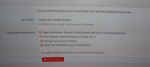

just FYI - you have your watermark with what appears to be your RL name on it - I snipped out and replaced it for you.i click Join and i get this Screen
to answer about what appears to be a question? that application is the RedGuide's Updater and you will want to give it permission to do those things
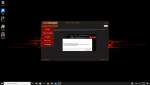
@Stotie are you still having issues with the launcher? Sorry I am out of town and have really spotty internet at the moment. The error you were getting indicates that the launcher was unable to get a properly formatted response from the forums. Normally this is due to a hiccup in the connection with the forums and should resolve itself. Let me know if you are still having issues though and we can trouble shoot when I have a stable internet connection.
r1pt1de updated RedGuides Launcher with a new update entry:
Removed default MQ2 install directory
Read the rest of this update entry...
Removed default MQ2 install directory
The default directory was causing some permissions issues. Users will need to select a location for MQ2 manually as each users pc/windows install/directory structure will be different.
Read the rest of this update entry...
I love this Launcher and use it since serveral weeks now. I have a feature-request: "Would it be possible to add one more button to the left hand side, which gives a list of all plugins loaded as part of Very Vanilla?" The functionally I would like to see is the same as the "Plugins" button does aktually for the additional plugins, just gives me the list of the "internal" plugins, coming as part of Very Vanilla.

Smokeybear72
Only YOU can prevent forest fires !
Maybe an easy explanation, but if the lastest updates which show on May 14th , shouldn't my Last Installed area be red not green ? Or does it only turn red when an actual "Patch" is required, not just an update ?
hrm, have you tried exiting and relaunching the updater?Maybe an easy explanation, but if the lastest updates which show on May 14th , shouldn't my Last Installed area be red not green ? Or does it only turn red when an actual "Patch" is required, not just an update ?
View attachment 21523
Smokeybear72
Only YOU can prevent forest fires !
I just had to choose re-install.. it did not automatically show it updated in the last installed section, but when I closed and re-opened the launcher, it now shows it updated.
I have always had this update directly when I chose to Re-install right on the spot.
Maybe It was a one-off, but something was different today.
Thanks Sic !
I have always had this update directly when I chose to Re-install right on the spot.
Maybe It was a one-off, but something was different today.
Thanks Sic !
Hi All.
I'm playing on the Test server and I get this error when I use the profiles to log in (first screenshot)
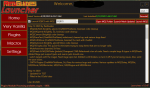
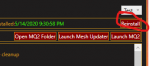
the Launcher is showing that I need to update the berzerker and warrior dll but when I hit the Update button nothing seems to happen (second Screenshot)
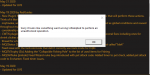
I've confirmed that the DLL's in the test\release folder have todays date. I've even deleted them and rerun the VV Launcher to replace the files. (third screenshot)
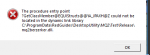

I'm playing on the Test server and I get this error when I use the profiles to log in (first screenshot)
the Launcher is showing that I need to update the berzerker and warrior dll but when I hit the Update button nothing seems to happen (second Screenshot)
I've confirmed that the DLL's in the test\release folder have todays date. I've even deleted them and rerun the VV Launcher to replace the files. (third screenshot)
you don't download those - they are already included in the test version - it sounds like you are trying to overwrite the test version with the live version
(also i edited out your toonname in your post)

but you're saying when you update test, you are not getting the files?
(also i edited out your toonname in your post)
but you're saying when you update test, you are not getting the files?



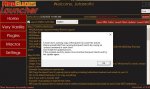
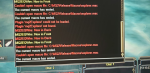
Could be a permissions error, what folder is VV installed to?Im getting a new error when trying to load. I dont have any EQ clients running so I cant unload anything and I have no locked files in the EQ directory. Any idea what is wrong?
View attachment 21810

madkiller44
Member
Now I get this and tried reinstalling a few times
Last edited by a moderator:
madkiller44
Member
what do you want screenshot of?

what do you want screenshot of?
It looked like you were using your phone, just wanted to show you an easier way.
As for your macro, it looks like you have some permissions issues. What folder is VV installed to? You may want to try moving it out of programdata, or using the administrator account on your computer.
madkiller44
Member
what is VV i might sound dumb but not sure
madkiller44
Member
oh very vanilla its right in C drive
Very Vanilla, it's our flavor of MacroQuest2what is VV i might sound dumb but not sure
The launcher had an issue in that it was installing to a folder that gave issues to users who didn't have administrator rights. If you installed before a couple weeks ago, this likely affected you.

Unmaintained - RedGuides Launcher - Updates
 www.redguides.com
madkiller44
Member
ok
Can you go in to that folder and confirm that explorer.mac exists in the macros folder?oh very vanilla its right in C drive
madkiller44
Member
I did its there
Alright, then we're looking at a permissions issue. Right click the file to make sure your Windows user has rights to modifyI did its there
madkiller44
Member
should I just delete my folder and download the launcher again

madkiller44
Member
looks like it is working now tyvm
Could be a permissions error, what folder is VV installed to?
My MQ2 is here: C:\Program Files\Macroquest2
RGLauncher here: C:\Program Files (x86)\MacroQuest2\RGLauncher
Should I move the Launcher into the MQ2 folder?
Note: It has been working before, this is something that just started after this last server crash.
Users who are viewing this thread
Total: 10 (members: 0, guests: 10)
Share: