• You've discovered RedGuides, an EverQuest multi-boxing and scripting community 🧙‍♀️⚙️. We want you to play several EQ characters at once, come join us and say hello! 👋

  • A TLP without truebox has thawed (Very Vanilla ready)
    Frostreaver
MQ2GroundSpawns

Release MQ2GroundSpawns

ChatWithThisName

⚔️🛡️🗡️
Moderator
Joined
Dec 29, 2017
RedCents
23,976¢
ChatWithThisName submitted a new resource:

MQ2GroundSpawns - OoOo Shiny

MQ2GroundSpawns.dll
Will collect items in a list for you by zone.
There is a global list, and a zone specific list.
It uses nav path length instead of radial distance.
Is smart enough to compare distances, skip unreachable items, and find alternate paths to items that are barely off mesh.
Will run forever.
Is not a macro.
Will stop traveling to an item that has been picked up.
Will redirect mid travel to an item if another item matching your list spawns closer to you.
Will bring you...

Read more about this resource...
 
Is this going to be a paid plugin?
Included automagically with your VV lvl 2 (its not in build yet tho, not sure when it will be there - but when it is it won't be a "paid for" plugin)
 
Last edited:
Included automagically with your VV lvl 2 (its not in build yet tho, not sure when it will be there - but when it is it won't be a "paid for" plugin)
Awesome, thanks for the response.
 
Wanted to make sure I was able to give back to the community. It was never my intention that everything I release be paid for. Just the class plugins. When I'm able to squeeze in a new project unrelated to the class plugins they will go out free.
 
Got tears in my eyes when i saw this post!! THXXXXXXX so much
 
I had a chance to test this out some times ago now...and I got to say...its nice...very very nice.....
 
The beeping when off mesh is hilarious if you have no idea that it does that! Flipping between 27 screens trying to figure out what is making that god awful beeping noise!!!!
 
The beeping when off mesh is hilarious if you have no idea that it does that! Flipping between 27 screens trying to figure out what is making that god awful beeping noise!!!!
*cough* in the video right after the song dedication!

Q. It is making a beep sound!?
A. You are off mesh and ground active is on.


want in on a secret? i literally had the same issue the other night - my subwoofer was going booooommmmmm and i was like "zomg wtf is happening" and then "oh yeah, duh"

we should probably make that a toggle option, but its a good way to remember you left active on - especially since it doesn't care about you getting aggro - its going after that shiny
 
*cough* in the video right after the song dedication!

Q. It is making a beep sound!?
A. You are off mesh and ground active is on.


want in on a secret? i literally had the same issue the other night - my subwoofer was going booooommmmmm and i was like "zomg wtf is happening" and then "oh yeah, duh"

we should probably make that a toggle option, but its a good way to remember you left active on - especially since it doesn't care about you getting aggro - its going after that shiny

You FORGOT to tell me when we discussed this long before you made the video! :P

1606920243860.png
 
I just can't wait until I can give it a try....I have a feeling I may be spending a lot of time in the nav mesh generator tweaking.
 
certainly tweaking meshes will benefit you with this plugin. I know that during the testing of the plugin I've made many an adjustment to zones where when I started there was 10 invalid items, and usually can get it to 0 or 1 invalid by the time I'm done tweaking the mesh.

This will hopefully lead to an overall improvement to the mesh repo as people submit their changes.
 
The shell groundspawns in Cobalt Scar are called "Gyrospire Gyroscope" for some reason - /ground add Gyrospire Gyroscope
 
how do i get my hands on this? I dont see the DLL in my RG folder, i dont see a way to DL it, i have it watched? i know i am missing a stupid "check in the box" somewhere..
 
how do i get my hands on this? I dont see the DLL in my RG folder, i dont see a way to DL it, i have it watched? i know i am missing a stupid "check in the box" somewhere..
so it was *supposed* to be live with this last patch - but cwtn and i had some wires crossed with redbot --- it'll be in next build
 
Loaded this on my 74 rogue. messing around, doing silly collections fine. decided to level him some put him in a group with a 83 zerk amd another 74 rog and a heal merc. got to valdholm, out zerk aa hunter tank, other 2 rogues on chase. got through 20 or so mobs, exception error, rog crashes. tried to reload in 7 times, as soon as he hits world, exception crash. sent logs to eqmule@hitmail.
 
Pm t
Loaded this on my 74 rogue. messing around, doing silly collections fine. decided to level him some put him in a group with a 83 zerk amd another 74 rog and a heal merc. got to valdholm, out zerk aa hunter tank, other 2 rogues on chase. got through 20 or so mobs, exception error, rog crashes. tried to reload in 7 times, as soon as he hits world, exception crash. sent logs to eqmule@hitmail.
Is this an mq2groundspawn .dmp?

Pm the dmp to @ChatWithThisName or me please.

You shouldnt have groundspawns active while trying to fight stuff as it just runs around and gets ground spawns and does not care about combat, so if youre trying to do conflicting behavior by doing this and fighting stuff you shouldnt.

It also shouldnt stop you from logging back in.
 
Loaded this on my 74 rogue. messing around, doing silly collections fine. decided to level him some put him in a group with a 83 zerk amd another 74 rog and a heal merc. got to valdholm, out zerk aa hunter tank, other 2 rogues on chase. got through 20 or so mobs, exception error, rog crashes. tried to reload in 7 times, as soon as he hits world, exception crash. sent logs to eqmule@hitmail.
all your crashes are mq2autoloot and unrelated to mq2groundspawns.

this is a known crash with mq2autoloot, nothing you can really do about - but can happen while trying to assign/loot stuff to people who didn't get kill credit and can't access the items to loot them - or if someone is in another zone - or zoning etc.

but yeah, unrelated to mq2groundspawns - but I sincerely wouldn't recommend running groundspawns while you're doing other stuff.
 
Loving this plugin. Tested it out in Plane of Shadow and Valley of King Xorbb and it performed great.
Are there any tips on getting it to work on zones that have a lot of twisty pathing and vertical changes?
For instance, it works great in Eastern Wastes: Zeixshi-Kar's Awakening but when going into The Crystal Caverns: Fragment of Fear all the spawns go immediately invalid.
In the Plane of Shadow it worked great outdoors, but wouldn't path into the building complex at all.

I've got the MQ2Nav Mesh Generator, but is the answer perhaps to rebuild/save the zone with a smaller than default tile size?
 
Last edited:
Loving this plugin. Tested it out in Plane of Shadow and Valley of King Xorbb and it performed great.
Are there any tips on getting it to work on zones that have a lot of twisty pathing and vertical changes?
For instance, it works great in Eastern Wastes: Zeixshi-Kar's Awakening but when going into The Crystal Caverns: Fragment of Fear all the spawns go immediately invalid.
In the Plane of Shadow it worked great outdoors, but wouldn't path into the building complex at all.

I've got the MQ2Nav Mesh Generator, but haven't really done much with it in the past.
yeah you have the right idea - you need to clean up your mesh so groundspawns can find valid paths to everything.

keep in mind, like i mentioned in the video - some zones you're just not going to be able to have nav paths to everything regardless of how good your mesh is (like stratos)
 
yeah you have the right idea - you need to clean up your mesh so groundspawns can find valid paths to everything.

keep in mind, like i mentioned in the video - some zones you're just not going to be able to have nav paths to everything regardless of how good your mesh is (like stratos)

Thanks, having success in Zeixshi-Kar with redoing the Mesh with the smallest tile size; went from everything invalid to grabbing all but one or two spawns.
This plugin is giving my Heroic Rogues a real workout!
 
Any thoughts on adding a feature where the character will once per period of time (set via command) navigate to a waypoint (set via command) and clear its invalid items?
In testing this out in Heart of Fear and some other zones it works well, but at some point the pathing wedges the character and then as it cycles through Globes it starts marking them invalid. When I come back, move the PC, reset the invalid, it picks up right away.

Alternately, or in addition to, if the "I'm off mesh, you should fix that" message occurs and its not fixed within 60 seconds (or an interval set by command) ... would it be possible to auto-use the Rogue AA "Stealthy Getaway" to evac to a safe spot in the zone?

Or is the above occurring just the price (checking back every so often) of using this awesome plugin?
 
Any thoughts on adding a feature where the character will once per period of time (set via command) navigate to a waypoint (set via command) and clear its invalid items?
In testing this out in Heart of Fear and some other zones it works well, but at some point the pathing wedges the character and then as it cycles through Globes it starts marking them invalid. When I come back, move the PC, reset the invalid, it picks up right away.

Alternately, or in addition to, if the "I'm off mesh, you should fix that" message occurs and its not fixed within 60 seconds (or an interval set by command) ... would it be possible to auto-use the Rogue AA "Stealthy Getaway" to evac to a safe spot in the zone?

Or is the above occurring just the price (checking back every so often) of using this awesome plugin?
this thing definitely isn't intended for just afk set-and-forget.

if you get off mesh - mq2nav can't get you back on mesh - otherwise we wouldn't care about being off mesh =p

we don't plan on implementing any class-specific stuff like AAs or skills or combat or any of that.
 
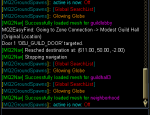
How do I turn this off until I want it on again. Seems like every time I zone it comes back on, each time I zone into the guild hall it clicks the door to Sunshine Hills.
 
How do I turn this off until I want it on again. Seems like every time I zone it comes back on, each time I zone into the guild hall it clicks the door to Sunshine Hills.

from the commands tab
/ground active <on|off|true|false|0|1>

so you want to turn it off, you want to /ground active off

it is also not mq2groundspawns clicking the door - that is probably mq2nav - if you nav near that door, you click outside.
 
it is also not mq2groundspawns clicking the door - that is probably mq2nav - if you nav near that door, you click outside.
Probably, just a coincidence I noticed that it happened after I loaded the ground plugin. Strange thing is I never had it happen before, but even with the ground plugin unloaded it still does it. Something I been messing with lately settings in my mq2nav. Thanks for the reply.

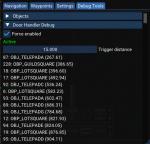
I just cut my trigger distance down a little, maybe this will solve my issue. When I zone in to the guild hall the door is right there to sunrise hills. Now that I think about it I have did a navto guild hall in the past and when i came back i was in sunrise hills.
 
Probably, just a coincidence I noticed that it happened after I loaded the ground plugin. Strange thing is I never had it happen before, but even with the ground plugin unloaded it still does it. Something I been messing with lately settings in my mq2nav. Thanks for the reply.

I just cut my trigger distance down a little, maybe this will solve my issue. When I zone in to the guild hall the door is right there to sunrise hills. Now that I think about it I have did a navto guild hall in the past and when i came back i was in sunrise hills.
a few of us have a zone cfg for guild hall to move us away from the door when we zone in with something like a keypress forward thing - then we can nav no problem.

we'll be updating groundspawns to turn active off if you zoned, however (but its definitely not turning itself back on or clicking doors)
 
Still trying to figure out why this is only toon (out of 12 toons) clicking the door to sunrise hills immediately after entering the guild hall. none of my other toons do this.
 

Attachments

  • Untitled.png
    Untitled.png
    12.2 KB · Views: 18
Found it. The only toon i messed with door clicking, trying to click doors in new zones.
 

Attachments

  • Untitled.png
    Untitled.png
    75.4 KB · Views: 37
Definitely loving this thing - want to do the 6th ToV earring on all 6 of my toons, and between this an Overseer I can actually see it happening.

No rogue here, so using bard with Shauri's. One thing I noticed is that with lev on it can end up marking items invalid if the Z distance is too large. Blocked the lev for now, but is there a way for the plugin to press down if nav path is complete but the item is still too far on the Z axis?
 
Definitely loving this thing - want to do the 6th ToV earring on all 6 of my toons, and between this an Overseer I can actually see it happening.

No rogue here, so using bard with Shauri's. One thing I noticed is that with lev on it can end up marking items invalid if the Z distance is too large. Blocked the lev for now, but is there a way for the plugin to press down if nav path is complete but the item is still too far on the Z axis?
Look under the MQ2Nav Tools UI, Settings Tab, then Mesh.
Check the box for 'Custom Polygon Search Extents' and try increaseing that.

I've also found it useful to use the meshgenerator and use the smallest cell sizes.

Some zones you can let this thing run for hours with no issues, other zones have spotty meshes or ground obstructions that cause the toon to get stuck, at which point all globes become unreachable.

I've started with the first zones with collectibles and working my way towards newer content.
You may also run into the plugin wanting to path to something that is unreachable, but doesn't trigger the plugin into to stop trying. In these instances you can edit the mesh and make the offending path a nogo zone.
 
My issue is only with the Z axis - globes are perfectly accessible, but my guy is floating too high above them and not drifting down fast enough to avoid the '10 tries, mark invalid' check. I know a lot of the mesh-related issues aren't easily solved in the plugin (requiring extra steps such as you mention), but the Z axis thing seems solvable. But as I mentioned it is also solvable by dropping lev, so no big deal.

Did manage to finish ToV collections for the 6th earring using a combination of this plugin and, for places that didn't work so well these two button macros with some manual navigation:

Find:
/pause 2, /itemtar Glowing
/nav item

Grab:
/invoke ${Ground[Glowing Globe].Grab}
/pause 2
/autoinventory
 
Release MQ2GroundSpawns

Users who are viewing this thread

Back
Top
Cart