go into /grind show and Tank Config then GTDistPullCmd and change from Protest for Power to the level 117 upgraded versionI'm running mq2grind. I paused it and nothing changed.

-
 Hail, we're RedGuides. We want you to play six (yes, 6!) EverQuest characters at once. We have scripts and a friendly community to help, please join our playstyle and say hello! 👋
You are using an out of date browser. It may not display this or other websites correctly.
You should upgrade or use an alternative browser.
You should upgrade or use an alternative browser.

Plugin - MQ2Eskay (10 Viewers) 3.1.52471.42
- Thread starter ChatWithThisName
- Start date

eqsubi15
Ultimate seasoned veteran member
Perfect! That fixed it. Thank you!go into /grind show and Tank Config then GTDistPullCmd and change from Protest for Power to the level 117 upgraded version
your welcomePerfect! That fixed it. Thank you!


I noticed that my SK that is now level 116 is not using any spells higher than level 115, I've restarted MQ2Eskay and it's not using any of the TOL spells or abilities.
you didn't post in the correct location (which would be mq2eskay thread) nor see the giant posted stickied thread that explains it


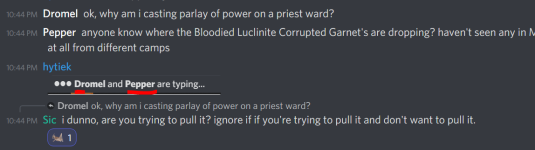
Why was i casting *protest for power* on my own groups ward?
well i asked you a question but you ignored it.Why was i casting *protest for power* on my own groups ward?
i don't know. is it on xtarget? are you trying to pull it? did you manually target it and turn on attack?
When did you ask this? i was told to post in the thread for the class, i dont see that asked.well i asked you a question but you ignored it.
i don't know. is it on xtarget? are you trying to pull it? did you manually target it and turn on attack?
no, and no.
then if you're not pulling something, and it isn't aggro we wouldn't be attacking it. so maybe something like group member got charmed and it became aggro?.When did you ask this? i was told to post in the thread for the class, i dont see that asked.
no, and no.
we don't start attacking stuff that isn't on your xtarget unless you target it and turn on attack.
not that it matters, because neither of us are trying to argue, but i don't want you to think i'mignoring you asking me:
> MQ2Eskay FAQ <Hello, my Sk isn't using his epic 2.0. I've seen him use it once, on a regular blue mob, so i 'm wondering the conditions that apply . All my other toons use theirs as soon as there're ready.
I just killed a named, and he didn't use it....
Q. Epic 1.5/2.0?
A. The 1.5/2.0 are automagically used as part of the combat checks. It checks against your health for "uh oh" usage, and in the tier'd burns for burn usage. No need to add it to anything - unless you want it to be used as an "any time its up" then you would want to add it to combat/burn - just keep in mind you will lose its functionality as part of the tier'd defensive routine and "uh oh" bit if you use it on cooldown.

JTSins
Member
Currently having an issue with MQ2Eskay "lagging" out my SK. This happened once just prior to ToL being released and I resolved it by simply camping out and relogging my SK. However, today that is not working.
My SK starts fine and runs in Manual (I use that as I move to my camp) and then I switch to Tank mode while I set up my group. After the initial pull, my SK becomes bogged down/lagged out. Once I can get MQ2Eskay Paused, the lagging stops. Restarting MQ2Eskay puts me right back to lagging out. (It does not appear to be a PC or net connection issue as the rest of my group runs just fine and it is my SK exclusively having issues.) I updated all UI files and even tried a completely new UI skin/layout to no avail. I have updated the plugin as well. It feels as if the plugin is getting hung up on trying to cast a spell because at one point the lagging stopped when I turned off the PetShrink option.
Any suggestions?
(edited for spelling/grammar and clarification.)
My SK starts fine and runs in Manual (I use that as I move to my camp) and then I switch to Tank mode while I set up my group. After the initial pull, my SK becomes bogged down/lagged out. Once I can get MQ2Eskay Paused, the lagging stops. Restarting MQ2Eskay puts me right back to lagging out. (It does not appear to be a PC or net connection issue as the rest of my group runs just fine and it is my SK exclusively having issues.) I updated all UI files and even tried a completely new UI skin/layout to no avail. I have updated the plugin as well. It feels as if the plugin is getting hung up on trying to cast a spell because at one point the lagging stopped when I turned off the PetShrink option.
Any suggestions?
(edited for spelling/grammar and clarification.)
I would check you don't have antivirus or similar (like onedrive or other syncing things that scan your files) scanning your files with any change.Currently having an issue with MQ2Eskay "lagging" out my SK. This happened once just prior to ToL being released and I resolved it by simply camping out and relogging my SK. However, today that is not working.
My SK starts fine and runs in Manual (I use that as I move to my camp) and then I switch to Tank mode while I set up my group. After the initial pull, my SK becomes bogged down/lagged out. Once I can get MQ2Eskay Paused, the lagging stops. Restarting MQ2Eskay puts me right back to lagging out. (it's not the PC or net connection, the rest of my group runs just fine.) I updated all UI files and even tried a completely new UI skin/layout to no avail. I have updated the plugin as well. It feels as if the plugin in is get hung up on trying to cast a spell because at one point the lagging stopped when I turned off the PetShrink option.
Any suggestions?
you should consider exempting your mq and eq folders from those items.
I' don't know why you would have an issue with casting a spell, but this sounds like possibly an issue i mentioned above.
There was a previous conversation > here < that might be worth reading
JTSins
Member
Reading through the previous conversation, thank you for the link. Going to look into EQWire, however all my instances of EQGame.exe appear to be running optimally. Looking at CWTN's comment about total CPU usage I'm sitting around 25pct avg with my group running and this issue. I generally pop the task manager once I see any stutter/lag issues.
Not using onedrive or any syncing of my files. Checked my AV and no sign of scanning during the issue this morning. (I've set rules and exclusions in my AV for these and other folders previously.)
*Update* Found a mob from the Partisan Quest "Threading the Loop" that was still up and stuck under the lake. Ran over it for agro, killed it and now the plugin is running fine without stutter.
Not using onedrive or any syncing of my files. Checked my AV and no sign of scanning during the issue this morning. (I've set rules and exclusions in my AV for these and other folders previously.)
*Update* Found a mob from the Partisan Quest "Threading the Loop" that was still up and stuck under the lake. Ran over it for agro, killed it and now the plugin is running fine without stutter.
ok well DEFINITELY you want to move over to mq nextReading through the previous conversation, thank you for the link. Going to look into EQWire, however all my instances of EQGame.exe appear to be running optimally. Looking at CWTN's comment about total CPU usage I'm sitting around 25pct avg with my group running and this issue. I generally pop the task manager once I see any stutter/lag issues.
Not using onedrive or any syncing of my files. Checked my AV and no sign of scanning during the issue this morning.
*Update* Found a mob from the Partisan Quest "Threading the Loop" that was still up and stuck under the lake. Ran over it for agro, killed it and now the plugin is running fine without stutter.
> Guide <
I'm having an issue with Puller Tank mode where my sk is running past mobs and grabbing mobs far away from camp (range >1500 when there are mobs well within 300). I tried setting the pull radius down to 500 (where mobs were within the circle) and output is telling me it resting to wait for mobs to pull. I checked my ignore list and mez list and removed everything from there, and I've also unloaded then reloaded the plugin with the same issue. However, when i set the tank to Hunter Tank mode, he will pull the closest mob without issue. Any input on what's going on here or how to fix it?
edit: adjusted ZHigh and ZLow. This I believe was the issue and now it is fixed.
edit: adjusted ZHigh and ZLow. This I believe was the issue and now it is fixed.
Last edited:
this almost always means your zheight needs fixingI'm having an issue with Puller Tank mode where my sk is running past mobs and grabbing mobs far away from camp (range >1500 when there are mobs well within 300). I tried setting the pull radius down to 500 (where mobs were within the circle) and output is telling me it resting to wait for mobs to pull. I checked my ignore list and mez list and removed everything from there, and I've also unloaded then reloaded the plugin with the same issue. However, when i set the tank to Hunter Tank mode, he will pull the closest mob without issue. Any input on what's going on here or how to fix it?

edit: yes, fixing zheight would be correct
My english is faulty here. By "uh oh" usage it means "when life is under a certain threshold" ? And what does mean "tier'd burns" ?> MQ2Eskay FAQ <
Q. Epic 1.5/2.0?
A. The 1.5/2.0 are automagically used as part of the combat checks. It checks against your health for "uh oh" usage, and in the tier'd burns for burn usage. No need to add it to anything - unless you want it to be used as an "any time its up" then you would want to add it to combat/burn - just keep in mind you will lose its functionality as part of the tier'd defensive routine and "uh oh" bit if you use it on cooldown.
uh oh - yup emergency damage when we get too low on healthMy english is faulty here. By "uh oh" usage it means "when life is under a certain threshold" ? And what does mean "tier'd burns" ?
and tier'd burns means we don't hit all of our burns at the same time.
we do a few things, then a few things, then a few things with some logic to handle "tiers" like burn tier 1 does this and this and that, tier 2 does this and this and this, etc
Ok, thank you.uh oh - yup emergency damage when we get too low on health
and tier'd burns means we don't hit all of our burns at the same time.
we do a few things, then a few things, then a few things with some logic to handle "tiers" like burn tier 1 does this and this and that, tier 2 does this and this and this, etc

we don't use that spell in mq2eskay (mq2shaman != mq2eskay), but i'll look if we shouldhaving an issue with MQ2Eskay not using
doesn't even use it in BYOS mode it just sticks with Inruku's Bite, is there a way to fix this? I know CWTN uses ancient cause my shammy uses his.
- Ancient - Bite of Muram
TY
These spells are kind of stupid because they (dbg) willy nilly organized them in duration tap and health/mana tap. and since they're ancient they're timer 4, so they both need to get moved into a different group that isn't that "regular" grouping that we would place them into
I'll add both ancient bite of chaos and bite of muram to the hpmanatap group (which is essentially "bite")
iruku's bite and zevfeer's bite should actually be in hpmanatap group as well, so i'll move them while i'm here
Ty very much!we don't use that spell in mq2eskay (mq2shaman != mq2eskay), but i'll look if we should
These spells are kind of stupid because they (dbg) willy nilly organized them in duration tap and health/mana tap. and since they're ancient they're timer 4, so they both need to get moved into a different group that isn't that "regular" grouping that we would place them into
I'll add both ancient bite of chaos and bite of muram to the hpmanatap group (which is essentially "bite")
iruku's bite and zevfeer's bite should actually be in hpmanatap group as well, so i'll move them while i'm here
you're very welcome, thanks for the post!Ty very much!
hope you're having fun much love

hey i was curious is the plugin not updated the new new spells/discs? he is still using old 115 and under, nothing 115 and up, unless i turn on BYOS. but that doesnt do the discs too. i tried reloading it and mq and seeing if was an update but noda. my cleric is using new spells it seems, but not sk havent checked beastlord yet. but sk is my main concern. thank you for all your great work guys
hi bigwilly,hey i was curious is the plugin not updated the new new spells/discs? he is still using old 115 and under, nothing 115 and up, unless i turn on BYOS. but that doesnt do the discs too. i tried reloading it and mq and seeing if was an update but noda. my cleric is using new spells it seems, but not sk havent checked beastlord yet. but sk is my main concern. thank you for all your great work guys
nope this means you didn't take a moment to check out the stickied thread > New expansion updates for spells. < and you're running MQ2 "Legacy"
CWTN & Sic said:Hey all,
If you are not on Next and you want to take advantage of the updates done for the new expansion you'll have to convert to using MQNext. Since redguides is transitioning to Next as their only build in the near future we started updating the new spells lists with the understanding that the Legacy version of Very Vanilla would no longer be supported at redguides, so opted not to update the spells for Legacy.
With that said all the spells have been updated. But only on Next. So when you're ready to enjoy the new expansions and the new abilities that come with it, you'll need to migrate to Next.
If you're not aware there is a MacroQuest Migration tool available to help you transition from Legacy to Next and get you moving in the right direction in short order. If just the overview for the resource for the migration tool isn't enough for you and you need a little bit more assistance you can always check out the guide done by Sic.
For those of you that were asking if the spells were updated for the new Expansion or reported issues with the plugins not casting new spells when manually memorized and are still using the Legacy version of Macroquest, we apologize for the inconvenience. We've been pushing to get people moved over to next to avoid issues like this and we don't want to leave you behind. So join us on the "Next" iteration of MacroQuest!
CWTN/Sic
You should upgrade to macroquest Next > Guide Here <
so i actually stumbled upon your post last night about mqnext after i posted that. tried last night i don't know if that installer if i did it wrong but i linked it in my folder but when i ran it ect, then loaded up mq2next, my profiles and nav meshes didnt transfer and it was late so i just threw the towel in. and there is no auto update on new mq2 for nav mesh and loading eqbc which i will miss lolhi bigwilly,
nope this means you didn't take a moment to check out the stickied thread > New expansion updates for spells. < and you're running MQ2 "Legacy"
You should upgrade to macroquest Next > Guide Here <

- Commits
- 191
- Seller
- #1,750
Grab the MeshUpdater.exe from your current Live install and move it to the
The installer is undergoing changes and will eventually support this natively. But until then there is manual intervention required.
MQ\Resources\ folder of MQNext, then manually run it by double clicking the EXE, it should place the files in MQ\Resources\MQ2Nav\ folder which will allow you to use MQ2Nav and it's meshes again. The installer is undergoing changes and will eventually support this natively. But until then there is manual intervention required.
OK, figure this is the best place for this. I am looking to see if there is a better way to do what I want when moving my toons around. I watched the vids and RTFM and not sure this is discussed specifically.
I drive with my SK. When I want to move (new zone, new named spot, etc.) I put the team in chase mode and invis with the bard. I don't pause them, but everyone behaves nicely and wont break invis as they are not in a camp mode (the bard being a minor exception, will start a separate thread in KA section for that).
The issue is with my SK. I figure I have 3 options for running him while moving around, manual, vorpal, or Sic Tank. The first two aren't camp modes, and he won't break invis on his own in those modes, which is good. However, he also won't recognize if we pick up aggro on the march and will happily continue to the new location or zone while the others die (bad tank!). In these cases its the human behind the keyboard that needs to react, and that human is a bit slow sometimes. Leading to large trains and poor outcomes.
As a solution, I have taken to setting the SK to Sic Tank mode, with a radius of 10000 (basically, the whole zone) when putting the others in chase. This lets me move freely as with the no-camp modes, and he will automatically stop navigating to engage mobs that see us. This usually happens before picking up more than a couple mobs, which is more than I can say for the human. The problem is that since this is considered a camp mode, the SK will break invis to rebuff any time he is not moving. So sometimes, the instant I stop him he will cast something (VoT) and the jig is up. I can control where I stop myself usually, but even just stopping for a door to slide open, or getting stuck on a low ceiling is enough for the plugin to decide to cast.
So, is there some tip I am missing? Another mode that accomplishes the same goal? I know more options are generally to be avoided, but a 'don't self buff when invised' option would seem to fix this particular issue without causing problems.
I drive with my SK. When I want to move (new zone, new named spot, etc.) I put the team in chase mode and invis with the bard. I don't pause them, but everyone behaves nicely and wont break invis as they are not in a camp mode (the bard being a minor exception, will start a separate thread in KA section for that).
The issue is with my SK. I figure I have 3 options for running him while moving around, manual, vorpal, or Sic Tank. The first two aren't camp modes, and he won't break invis on his own in those modes, which is good. However, he also won't recognize if we pick up aggro on the march and will happily continue to the new location or zone while the others die (bad tank!). In these cases its the human behind the keyboard that needs to react, and that human is a bit slow sometimes. Leading to large trains and poor outcomes.
As a solution, I have taken to setting the SK to Sic Tank mode, with a radius of 10000 (basically, the whole zone) when putting the others in chase. This lets me move freely as with the no-camp modes, and he will automatically stop navigating to engage mobs that see us. This usually happens before picking up more than a couple mobs, which is more than I can say for the human. The problem is that since this is considered a camp mode, the SK will break invis to rebuff any time he is not moving. So sometimes, the instant I stop him he will cast something (VoT) and the jig is up. I can control where I stop myself usually, but even just stopping for a door to slide open, or getting stuck on a low ceiling is enough for the plugin to decide to cast.
So, is there some tip I am missing? Another mode that accomplishes the same goal? I know more options are generally to be avoided, but a 'don't self buff when invised' option would seem to fix this particular issue without causing problems.
OK, figure this is the best place for this. I am looking to see if there is a better way to do what I want when moving my toons around. I watched the vids and RTFM and not sure this is discussed specifically.
I drive with my SK. When I want to move (new zone, new named spot, etc.) I put the team in chase mode and invis with the bard. I don't pause them, but everyone behaves nicely and wont break invis as they are not in a camp mode (the bard being a minor exception, will start a separate thread in KA section for that).
The issue is with my SK. I figure I have 3 options for running him while moving around, manual, vorpal, or Sic Tank. The first two aren't camp modes, and he won't break invis on his own in those modes, which is good. However, he also won't recognize if we pick up aggro on the march and will happily continue to the new location or zone while the others die (bad tank!). In these cases its the human behind the keyboard that needs to react, and that human is a bit slow sometimes. Leading to large trains and poor outcomes.
As a solution, I have taken to setting the SK to Sic Tank mode, with a radius of 10000 (basically, the whole zone) when putting the others in chase. This lets me move freely as with the no-camp modes, and he will automatically stop navigating to engage mobs that see us. This usually happens before picking up more than a couple mobs, which is more than I can say for the human. The problem is that since this is considered a camp mode, the SK will break invis to rebuff any time he is not moving. So sometimes, the instant I stop him he will cast something (VoT) and the jig is up. I can control where I stop myself usually, but even just stopping for a door to slide open, or getting stuck on a low ceiling is enough for the plugin to decide to cast.
So, is there some tip I am missing? Another mode that accomplishes the same goal? I know more options are generally to be avoided, but a 'don't self buff when invised' option would seem to fix this particular issue without causing problems.
yup, if you are in a camp mode you will break invis to buff yourself or memorize spells.
you should either
a: be in manual mode on your sk if you are manually running somewhere, you will not break invis in manual mode to cast a buff.
b: be in sictank mode and use resetcamp hotkey if you want to reset your camp to where you are now (to autotank aggro mobs within the new camp that you just set) - keep in mind, you *will* break invis to buff while in a mode with a camp, including sictank mode.
radius is your pull radius, i suspect you meant campradius, in which case 1000 campradius is pretty silly and you're likely going to cause yourself a lot of headache by doing that. of course it works and you will just go ham fighting anything in that 1000 campradius that becomes aggro, but yeah. would not suggest doing that.
> Getting Started with CWTN plugins! (Movement, UI Window, Clickies, Pulling, ETC) Check Here First! <
I have a "how sic moves his toons around" video in that section, as well as hotkeys.check it out.

My personal opinion is that if you're moving from camp A to camp B, you should def pause all automation, be it KA or CTWN or w/e. Pause, invis, /afollow, run to new camp, drop invis, /afollow off, set new camp and reactivate all automation at the new camp.OK, figure this is the best place for this. I am looking to see if there is a better way to do what I want when moving my toons around. I watched the vids and RTFM and not sure this is discussed specifically.
I drive with my SK. When I want to move (new zone, new named spot, etc.) I put the team in chase mode and invis with the bard. I don't pause them, but everyone behaves nicely and wont break invis as they are not in a camp mode (the bard being a minor exception, will start a separate thread in KA section for that).
The issue is with my SK. I figure I have 3 options for running him while moving around, manual, vorpal, or Sic Tank. The first two aren't camp modes, and he won't break invis on his own in those modes, which is good. However, he also won't recognize if we pick up aggro on the march and will happily continue to the new location or zone while the others die (bad tank!). In these cases its the human behind the keyboard that needs to react, and that human is a bit slow sometimes. Leading to large trains and poor outcomes.
As a solution, I have taken to setting the SK to Sic Tank mode, with a radius of 10000 (basically, the whole zone) when putting the others in chase. This lets me move freely as with the no-camp modes, and he will automatically stop navigating to engage mobs that see us. This usually happens before picking up more than a couple mobs, which is more than I can say for the human. The problem is that since this is considered a camp mode, the SK will break invis to rebuff any time he is not moving. So sometimes, the instant I stop him he will cast something (VoT) and the jig is up. I can control where I stop myself usually, but even just stopping for a door to slide open, or getting stuck on a low ceiling is enough for the plugin to decide to cast.
So, is there some tip I am missing? Another mode that accomplishes the same goal? I know more options are generally to be avoided, but a 'don't self buff when invised' option would seem to fix this particular issue without causing problems.
i do everything with all of my toons fulltime in mode 2, they will not break invis to do anything unless i give them something to attack (and are meleeing), they will continue to chase me without fail. I do everything with this. This doesn't go for all automation, but all of the cwtn plugins you can do this without issue. The only time i pause my toons to do something is a "mimic me" hail to zone into a zone.My personal opinion is that if you're moving from camp A to camp B, you should def pause all automation, be it KA or CTWN or w/e. Pause, invis, /afollow, run to new camp, drop invis, /afollow off, set new camp and reactivate all automation at the new camp.
I guess I may not have been 100% clear in my first post. I get all the points mentioned in the responses, and thanks. I understand that Sic Tank will buff if required if a buff drops and not navigating. And I agree with Sic - all the other toons stay in chase mode while travelling, and never have a problem with that (even with KA bard).
What I am pointing out is that having the other toons in chase while effectively pausing the SK driver (manual mode is basically paused, as it requires recognition and intervention) is a bit of a pain. I would like the driver to effectively continue to function while changing camps or locations. And that means protecting anyone who gets into trouble. Right now I can effectively get that by expanding the Sic Tank camp to include the whole zone (or at least the travel area) while travelling, then switching the camp radius back when I get there. The only issue being that the SK (and nobody else) may inadvertently drop invis during the trip.
I also get that leaving the camp radius at 10000 can cause issues, and would never do that when actually in a camp.
So I guess the answer is 'no - there is no other way to have the SK respond to threats while also have him not break invis to buff' (seems such might be handy). Which means I will continue to do what I am doing and try to control the points at which the SK may drop invis. Or pause him during travels and hope to hit the unpause button in time if someone gets aggroed (infinitely better than manual and selecting from among multiple targets that may be killing my group).
What I am pointing out is that having the other toons in chase while effectively pausing the SK driver (manual mode is basically paused, as it requires recognition and intervention) is a bit of a pain. I would like the driver to effectively continue to function while changing camps or locations. And that means protecting anyone who gets into trouble. Right now I can effectively get that by expanding the Sic Tank camp to include the whole zone (or at least the travel area) while travelling, then switching the camp radius back when I get there. The only issue being that the SK (and nobody else) may inadvertently drop invis during the trip.
I also get that leaving the camp radius at 10000 can cause issues, and would never do that when actually in a camp.
So I guess the answer is 'no - there is no other way to have the SK respond to threats while also have him not break invis to buff' (seems such might be handy). Which means I will continue to do what I am doing and try to control the points at which the SK may drop invis. Or pause him during travels and hope to hit the unpause button in time if someone gets aggroed (infinitely better than manual and selecting from among multiple targets that may be killing my group).
no, i understand what you're saying. my answer is the same answerI guess I may not have been 100% clear in my first post. I get all the points mentioned in the responses, and thanks. I understand that Sic Tank will buff if required if a buff drops and not navigating. And I agree with Sic - all the other toons stay in chase mode while travelling, and never have a problem with that (even with KA bard).
What I am pointing out is that having the other toons in chase while effectively pausing the SK driver (manual mode is basically paused, as it requires recognition and intervention) is a bit of a pain. I would like the driver to effectively continue to function while changing camps or locations. And that means protecting anyone who gets into trouble. Right now I can effectively get that by expanding the Sic Tank camp to include the whole zone (or at least the travel area) while travelling, then switching the camp radius back when I get there. The only issue being that the SK (and nobody else) may inadvertently drop invis during the trip.
I also get that leaving the camp radius at 10000 can cause issues, and would never do that when actually in a camp.
So I guess the answer is 'no - there is no other way to have the SK respond to threats while also have him not break invis to buff' (seems such might be handy). Which means I will continue to do what I am doing and try to control the points at which the SK may drop invis. Or pause him during travels and hope to hit the unpause button in time if someone gets aggroed (infinitely better than manual and selecting from among multiple targets that may be killing my group).
the infinity campradius is a solution that will do what you're doing, but not suggested or recommended. and all the things i mentioned before still apply while you are unpaused and have a camp set.
but no, what i said is accurate.
there is no way to achieve what you're trying to achieve.Bummer. 'cuz it seems a simple toggle option would do it. Anyway, appreciate all you guys do anyway.no, i understand what you're saying. my answer is the same answer
the infinity campradius is a solution that will do what you're doing, but not suggested or recommended. and all the things i mentioned before still apply while you are unpaused and have a camp set.
but no, what i said is accurate.
nope. sorry.Bummer. 'cuz it seems a simple toggle option would do it. Anyway, appreciate all you guys do anyway.


Users who are viewing this thread
Total: 11 (members: 0, guests: 11)
Share: