

• Hail, we're RedGuides. We want you to play six (yes, 6!) EverQuest characters at once. We have scripts and a friendly community to help, please join our playstyle and say hello! 👋
  • We've added LLM sections to our Terms & Rules and Resource Rules, for everyone's sanity & in-game safety.
    Read more
    a. Do not replace your voice with an LLM. This goes for your posts and your scripts. Drafting and editing with a tool is fine, but don't take you out of what you share.
    b. Do not replace your EQ character's voice with an LLM. We don't want scripts that speak over /ooc, /shout or other public channels. This has been an unwritten rule that's kept casino scripts off the site for decades, but we're now compelled to make it clear: keep automated communication private.

    Why Does RG Review Scripts?
    Nearly every LLM-written Lua script we see is making your character do impossible things, and rarely in a way that's beneficial to you. We've seen heavy server hammering, /target over impossible distances when /nav spawn would passively accomplish the same thing, a spawn search that fires 20+ times per second, and other pointless actions that are likely annoying GMs.

    You are welcome to use LLMs as a tool to structure, draft, and edit your work, but please read critically before hitting /lua run
MQ2CWTNCommons

Utility - MQ2CWTNCommons (1 Viewer)

ChatWithThisName updated MQ2CWTNCommons with a new update entry:

3/15/2023

- Summon Companion toggle
-- Classes with the Summon Companion AA ability can toggle the usage of it.
--- This is not a UI Window option, this is only a slash command option.
-- If you turn this off and your pet is stuck under the world because EQ sucks, that is your fault.
- Note: These automations aren't meant to be "sneaky"
-- This addition of the Summon Companion toggle is *purely* because of the manacost that was brought up.
-- If you get declined a guild application because you are...

Read the rest of this update entry...
 
asking because i dont see it mentioned is there a fix for melee coming on test KA is engaging with Melee as is Rg but CTWN's are not
 
ChatWithThisName updated MQ2CWTNCommons with a new update entry:

4/2/2023


Read the rest of this update entry...
Is this fix in the current build? If not, then no worries. I ask, because there was an update yesterday, but the issue is still there. To be clear, the issue at hand is below:

When enchanter Twincast aura is up, the mage will not utilize the spell: twincast. The mage does use the spell when the aura is not up. The improved twincast AA is used when its conditions are met, with or without the aura, and has always been the case to my knowledge.
 
Is this fix in the current build? If not, then no worries. I ask, because there was an update yesterday, but the issue is still there. To be clear, the issue at hand is below:

When enchanter Twincast aura is up, the mage will not utilize the spell: twincast. The mage does use the spell when the aura is not up. The improved twincast AA is used when its conditions are met, with or without the aura, and has always been the case to my knowledge.
Should be there.
 
ChatWithThisName updated MQ2CWTNCommons with a new update entry:

4/22/2023

- added an "on demand" output for when the plugin is using an AA by command/hotkey instead of automatically.
-- example: dashAA, aainvis, etc.
- Our IsMemorized functions now check for spell against gem spell ID rather than by name
-- this is because things like "Ring of cobalt scar" are the same name, but different ID/level. Since we are already passing the eq_spell*, we can just check ID without having to do other stuff like store and pass around levels.
- Updated DumpAggro to use the "On...

Read the rest of this update entry...
 
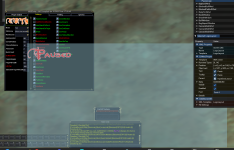
FYI - the "click logo to pause" function seems slightly broken today.

Click to pause works, but click to unpause doesn't (have to issue a '/shm pause off' command)

Same with War - presume it's all of them
 
FYI - the "click logo to pause" function seems slightly broken today.

Click to pause works, but click to unpause doesn't (have to issue a '/shm pause off' command)

Same with War - presume it's all of them
1682235421227.png
Instead of clicking "CWTN" logo, click the "Paused" word. -Should- work that way. The logo being a "toggle" was causing an issue with emu and as of now the only way I could implement the fix was to have the CWTN Logo turn on pause, and the Pause logo turn it off (which was the intended behavior prior to the change)

Above you can get an idea of the area the button covers, essentially the logo and anything right and down of it. But best to just click the Pause picture itself.
 
View attachment 48031
Instead of clicking "CWTN" logo, click the "Paused" word. -Should- work that way. The logo being a "toggle" was causing an issue with emu and as of now the only way I could implement the fix was to have the CWTN Logo turn on pause, and the Pause logo turn it off (which was the intended behavior prior to the change)

Above you can get an idea of the area the button covers, essentially the logo and anything right and down of it. But best to just click the Pause picture itself.
Aha! that works, lovely, thank you
 
ok now since last patch my toons pause and wont un pause ,,, whats the deal and its the plugins thats doin it not the kiss
 
ChatWithThisName updated MQ2CWTNCommons with a new update entry:

4/28/2023

- In Combat check for End Regen
-- We were already checking you don't have any mobs engaged on you (xtarget),
--- but now we will additionally check for if we think you are in combat or not
- Added a check to "resume" our pets, with the new discipline option
- Added an additional half second delay command for sending in swarm pets

Read the rest of this update entry...
 
That doesn't work. DoCommand - Couldn't parse '/cwtna pause on'
I've seen others asking to pause on zones with a .cfg file. I don't see any previous post on making a hot button for this in your link.
Because you didn't click the link and then setup the alias

Please click the link.

No alias means it won't work.


Because you didn't click the link and then setup the alias

Please click the link.

No alias means it won't work.


I clicked on the link. The word "alias" is nowhere to be found on the page. I just want a simple hotkey command to pause, why do I need alias's?

Edit the "getting started link" didn't contain an alias. I see you added the link to hotkeys, thank you. I'll look at that.

Edit2. I added those lines to the .ini file and it's working!
 
Last edited:
I clicked on the link. The word "alias" is nowhere to be found on the page. I just want a simple hotkey command to pause, why do I need alias's?

Edit the "getting started link" didn't contain an alias. I see you added the link to hotkeys, thank you. I'll look at that.

Edit2. I added those lines to the .ini file and it's working!
Yep. The sticky that says "check here first" with all the info, definitely has the hotkeys link in it.

You don't have to have the aliases if you want, but if you want an easy cross cwtn plugins way to control all the things they do, you want the set it up.

Re me adding the direct link, yep I did, because you didn't seem like you wanted to take time to click the stuff and read what the page says.

Glad you found it and set it up.

You might consider mq2boxr to control some of the basics across automation suites - you still want the cwtn aliases for stuff outside of what boxr has
 
ChatWithThisName updated MQ2CWTNCommons with a new update entry:

5/23/2023

- Added additional debugging for missing reagents
-- this came up with some custom EMU servers removing requirements from spells, but MQ still thinks those requirements are valid, will be helpful debugging
- Added funcionality to check for spawns in radius of our target
-- This is currently (future) only used for hweee-zaaaard spells
- Lesson "on demand" example: "/shd lesson"
-- this doesn't interrupt or stop anything, but means you don't need to remember an "/dgga /alt act 481" and can...

Read the rest of this update entry...

 
Utility - MQ2CWTNCommons

Users who are viewing this thread

Back
Top
Cart