Easy way to go from Legacy -> Next?
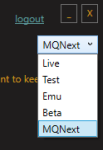
1. download next via the RG launcher
(make sure you're installing to a new directory, NO NOT install OVER your mq2 directory)
2. hit the migrator tool (will move any configs/macros etc from old install) https://www.redguides.com/community/resources/macroquest-migrator.2156/
3. setup framelimiter https://www.redguides.com/community/threads/mqnext-framelimiter-demo.78448/
4. load mq2lua /plugin Lua
5. if you want the functionality of the MQ2 "MQ2TargetInfo"
- They are now in 3 separate plugins:
/plugin groupinfo
/plugin targetinfo
/plugin xtarinfo
mental notes:
1. mq2map click is Control+Shift+Click
2. new easyfind self travel is Control+Click (reminder in find window title bar)
3. new easyfind group travel is Control+Shift+Click
4. If you selected a destination in your zone guide and want to activate it you /travelto activate
5. /yes and /no are now aliases
6. your ini configuation files (like for kissassist) now reside in your "Config" folder and not your "Macro" folder
eqbc:
Some folks end up with eqbc issues because they are trying to run more than one eqbc server. you should not do this. you should run the new eqbcs from next - you can right click on your mq icon and left-click "Start EQBC Server". if you have an old eqbc server set to run as a windows service you will want to disable that.
Bonus points:
>>> Lootly <<<
Last edited: