• You've discovered RedGuides, an EverQuest multi-boxing and scripting community 🧙‍♀️⚙️. We want you to play several EQ characters at once, come join us and say hello! 👋

  • A TLP without truebox has thawed (Very Vanilla ready)
    Frostreaver
Resource icon

Release Lootly 2024-01-24.1

No permission to download
Anyone else seen this as I am soloing with enchanger in hunter tank mode. It will not ignore and i always have the item that is listed as ignore stuck on my curser. I have to manually destroy it as it wont drop it. If i add my merc then it will ignore and destroy items. But because the merc is a tank, CTWN enc will no longer work in hunter tank mode even though I have enc listed as tank. Once i drop merc tank then it goes back to the old not ignoreing items. Also I can do the setitem ignore or destroy and it's not getten written to the loot_lootly.ini file. I have to manually add them. I know I am doing something wrong obviously but what I have no clue. No autoloot all is not enabled. Thanks, Tshadow

Soloing for tradeskill items mainly when doing this in lowlvl areas.
https://www.redguides.com/community/threads/lootly.78705/post-574719 and like the 5 post following it, concerning solo looting and looty
 
Running Very Vanilla, using MuleAssist /LootOn=1, ninjadvloot is installed and managing the loot.ini file I believe. Lootly installed fine with RedGuides launcher but errors trying to run with "/Lua run lootly"

...\Lua\lootly.Lua:325: attempt to index field 'AdvLoot' (a nil value)
stack traceback:
in function 'handle_personal_loot'
...

Very Vanilla doesn't have MQ2AdvLoot installed - do I need to install it just to replace it with lootly?
And how would I do that if Very Vanilla doesn't let me install the AdvLoot plugin?
 
Running Very Vanilla, using MuleAssist /LootOn=1, ninjadvloot is installed and managing the loot.ini file I believe. Lootly installed fine with RedGuides launcher but errors trying to run with "/lua run lootly"

...\Lua\lootly.Lua:325: attempt to index field 'AdvLoot' (a nil value)
stack traceback:
in function 'handle_personal_loot'
...

Very Vanilla doesn't have MQ2AdvLoot installed - do I need to install it just to replace it with lootly?
And how would I do that if Very Vanilla doesn't let me install the AdvLoot plugin?
Lootly does not require anything like that. I think the plugin you are asking about is mq2autoloot (not advloot), which is part of veryvanilla. Lootly will shut that off when Lootly starts.
 
Lootly does not require anything like that. I think the plugin you are asking about is mq2autoloot (not advloot), which is part of veryvanilla. Lootly will shut that off when Lootly starts.

My Very Vanilla installation does not have the MQ2AutoLoot plugin. I can't load it, can't install it. How do I get past this error so I can use lootly?
 
I don't know what to tell you other than it's included in Very Vanilla. Keep looking? Note the icons about server type below, this supports Live, TLP, and Test. EMU is missing from that list.

/plugin mq2autoloot load
/autoloot status

Check your plugins folder for MQ2Autoloot.dll

1706661181638.png
 
Anyone else seen this as I am soloing with enchanger in hunter tank mode. It will not ignore and i always have the item that is listed as ignore stuck on my curser. I have to manually destroy it as it wont drop it. If i add my merc then it will ignore and destroy items. But because the merc is a tank, CTWN enc will no longer work in hunter tank mode even though I have enc listed as tank. Once i drop merc tank then it goes back to the old not ignoreing items. Also I can do the setitem ignore or destroy and it's not getten written to the loot_lootly.ini file. I have to manually add them. I know I am doing something wrong obviously but what I have no clue. No autoloot all is not enabled. Thanks, Tshadow

Soloing for tradeskill items mainly when doing this in lowlvl areas.
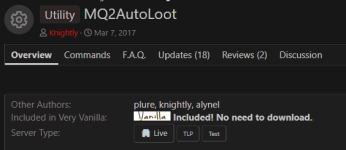
you could try
for solo runs, where lootly doesn't play as nicely as if grouped.
i honestly use that for the sell and tribute features, they are amazingly fast.
 
My Very Vanilla installation does not have the MQ2AutoLoot plugin. I can't load it, can't install it. How do I get past this error so I can use lootly?
This line is looking for mq.TLO.AdvLoot.PCount(). This is not MQ2AutoLoot. It looks like the standard Advanced Loot TLO. Can you use advanced looting?
 
This line is looking for mq.TLO.AdvLoot.PCount(). This is not MQ2AutoLoot. It looks like the standard Advanced Loot TLO. Can you use advanced looting?
[/Q
I don't know what to tell you other than it's included in Very Vanilla. Keep looking? Note the icons about server type below, this supports Live, TLP, and Test. EMU is missing from that list.

/plugin mq2autoloot load
/autoloot status

Check your plugins folder for MQ2Autoloot.dll

View attachment 56941

Thank you for the reply. I do not have the MQ2AutoLoot.dll in my plugins folder. I am playing on EMU. How can I manually add the plugin to the plugins foilder?
Redguides launcher does not enable the ability to add plugins.
 
This line is looking for mq.TLO.AdvLoot.PCount(). This is not MQ2AutoLoot. It looks like the standard Advanced Loot TLO. Can you use advanced looting?

Thank you! I do not have access to Advanced looting. I'm wondering if my installation is messed up.
/advloot returns "That is not a valid command. Use /help."
Under the EQ button -> Actions -> I do not have the Advanced Loot option.
 
Thank you! I do not have access to Advanced looting. I'm wondering if my installation is messed up.
/advloot returns "That is not a valid command. Use /help."
Under the EQ button -> Actions -> I do not have the Advanced Loot option.

"Advanced Looting" is an Everquest feature not a Macroquest feature or plugin. EQ EMU servers do not have Advanced Looting is my understanding....
Lootly and mq2autoloot are MQ2 applications that depend on the EQ server having Advanced Looting feature, like Live, Test, and TLP servers.

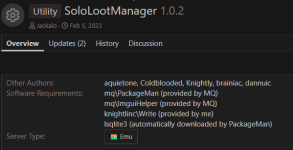
Therefore you need to use that SoloLootManager which is EMU compatible.
 
this seems to get stuck when trying to loot cliknar wings and antennas in foundation... is there somewhere i can check to see if its using right Item ID? or is something else?
 
"Advanced Looting" is an Everquest feature not a Macroquest feature or plugin. EQ EMU servers do not have Advanced Looting is my understanding....
Lootly and mq2autoloot are MQ2 applications that depend on the EQ server having Advanced Looting feature, like Live, Test, and TLP servers.

Therefore you need to use that SoloLootManager which is EMU compatible.

Thank you again for helping me understand. I will look into SoloLootManager.
 
If I wanted to bulk add a bunch of items from another source, is there any issue with simply adding the items to the bottom of the file in the correct format, or do they need to be added alphabetically the way the ini is setup?
 
So whats the best setup so that no drop loot gets evenly distributed to group members for use as tribute?
It seems for the lore, no-drop items this happens naturally as each char can only have 1 item... but the master looter is bogarting all the lore-equip items.
Will something like this round robin all the loot, or will it give the master looter 99 first, then work on the next char?

Code:
/setitem|99|clr,dru,shm,war,shd,pal,mnk,bst,ber,rng,mag,wiz,enc
 
So whats the best setup so that no drop loot gets evenly distributed to group members for use as tribute?
It seems for the lore, no-drop items this happens naturally as each char can only have 1 item... but the master looter is bogarting all the lore-equip items.
Will something like this round robin all the loot, or will it give the master looter 99 first, then work on the next char?

Code:
/setitem|99|clr,dru,shm,war,shd,pal,mnk,bst,ber,rng,mag,wiz,enc
It will always try the master looter first.

For any item, Lootly:
1. Checks if the item isn't in your ini. If it isn't, it automatically sets it to Keep.
2. Starting from the Master Looter and proceeding down your group list in order it will (if the item isn't set to Ignore/Destroy):
a) Check if the character is in the zone.
b) Check if Class setting is set, and if the current looter is of that class
c) If they are, checks if they have space in the inventory (taking into account SaveSlots setting)
d) Checks if the quantity setting is set and if so checks if the current looter already meets the quantity in their inv, bank, etc.
e) Then it checks if the item is a lore item and whether the current looter already has one.
f). If it meets all those criteria, it gives the current looter the item. If it gets through the whole group and no one could loot it, then it leaves the item.

So, in your example, yes, the master looter would have to have 99 of the item or no room in the inventory before it would try to give it to the next group member.
 
I couldn't find an answer but is the lootly designer aware of the issue that when a lore item is in the parcel window, it will get stuck trying to give the same item to the same person over and over until the item expires in the loot window? Is there a way to check for a lore rejection message to move onto giving to another group member?
Love the Lua still! Thanks!
 
I couldn't find an answer but is the lootly designer aware of the issue that when a lore item is in the parcel window, it will get stuck trying to give the same item to the same person over and over until the item expires in the loot window? Is there a way to check for a lore rejection message to move onto giving to another group member?
Love the Lua still! Thanks!
So right now Lootly only checks if the current looter already has the lore item. If they do not, it will give it to them. Until they have one, it will continue to think they do not.

This also applies to NO TRADE items if you have it the notification setting set. I'm looking to see if there is a way to check on these sorts of things prior to it, but it is not looking good.
 
So right now Lootly only checks if the current looter already has the lore item. If they do not, it will give it to them. Until they have one, it will continue to think they do not.

This also applies to NO TRADE items if you have it the notification setting set. I'm looking to see if there is a way to check on these sorts of things prior to it, but it is not looking good.
Yea it seemed like an odd thing, I just need to clean out my parcel but figured i'd make sure it was reported as it can hang up the tool until the item expires from AdvLoot window.
 
While I'm not looking at actively uploading at the moment (as these are minor things I felt may be nice for myself), changes I've made to Lootly:

Randomly sorting the group for loot distribution (change from master looter->next group member->etc)
Added a maximum tribute setting to help prevent selling something above a minimum tribute value.
Language cleanup to not use InvSlot TLO.

The main other thing I would like to do involves what Rybar and I discussed above, but again that is looking like something that may not be able to be accomplished.

Sic brought up that this is one of the things he would like to see updated/added on to, so if it something minor maybe I can do it and possibly get a new version up. I can't promise anything as I'm not always able due to RL, but I can take it into consideration.
 
Sort of rebuilding my modifications to this as even updating VV will refresh watched luas :)

Besides the above, I've added going through the 'pack list' in case you have sellable items in it rather than a container.
 
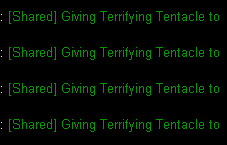
any fix for items getting stuck? for some reason there are a few items i have come across that get stuck and wont send to my char. its ALWAYS the same item Foundation in underfoot was the cliknar wings. now in HOT Fear its the tentacle. any suggestion as to how to get it to force the item through? it sits in my shared loot window and wont push through to my char. their just vendor items, not lore, not no trade, and set as always need.

1707511355902.png
 
any fix for items getting stuck? for some reason there are a few items i have come across that get stuck and wont send to my char. its ALWAYS the same item Foundation in underfoot was the cliknar wings. now in HOT Fear its the tentacle. any suggestion as to how to get it to force the item through? it sits in my shared loot window and wont push through to my char. their just vendor items, not lore, not no trade, and set as always need.
jande sent some fixes over, but I haven't had time to fully look at it.
 
I'm having an issue with Lootly and LS missions. If I have Lootly on, I can see the loot and chose actions, but none of it works. All teh loot just sits there. I've lost two mission loots becuase I forgot to end lootly before starting the mission. Any ideas?
 
Would there be a way to have lootly tag an item as TS, much like the class option?
I would like to have a toon with just tradeskill bags, and lootly send them only items either ingame marked, or that I mark as tradeskills?
 
Would there be a way to have lootly tag an item as TS, much like the class option?
I would like to have a toon with just tradeskill bags, and lootly send them only items either ingame marked, or that I mark as tradeskills?
Possible.....especially if you want to mark them. I'll have to check to see if there is something specific that can be looked at in advance.

Still not sure if there is a planned update in the works. I know I have what I've added to mine (randomized group loot distribution, tribute checks during selling, database addition to check notrade and class use) but if SpecialEd or someone like Knightly is planning on something I'd rather wait to see what they do.

Update: Looks like there is a database setting for tradeskill items.
 
I'm having an issue with Lootly and LS missions. If I have Lootly on, I can see the loot and chose actions, but none of it works. All teh loot just sits there. I've lost two mission loots becuase I forgot to end lootly before starting the mission. Any ideas?
, but none of it works.
Any chance you could be a bit more specific with the it "not working". What is it that it's doing compared with what you are expecting?
 
Any chance you could be a bit more specific with the it "not working". What is it that it's doing compared with what you are expecting?

So, all the loot is there. I can click "give to xxx", but nothing happens. I can say loot all, and nothing happens. The loot just sits there and eventaully times out and is lost.
 
So, all the loot is there. I can click "give to xxx", but nothing happens. I can say loot all, and nothing happens. The loot just sits there and eventaully times out and is lost.
Lootly does not have an imgui. Are you talking about the EQ advlot window or Lootier maybe?
 
So, all the loot is there. I can click "give to xxx", but nothing happens. I can say loot all, and nothing happens. The loot just sits there and eventaully times out and is lost.
When you assign it to a character, does it appear on the top section of the Advanced Loot Window? Or does it stay on the bottom? If it's the bottom, are you certain the item isn't on the 'never' list for that character?

The other thing you can try is /lootly log debug and see what the lootly debug is showing. That would be the best thing for us to troubleshoot as we can see where it may be hanging up.
 
Imagine a "/setitem tradeskill" and a "/lootly tsdepot" command(s)
Snarky response, while still not addressing all the issues. Classic.
I have a toon that isnt Master looter, that I want to send all TS marked items to, is there a way to do this?
So, if indeed these are options I was unaware of, thank you for this information, given its not in the instructions, commands, or FAQ on lootly.
 
When you assign it to a character, does it appear on the top section of the Advanced Loot Window? Or does it stay on the bottom? If it's the bottom, are you certain the item isn't on the 'never' list for that character?

The other thing you can try is /lootly log debug and see what the lootly debug is showing. That would be the best thing for us to troubleshoot as we can see where it may be hanging up.

It is in the Advanced Loot Window. I assign it to a char and it does not move. I get no errors from EQ, it just "ignores" my request. I know that lootly is not involved with the Advanced Loot Window, but if I run lootly, the window does not work. If I do not run lootly, it works.

If I forget to end it again and get in this same situation, I'll try debug.

Thank you.
 
It is in the Advanced Loot Window. I assign it to a char and it does not move. I get no errors from EQ, it just "ignores" my request. I know that lootly is not involved with the Advanced Loot Window, but if I run lootly, the window does not work. If I do not run lootly, it works.

If I forget to end it again and get in this same situation, I'll try debug.

Thank you.
Shooting in the dark here a bit but does the toon your giving the item to already have it? Is that item marked as "no" or "never" in the advanced loot window for that toon?

I also know of an EQ bug where if you have a toon set to auto loot and you send them a no trade item, if you do not hit "yes" in the loot confirmation window it will not loot it. You have to either accept the item via the pop up confirmation or hit the green accept check mark again to loot it. If you hit anything except the yes on the confirmation box, it seems to error and sit there.

Lootly starts with the first item in the adv loot window and the only other thing I can think of that kinda matches your description is if lootly is trying to give the top item to your master looter or group member that is unable to accept it. Let's say you have an item marked in the adv loot window as "never", it will keep trying over and over to give it to the master looter and if you try to assign it while this is occurring, it will not allow you to. In this case, you need to /lootly off to get it to stop, then distribute the loot. Since most items in missions are no trade/lore, I would honestly recommend stopping lootly before you open the chest anyway so you can see what items drop and then assign them to the toon in your group that needs it most.
 
Shooting in the dark here a bit but does the toon your giving the item to already have it? Is that item marked as "no" or "never" in the advanced loot window for that toon?

I also know of an EQ bug where if you have a toon set to auto loot and you send them a no trade item, if you do not hit "yes" in the loot confirmation window it will not loot it. You have to either accept the item via the pop up confirmation or hit the green accept check mark again to loot it. If you hit anything except the yes on the confirmation box, it seems to error and sit there.

Lootly starts with the first item in the adv loot window and the only other thing I can think of that kinda matches your description is if lootly is trying to give the top item to your master looter or group member that is unable to accept it. Let's say you have an item marked in the adv loot window as "never", it will keep trying over and over to give it to the master looter and if you try to assign it while this is occurring, it will not allow you to. In this case, you need to /lootly off to get it to stop, then distribute the loot. Since most items in missions are no trade/lore, I would honestly recommend stopping lootly before you open the chest anyway so you can see what items drop and then assign them to the toon in your group that needs it most.

I do not have anything that drops in the mission chest as "no". This is only chest loot that is affected. Anything else that drops along the way by trash mobs is looted just fine. Even when I do /Lua stop lootly, the loot is still locked up and will not distribute. I even logged to desktop and returned but nothing. I tried giving master looter to a char that did not run looty at all, but once it's locked uop it's locked up. I'm thinking that this is an EQ bug, but somehow it is triggered only by lootly. I made a start button for the missions that first cancels lootly so I don't forget.
 
I do not have anything that drops in the mission chest as "no". This is only chest loot that is affected. Anything else that drops along the way by trash mobs is looted just fine. Even when I do /lua stop lootly, the loot is still locked up and will not distribute. I even logged to desktop and returned but nothing. I tried giving master looter to a char that did not run looty at all, but once it's locked uop it's locked up. I'm thinking that this is an EQ bug, but somehow it is triggered only by lootly. I made a start button for the missions that first cancels lootly so I don't forget.
Just for funsies.....can you look in the LF_AN_Charname_server.txt file as well as the one that starts out LF_NVR_ and see if any of these items appear in those?

Lootly shouldn't be doing anything that 'locks up' an item. Also, did you try setting the log level for lootly before this point and seeing what comes up in your mq window?

Another option would be to give us an example item and maybe there is something about it that is weird. But I'd still like to see what Lootly is saying when it is trying to loot it.
 
Just for funsies.....can you look in the LF_AN_Charname_server.txt file as well as the one that starts out LF_NVR_ and see if any of these items appear in those?

Lootly shouldn't be doing anything that 'locks up' an item. Also, did you try setting the log level for lootly before this point and seeing what comes up in your mq window?

Another option would be to give us an example item and maybe there is something about it that is weird. But I'd still like to see what Lootly is saying when it is trying to loot it.

None of those items are listed in the files. Things I can't loot are high value like gallant items, Runes of Nokk, etc. I'll try the log level next time.
 
Snarky response, while still not addressing all the issues. Classic.
I have a toon that isnt Master looter, that I want to send all TS marked items to, is there a way to do this?
So, if indeed these are options I was unaware of, thank you for this information, given its not in the instructions, commands, or FAQ on lootly.
I actually didn't see it as a snarky response. I took it as a literal suggestion for what you wanted. They are not current options, but may be something that can be added.
 
Release Lootly

Users who are viewing this thread

Back
Top
Cart