
-
 Hail, we're RedGuides. We want you to play several EverQuest characters at once. We have scripts and a friendly community to help, please join our playstyle and say hello! 👋
You are using an out of date browser. It may not display this or other websites correctly.
You should upgrade or use an alternative browser.
You should upgrade or use an alternative browser.

KissAssist Release KissAssist 12.002.40
- Thread starter ctaylor22
- Start date

You can set two total misc gems - MiscGem, and MiscGemLW. MiscGem LW is for spells that have a long recast timer. If you put Wound into the miscGem slot and save it as part of your [Spells] setup, then KA will swap it out for whatever it needs to cast, then remem it as soon as the spell is finished casting. Also take a look at the LoadSpellSet=<0/1/2> setting - 0 no reload, 1 load SpellSetName (set by using the EQ spellsets - right click on spell bar to create one or more), 2 loads the spells listed in Gem1 - Gem14 in the [Spells] section. So if you mem Wounds in gem 13, and set that as your MiscGem, it would swap to whatever buff it needed, cast, then remem wounds. If you use the MiscGemLW setting, that will likely take your dot out of rotation for a lot more time.I know MiscGem, but wanna know how to set multiple of them
for example, remem certain short time dot at certain necro's wound's gem position, cast then when wound is ready, switch back.
for others buff just.use.MiscGem.
so, my question is, how to quickly load as many dot as possible?
any idea please and thank you

I think what you are trying to do is something that would not be within the scope of Kissassist. A compromise would be to have like 4 long duration DoTs and 4 short duration DoTs. Or some ratio of long to short. I have been using the short duration DoTs more often lately as the fights are just not lasting very long and I am needing more "Burst" DPS from necro.I know MiscGem, but wanna know how to set multiple of them
for example, remem certain short time dot at certain necro's wound's gem position, cast then when wound is ready, switch back.
for others buff just.use.MiscGem.
so, my question is, how to quickly load as many dot as possible?
any idea please and thank you
I hope that makes sense?

I am running two Necro's. One is setup for short duration dots and the other one is set up for long duration dots. Pull with the long one and then the other necro starts hitting with the short ones. Its a lot easier in kissassist to set two necro's up then trying to figure out which short or long dots to start with. You might want to setup some conditions as well
Zeb
Zeb
Quick question: If I set up a set of spells in Kissassist and save with a new name and then change the spell set to another, will the spells then be changed in the buff, dps, pet, and stuff to match the other spell set? Example: I make a set of spell gems for using spells for undead things and then I want to go and mess around with normal critters which has a different spell setup. Changing the spell set in Kissassist will it also change say the Dps spells that were changed or do I need to go and change them all over again?
Zeb
Zeb
Changing spells in the spell set won't change/modify any of the spells listed in the buff/dps section of the characters config file. If a buff spell isn't up in a spell gem, it would get mem'd to be cast...but pretty sure any spell that isn't up that's in the dps section, just wouldn't get cast. Also, any spell mem'd in a spell gem, but didn't have an entry in the dps section (assuming dps spell), also wouldn't be cast.Quick question: If I set up a set of spells in Kissassist and save with a new name and then change the spell set to another, will the spells then be changed in the buff, dps, pet, and stuff to match the other spell set? Example: I make a set of spell gems for using spells for undead things and then I want to go and mess around with normal critters which has a different spell setup. Changing the spell set in Kissassist will it also change say the Dps spells that were changed or do I need to go and change them all over again?
Zeb
You can do this by using a custom ini - set one up for each set of spells, then load the one that applies to what you are killing - /mac kissassist ini mycoolininame - will start it up with a different ini file. If you use eq sets, just reference the correct set in each ini, if you use the Spells section to load spells, list them by gem in there. You have to make the changes in the ini manually, but it gives you an easy way to switch stuff up once it's all set. Just make a copy of your existing INI, make changes as needed, and save as the new ini name.

@ctaylor22
Just a reminder that pulling with a pet needs some adjustments before breaking for a retrying. Especially in Labyrinth of Spite. Any camp with a door needs a slightly longer delay to reach a mob. Every time KA is updated I have to go back in and manually adjust the code:
| Send in the Pet and monitor his movement.
/if (!${int_petMoving}) /pet attack
/delay 10 ${PullAggroTargetID}
I change delay to 20 and retry to 5. Pulling is much more consistent with this change.
Just a reminder that pulling with a pet needs some adjustments before breaking for a retrying. Especially in Labyrinth of Spite. Any camp with a door needs a slightly longer delay to reach a mob. Every time KA is updated I have to go back in and manually adjust the code:
| Send in the Pet and monitor his movement.
/if (!${int_petMoving}) /pet attack
/delay 10 ${PullAggroTargetID}
I change delay to 20 and retry to 5. Pulling is much more consistent with this change.
I have different INI's set up for different functions for different classes. For instance - sometimes I want my Necro pet to tank and my SK to max DPS with 2H. Other times I want my SK to 1H Puller Tank with full AE. Also, I sometimes want Single Target tanking. I will swap out INIs on the fly, but I use a Lua now to swap those (QKI). But within the scope of KissAssist the functions of one single INI are limited to what is pre-planned in that INI. On the fly adjustments will cause delays and you will sacrifice DPS to do those changes manually. It is best to theory craft what you want from your toon, per ini, before you roll out.
Well Reedreddington I just finished binging on Blacklist. The only bad part of running two Necros is trying to figure out who is going to cast what DOT and when. Might have to start working on building some conditions to help set the timing of dots being cast. Ohhh and I never pull with my pet, two many good DOTs to do that with fear to help out the pet tank.
Zeb
Zeb
Well Reedreddington I just finished binging on Blacklist. The only bad part of running two Necros is trying to figure out who is going to cast what DOT and when. Might have to start working on building some conditions to help set the timing of dots being cast. Ohhh and I never pull with my pet, two many good DOTs to do that with fear to help out the pet tank.
Zeb
My necro always pulls now. By the time dots start ramping up, mob is already dead. Even mission bosses.
This. Exactly this.My necro always pulls now. By the time dots start ramping up, mob is already dead. Even mission bosses.
Quick question: Going over the Kissassist Manual, I have been looking for any reference on how to determine if a mob is either undead or not. Here is what I am trying to do. Have one Necro cast Ignite Bones (which turns mob into a skelly). The other Necro is set up to destroy undead stuff. So when setting up dps1 and using say Expel Undead is their a flag that detects just undead and not cast the spell if it's just a normal mob?
Zeb
Zeb
You would have to use a condition for the spell in the DPS section. I believe I used this condition to check for undead mobs:Quick question: Going over the Kissassist Manual, I have been looking for any reference on how to determine if a mob is either undead or not. Here is what I am trying to do. Have one Necro cast Ignite Bones (which turns mob into a skelly). The other Necro is set up to destroy undead stuff. So when setting up dps1 and using say Expel Undead is their a flag that detects just undead and not cast the spell if it's just a normal mob?
Zeb
Cond1=${Target.Body.ID} = 3
So you dps section would be like
DPS1=Expel Undead|99|Cond1
So it would only cast expel undead if the target was undead.
Here's a link to the values for body type: https://www.redguides.com/docs/projects/macroquest/reference/general/body-types/
Thanks Dal98. I kinda figured that I would need to set up a condition to do this. Guess I will have to read up on conditions and try to make a few that work... I have your cond1 wrote down and will use that for starters. I want to turn all mobs to skellies and let my other necro destroy them. HAHAHAHAHAHAHAHAHAHA! Necro rule!!!!
Zeb
Zeb
Below is how i would actually set it up so that Expel Undead tries to cast when they turn undead due to the Ignite Bones line. You may need to test it though. This is only just in my head without actually trying it out. Using the undead body id conditional can make your guys just go wild nuking all undead - which could be detrimental in some instances.
DPS1=Expel Undead|99|Cond1|Weave
Cond1=${Target.Buff[Smoldering Bones].ID}
DPS1=Expel Undead|99|Cond1|Weave
Cond1=${Target.Buff[Smoldering Bones].ID}

This is not a good candid for weave.Below is how i would actually set it up so that Expel Undead tries to cast when they turn undead due to the Ignite Bones line. You may need to test it though. This is only just in my head without actually trying it out. Using the undead body id conditional can make your guys just go wild nuking all undead - which could be detrimental in some instances.
DPS1=Expel Undead|99|Cond1|Weave
Cond1=${Target.Buff[Smoldering Bones].ID}

There is a manual option that you can use when starting the macro. Kiss Command Options

With today's latest patch, using pullertank mode...
it's not range attacking, it does work using
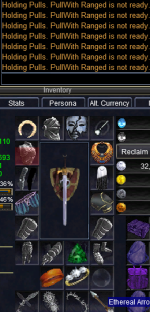
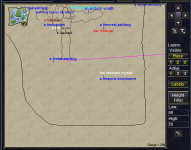
another oddity, while in pullertank mode... depessing the center map button in the top right section, is centering the map on an area that my group is not at. It's been very consistent after camping out and several zonings. It was behaving normally and as expected in normal tank mode.
Code:
PullWith=${InvSlot[Ranged].Item.Name}|${InvSlot[Ammo].Item.Name}
Code:
PullWith=meleeanother oddity, while in pullertank mode... depessing the center map button in the top right section, is centering the map on an area that my group is not at. It's been very consistent after camping out and several zonings. It was behaving normally and as expected in normal tank mode.
While the macro is running can you try and use the /echo ${PullWith} command and see what is returned.
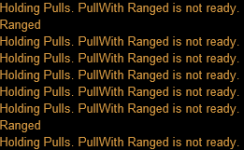
These echoed the correct items in those slotsThen try this.
/echo ${InvSlot[Ranged].Item.Name}
/echo ${InvSlot[Ammo].Item.Name}
There was no change in the behavior after making this change, and echoed the PullWith still reflected "ranged"Try replacing this: PullWith=${InvSlot[Ranged].Item.Name}|${InvSlot[Ammo].Item.Name}
With This: PullWith=${Me.Inventory[ranged].Name}|${Me.Inventory[ammo].Name}
Could be InvSlot has changed. I know they depreciated InvSlot a long time ago.
Then there is something else causing the issue. No changes were made to the macro recently so I would look elsewhere, but in the meantime just change the PullWith= to the actual name of the Ranged and/or Ammo item name(s). I will do some testing and see if I can duplicate the problem.
So.... I changed it toThen there is something else causing the issue. No changes were made to the macro recently so I would look elsewhere, but in the meantime just change the PullWith= to the actual name of the Ranged and/or Ammo item name(s). I will do some testing and see if I can duplicate the problem.
Code:
PullWith=Short Bow of Unraveling Order|Ethereal ArrowIt is returning "False" even though the "Range Attack" button is raised and ready to be clickedWhen it starts kicking out that message try this:
/echo ${Me.RangedReady}
and see what it is returning.
I am using the default UI, and not the New UI Engine. Once it triggers the ranged not ready, it remains false regardless of the macro running or not, till I zoneSounds like an issue with MacroQuest or your UI. Are you using the default UI? Try closing the macro and then use the /echo ${Me.RangedReady}
I am having the exact same problem with Ranged weapons on a Warrior that LrdDread is having. This started occuring after the EQ March update was patched in MQ2. Pull with melee still works and as a workaround I can use the Trow Stone ability to pull but with extremely limited pull range compared to bow and arrow. The pull with command I am using is - PullWith=Fused Coral Bow|Flight Arrow
Not sure it this helps but when kissassit is started now it reports that autoatack on assist is turned off, I do not remember that happening before the patch but i may have missed it. Another thing that is different is that it is not targeting a mob to attack once the problem starts happening, but this may be happening because the ranged attack is failing, if that is what happens first in the code. Another difference is that when Kissassit is started it says Using MQ2Nav to pull with Ranged. If i remember correctly it used to say the bow and arrow type. In this case that would be Fused Coral Bow|Flight Arrow instead of just Ranged.
I didn't expect it to work but since Throwing uses a different skill than the bow I thought I would give that a try but it failed in the same manner as the bow.
Not sure it this helps but when kissassit is started now it reports that autoatack on assist is turned off, I do not remember that happening before the patch but i may have missed it. Another thing that is different is that it is not targeting a mob to attack once the problem starts happening, but this may be happening because the ranged attack is failing, if that is what happens first in the code. Another difference is that when Kissassit is started it says Using MQ2Nav to pull with Ranged. If i remember correctly it used to say the bow and arrow type. In this case that would be Fused Coral Bow|Flight Arrow instead of just Ranged.
I didn't expect it to work but since Throwing uses a different skill than the bow I thought I would give that a try but it failed in the same manner as the bow.
Last edited:
Okay. After a little digging I see where PullWith gets set to Ranged, but that is intended. The check that is being triggered is if PullWith is equal to Ranged and Me.RangedReady. The problem is that Me.RangedReady is returning False and not True like it should be.
When the macro first launches PullWith is loaded with what is in the ini file, but the first time through the PullRangeSet routine PullWith gets modified to what is needed from that point forward and Ranged is Just one of the options.
When the macro first launches PullWith is loaded with what is in the ini file, but the first time through the PullRangeSet routine PullWith gets modified to what is needed from that point forward and Ranged is Just one of the options.
With the move to focus on emu going forward I'm just gonna drop my edits for the Dreth server here for people to use if they wanna check it out. Mostly just adding a number of classes to pet, mez and evac routines (Rng for Shm pets, Wiz for mezzing, SK for nec mezzing, Mag for Dru ports/evac) due to the server's class consolidations.
EDIT: It was pointed out to me I didn't actually finish changing mez code to include Wizzies. Appropriately modified version is now uploaded.
EDIT: It was pointed out to me I didn't actually finish changing mez code to include Wizzies. Appropriately modified version is now uploaded.
Attachments
Last edited:
Hey guys.
I love Kissassist, but am having having several issues that are causing me problems in my guild raids.
1) On raids where characters need to stop attacking the main mob and move to adds, my melee classes (2 mnks, 2 brds, 1 sk) often get stuck meleeing the main mob and will not switch to the adds when my driving character they are supposed to be assisting switches targets.
They literally are stuck on the 1st mob and nothing i do short of ending the kiss macro and manually retargeting them on a new mob and turning atk off will stop them, and sometimes even that won't stop them.
This happens EVERY raid that has mechanics like this, but only some of the melee get stuck and not even always the same ones, it's completely random but some of them ALWAYS get stuck.
This issue makes my melee do to much damage to the wrong mob endangering the raid of failing, and I am getting chewed out over it.
Currently a big issue in SoF Ralkor fight.
Am I doing something wrong?
Is there some settings I've missed?
2) My 2 wiz, 1 mag, and 1 enc they absolutely are lazy af. They sometimes nuke, sometimes don't, and never chain nuke till oom or the mob dies.
My wizs are halfway down the parse every single fight, instead of top of the parse. (wiz dps is tops in my TLP current era) I am getting hella grief over this. This happens in raids and group content.
They almost never go oom from casting, most times the fight ends and they are 90%+ mana and their DPS output is 1/4 what it should be or even zero.
Other wizs are doing 10mil dps, I'm doing 2mil when they do cast.
I'm using the same spells as everyone else, the same adps from brds and encs, they just don't cast, let alone chain cast till oom, or agro pull (when they should concuss to drop agro)
Bard and Mnk have similar issues with combat abilities and bellow type abilities, sometimes they use them, sometimes not, they NEVER chain do them every time they come up, like they should.
Per both issues 1 and 2, kiss is configured correctly (I think), zero errors returned on any character.
My case is also special as I now run 12 characters on 6 PC's with 2 toons per PC, I am not, and have zero interest in, boxing all characters from 1 PC, and I use eqbcs because 2 of my PC's refuse to communicate over dannet.
Because of how I play, I cannot use rgmercs or cwtn as they all require boxing on 1 PC to function correctly.
Kissassist is my only MQ option. (That I am aware of)
I really really need these issues resolved, or I'm going to have to leave my guild or quit playing EQ as our next expansion drop the raid mechanics get even more complex and target switching is critical, as well as my caster DPS being on point.
Please let me know any ideas, advice, or any info needed from me, I will post whatever you need.
It is 145am when I write this and I'm going to bed so won't check this till tomorrow sometime.
Thank you kindly for any help.
I love Kissassist, but am having having several issues that are causing me problems in my guild raids.
1) On raids where characters need to stop attacking the main mob and move to adds, my melee classes (2 mnks, 2 brds, 1 sk) often get stuck meleeing the main mob and will not switch to the adds when my driving character they are supposed to be assisting switches targets.
They literally are stuck on the 1st mob and nothing i do short of ending the kiss macro and manually retargeting them on a new mob and turning atk off will stop them, and sometimes even that won't stop them.
This happens EVERY raid that has mechanics like this, but only some of the melee get stuck and not even always the same ones, it's completely random but some of them ALWAYS get stuck.
This issue makes my melee do to much damage to the wrong mob endangering the raid of failing, and I am getting chewed out over it.
Currently a big issue in SoF Ralkor fight.
Am I doing something wrong?
Is there some settings I've missed?
2) My 2 wiz, 1 mag, and 1 enc they absolutely are lazy af. They sometimes nuke, sometimes don't, and never chain nuke till oom or the mob dies.
My wizs are halfway down the parse every single fight, instead of top of the parse. (wiz dps is tops in my TLP current era) I am getting hella grief over this. This happens in raids and group content.
They almost never go oom from casting, most times the fight ends and they are 90%+ mana and their DPS output is 1/4 what it should be or even zero.
Other wizs are doing 10mil dps, I'm doing 2mil when they do cast.
I'm using the same spells as everyone else, the same adps from brds and encs, they just don't cast, let alone chain cast till oom, or agro pull (when they should concuss to drop agro)
Bard and Mnk have similar issues with combat abilities and bellow type abilities, sometimes they use them, sometimes not, they NEVER chain do them every time they come up, like they should.
Per both issues 1 and 2, kiss is configured correctly (I think), zero errors returned on any character.
My case is also special as I now run 12 characters on 6 PC's with 2 toons per PC, I am not, and have zero interest in, boxing all characters from 1 PC, and I use eqbcs because 2 of my PC's refuse to communicate over dannet.
Because of how I play, I cannot use rgmercs or cwtn as they all require boxing on 1 PC to function correctly.
Kissassist is my only MQ option. (That I am aware of)
I really really need these issues resolved, or I'm going to have to leave my guild or quit playing EQ as our next expansion drop the raid mechanics get even more complex and target switching is critical, as well as my caster DPS being on point.
Please let me know any ideas, advice, or any info needed from me, I will post whatever you need.
It is 145am when I write this and I'm going to bed so won't check this till tomorrow sometime.
Thank you kindly for any help.
Try using theHey guys.
I love Kissassist, but am having having several issues that are causing me problems in my guild raids.
1) On raids where characters need to stop attacking the main mob and move to adds, my melee classes (2 mnks, 2 brds, 1 sk) often get stuck meleeing the main mob and will not switch to the adds when my driving character they are supposed to be assisting switches targets.
They literally are stuck on the 1st mob and nothing i do short of ending the kiss macro and manually retargeting them on a new mob and turning atk off will stop them, and sometimes even that won't stop them.
This happens EVERY raid that has mechanics like this, but only some of the melee get stuck and not even always the same ones, it's completely random but some of them ALWAYS get stuck.
This issue makes my melee do to much damage to the wrong mob endangering the raid of failing, and I am getting chewed out over it.
Currently a big issue in SoF Ralkor fight.
Am I doing something wrong?
Is there some settings I've missed?
2) My 2 wiz, 1 mag, and 1 enc they absolutely are lazy af. They sometimes nuke, sometimes don't, and never chain nuke till oom or the mob dies.
My wizs are halfway down the parse every single fight, instead of top of the parse. (wiz dps is tops in my TLP current era) I am getting hella grief over this. This happens in raids and group content.
They almost never go oom from casting, most times the fight ends and they are 90%+ mana and their DPS output is 1/4 what it should be or even zero.
Other wizs are doing 10mil dps, I'm doing 2mil when they do cast.
I'm using the same spells as everyone else, the same adps from brds and encs, they just don't cast, let alone chain cast till oom, or agro pull (when they should concuss to drop agro)
Bard and Mnk have similar issues with combat abilities and bellow type abilities, sometimes they use them, sometimes not, they NEVER chain do them every time they come up, like they should.
Per both issues 1 and 2, kiss is configured correctly (I think), zero errors returned on any character.
My case is also special as I now run 12 characters on 6 PC's with 2 toons per PC, I am not, and have zero interest in, boxing all characters from 1 PC, and I use eqbcs because 2 of my PC's refuse to communicate over dannet.
Because of how I play, I cannot use rgmercs or cwtn as they all require boxing on 1 PC to function correctly.
Kissassist is my only MQ option. (That I am aware of)
I really really need these issues resolved, or I'm going to have to leave my guild or quit playing EQ as our next expansion drop the raid mechanics get even more complex and target switching is critical, as well as my caster DPS being on point.
Please let me know any ideas, advice, or any info needed from me, I will post whatever you need.
It is 145am when I write this and I'm going to bed so won't check this till tomorrow sometime.
Thank you kindly for any help.
Code:
/switchnow
Code:
/switchnow 0
Code:
/switchnow 1 ${Target.ID}/switchnow - Read📖Guides
 www.redguides.com
Users who are viewing this thread
Total: 1 (members: 0, guests: 1)
Share: