ctaylor22 updated KissAssist with a new update entry:
A few fixes and added a command
Read the rest of this update entry...
Thank you @ctaylor22 for continuing to maintain this project! I continue to use it exclusively for all my groups!



ctaylor22 updated KissAssist with a new update entry:
A few fixes and added a command
Read the rest of this update entry...
First off Thanks to @Leo and @TRS80 for testing and helping. This fix mainly benefits Mages but there may be others.
Some DPS entries were getting shutdown at the beginning of a fight because EQ is returning a NOT TAKEHOLD message. An example would be the Chaotic Magma and Fusillade of many spells. The DPS spell has a chance to cast a beneficial buff on the caster, but if the buff already existed, you end up getting the NOT TAKEHOLD message. So the...
ctaylor22 updated KissAssist with a new update entry:
More Power! Well for some DPS casters, but not everyone.
Read the rest of this update entry...



That's actually not a KISS function, it's part of MQ2Nav...is there a way to tone down my guys being very interested in activating every environmental item we get near, example doors, lift buttons, sometimes even zoning out through clickable portals when I'm close to them but not wanting to zone?
[General]
KissAssistVer=12.002
TwistOn=1
TwistMed=13 1 2 3 5
TwistWhat=13 1 2 3 5
XTSlot=1
Role=assist
CampRadius=60
CampRadiusExceed=400
ReturnToCamp=0
ChaseAssist=0
ChaseDistance=15
MedOn=1
MedStart=20
MedStop=90
MedCombat=0
LootOn=0
RezAcceptOn=1|90
AcceptInvitesOn=1
GroupWatchOn=0
EQBCOn=1
IRCOn=0
CampfireOn=0
CharInfo=Bard|125|GOLD
DPSMeter=0
ScatterOn=0
GroupWatchCheck=FALSE
DanNetOn=1
DanNetDelay=20
DefaultUI=TRUE
CorpseRecoveryOn=0
LOSBeforeCombat=1
UseSpawnMaster=1

[Buffs]
BuffsOn=1
BuffsSize=23
Buffs1=Aura of Tenisbre|Aura
Buffs2=Regar's Lively Crescendo
Buffs3=Rallying Call|managroup|30
Buffs4=Rallying Solo|end|29
Buffs5=Rallying Call|endgroup|30
Buffs6=Summoned: Modulation Shard VIII|Mana|80
Buffs7=Wand of Pelagic Transvergence|Mana|75
Buffs8=Selo's Sonata|Cond16
Buffs9=command:/pet swarm|99|cond6
Buffs10=Jann's Veil|Dual|Illusion Benefit Greater Jann
Buffs11=Bixie Buzzer Familiar|Dual|Familiar: Striped Badger
Buffs12=Spider's Bite XXI|Dual|Spider's Bite Poison XII|Me
Buffs13=${InvSlot[back].Item.Name}|Dual|${Me.Inventory[back].Spell}
Buffs14=Eye-Spotted Shik'Nar Saddle|Dual|Mount Blessing Neza
Buffs15=${InvSlot[Charm].Item.Name}|Dual|${Me.Inventory[Charm].Spell}
Buffs16=Summon Eye-Spotted Shik'Nar|Remove
Buffs17=Striped Badger Whistle|Dual|Familiar: Striped Badger
Buffs18=Illusion: Djinn Soldier|Remove
Buffs19=Illusion: Djinn Emissary|Remove
Buffs20=Lute of the Flowing Waters|Dual|Wind of Marr
Buffs21=Breath of Harmony|Dual|Item Benefit: Niv's Melody of Preservation
Buffs22=Mistmoore Battle Drums|Dual|Thunderous Barrier
Buffs23=Grelleth's Royal Seal|Dual|Frightful Aura

RebuffOn=1
CheckBuffsTimer=10
PowerSource=NULL

[Melee]
MeleeTwistOn=1
MeleeTwistWhat=9 10 11 12 6 2 5 6
;MeleeTwistWhat=2 3 5 7 6
AssistAt=97
MeleeOn=1
MeleeDistance=400
StickHow=snaproll rear
UseMQ2Melee=0
FaceMobOn=1
AutoFireOn=0
TargetSwitchingOn=1
PetTauntOverride=0
AssistAtt=97

[Pull]
PullTwistOn=1
PullWith=Sonic Disturbance
PullMeleeStick=0
MaxRadius=50000
MaxZRange=50000
UseWayPointZ=0
PullWait=3
ChainPull=0
ChainPullHP=40
PullPause=30|2
PullLevel=100|114
PullArcWidth=0
PullRadiusToUse=90
PullRoleToggle=0
PullOnReturn=0

[AE]
AEOn=1
AESize=1
AERadius=50
AE1=Spire of the Minstrels|3
AE2=Vainglorious Shout|3
AE3=Ecliptic Psalm|3

[DPS]
DPSOn=2
DPSSize=32
DPSSkip=1
DPSInterval=100
DPS1=Darkened Breath of Harmony|99
DPS2=Blade of Vesagran|99|Cond5
DPS3=Funeral Dirge|80|Cond12
DPS4=Quick Time|99|Cond4
DPS5=Spire of the Minstrels|99|Cond4
DPS6=Flurry of Notes|99|Cond4
DPS7=Frenzied Kicks|99|Cond4
DPS8=Dance of Blades|99|Cond4
DPS9=command:/stopdisc|99|Cond3
DPS10=command:/pet swarm|99|Cond10
DPS11=command:/pet qswarm|99|Cond10
DPS12=Bladed Song|99|Cond13
DPS13=Fierce Eye|99|Cond6
DPS14=Cacophony|99|Mob
DPS15=Intimidation|99|Mash
DPS16=${InvSlot[Chest].Item.Name}|99|Cond1
DPS17=Boastful Bellow|99|Cond2
DPS18=Selo's Sonata|15
DPS19=Thousand Blades|99|Cond4
DPS20=Reflexive Rebuttal|99|Cond8
DPS21=Unified Phoenix Feather|75|Cond9
DPS22=Miniature Horn of Unity|70|Cond9
DPS23=Selo's Sonata|99|Cond7
DPS24=Lute of the Gypsy Princess|99
DPS25=Drums of the Warlord|99
DPS26=Lute of the Flowing Waters|99
DPS27=Breath of Harmony|99
DPS28=Mistmoore Battle Drums|99
DPS29=Farseeker's Plate Chestguard of Harmony|99|Cond4
DPS30=Lyrical Prankster|99
DPS31=Song of Stone|99|Cond4
DPS32=Goblin Frost Totem|100|Cond11
DPS33=Kazumi's Note of Preservation|10|Cond4
DebuffAllOn=0

[Aggro]
AggroOn=1
AggroSize=4
Aggro1=Fading Memories|95|>
Aggro2=Shield of Notes|100|>
Aggro3=Hymn of the Last Stand|100|>
Aggro4=Deftdance|100|>

[Mez]
MezOn=0
MezRadius=70
MezMinLevel=0
MezMaxLevel=123
MezStopHPs=10
MezSpell=Slumber of Suja
MezAESpell=Wave of Stupor|10
MezDebuffOnResist=0
MezDebuffSpell=The Lady's Entreaty
MezOnn=1


[Burn]
BurnSize=7
BurnAllNamed=1
Burn1=Spire of the Minstrels
Burn2=${InvSlot[Chest].Item.Name}
Burn3=Quick Time
Burn4=Flurry of Notes
Burn5=Frenzied Kicks
Burn6=Dance of Blades
Burn7=Thousand Blades
Burn8=Song of Stone
Burn9=Lyrical Prankster
BurnText=BURN THIS DOWN
UseTribute=0
BurnTwistWhat=9 10 11 12 6 5 2 6

[KConditions]
ConOn=1
CondSize=13
Cond1=!${Me.Song[${Spell[Ecliptic Psalm of Potential].RankName}].ID}
Cond2=!${Target.Buff[Boastful Bellow].Caster.Equal[${Me.Name}]}
Cond3=${Me.ActiveDisc.ID} && ${Target.Named} && ${Me.ActiveDisc.Name.NotEqual[Thousand Blades]} && ${Me.CombatAbilityReady[Thousand Blades]}
Cond4=${Me.XTarget} > 2 || ${Target.Named}
Cond5=!${Me.Song[Fierce Eye].ID}
Cond6=!${Me.Song[Spirit of Vesagran].ID}
Cond7=!${Me.Buff[Selo's Accelerato].ID} && !${Me.Buff[Selo's Accelerando].ID}
Cond8=((${Group.Member[0].PctMana} > 0 && ${Group.Member[0].PctMana} < 90) || (${Group.Member[1].PctMana} > 0 && ${Group.Member[1].PctMana} < 90) || (${Group.Member[2].PctMana} > 0 && ${Group.Member[2].PctMana} < 90) || (${Group.Member[3].PctMana} > 0 && ${Group.Member[3].PctMana} < 90) || (${Group.Member[4].PctMana} > 0 && ${Group.Member[4].PctMana} < 90) || (${Group.Member[5].PctMana} > 0 && ${Group.Member[5].PctMana} < 90))
Cond9=!${Me.Song[Blessing of Unity].ID} && !${Me.Song[Grace of Unity].ID} && ${Me.PctMana} < 90
Cond10=${Target.Type.Equal[NPC]} && ${SpawnCount[${Me.Name}`s pet]} > 0
Cond11=${Target.CleanName.Equal[Whirling debris]}
Cond12=${Target.Named} && !${Target.Buff[Funeral Dirge].ID} && !${Target.Buff[T`Vyl's Resolve Weakness].ID} && !${Target.Buff[Braxi's Howl].ID}
Cond13=!${Target.Buff[Bladed Song].ID}

[Spells]
MiscGem=5
MiscGemLW=0
MiscGemRemem=1
LoadSpellSet=2
SpellSetName=KissAssist
CastingInterruptOn=28
Gem1=Pulse of August
Gem2=War March of Nokk
Gem3=Kanghammer's Song of Suffering
Gem4=Slumber of Suja
Gem5=Aria of Tenisbre
Gem6=Eoreg's Insult
Gem7=Nord's Disdain
Gem8=Wave of Stupor
Gem9=Kindleheart's Chant of Flame
Gem10=Swarn's Chant of Frost
Gem11=Goremand's Chant of Disease
Gem12=Marsin's Chant of Poison
Gem13=Regar's Lively Crescendo
CheckStuckGem=1


[Heals]
Help=Format Spell|% to heal at i.e. Devout Light Rk. II|50
HealsOn=1
HealsSize=3
Heals1=Spirit Drinker's Coating|50|tap
Heals2=Valia's Unyielding Bravery|30|tap
Heals3=Necromantic Dragonbone|20|tap
Heals4=NULL
Heals5=NULL
XTarHeal=0
XTarHealList=Xtar slots here Example: 5|6|7
HealGroupPetsOn=0
AutoRezOn=0
RezMeLast=0
HealInterval=0

[Cures]
CuresOn=0
CuresSize=10
Cures1=Cleansing Rod|Poison
Cures2=Cleansing Rod|Disease
Cures3=Marrow's Song|Poison
Cures4=Marrow's Song|Disease
Cures5=Marrow's Song|Curse
Cures6=Marrow's Song|Corruption
Cures7=Horn of the Stormcaller|Poison
Cures8=Horn of the Stormcaller|Disease
Cures9=Horn of the Stormcaller|Curse
Cures10=Horn of the Stormcaller|Corruption

[AFKTools]
AFKHelp=AFKGMAction=0 Off, 1 Pause Macro, 2 End Macro, 3 Unload MQ2, 4 Quit Game
AFKToolsOn=0
AFKGMAction=1
AFKPCRadius=500
CampOnDeath=0
ClickBacktoCamp=0

[Merc]
Help=To use: Turn off Auto Assist in Manage Mercenary Window
MercOn=0
MercAssistAt=98

[PullAdvanced]
PullLocsOn=0Having a huge issue with my bard's melee. He will be meleeing away, and when we switch mobs he wont come to me, or he will try and path directly to the mob and runinto things while meleeing nothing and get stuck on things. It doesnt seem to be assisting, naving to target, then meleeing. It will run into a wall dead on and get hung up either cause its trying to run into the wall directly, or falls off the mesh. KA below:
CampRadius=60[Melee]
AssistAt=99
MeleeOn=1
FaceMobOn=1
MeleeDistance=62
StickHow=snaproll
AutoFireOn=0
UseMQ2Melee=0
MeleeTwistOn=1
MeleeTwistWhat=6 7 8 9 10 11 1 2 3 4 5
TargetSwitchingOn=0
PetTauntOverride=0I don't camp, I hunt/chase. and it doesn't matter it happens everywhere. Instead of naving to the target, the bard is just turning on attack and running into shit.Your MeleeDistance is way too large. Your bard is going to run out of camp and try to meet the mob before it gets there. Also, your NAV mesh for the zone might need work if you're running into walls and stuff. No amount of KA tweaking can overcome a poor zone mesh although sometimes shrinking the character and clicking off any sort of Levi will help.
My bards:
CampRadius=60
and
Bard melee at 125
INI:[Melee] AssistAt=99 MeleeOn=1 FaceMobOn=1 MeleeDistance=62 StickHow=snaproll AutoFireOn=0 UseMQ2Melee=0 MeleeTwistOn=1 MeleeTwistWhat=6 7 8 9 10 11 1 2 3 4 5 TargetSwitchingOn=0 PetTauntOverride=0
There are no nav errors, Its simply turning on auto attack and trying to run directly at its target which is getting it stuck on things.Make sure and check that you are not getting /Navigation errors. Sounds like /nav is having issues and the macro is defaulting to /moveto. There is nothing special about a Bard and the combat routine.
That is certainly an error message i do get from time to timeI see you have LOSBeforeCombat turned on. Are you getting the "Get Combat Position Failed. Target is too far away or Not ready to attack." message? Also your Melee and camp radius may be a bit high and that could be contributing to the problem.
Line 3177: [2024/04/29 14:48:25] Get Combat Position Failed. Target is too far away or Not ready to attack.
Line 3197: [2024/04/29 14:48:47] Get Combat Position Failed. Target is too far away or Not ready to attack.
Line 3849: [2024/04/29 14:55:43] Get Combat Position Failed. Target is too far away or Not ready to attack.
Line 4257: [2024/04/29 14:59:47] Get Combat Position Failed. Target is too far away or Not ready to attack.
Line 4727: [2024/04/29 15:04:22] Get Combat Position Failed. Target is too far away or Not ready to attack.
Line 5951: [2024/04/29 15:15:42] Get Combat Position Failed. Target is too far away or Not ready to attack.
Line 6481: [2024/04/29 15:20:31] Get Combat Position Failed. Target is too far away or Not ready to attack.
Line 6507: [2024/04/29 15:20:47] Get Combat Position Failed. Target is too far away or Not ready to attack.
Line 6791: [2024/04/29 15:23:26] Get Combat Position Failed. Target is too far away or Not ready to attack.
Line 7219: [2024/04/29 15:26:39] Get Combat Position Failed. Target is too far away or Not ready to attack.
Line 7471: [2024/04/29 15:28:30] Get Combat Position Failed. Target is too far away or Not ready to attack.
Line 8025: [2024/04/29 15:32:35] Get Combat Position Failed. Target is too far away or Not ready to attack.
Line 8043: [2024/04/29 15:33:00] Get Combat Position Failed. Target is too far away or Not ready to attack.
Line 8221: [2024/04/29 15:34:51] Get Combat Position Failed. Target is too far away or Not ready to attack.
Line 10045: [2024/04/29 15:50:05] Get Combat Position Failed. Target is too far away or Not ready to attack.
Line 10197: [2024/04/29 15:51:09] Get Combat Position Failed. Target is too far away or Not ready to attack.
Line 10335: [2024/04/29 15:52:39] Get Combat Position Failed. Target is too far away or Not ready to attack.
Line 10919: [2024/04/29 15:58:08] Get Combat Position Failed. Target is too far away or Not ready to attack.
Line 11885: [2024/04/29 16:06:56] Get Combat Position Failed. Target is too far away or Not ready to attack.
Line 12857: [2024/04/29 16:14:48] Get Combat Position Failed. Target is too far away or Not ready to attack.
Line 16837: [2024/04/29 18:35:07] Get Combat Position Failed. Target is too far away or Not ready to attack.
Line 17349: [2024/04/29 18:45:49] Get Combat Position Failed. Target is too far away or Not ready to attack.
Line 17389: [2024/04/29 18:49:09] Get Combat Position Failed. Target is too far away or Not ready to attack.
Line 17409: [2024/04/29 18:49:21] Get Combat Position Failed. Target is too far away or Not ready to attack.
Line 30597: [2024/04/29 23:55:41] Get Combat Position Failed. Target is too far away or Not ready to attack.
Line 30643: [2024/04/29 23:55:55] Get Combat Position Failed. Target is too far away or Not ready to attack.
Line 30769: [2024/04/29 23:57:31] Get Combat Position Failed. Target is too far away or Not ready to attack.
Line 31395: [2024/04/30 00:03:22] Get Combat Position Failed. Target is too far away or Not ready to attack.
Line 32025: [2024/04/30 00:09:25] Get Combat Position Failed. Target is too far away or Not ready to attack.
Line 32381: [2024/04/30 00:12:44] Get Combat Position Failed. Target is too far away or Not ready to attack.
Line 32563: [2024/04/30 00:14:44] Get Combat Position Failed. Target is too far away or Not ready to attack.
Line 32775: [2024/04/30 00:16:59] Get Combat Position Failed. Target is too far away or Not ready to attack.
Line 33799: [2024/04/30 00:27:46] Get Combat Position Failed. Target is too far away or Not ready to attack.
Line 37901: [2024/04/30 12:11:11] Get Combat Position Failed. Target is too far away or Not ready to attack.
Line 38255: [2024/04/30 12:14:30] Get Combat Position Failed. Target is too far away or Not ready to attack.
Line 38411: [2024/04/30 12:16:05] Get Combat Position Failed. Target is too far away or Not ready to attack.
Line 38877: [2024/04/30 12:20:53] Get Combat Position Failed. Target is too far away or Not ready to attack.
Line 38937: [2024/04/30 12:21:35] Get Combat Position Failed. Target is too far away or Not ready to attack.
Line 38957: [2024/04/30 12:22:00] Get Combat Position Failed. Target is too far away or Not ready to attack.
Line 49437: [2024/04/30 22:01:45] Get Combat Position Failed. Target is too far away or Not ready to attack.
Line 49483: [2024/04/30 22:02:15] Get Combat Position Failed. Target is too far away or Not ready to attack.
Line 49933: [2024/04/30 22:07:59] Get Combat Position Failed. Target is too far away or Not ready to attack.
Line 51401: [2024/04/30 22:26:11] Get Combat Position Failed. Target is too far away or Not ready to attack.
Line 51501: [2024/04/30 22:27:08] Get Combat Position Failed. Target is too far away or Not ready to attack.
Line 51571: [2024/04/30 22:27:56] Get Combat Position Failed. Target is too far away or Not ready to attack.
Line 51607: [2024/04/30 22:28:34] Get Combat Position Failed. Target is too far away or Not ready to attack.
Line 51691: [2024/04/30 22:29:35] Get Combat Position Failed. Target is too far away or Not ready to attack.
Line 51697: [2024/04/30 22:29:45] Get Combat Position Failed. Target is too far away or Not ready to attack.
Line 52061: [2024/04/30 22:33:37] Get Combat Position Failed. Target is too far away or Not ready to attack.
Line 52433: [2024/04/30 22:38:22] Get Combat Position Failed. Target is too far away or Not ready to attack.
Line 52497: [2024/04/30 22:39:31] Get Combat Position Failed. Target is too far away or Not ready to attack.
Line 53225: [2024/04/30 22:50:03] Get Combat Position Failed. Target is too far away or Not ready to attack.
Line 53689: [2024/04/30 22:56:12] Get Combat Position Failed. Target is too far away or Not ready to attack.
Line 54627: [2024/04/30 23:16:43] Get Combat Position Failed. Target is too far away or Not ready to attack.
Line 54741: [2024/04/30 23:18:16] Get Combat Position Failed. Target is too far away or Not ready to attack.
Line 54817: [2024/04/30 23:20:14] Get Combat Position Failed. Target is too far away or Not ready to attack.
Line 54853: [2024/04/30 23:21:37] Get Combat Position Failed. Target is too far away or Not ready to attack.
Line 55025: [2024/04/30 23:24:44] Get Combat Position Failed. Target is too far away or Not ready to attack.
Line 55497: [2024/04/30 23:34:45] Get Combat Position Failed. Target is too far away or Not ready to attack.
Line 55987: [2024/04/30 23:44:17] Get Combat Position Failed. Target is too far away or Not ready to attack.
Line 57111: [2024/05/01 00:03:14] Get Combat Position Failed. Target is too far away or Not ready to attack.
Line 103949: [2024/05/03 20:08:12] Get Combat Position Failed. Target is too far away or Not ready to attack.
Line 127343: [2024/05/05 11:49:56] Get Combat Position Failed. Target is too far away or Not ready to attack.
Line 127853: [2024/05/05 11:54:54] Get Combat Position Failed. Target is too far away or Not ready to attack.
Line 127871: [2024/05/05 11:55:26] Get Combat Position Failed. Target is too far away or Not ready to attack.
Line 128463: [2024/05/05 12:01:24] Get Combat Position Failed. Target is too far away or Not ready to attack.
Line 128595: [2024/05/05 12:03:04] Get Combat Position Failed. Target is too far away or Not ready to attack.
Line 128805: [2024/05/05 12:05:32] Get Combat Position Failed. Target is too far away or Not ready to attack.
Line 128921: [2024/05/05 12:06:30] Get Combat Position Failed. Target is too far away or Not ready to attack.
Line 128961: [2024/05/05 12:06:54] Get Combat Position Failed. Target is too far away or Not ready to attack.
Line 128969: [2024/05/05 12:07:14] Get Combat Position Failed. Target is too far away or Not ready to attack.
Line 129221: [2024/05/05 12:09:43] Get Combat Position Failed. Target is too far away or Not ready to attack.
Line 129227: [2024/05/05 12:10:16] Get Combat Position Failed. Target is too far away or Not ready to attack.
Line 129259: [2024/05/05 12:10:51] Get Combat Position Failed. Target is too far away or Not ready to attack.
Line 129261: [2024/05/05 12:11:23] Get Combat Position Failed. Target is too far away or Not ready to attack.
Line 129501: [2024/05/05 12:14:07] Get Combat Position Failed. Target is too far away or Not ready to attack.
Line 129809: [2024/05/05 12:17:29] Get Combat Position Failed. Target is too far away or Not ready to attack.
Line 130053: [2024/05/05 12:20:36] Get Combat Position Failed. Target is too far away or Not ready to attack.
Line 130409: [2024/05/05 12:24:17] Get Combat Position Failed. Target is too far away or Not ready to attack.
Line 130417: [2024/05/05 12:24:51] Get Combat Position Failed. Target is too far away or Not ready to attack.
Line 130509: [2024/05/05 12:26:26] Get Combat Position Failed. Target is too far away or Not ready to attack.
Line 130585: [2024/05/05 12:27:19] Get Combat Position Failed. Target is too far away or Not ready to attack.
Line 130869: [2024/05/05 12:31:34] Get Combat Position Failed. Target is too far away or Not ready to attack.
Line 130877: [2024/05/05 12:31:59] Get Combat Position Failed. Target is too far away or Not ready to attack.
Line 131383: [2024/05/05 12:37:28] Get Combat Position Failed. Target is too far away or Not ready to attack.
Line 131565: [2024/05/05 12:39:42] Get Combat Position Failed. Target is too far away or Not ready to attack.
Line 131645: [2024/05/05 12:40:55] Get Combat Position Failed. Target is too far away or Not ready to attack.
Line 131851: [2024/05/05 12:43:17] Get Combat Position Failed. Target is too far away or Not ready to attack.
Line 134195: [2024/05/05 18:34:35] Get Combat Position Failed. Target is too far away or Not ready to attack.

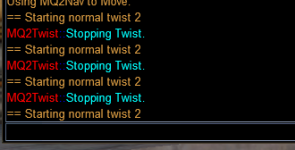
Never mind. Forgot to do a MQP on before the twist off.How do you stop a bard from twisting? I have tried /stoptwist , /twist off and /twist off . With all three I get a conformation MQ2Twist Stopping Twist but then he starts back twisting immediately.
View attachment 61175
same KA as above, all i did was change LOSBeforeCombat=0, ran it a couple times, and switched it back to =1 and now it wont engage for crap while on /chase. Half the time it just stands there and watches and does nothing, the other half its engaging somewhere between 70 and 1% life with autoattack on. Group moves, and it will follow, but not always engage in combat.
It could be a couple things. Post your ini file and I am sure we can find a fix.Bard will chase, it will turn on attack, but it will not nav to the mob, stick, or attack while chasing. Will straight up stand there until combat is over or I force it within combat range manually.
I have, its above. I made no changes.It could be a couple things. Post your ini file and I am sure we can find a fix.
Yes, but they are both like 200. I tried adjusting them both manually in game and nothing helped other than dragging the mob next to the bard.@Myysterio Is your CampRadius Smaller than your MeleeDistance?
Sorry, I must of scrolled past it. Make these changes in your melee and it should fix things. Yes, StickHow=Null will workI have, its above. I made no changes.
Yes, but they are both like 200. I tried adjusting them both manually in game and nothing helped other than dragging the mob next to the bard.
Ive set campradius and melee distance as high as 400 and as low as 40 and it didn't solve my problem. spent about an hour messing with it yesterday.If the character is attacking the mob when the mob comes into melee range, then the only thing I can think of is you need to make sure that CampRadius is less than MeleeDistance. If CampRadius is greater than or equal to MeleeDistance then the character will NOT move to the mob. That is by design, so check your settings. Just to test I would set CampRadius=35 and MeleeDistance=75 and increase MeleeDistance if needed. Another thing to consider is when you are in chase mode. When in chase mode the characters current .X, .Y, .Z is used as their Camp Location, and when checking if the character is ready to move to the mob, before attacking, is determined based on the Mobs position/distance from the MA. When the mobs is CampRadius close to the MA then the character should move to engage. When ReturnToCamp is on ChaseAssist should be off, and when ChaseAssist is on ReturnToCamp should be off. There is only one situation where both ReturnToCamp and ChaseAssist should both be off and that is when using the /waithere command. But never should both ReturnToCamp and ChaseAssist be on at the same time. If you are using the /waithere command. Then you should be using either the /chase or /camphere commands to recover.
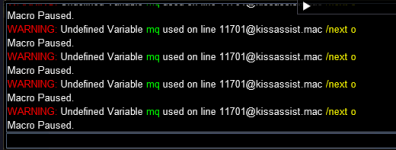
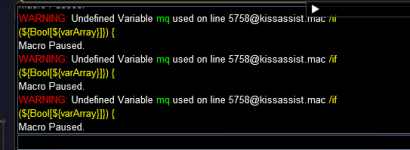
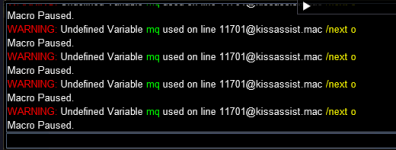
this means you have *something* using "mq" as a variable like ${mq} --- this is often something in boxhud, or mq2hud or something else like thatEvery time I try to start kissassist I'm getting this type or error Undefined Variable mq used on line... The line number changes ever time I restart the macro. I will post a few examples. I have tried taking a few Bard ini files out of the repository and trying a few version I have in backup files nothing seem to help.
I have taken everything out of my ingame.cfg and restarted. It's still happening is there any way to see what is currently running on a toon.this means you have *something* using "mq" as a variable like ${mq} --- this is often something in boxhud, or mq2hud or something else like that
I have the same issue and i dont have mq2custombinds on... not sure if someone did something automatically behind the scenes, but i still have the problem :/@Sic @ Ctaylor22 Thank you both for the quick response.
It looks like it was something with mq2custombinds.
Problem went away after I unloaded this plugin.
Reloaded my macroquest.ini from a backup and restarted with mq2custombinds running and everything is good now.