
-
 Hail, we're RedGuides. We want you to play six (yes, 6!) EverQuest characters at once. We have scripts and a friendly community to help, please join our playstyle and say hello! 👋
-
 We've added LLM sections to our Terms & Rules and Resource Rules, for everyone's sanity & in-game safety.
Read more
a. Do not replace your voice with an LLM. This goes for your posts and your scripts. Drafting and editing with a tool is fine, but don't take you out of what you share.
b. Do not replace your EQ character's voice with an LLM. We don't want scripts that speak over/ooc,/shoutor other public channels. This has been an unwritten rule that's kept casino scripts off the site for decades, but we're now compelled to make it clear: keep automated communication private.
Why Does RG Review Scripts?
Nearly every LLM-written Lua script we see is making your character do impossible things, and rarely in a way that's beneficial to you. We've seen heavy server hammering,/targetover impossible distances when/nav spawnwould passively accomplish the same thing, a spawn search that fires 20+ times per second, and other pointless actions that are likely annoying GMs.
You are welcome to use LLMs as a tool to structure, draft, and edit your work, but please read critically before hitting/lua run
You are using an out of date browser. It may not display this or other websites correctly.
You should upgrade or use an alternative browser.
Question - I have a (few) problem(s)
- Thread starter Biggles
- Start date

what do you mean "switch button"?so im noticing a problem where whenever I switch between my characters one of them crash using the switch button
are you running anyone in fullscreen? i would recommend *not* using fullscreen
ok switched the fullscreen and working perfectly thank youwhat do you mean "switch button"?
are you running anyone in fullscreen? i would recommend *not* using fullscreen

Autumn
Well-known member
in the YouTube video he says make a hotkey that switch between the screens, and ya I was using full screen that must be the problem
whenever I launch the game it automatically puts in fullscreen is there a way to change that?
i must know about this switch button
pls share this video
pls
or the key
at 40 seconds the hot key for the profilei must know about this switch button
pls share this video
pls
or the key
biggles. please stop posting multiple new threads. we're all super happy to help you. you have this thread that folks are responding to, so let folks respond to you here, and if you have new problems we can respond. if you make 5 new threads all over the place, it is very hard to help you responding to the same/similar problems that don't need to be in a specific place - like if you had a macro or plugin specific problem question.
this is a very broad question. can you be a little more specific?so I downloaded everything and have it all setup my main problem is just macros and all that stuff is way beyond my understanding of this so far really just have no clue what im doing lol
the videos that you were watching should take you through getting a kissassist working. you also have some options for "out of the box" setup with > RGMercs <
any macro that you have downloaded you can start by doing a
/mac name for example: for kissassist, the macro is named "kissassist" so you could just /mac kissassist. If you were trying to start pokscribe, once downloaded you would just do a /mac pokscribestart a macro:
/mac macroname where "macroname" is the name of the macro you're trying to startend a macro:
/endmacor just
/endok sorry never used forums like this before use to discord lolbiggles. please stop posting multiple new threads. we're all super happy to help you. you have this thread that folks are responding to, so let folks respond to you here, and if you have new problems we can respond. if you make 5 new threads all over the place, it is very hard to help you responding to the same/similar problems that don't need to be in a specific place - like if you had a macro or plugin specific problem question.
Ok so I’ve been messing with it the past couple of days and I’m liking the mq2mule a lot better then kissassist I like that I’m just able to drag the spells into a bar and let that do all the work for me over the next couple of days I’m gonna try to get me and my shaman a lot higher see what I can do with it

Recently within the last couple patches or switching to MQNext. I have noticed that when I accidentally resize an Everquest window (not full screen) it will crash the toon. Also, been having random toons crashing. Thinking it is something video related.
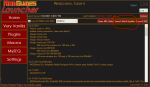
ok thank you so much now my peoples will help outYou should make sure you have mq2nav loaded(/plugin mq2nav load). Then from the Launcher in live Very Vanilla you can click launch mesh updater and that well down load all the current mesh files.
View attachment 31820
the cwtn class plugins are included on test server with your VV lvl 2, on live server they are $20 each per 12 monthsso I switched form the test server to live server and its not letting me use any of the class plugins why is this im typing it in right its just keeps saying can't be loaded
oh ok thank youthe cwtn class plugins are included on test server with your VV lvl 2, on live server they are $20 each per 12 months

Liquid741
Well-known member
Worth every penny.oh ok thank you
oh I definitely agree I just didn't knowWorth every penny.
Users who are viewing this thread
Total: 1 (members: 0, guests: 1)
Share: