hushed
Well-known member
- Joined
- Sep 25, 2021
- RedCents
- 2,623¢
I had to spend some time searching down this solution. The information is out there, but I couldn't find it in a single spot, hopefully this will be helpful to someone else. Documenting also helps me learn it!
To load a Lua, you would use the code:
If you want this Lua to load every time any character enters the game, you will need to create a cfg file, in your config folder.
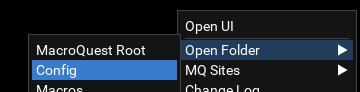
Where should you put that Lua you just downloaded? drop the Lua file in your Lua folder. For me, that's here: \VeryVanilla\MQNext\Release\Lua\.
There are many options when it comes to the config files CFG. Details can be found here: https://www.macroquest2.com/wiki/index.php/CFG_Files.
If you go crazy with adding luas, you might want want to consider adding delays. An example might look like this:
Here is a guide by @Sic:
To load a Lua, you would use the code:
INI:
/lua run *lua name*- Create the file ingame.cfg in your config folder. You can do this with Notepad if you like.
- For me, this can be found here: \\VeryVanilla\MQNext\Release\config\ folder.
- Add the code you want to automatically run when your character gets in game; /lua run lootly in my case.
- Save your new file.
- Load up a character, and see it is now working!
Where should you put that Lua you just downloaded? drop the Lua file in your Lua folder. For me, that's here: \VeryVanilla\MQNext\Release\Lua\.
There are many options when it comes to the config files CFG. Details can be found here: https://www.macroquest2.com/wiki/index.php/CFG_Files.
If you go crazy with adding luas, you might want want to consider adding delays. An example might look like this:
INI:
/timed 50 /lua run lootly
/timed 100 /lua run alertmaster
/timed 150 /lua run somethingfancy
Here is a guide by @Sic:
Last edited: