• Hail, we're RedGuides. We want you to play six (yes, 6!) EverQuest characters at once. We have scripts and a friendly community to help, please join our playstyle and say hello! 👋
  • We've added LLM sections to our Terms & Rules and Resource Rules, for everyone's sanity & in-game safety.
    Read more
    a. Do not replace your voice with an LLM. This goes for your posts and your scripts. Drafting and editing with a tool is fine, but don't take you out of what you share.
    b. Do not replace your EQ character's voice with an LLM. We don't want scripts that speak over /ooc, /shout or other public channels. This has been an unwritten rule that's kept casino scripts off the site for decades, but we're now compelled to make it clear: keep automated communication private.

    Why Does RG Review Scripts?
    Nearly every LLM-written Lua script we see is making your character do impossible things, and rarely in a way that's beneficial to you. We've seen heavy server hammering, /target over impossible distances when /nav spawn would passively accomplish the same thing, a spawn search that fires 20+ times per second, and other pointless actions that are likely annoying GMs.

    You are welcome to use LLMs as a tool to structure, draft, and edit your work, but please read critically before hitting /lua run

Problem - General PC Problem

I have so many programs that I unloaded but still show up on my computer under the A-Z listings I had to unload EQ and everything else.

Can anyone tell me where the files are? Why they still load but won't uninstall or even appear there and how I can get them out? So I can reload EQ! Please. Thanks.
 
Hi Rob,
Do you mean your programs in the Start menu (A-Z)? Do you have Win 10/11? If you have Microsoft Access for example, it will show under A as Access. You can right click the icon and see Uninstall at the bottom of the right click menu. That should help you get rid of some if they did not uninstall properly. In Settings> Apps is best but either works. I'm not understanding what you mean by you unloaded but they still run. If you don;t know where your EQ files are, do a search in C: for eqgame.exe. That would find where eq files are.
 
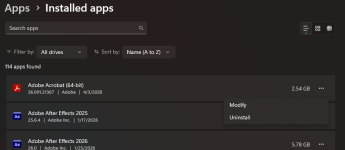
I'm saying I have files in the A-Z menu that load programs. When I right click on them and click uninstall it takes me to the apps menu but the apps don't appear under the apps menu to uninstall. Does that make sense?
 
Assuming Win10?
Sounds looks like uninstalling something and still having it show up on the start menu might be a common thing. Try googling "win10 uninstalled apps still showing on menu"

I'd probably start with this:
 
Usually if i have uninstalled a program and it is still showing up - I will right click on the icon that I am seeing and select go to file location. Most often it is in a temp file location and is just holding there as an icon.
 
I think I figured it out guys. And I feel kinda dumb it took so long. I have a backup SSD card plugged in for storage. It's my D drive. I copied my main C drive to the D drive. So even though erased from one drive they are still on the other.

What I can't figure out is why programs I deleted off my C drive seem to still be taking up so much room. Anyone know a good free drive cleaner or something to free space?
 
I use WizTree to identify where the space is going, and then I delete or uninstall things using that info.

 
I like to point folks to Glary Tools. They have an excellent collection of tools that are free for personal use, and include a "1 click maintenance" button for those not as tech savy as they would like to be. The only real downside is there is no "auto update" for the free version, you have to download and install it each time.

I also recommend using their "software update" (comes with the suite) and "driver manager" that also has an update, in order to keep your programs and drivers current.
 
Problem - General PC Problem

Users who are viewing this thread

Back
Top
Cart