



After taking over a year off, I'm back at it - full on this time. I'm pushing 18 accounts and wanted to share my setup. I have two 32" monitors in which I'm running 1 account on the left and the other 17 on the right. I may throw other key players to the left screen at some point like off-tanks or pullers. Just depends on how I feel. Where is says, "RaidTeam1" is where the name of each toon is. I just changed it for the screenshot. This gives me a visual indicator of who is who. As fars as mix up, I got all kinds of toons running and just focused on leveling up the crew atm. If I need more of 1 class, I'll just PL them as needed.
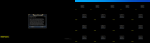
Computer I am running is a custom built machine that I built a few years ago.
Stats:
Proc - Intel Core I7 9700k 8C8T 12MB cache
MB - Asus ROG MAC XI Hero
Mem - Corsair 64GB DDR4 3600
SSD - Samsung SSD 970 Pro 512GB
Graphics - EVGA GeForce RTX 2080 TI
Performance....
Here is an image of my CPU before optimization...
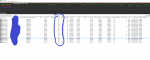
Here is the after. This is only some minor tweaks I got a lot more I can run in addition to some performance plugins that will help...
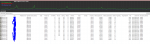
Anyways happy to be back and look forward to hitting it hard again for a while....
Computer I am running is a custom built machine that I built a few years ago.
Stats:
Proc - Intel Core I7 9700k 8C8T 12MB cache
MB - Asus ROG MAC XI Hero
Mem - Corsair 64GB DDR4 3600
SSD - Samsung SSD 970 Pro 512GB
Graphics - EVGA GeForce RTX 2080 TI
Performance....
Here is an image of my CPU before optimization...
Here is the after. This is only some minor tweaks I got a lot more I can run in addition to some performance plugins that will help...
Anyways happy to be back and look forward to hitting it hard again for a while....


