• You've discovered RedGuides, an EverQuest multi-boxing and scripting community 🧙‍♀️⚙️. We want you to play several EQ characters at once, come join us and say hello! 👋

  • A TLP without truebox has thawed (Very Vanilla ready)
    Frostreaver
Very Vanilla MQ (Live Servers)

Vanilla - Very Vanilla MQ (Live Servers) (6 Viewers) 3.1.52471.11

No permission to download
My Nav is not walking me places when I Ctrl+F them. Just giving me the magic path thing like i dont have it up. I loaded mq2nav but its not "navving".

is there something i gotta do to get meshes up or something?

That is the easyfind plugin which I'm sure you've already seen the other thread about already.
 
These are the plugins that weren't loading by default for me, SIC helped me pinpoint them in discord so make sure you load these to get the functionality back that you may be missing after the move.
/plugin mq2targetinfo load
/plugin mq2xtarinfo load
/plugin mq2groupinfo

Perhaps the migration tool should take note if targetinfo is loaded and add entries for loading the other two (if on)?
 
Hi everyone. Working on that list Knightly... One that causes CTD is Mq2DamageMeter ... This one CTD as soon as you do anything (if you can even get it to log in.)

Zeb
Oh, I didn't know mq2damagemeter was distributed... It's a plugin that I made to play with imgui and never really finished.
 
Yeah, I havent been able to get it to load. He said in the video it wasnt live/ready yet.
Something that I think we should note is that no plugin that was compiled against mq2 will work in mq (and vice versa). That means you can't just copy plugin dlls from an mq2 install into an mq install. You need to get the plugin dll that was compiled against mq. So when easyfind is done, it will be a completely different dll.
 
I was just going through the plugins that were showing in the pluginmanager is all ... Seems that it was in both MQ2 and Next...

Zeb
 
So far I have found the following essential plugins are not working anymore? I swear they were working yesterday on my computer, but i was doing tradeskills so its possible i lost it somewhere.
- MQ2yes
- MQ2pvpalerts

Is there a work around? Do i need to redownload them?
 
MQ2Yes was moved to an alias, you can look at the macroquest_default.ini to see what the /yes and /no aliases are.
 
MQ2Yes was moved to an alias, you can look at the macroquest_default.ini to see what the /yes and /no aliases are.

I know all those words, but I'm not sure what the ini is telling me as i dont see yes or accept in here anywhere. I also dont know what I gotta do to "click all" of it anymore.


[/ICODE]
INI:
[MacroQuest]
MacroPath=.\Macros
LogPath=.\Logs
MacroQuestWinClassName=__MacroQuestTray
MacroQuestWinName=MacroQuest2
# setting BossMode=0 disables it.
BossMode=alt+`
# setting CycleNextWindow=0 disables it.
CycleNextWindow=`
# setting CyclePrevWindow=0 disables it.
CyclePrevWindow=0
DebugSpewToFile=0
FilterSkills=0
FilterTarget=0
FilterMoney=0
FilterFood=0
FilterMacro=0
FilterEncumber=0
FilterDebug=0
FilterMQ=0
KeepKeys=1
LaxColor=0
AllErrorsDumpStack=1
AllErrorsFatal=0
HUDMode=UnderUI
MQ2LoadingMsg=0
ExactSearchCleanNames=0
CreateMQ2NewsWindow=1
TimeStampChat=1
BeepOnTells=1
FlashOnTells=1
IfDelimiter=,
IfAltDelimiter=~
NetStatusXPos=0
NetStatusYPos=0
ShowCurrentCamera=1

[ItemDisplay]
LootButton=1
LucyButton=1

[Aliases]
/a=/anonymous
/b=/bazaar
/ba=/bazaar
/c=/consider
/cha=/channel
/d=/duel
/exp=/echo ${Me.PctExp}% experience...
/f=/feedback
/fa=/fastdrop
/g=/gsay
/gmlist=/who all gm
/gu=/guildsay
/hp=/echo Current Health: ${Me.CurrentHPs} -- Max Health: ${Me.MaxHPs}
/key=/keys
/load=/loadspells
/m=/msg
/mana=/echo Current Mana: ${Me.CurrentMana} -- Max Mana: ${Me.MaxMana}
/newif=/if
/npc=/who npc
/r=/reply
/slotid=/echo ${SelectedItem.InvSlot}
/t=/tell
/ta=/tap
/tloc=/echo ${Target.Name}'s Location is ${Target.Y} ${Target.X} ${Target.Z}
/w=/who


[Substitutions]
omg=Oh My God


[Plugins]
mq2ic=1
mq2autologin=1
mq2bzsrch=1
mq2chatwnd=1
mq2custombinds=1
mq2eqbugfix=1
mq2hud=1
mq2itemdisplay=1
mq2labels=1
mq2map=1
mq2targetinfo=1


[Key Binds]
RANGED_Nrm=clear
RANGED_Alt=clear
MQ2CHAT_Nrm=.
MQ2CSCHAT_Nrm=/


[SWho Filter]
Holding=1


[Captions]
MQCaptions=1
Update=35
Player1=${If[${NamingSpawn.Mark},${NamingSpawn.Mark} - ,]}${If[${NamingSpawn.Trader},Trader ,]}${If[${NamingSpawn.Invis},(${NamingSpawn.DisplayName}),${NamingSpawn.DisplayName}]}${If[${NamingSpawn.AFK}, AFK,]}${If[${NamingSpawn.Linkdead}, LD,]}${If[${NamingSpawn.LFG}, LFG,]}${If[${NamingSpawn.GroupLeader}, LDR,]}
Player2=${If[${NamingSpawn.Mark},${NamingSpawn.Mark} - ,]}${If[${NamingSpawn.Trader},Trader ,]}${If[${NamingSpawn.Invis},(${NamingSpawn.DisplayName}),${NamingSpawn.DisplayName}]}${If[${NamingSpawn.Surname.Length}, ${NamingSpawn.Surname},]}${If[${NamingSpawn.AFK}, AFK,]}${If[${NamingSpawn.Linkdead}, LD,]}${If[${NamingSpawn.LFG}, LFG,]}${If[${NamingSpawn.GroupLeader}, LDR,]}
Player3=${If[${NamingSpawn.Mark},${NamingSpawn.Mark} - ,]}${If[${NamingSpawn.Trader},Trader ,]}${If[${NamingSpawn.Invis},(${NamingSpawn.DisplayName}),${NamingSpawn.DisplayName}]}${If[${NamingSpawn.Surname.Length}, ${NamingSpawn.Surname},]}${If[${NamingSpawn.AFK}, AFK,]}${If[${NamingSpawn.Linkdead}, LD,]}${If[${NamingSpawn.LFG}, LFG,]}${If[${NamingSpawn.GroupLeader}, LDR,]}${If[${NamingSpawn.Guild.Length},\n<${If[${NamingSpawn.GuildStatus.NotEqual[member]},${NamingSpawn.GuildStatus} of ,]}${NamingSpawn.Guild}>,]}
Player4=${If[${NamingSpawn.Mark},${NamingSpawn.Mark} - ,]}${If[${NamingSpawn.Trader},Trader ,]}${If[${NamingSpawn.AARank},${NamingSpawn.AATitle} ,]}${If[${NamingSpawn.Invis},(${NamingSpawn.DisplayName}),${NamingSpawn.DisplayName}]}${If[${NamingSpawn.Surname.Length}, ${NamingSpawn.Surname},]}${If[${NamingSpawn.Suffix.Length}~${If[${NamingSpawn.Suffix.Left[1].Equal[,]}~${NamingSpawn.Suffix}~ ${NamingSpawn.Suffix}]}~]}${If[${NamingSpawn.AFK}, AFK,]}${If[${NamingSpawn.Linkdead}, LD,]}${If[${NamingSpawn.LFG}, LFG,]}${If[${NamingSpawn.GroupLeader}, LDR,]}${If[${NamingSpawn.Guild.Length},\n<${If[${NamingSpawn.GuildStatus.NotEqual[member]},${NamingSpawn.GuildStatus} of ,]}${NamingSpawn.Guild}>,]}
NPC=${If[${NamingSpawn.Mark},${NamingSpawn.Mark} - ,]}${If[${NamingSpawn.Assist},>> ,]}${NamingSpawn.DisplayName}${If[${NamingSpawn.Assist}, - ${NamingSpawn.PctHPs}%<<,]}${If[${NamingSpawn.Surname.Length},\n(${NamingSpawn.Surname}),]}
Corpse=${NamingSpawn.DisplayName}'s corpse
Pet=${If[${NamingSpawn.Mark},${NamingSpawn.Mark} - ,]}${If[${NamingSpawn.Assist},>> ,]}${NamingSpawn.DisplayName}${If[${NamingSpawn.Assist}, - ${NamingSpawn.PctHPs}%<<,]}${If[${NamingSpawn.Master.Type.Equal[PC]},\n(${NamingSpawn.Master}),]}
AnonCaption=[${NamingSpawn.Level}] ${NamingSpawn.Race} ${NamingSpawn.Class} ${NamingSpawn.Type}


[Caption Colors]
PC=OFF
PC-Color=ff00ff
PCCon=OFF
PCPVPTeam=OFF
PCRaid=OFF
PCRaid-Color=ff7f
PCClass=OFF
PCGroup=OFF
PCGroup-Color=ffff00
PCTrader=ON
PCTrader-Color=ff7f00
NPC=OFF
NPC-Color=ff0000
NPCCon=ON
NPCClass=OFF
NPCMerchant=ON
NPCMerchant-Color=ff7f00
NPCBanker=ON
NPCBanker-Color=c800ff
NPCAssist=ON
NPCAssist-Color=ffff00
NPCMark=ON
NPCMark-Color=ffff00
PetNPC=OFF
PetNPC-Color=ff0000
PetPC=OFF
PetPC-Color=ffff00
PetClass=OFF
PetClass-Color=ff0000
Corpse=OFF
Corpse-Color=ff0000
CorpseClass=OFF
CorpseClass-Color=ff0000
 
I got it out of the place where i installed MQ. So if its there, then I dont knw where it is.
In the same folder there is a file called macroquest_default.ini that has the aliases, you’re looking at MacroQuest.ini. You can also run the migrator again and it will create the aliases for you, but it will overwrite your ini. Since it looks like your ini is the default, it might be easiest to just run the migrator again.
 
In the same folder there is a file called macroquest_default.ini that has the aliases, you’re looking at MacroQuest.ini. You can also run the migrator again and it will create the aliases for you, but it will overwrite your ini. Since it looks like your ini is the default, it might be easiest to just run the migrator again.
I literally copy and pasted the name off the forums into the search box when looking for it. Its totally macroquest_default.ini

1628097108260.png
 
In the same folder there is a file called macroquest_default.ini that has the aliases, you’re looking at MacroQuest.ini. You can also run the migrator again and it will create the aliases for you, but it will overwrite your ini. Since it looks like your ini is the default, it might be easiest to just run the migrator again.

All my class plugins actually unloaded between yesterday and today. Did something get overwritten?
 
Nothing we do overwrites your macroquest.ini file which is where your plugins would be stored. If you do a download of the build, it WILL overwrite that macroquest_default.ini file with the right values though (I'm assuming that was one copied over from your old install).

You can also click download on the file at the top right of this resource, which will give you a zip file showing you everything we distribute. The default ini file in that is the one that we're talking about having the aliases. These are the default aliases we provide:
INI:
[Aliases]
/tloc=/echo ${If[${Target.ID},${Target.DisplayName}'s Location is ${Target.Y} ${Target.X} ${Target.Z},You do not have a target!]}
/yes=/multiline ; /squelch /notify LargeDialogWindow LDW_YesButton leftmouseup ; /squelch /notify LargeDialogWindow LDW_OKButton leftmouseup ; /squelch /notify ConfirmationDialogBox CD_Yes_Button leftmouseup ; /squelch /notify ConfirmationDialogBox CD_OK_Button leftmouseup ; /squelch /notify TradeWND TRDW_Trade_Button leftmouseup ; /squelch /notify GiveWnd GVW_Give_Button leftmouseup ; /squelch /notify ProgressionSelectionWnd ProgressionTemplateSelectAcceptButton leftmouseup ; /squelch /notify TaskSelectWnd TSEL_AcceptButton leftmouseup ; /squelch /notify RaidWindow RAID_AcceptButton leftmouseup
/no=/multiline ; /squelch /notify LargeDialogWindow LDW_NoButton leftmouseup ; /squelch /notify ConfirmationDialogBox CD_No_Button leftmouseup ; /squelch /notify ConfirmationDialogBox CD_Cancel_Button leftmouseup ; /squelch /notify TradeWND TRDW_Cancel_Button leftmouseup ; /squelch /notify GiveWnd GVW_Cancel_Button leftmouseup ; /squelch /notify ProgressionSelectionWnd ProgressionTemplateSelectCancelButton leftmouseup ; /squelch /notify TaskSelectWnd TSEL_DeclineButton leftmouseup ; /squelch /notify RaidWindow RAID_DeclineButton leftmouseup
 
Nothing we do overwrites your macroquest.ini file which is where your plugins would be stored. If you do a download of the build, it WILL overwrite that macroquest_default.ini file with the right values though (I'm assuming that was one copied over from your old install).

You can also click download on the file at the top right of this resource, which will give you a zip file showing you everything we distribute. The default ini file in that is the one that we're talking about having the aliases. These are the default aliases we provide:
INI:
[Aliases]
/tloc=/echo ${If[${Target.ID},${Target.DisplayName}'s Location is ${Target.Y} ${Target.X} ${Target.Z},You do not have a target!]}
/yes=/multiline ; /squelch /notify LargeDialogWindow LDW_YesButton leftmouseup ; /squelch /notify LargeDialogWindow LDW_OKButton leftmouseup ; /squelch /notify ConfirmationDialogBox CD_Yes_Button leftmouseup ; /squelch /notify ConfirmationDialogBox CD_OK_Button leftmouseup ; /squelch /notify TradeWND TRDW_Trade_Button leftmouseup ; /squelch /notify GiveWnd GVW_Give_Button leftmouseup ; /squelch /notify ProgressionSelectionWnd ProgressionTemplateSelectAcceptButton leftmouseup ; /squelch /notify TaskSelectWnd TSEL_AcceptButton leftmouseup ; /squelch /notify RaidWindow RAID_AcceptButton leftmouseup
/no=/multiline ; /squelch /notify LargeDialogWindow LDW_NoButton leftmouseup ; /squelch /notify ConfirmationDialogBox CD_No_Button leftmouseup ; /squelch /notify ConfirmationDialogBox CD_Cancel_Button leftmouseup ; /squelch /notify TradeWND TRDW_Cancel_Button leftmouseup ; /squelch /notify GiveWnd GVW_Cancel_Button leftmouseup ; /squelch /notify ProgressionSelectionWnd ProgressionTemplateSelectCancelButton leftmouseup ; /squelch /notify TaskSelectWnd TSEL_DeclineButton leftmouseup ; /squelch /notify RaidWindow RAID_DeclineButton leftmouseup


So should i just copy + paste the aliases over or just rewrite the entire ini?
 
I can convert PvPAlert, but have you looked at AlertMaster? https://www.redguides.com/community/resources/alert-master.2062/

Kinda looks like what I'm looking for. Does it make noises when a PC enters the zone? I certainly use SpawnMaster all the time, but the audiotrigger for someone entering the zone is a big deal.

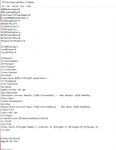
I also dont see any direct instructions. Is the image a list of commands?

It go in the Lua folder? I havent messed with the Lua stuff yet. I was trying to get Next running right first.
 
Bug: MQNext CC always all following chars when I run with my team to the guildhall while the guildhall is not already active.

This happens, when Guildhall has been down and you have to wait for the GH to spin up.
The leading char behaves as normal. All chars autofollowing attempt to zone automatically.
As the waiting time for the guild hall to become active is longer than some internal timeout-threashold all autofollowing chars attempting to automnaticcaly zone into the guildhall freeze and eventually cc. (my wild guess)

When Guildhall-"ini" is already up, it works fine.
When the instance-server has to spin up the guildhall the prolonged waiting time regually cause all following chars to cc.

Server: Life
Version: MQNext
repeatable: always

workaround: do not run to GH with chars autofollowing
 
Last edited:
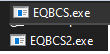
How do I load BCS2 instead of BCS? The option to select BCS2 is greyed out and I cant select it. I've moved the files over to the new directory already.
 
How do I load BCS2 instead of BCS? The option to select BCS2 is greyed out and I cant select it. I've moved the files over to the new directory already.
howdy myysterio,

instead of clicking on eqbcs.exe, you click on eqbcs2.exe

1628175864522.png
 
Bug: MQNext CC always all following chars when I run with my team to the guildhall while the guildhall is not already active.

This happens, when Guildhall has been down and you have to wait for the GH to spin up.
The leading char behaves as normal. All chars autofollowing attempt to zone automatically.
As the waiting time for the guild hall to become active is longer than some internal timeout-threashold all autofollowing chars attempting to automnaticcaly zone into the guildhall freeze and eventually cc. (my wild guess)

When Guildhall-"ini" is already up, it works fine.
When the instance-server has to spin up the guildhall the prolonged waiting time regually cause all following chars to cc.

Server: Life
Version: MQNext
repeatable: always

workaround: do not run to GH with chars autofollowing
I'm not sure what CC means, I assume it means crash, and I've had that happen in legacy (not MQ interestingly). I think it's an EQ bug that doesn't manifest for people who don't use MQ because they don't all try to zone simultaneously. I'm not sure.
 
My toons are auto accepting TLs from my wizard and i have it as =0 in autoaccept. What feature in Next is accepting them?
 
If no one has replied, you can just edit your last post.

So you cant do it from the launcher in the system tray? The option is there, its just greyed out.
I’ll probably finish up EQBCS this weekend and include it so it’s in the launcher. In the meantime you have to launch it manually from your MQ2 directory or copy it manually to your MQ directory.
Also note, my /yes alias isnt working and it makes everyone /nod. Am i doing something wrong here?
Probably. The alias in your MacroQuest.ini should overwrite the built in command. Double check your MacroQuest.ini
My toons are auto accepting TLs from my wizard and i have it as =0 in autoaccept. What feature in Next is accepting them?
Unlikely to be a feature of Next, we didn’t add in anything to automatically accept anything. Might indicate a bug in MQ2AutoAccept if someone else is also having this issue…or it could be configuration. Either way, probably a question in the AutoAccept thread.
 
I’ll probably finish up EQBCS this weekend and include it so it’s in the launcher. In the meantime you have to launch it manually from your MQ2 directory or copy it manually to your MQ directory.

ok, thank you

Probably. The alias in your MacroQuest.ini should overwrite the built in command. Double check your MacroQuest.ini

I was told specifically it would be in macroquest_default.ini... i was not aware it needed to be in the MacroQuest.ini as well... I have added it now. Thank you.

Unlikely to be a feature of Next, we didn’t add in anything to automatically accept anything. Might indicate a bug in MQ2AutoAccept if someone else is also having this issue…or it could be configuration. Either way, probably a question in the AutoAccept thread.

This doesnt happen on standard MQ2.... there's apparently something weird between the autoaccept settings and Next. I swapped back and forth and my toons don't accept TLs without prompting. Awkward.
 
Knightly/danuic/brainiac would you guys be willing to update mq2twist to allow for between cast delays less then 3 secs. Bards are natively at 2.85 at 115 max aa and quick time cuts that down even more
Not sure of the feasibility but maybe have it default to whatever toons base cast time is at the time plus a decisecond modifier in addition that is user defined that allows people to adjust for any lag they have
 
Knightly/danuic/brainiac would you guys be willing to update mq2twist to allow for between cast delays less then 3 secs. Bards are natively at 2.85 at 115 max aa and quick time cuts that down even more
Not sure of the feasibility but maybe have it default to whatever toons base cast time is at the time plus a decisecond modifier in addition that is user defined that allows people to adjust for any lag they have
Put that request here: https://gitlab.com/redguides/plugins/mq2twist/-/issues
 
HI all. I seem to have lost the functions of the group window. I can move it around but that is all. I cannot resize the window and it shows just the group members No buttons just the group of 6. Anyone else having this problem or know what I did wrong ?

Zeb
 
Vanilla - Very Vanilla MQ (Live Servers)

Users who are viewing this thread

Back
Top
Cart