- Seller
- #1,201
I don't speak the King's english...For batch lists is there anyway to get it where you can request items from Dannet other than the materials. I love it for finding subcombines.




/ooc, /shout or other public channels. This has been an unwritten rule that's kept casino scripts off the site for decades, but we're now compelled to make it clear: keep automated communication private./target over impossible distances when /nav spawn would passively accomplish the same thing, a spawn search that fires 20+ times per second, and other pointless actions that are likely annoying GMs./lua run
I don't speak the King's english...For batch lists is there anyway to get it where you can request items from Dannet other than the materials. I love it for finding subcombines.
Fellas, could you provide more elucidation...?I don't speak the King's english...
hats off to you man money well spent! only wish and maybe there is, a option to skillup using one of the recipes till its maxed for that recipe level?

 tenor.com
Sorry, when you make a single combine, you get the opportunity to request the item and subcombines. When you do a batch list, you can only request shopped and banked items.
I was hoping you could add the requesting of item and subcombines for batches as well.
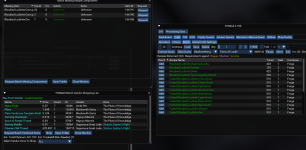
So I'm just doing standard. and had it happen again today. The first go 'round I had 294 superb animal pelts, and was making superb leather wristband templates. I ran through about 260 of them before it stopped combining. I may or may not have had "Skill" checked, as I'm very close to maxing out my skill, but don't recall for certain. Otherwise nothing else was checked or adjusted. So I re-chose select, downed my quantity to the remaining 36, clicked select again and said to craft it. After this is would only do a single combine at a time and then say crafting complete. I tried it 6 times, and each time it did the same thing. So I checked "Continue" and it finished doing the remaining 27 combines, though it did as I stated above, and was much slower to complete them.Standard, Batch, or Artisan, or all of em, recipe, UI? If you have screenshots of the flow that helps also.
Edit: I just made acid wash x2 and it made everything correctly (standard no ui), I also made veggie juice x10 with batch and it performed as expected, also made 10 dunder with batch using light rum, no issues, just did acid wash x4 with UI standard, no issue
What is most likely the culprit, It takes into account inventory. When doing skill ups I typically set skill and destroy. So if your inventory count is 200 and you have 30 pelts left, you would set it to 230. Alternatively selling or destroying will work, and I also believe O/R will ignore your materials count to just go ahead and do it, if you didn't have the required inventory to make the items. Additionally, guessing you had a couple of failures and that is why it would stop, unless continue was on with skill.So I'm just doing standard. and had it happen again today. The first go 'round I had 294 superb animal pelts, and was making superb leather wristband templates. I ran through about 260 of them before it stopped combining. I may or may not have had "Skill" checked, as I'm very close to maxing out my skill, but don't recall for certain. Otherwise nothing else was checked or adjusted. So I re-chose select, downed my quantity to the remaining 36, clicked select again and said to craft it. After this is would only do a single combine at a time and then say crafting complete. I tried it 6 times, and each time it did the same thing. So I checked "Continue" and it finished doing the remaining 27 combines, though it did as I stated above, and was much slower to complete them.
Edit: and in trying to replicate it, I maxed my last 3 skill points to max at 300 before I found a common trigger cause. I'll see if I can find something with one of the other skills I don't have maxed yet, but I have to sleep now.
Perfect, thank you.If there are racial tradeskills as part of the road to 350, this can be set in the prize.db file using DBbrowser, to 1 or 0 , which will skip the recipe and never attempt it, it is global to that PC.
Barbarian and Drakkin, are coming up soon, which will only leave Erudites and Wood Elves, I imagine Wood Elves will be next and then I have to figure out all the clicky pad stuff for Erudian.
A quick look, seems to be needle crafting for cultural for Artisan.. Along with all those symbols, but those are not cultural.
If there are not a butt-ton I can add logic to omit recipes you can't do based on race in Artisan, well even if there are, I flagged 7500+ recipes for cultural..
Step 1 will be only trying recipes your race can make, and getting the NAV logic finished up for the last 4 races.
RedCent for Newt's "Mostly", also for documentation... if I can help somehow..DMI keep saying it, I will say it again, documentation is coming, most of the info is scattered about on this resource, some in the thread, some in the updates, mostly.
View attachment 41525
I was resitant to documentation based on all the dynamic changes, that has slowed down.. somewhat, but like today..RedCent for Newt's "Mostly", also for documentation... if I can help somehow..DM
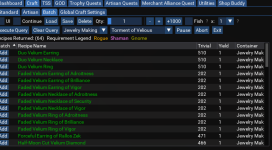
For reasons which I cannot explain nor have a reason for, this is the only skill that is not flagged for TOV.. which is currently being rectified, right now.TOV Jewelcraft recipes seem to be missing for me? Am I doing something wrong, everything else I've checked is there across TOV/COV/TOL.View attachment 41532
Well this is awkward

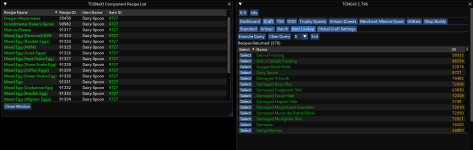
The expansions are only flags, they really have no bearing other than informational, and can be updated.Don't know how relevant this information is, but the Elegant Cultural is listed as SOF/COTF expansions, but on TLPs like Rizlona, they're craftable at TSS expansion. I've tested the porous loam elegant tyrant combines for sure. Next time I'm back in town I'll try the tantalum ore (which I have some of on my characters), as well as the Exquisite Marrow and Animal Pelts, of which I have a few each too.
This is the next release which is coming soon..You got me at figure out and bags
8/22/2022
2.79b - ChangeLog
Added: Omens of War batch flagging
Added: Dragons of Norrath batch flagging
Added: Auto filter to only show cultural items from search faciliity
Added: Barbarian cultural blacksmithing NAV
Read the rest of this update entry...


If you can provide a screen shot, context, or any other details I can research this, unless you may be under the impression it is just a learning thing for the moment? Do you have the specific recipe?I got it today after much debate. I do not do a lot of tradeskills unless forced 8)
I had an issue where I was trying to make some barbs just to skill up... and the toon would run to the bank and drop off his TS stuff and then it would end. Not sure what I did wrong....
I appreciate it, thank you.I was somewhat shocked that when doing the trophy quest he ran to the bank and got stuff I had there instead of buying it... that was really cool.
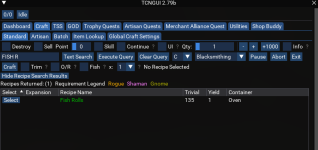
You are killing me... fine, everyone be prepared for unhappy typed/mistyped searches :pI wish there was someplace to type in fish rolls instead of the search thing...
I will provide multiple answers:Adding a request, Sell point is a slider that is difficult in that it jumps from 0 to 14 to 28 etc. Can it have a + and - (like Qty has, see above in your pic) or a type in box? If you have that function to work in a way I don't understand, please explain. thanks JB.
To accomodate these new functions I have increased the width of the TCSNeXt window.. Otherwise I have to break up the groupings and it will look weird..I will provide multiple answers:
My standard answer: You must be poor if you need to sell items under 14pp
My diplomatic answer: We understand your concerns and are working diligently to provide a workable solution.
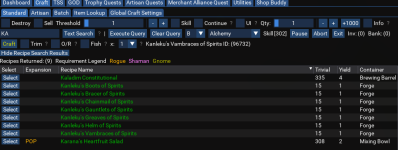
I think I figured out the issue. It was a ME problem / learning curve issue. I was making Tantalum Barbs and I think I told it to make 100. Since I had 100 in my inventory... I think it was trying to tell me I didn't need to make 100....If you can provide a screen shot, context, or any other details I can research this, unless you may be under the impression it is just a learning thing for the moment? Do you have the specific recipe?
I think I figured out the issue. It was a ME problem / learning curve issue. I was making Tantalum Barbs and I think I told it to make 100. Since I had 100 in my inventory... I think it was trying to tell me I didn't need to make 100....
(that is my guess anyway) I have not been able to reproduce the issue.
Y2K.... ugh.... I sat in a support call center from 7pm until 7am the next day waiting on servers to shutdown. We received two phone calls.... someone's wife asking "When is soandso coming home" and a customer saying "We give up , nothing is happening. We are going home now" lol