• You've discovered RedGuides, an EverQuest multi-boxing and scripting community 🧙‍♀️⚙️. We want you to play several EQ characters at once, come join us and say hello! 👋

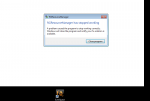
  • A TLP without truebox has thawed (Very Vanilla ready)
    Frostreaver
RedGuides Launcher

RedGuides Launcher (1 Viewer) 1.1.0

No permission to download
roger so what folder would this need to be actually dumped into?

Thanks for all the help btw sic, last question would be is there a spot on the website that has these zips after every patch? I see what yall were saying with bad internet connections. cause its failed twice BUT at least it saves progress so i can always resume during blips.
https://www.redguides.com/community/resources/very-vanilla-mq2-live-servers.61/ is the live resource - and there is the direct "download" button there - that is the link i gave you

the zip is what would be your "release folder" so you can just past the contents of it into your release folder
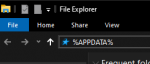
 
I have tried to un-install and re-install several times now but it just flashes on the screen and shuts down? what is going on? I got MQ2 to launch.
 
I have tried to un-install and re-install several times now but it just flashes on the screen and shuts down? what is going on? I got MQ2 to launch.
Sorry to hear you are having troubles

Here are my recommended steps:

1st - try changing your default windows browser and relaunch it - sometimes a browser will get bugged and it won't do the authorization it needs to
2nd - my suspicion is that #1 won't be the fix and you will need to do another re-install of the launcher - but importantly you will want to follow these steps

Code:
Delete  your appdata - paste this in windows explorer search window (any folder) %LocalAppData%\RedGuides  and then delete the contents in that folder
then go to add/remove programs, and remove the redguide's launcher
reinstall the launcher
open launcher
point the re-install to your existing mq2 directory
boom - back in business
treat yourself, you have earned it!
 
When I run the Red Guides Launcher (in admin mode) it closes before I can even click on very vanilla. It just started happening within the last 24 hours.
 
Last edited:
When I run the Red Guides Launcher (in admin mode) it closes before I can even click on very vanilla. It just started happening within the last 24 hours.
Sorry to hear you are having troubles

Here are my recommended steps:

1st - try changing your default windows browser and relaunch it - sometimes a browser will get bugged and it won't do the authorization it needs to
2nd - my suspicion is that #1 won't be the fix and you will need to do another re-install of the launcher - but importantly you will want to follow these steps

Code:
Delete  your appdata - paste this in windows explorer search window (any folder) %LocalAppData%\RedGuides  and then delete the contents in that folder
then go to add/remove programs, and remove the redguide's launcher
reinstall the launcher
open launcher
point the re-install to your existing mq2 directory
boom - back in business
treat yourself, you have earned it!
 
Delete your appdata - paste this in windows explorer search window (any folder) %LocalAppData%\RedGuides and then delete the contents in that folder
1600639864938.png
 
Did the appdata delete again and reinstalled it. If I end up requiring to do this every day then this will be a useless app. I did not happen ever until this last update....
 
Did the appdata delete again and reinstalled it. If I end up requiring to do this every day then this will be a useless app. I did not happen ever until this last update....
do you have spotty internet?

I'm not sure why this happens to folks, but many of the folks i've helped directly with this issue end up being related to spotty internet - or something like random computer restart while the redguide's launcher app is open (due to power interruption, or windows update restart etc).
 
do you have spotty internet?

I'm not sure why this happens to folks, but many of the folks i've helped directly with this issue end up being related to spotty internet - or something like random computer restart while the redguide's launcher app is open (due to power interruption, or windows update restart etc).
Nope, my internet is stable internet. But when I restart my computer I have to do the complete reinstall. I did not have ANY issues with RG until the last patch of RG itself.
 
Nope, my internet is stable internet. But when I restart my computer I have to do the complete reinstall. I did not have ANY issues with RG until the last patch of RG itself.
yeah you mentioned it started happening 24 hours earlier than your sunday post. the RedGuides Launcher didn't have an update to the application itself at that time.
 
yeah you mentioned it started happening 24 hours earlier than your sunday post. the RedGuides Launcher didn't have an update to the application itself at that time.
I updated the launcher I think it was on Friday the 18th. I had left my computer on over night and worked then on Saturday I restarted the computer and since then the RG launcher has had issues any time I restart my computer. Don't know what else it can be. Believe me I am trying to figure it out myself. But time for me to get sleep myself. I do appreciate your help that you have given me.
 
I updated the launcher I think it was on Friday the 18th. I had left my computer on over night and worked then on Saturday I restarted the computer and since then the RG launcher has had issues any time I restart my computer. Don't know what else it can be. Believe me I am trying to figure it out myself. But time for me to get sleep myself. I do appreciate your help that you have given me.
are you exiting the launcher cleanly before re-starting or are you just restarting the computer? I ask because of me mentioning that other folks I've helped with this exact issue frequently have "not exiting the program" in common.

Now don't take that as me saying you're *doing* anything wrong. I don't think that should be an error that is known and unaddressed, but just trying to eliminate reasons for you to have problems until @r1pt1de has a chance to look into some of the launcher things.

I definitely understand and apologize for your frustration, it would annoy me to no end - so i totally get where you're coming from.

on any given week (particularly when there is a new RG update - because that's when people re-fire up the launcher) I end up either directly 1:1 by pm or remoting in to help fix this issue for anywhere from 0 to 5 people, which is why I'm keenly aware of how annoying this particular issue is.

thanks for sticking with it Kalvinfe - hollar if i can help
 
are you exiting the launcher cleanly before re-starting or are you just restarting the computer? I ask because of me mentioning that other folks I've helped with this exact issue frequently have "not exiting the program" in common.

Now don't take that as me saying you're *doing* anything wrong. I don't think that should be an error that is known and unaddressed, but just trying to eliminate reasons for you to have problems until @r1pt1de has a chance to look into some of the launcher things.

I definitely understand and apologize for your frustration, it would annoy me to no end - so i totally get where you're coming from.

on any given week (particularly when there is a new RG update - because that's when people re-fire up the launcher) I end up either directly 1:1 by pm or remoting in to help fix this issue for anywhere from 0 to 5 people, which is why I'm keenly aware of how annoying this particular issue is.

thanks for sticking with it Kalvinfe - hollar if i can help
Will do and thanks again!
 
I have this problem since I got my new PC (Windows Home edition, 16 GB RAM, Intel i9, GTX2080 super - drivers up to date):

When I clicked on the RedGuidesLaunchers icon, it will open the Redguide window, but only for a few seconds, and disappear.

So I have to use the MacroQuest2 exe file to launch MQ2 without the nice utilities that comes with the Launcher. For each update, I have to download MQ2 manually and replaced the files in the Redguides folder.

I have no issue with the RedGuidesLaunchers on my other PC. I am able to start the Launchers and it stay open for me to update, launch MQ2, etc.

Any help please?
 
could be something with it trying to get your login in the browser thingy. Check that your default browser is the same as the one you are logged in to RG with
 
I have this problem since I got my new PC (Windows Home edition, 16 GB RAM, Intel i9, GTX2080 super - drivers up to date):

When I clicked on the RedGuidesLaunchers icon, it will open the Redguide window, but only for a few seconds, and disappear.

So I have to use the MacroQuest2 exe file to launch MQ2 without the nice utilities that comes with the Launcher. For each update, I have to download MQ2 manually and replaced the files in the Redguides folder.

I have no issue with the RedGuidesLaunchers on my other PC. I am able to start the Launchers and it stay open for me to update, launch MQ2, etc.

Any help please?
If the launcher had worked before but is now crashing on startup, open file explorer and go to %LocalAppData%\RedGuides and delete the folder ResourceManager
 
If the launcher had worked before but is now crashing on startup, open file explorer and go to %LocalAppData%\RedGuides and delete the folder ResourceManager

Redbot, You are my saver. Deleted the ResourceManager in my Redguides folder and got it working ! Thanks a bunch.
 
Starting the Launcher it declaread to have downloaded an update. After I confirmed, the Update seemingly has been processed. Now the Launcher starts, but after a second or 2 it closes itself.
Using the donwloadbutton here at this site and starting the msi, selecting "repair" did not solve the problem. Launcher does not work anymore.
 
Last edited:
At a last attempt I tried to uninstall the Launcher using the msi. After that I Installed the Launcher from scratch. Nothing solved.
The Launcher popps up for a Moment, than it closes and disappears.
Pls help.
 
Last edited:
Phuu ... scrolling back I found the description which helped:

Delete your appdata - paste this in windows explorer search window (any folder) %LocalAppData%\RedGuides and then delete the contents in that folder
then go to add/remove programs, and remove the redguide's launcher
reinstall the launcher
open launcher
point the re-install to your existing mq2 directory
boom - back in business


After that part I had to reinstall MQ2 and the other plugins not part of vanilla within the Launcher and I was back in the game.
It would have been great, if the update-process from the last version to the actual would have the delete of Appdata included if that step is needed.
But altleast I wasn't the first with that problem and could find the solution. I am so used to this nice Launcher, that I don't even remember how to start mq2 manually. I was lost ;)
 
Last edited:
The next time someone gets the error of the Launcher not opening, please don't attempt to fix and instead ping me or @r1pt1de as we'd like to run some experiments on you. You can also opt-out and do the fix above.
 
It is getting to the point where EVERY DAY I am having to clear the launcher. Kind of annoying.
 
It is getting to the point where EVERY DAY I am having to clear the launcher. Kind of annoying.
would you mind pinging @Redbot or @r1pt1de and seeing if they can get some information that might help track down the issue
 
I haven’t played in a few days and when I went to log in tonight the launcher said it had an update. I let it update but now it gets to the log in screen and stops. It has the username but the password is blank. I type in the password and hit login but I get an error message telling me the username or password is incorrect. I know the password is correct because I can log in with no problems using the EQ launcher.
 
Ok, I got logged in. I had to rightclick and edit each profile. I opened it, clicked save, and closed it. I did that with all the toons in the group I wanted to log in. I was able to log in with no issues after that.
 
would you mind pinging @Redbot or @r1pt1de and seeing if they can get some information that might help track down the issue
will do that the next time I have issues. (Was half asleep when I logged in this morning and had to redo the appdata clearing and missed this request) It averages about every OTHER log in lol. Still really enjoy the program.
 
@Redbot or @r1pt1de good morning! Yesterday I launched RedGuides Launcher without issues. This morning had to do the %LocalAppData%\RedGuides delete and reinstall. I did make sure that the login was going through the correct browser as well. Any thoughts on what to do? oh and also I don't want to sound like a grump lol because I am not. Honestly just scratching my head wondering why this is happening. Thanks again!
 
@Redbot or @r1pt1de good morning! Yesterday I launched RedGuides Launcher without issues. This morning had to do the %LocalAppData%\RedGuides delete and reinstall. I did make sure that the login was going through the correct browser as well. Any thoughts on what to do? oh and also I don't want to sound like a grump lol because I am not. Honestly just scratching my head wondering why this is happening. Thanks again!
We just need a condition where you can repeat it each time. Do you close the program out each time you run it? Do you leave it running before a reboot? Do you have antivir?
 
Hello All - so I still cant get this to work - it stopped working back in august - I tried for a week (prolly really 5 days in a row) never got it to work. Just took a break till today. So I followed all the instructions from the beginning that are listed here and I still cant even get the launcher to open after I DL it. Any suggestions please? @Redbot or @r1pt1de
 
Last edited:
I'm not positive where to post this question but I am having an issue with the launcher crashing. I have tried installing it in the directory that it chooses, and then uninstalled and deleted all files and tried installing in other directories (Main file in C drive, program files, and even in a folder on the desktop. operating system is Windows 7. any ideas on a fix and if not, is there a way to cancel the membership? I"m not sure what else I can do to fix this. My membership works on my computer but the year membership I bought my brother is currently being wasted.
 

Attachments

  • Capture.PNG
    Capture.PNG
    20.1 KB · Views: 11
We just need a condition where you can repeat it each time. Do you close the program out each time you run it? Do you leave it running before a reboot? Do you have antivir?
Ah thank you for getting back to me :) When I log out of EQ I /unload first. Then I exit MQ2 followed by closing RGL and the standalone server. I do have an antivirus. However I have RGL as an exempted folder to prevent it from causing any issues.
 
Ah thank you for getting back to me :) When I log out of EQ I /unload first. Then I exit MQ2 followed by closing RGL and the standalone server. I do have an antivirus. However I have RGL as an exempted folder to prevent it from causing any issues.
Oh, also, I run RGL as admin and even open Mozilla Firefox prior to trying to run RGL. Some days it works just fine, others I have to do the %LocalAppData%\RedGuides reset instructions. Also RGL and MQ2 load different versions of my profile lists whenever I redo the install. (not all log ins are posted when I try to log into EQ either). I still enjoy it just trying to help figure out the cause. lol. The antivirus is Trend Micro Internet Security.
 
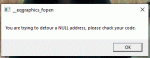
oh and also got this when it logged into some of my accounts
 

Attachments

  • additional issue.GIF
    additional issue.GIF
    11.1 KB · Views: 12
RedGuides Launcher

Users who are viewing this thread

Back
Top
Cart