
-
 Hail, we're RedGuides. We want you to play six (yes, 6!) EverQuest characters at once. We have scripts and a friendly community to help, please join our playstyle and say hello! 👋
You are using an out of date browser. It may not display this or other websites correctly.
You should upgrade or use an alternative browser.
You should upgrade or use an alternative browser.

RedGuides Launcher (5 Viewers) 1.1.0
- Thread starter r1pt1de
- Start date

r1pt1de updated RedGuides Launcher - Beta with a new update entry:
QoL Fixes
Read the rest of this update entry...
QoL Fixes
- Plugins and Macros tabs will no longer reprocess the entire list of available things every time a resource is installed/updated. Instead it will update the last installed date and sort the currently displayed resources only. To reprocess the entire list click the refresh button
- Per request clicking on the resource names in the Plugins and Macros tabs will now open up the users default browser and navigate to the RedGuides Forums post for the given resource.
Read the rest of this update entry...

I have added a few macros and plugins to the watch in the updater. Some of the macros show up ( not sure if all of them do will need to check this) none of the plugins show up in the updater.
"Watch" only works for macros at this time. The reason is that almost none of our plugin resources hold anything downloadable, save for a few paid ones.
The good news is that you already have all those plugins downloaded and updated in your very vanilla folder.
Sweet thank your1pt1de updated RedGuides Launcher - Beta with a new update entry:
QoL Fixes
Read the rest of this update entry...
I will check it out tonight
"Watch" only works for macros at this time. The reason is that almost none of our plugin resources hold anything downloadable, save for a few paid ones.
The good news is that you already have all those plugins downloaded and updated in your very vanilla folder.
What Red says is true
 . To be a little more specific, here are the criteria for an item to show up in the launcher:
- You must have access to the resource. Level 2 for private macros/plugins, and active payment for paid resources
- The item must have an actual file to download that is hosted on the RedGuides forum locally. Externally linked downloads don't work with the Launcher at this time.
- Plugins that are included in the Very Vanilla Install do not have locally hosted downloads and therefor wont show in the launcher (but they are already included.... :P)
- Macros, and other resources that are NOT plugins, have to be watched on the forums to show up in the list.
- We show all plugins that meet the above criteria without watching, cause there is like a total of 8 :P. Macros on the other hand are extremely numerous so we wanted a way to filter it until we have the time to implement something a little better

I have a slew of plugins I'm watching that do not show up in the plugins tab, and several I'm not watching that do show up. Ideas?
Maybe because they're part of VV? like MQ2Status jumps out at me, and I see mq2rogue and zerker, but not warrior or eskay?
The window is not re-sizeable, but the macros page especially is wider than the space available. nit-picky, but I'd rather not have to scroll right to find the install button
Maybe because they're part of VV? like MQ2Status jumps out at me, and I see mq2rogue and zerker, but not warrior or eskay?
The window is not re-sizeable, but the macros page especially is wider than the space available. nit-picky, but I'd rather not have to scroll right to find the install button
I have a slew of plugins I'm watching that do not show up in the plugins tab, and several I'm not watching that do show up. Ideas?
Maybe because they're part of VV? like MQ2Status jumps out at me, and I see mq2rogue and zerker, but not warrior or eskay?
"Watch" is only for macros at this time. We need to update the wording on that for less confusion.
r1p explains in more detail here at post 47:
Are you using bitdefender by any chance, or another antivirus?Just installed the launcher, it freezes when verifying installation location.
Love The Launcher so far Cannot wait till my eqwire gets updated when the rest does.
You can use it for that now, it's working on all flavors of Very Vanilla

We just haven't forced everyone on Live to switch over yet.
Just microsoft essentialsAre you using bitdefender by any chance, or another antivirus?
Is this something you can repeat, or did it just happen once?Just microsoft essentials
"Is this something you can repeat, or did it just happen once?
I can repeat it, once i located my mq2 folder and hit install, nothing happen, just have the message at bottom:" Installing Macroquest2: Verifying Installation Location" forever

I can corroborate that it does "appear" to lock up. I installed it on my desktop last night and it doesn't have an active installation meter, so there's no indication that it's just taking awhile to do the install. It eventually finished, but it was a looooooong wait.
Perhaps future low-priority request: Have some sort of 0-100 progress meter? [Figure low-pri as it'll be a lot of work for something that will be UX enhancing while we're still getting all the functional kinks worked out]
The plugins do not auto update with VV "yet". I am working on adding this in.I have been using rg updater Since beta Launched Redbot and it has never once autoupdated my eqwire for me when it does VV i have to manually Click update. On the plugins tab.
I can corroborate that it does "appear" to lock up. I installed it on my desktop last night and it doesn't have an active installation meter, so there's no indication that it's just taking awhile to do the install. It eventually finished, but it was a looooooong wait.
I am working on a progress bar for the installs as well.
It is wiping config files again on the Test version.
Same files? It is set up to ignore all ini and cfg files now if they already exist. I will double check and make sure the logic is correct, but I tested this quite a few times and it was doing as intended.
Looking in to this now."
I can repeat it, once i located my mq2 folder and hit install, nothing happen, just have the message at bottom:" Installing Macroquest2: Verifying Installation Location" forever

drawthow
Well-known member
I think I had the same problem fixed it by pointing to the folder that the MacroQuest2.exe was in not the top-level folder of the MQ2 directory.Looking in to this now.

r1pt1de updated RedGuides Launcher - Beta with a new update entry:
Some logging and status message updates to try and track down some reported issues
Read the rest of this update entry...
Some logging and status message updates to try and track down some reported issues
Unfortunately RestSharp (the rest client library I am currently using) does not have the functionality to report progress for the downloads themselves. I will likely...
- Added extra status messages to the Very Vanilla install process
- Added logging to the entire Very Vanilla install process
- Added a new setting to set the logging level
- Added a couple more status messages to the plugin load
- Optimized the plugin load as much as I could given the current XenForo API
Read the rest of this update entry...
r1pt1de updated RedGuides Launcher - Beta with a new update entry:
Extra logging for VV Install
Read the rest of this update entry...
Extra logging for VV Install
Added a few extra logging lines for the install process based on file type and whether or not the target file exists.
Read the rest of this update entry...

@toadwart @MrPatate @bb4 New version up with some extra logging and such. Got the status messages as best I can right now given the XenForo API and RestSharp functionality issues. If you are still having issues, go to the settings tab, change logging level to Full and then try again. This will output a logfile to the \logs folder in the launcher install directory. Send that to me in discord or PM here or such.
@r1pt1de do you know if you have the ability to show how much time left is on a users RedGuides Subscription? That would be nice to see, maybe below or next to the user name on the top of the Launcher?
Just passing out an idea....
Will have to see if that is actually available in the API. Will let ya know asap.
Feedback from a PM,
Hey Red, I downloaded the new launcher, its very cool!
Only thing I dislike, I cannot tell what versions I've downloaded, but i'm sure that's coming in with that updates on the patch notes ect. I just couldn't tell when the last time Test was updated. I was trying to check a few things out there first, but I think we the beta for the expansion going on; there will just be so many updates to try and keep up.
Downloaded the updater/new launcher yesterday, I logged in with no problems. I then swapped it to test, tried to log into test, said I had the old version, I double checked to make sure the launcher was set to test, looks like it was. I'm just assuming with all the beta changes going on for the expansion, its a lot of work to keep up. Anyhow, today; I went to log into the game, and my autologin wasn't working. I checked the launcher, it said I was up-to-date, and its was on live, but nothing had changed except the launcher. I went ahead and used the old way Updater, which it looks like it needed to be updated, so I updated it. I tested my autologin, and now its working properly.
I hope this information is useful/helpful in some way. Thanks all, I do really like the new launcher great work!
I forgot to mention, I was able to recreate this same issue!
I hope this information is useful/helpful in some way. Thanks all, I do really like the new launcher great work!
I forgot to mention, I was able to recreate this same issue!
Downloaded the updater/new launcher yesterday, I logged in with no problems. I then swapped it to test, tried to log into test, said I had the old version, I double checked to make sure the launcher was set to test, looks like it was. I'm just assuming with all the beta changes going on for the expansion, its a lot of work to keep up. Anyhow, today; I went to log into the game, and my autologin wasn't working. I checked the launcher, it said I was up-to-date, and its was on live, but nothing had changed except the launcher. I went ahead and used the old way Updater, which it looks like it needed to be updated, so I updated it. I tested my autologin, and now its working properly.
I hope this information is useful/helpful in some way. Thanks all, I do really like the new launcher great work!
I forgot to mention, I was able to recreate this same issue!
Are you working with Live or Test? I see mention of both server types? Also, can you let me know what version of the launcher you currently have? It is listed on the Settings tab of the launcher.
- Make sure you are on the latest version of the launcher.
- Make sure the paths for your Very Vanilla installs are correct on the settings page. This should be the folder that your original MacroQuest2.exe file is located in. Most people have Very Vanilla installed to a "Release" folder (i.e. C:\Users\User1\Desktop\MQ2\Release)
- Update Very Vanilla for your selected server type from the VV tab (even if it says you installed after the latest version)
- If it is still not working, change the log level on the settings page to Full and try to update Very Vanilla again (log level is only available in the latest version)
- This will create a log in the logs folder for the Launcher (default directory is C:\ProgramData\RedGuides\DesktopUtility\logs)
- Send that file to me either in a PM here on the forums, or in Discord.
Are you working with Live or Test? I see mention of both server types? Also, can you let me know what version of the launcher you currently have? It is listed on the Settings tab of the launcher.
- Make sure you are on the latest version of the launcher.
- Make sure the paths for your Very Vanilla installs are correct on the settings page. This should be the folder that your original MacroQuest2.exe file is located in. Most people have Very Vanilla installed to a "Release" folder (i.e. C:\Users\User1\Desktop\MQ2\Release)
- Update Very Vanilla for your selected server type from the VV tab (even if it says you installed after the latest version)
- If it is still not working, change the log level on the settings page to Full and try to update Very Vanilla again (log level is only available in the latest version)
- This will create a log in the logs folder for the Launcher (default directory is C:\ProgramData\RedGuides\DesktopUtility\logs)
- Send that file to me either in a PM here on the forums, or in Discord.
I was on live checking out stuff, then I swapped over to beta, as I just returned too the game, I wanted to check out my group setup ect (if I die on test idc). Anyhow, it worked for just that one time trying to log into live. Once I swapped to test, it wasn't allowing me at all, saying my version was out dated. Also, it replaced my test updater with the new launcher, which is fine, but I was unable to check what update I had at the time to confirm. I updated with the original updater for Live, and it fixed my live situation, but Test is still something it will not work on. I will continue to report back any issues, I really do like this new launcher!
1. I downloaded the launcher two days ago, and updated both live and test.
2. The paths are setup correctly, in the original MQ2 File location, something I double checked before reaching out to RedBoT.
3. I did so, and it was for CT/Test.
4. I will try this as soon as I can. Under Construction. 5/6 will get to you as soon as I can.
I have a question on the Plugin list, in what determines which plugins show in this list? It's currently listing 5 plugins, 3 of which I've never used. One of them at least is a paid plugin that I don't have. Is there a way to define what plugins we're watching for updates? What would be really nice from my perspective is that I'd like an ini file or some other way to identify the plugins I want to watch for updates. It would also be nice to have the plugins I want to watch have an "update all" option and auto-update for any new plugins, rather than clicking "update" on each one.
Update all is coming, as well as an option to auto-update plugins when updating MQ2 for a given server type.I have a question on the Plugin list, in what determines which plugins show in this list? It's currently listing 5 plugins, 3 of which I've never used. One of them at least is a paid plugin that I don't have. Is there a way to define what plugins we're watching for updates? What would be really nice from my perspective is that I'd like an ini file or some other way to identify the plugins I want to watch for updates. It would also be nice to have the plugins I want to watch have an "update all" option and auto-update for any new plugins, rather than clicking "update" on each one.
I will look at the logic thats being used for displaying the list of plugins. The way it is "supposed" to be working is this: If the plugin has a download that is hosted as a resource on the forums, AND the plugin is not included as part of Very Vanilla, AND you are authorized to download that plugin, then it will show. If you had purchased ALL of the paid plugins, i think there is only a total of like 8 plugins that would show. Can you shoot me a screenshot of the list you are seeing?
r1pt1de updated RedGuides Launcher - Beta with a new update entry:
Update All and then some
Read the rest of this update entry...
Update All and then some
- Added Update All button to Plugins tab (will add to Macros tab next version)
- Added option to update all installed plugins when updating Very Vanilla (for those not included in VV)
- Plugins list should now only show plugins you have access to
- The app will now check for app udpates on launch and notify if a new version is available
- Very Vanilla, Plugins, and Macros tabs will now populate on program launch, instead of the first time you navigate to that screen
Read the rest of this update entry...
r1pt1de updated RedGuides Launcher - Beta with a new update entry:
Dont show up to date box on launch
Read the rest of this update entry...
Dont show up to date box on launch
- The dialog for latest version already installed will no longer show on application launch
Read the rest of this update entry...
r1pt1de updated RedGuides Launcher - Beta with a new update entry:
Formatting on the Plugins and Macros pages
Read the rest of this update entry...
Formatting on the Plugins and Macros pages
- Updated the formatting on the list items for the Plugins and Macros pages
Read the rest of this update entry...
When on the macro page and you install a file (despite the fact I actually already had cskillup in my directory it said I could "install" it) it will take it to the top of the list and update the last downloaded date, but the icon to the right still lists as "install". It did update correctly when I closed and reopened the launcher however.
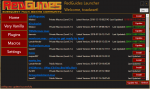
When I update the launcher on the settings page, there's no indicator that anything is happening and as it takes about 45 seconds to download on my end there's going to be confusion as to whether it's actually updating or not until you get the popup window saying it's downloaded.
And to re-iterate what I stated in discord, this update did seem to fix showing paid plugins I don't currently own, in terms of not displaying them.
When I update the launcher on the settings page, there's no indicator that anything is happening and as it takes about 45 seconds to download on my end there's going to be confusion as to whether it's actually updating or not until you get the popup window saying it's downloaded.
And to re-iterate what I stated in discord, this update did seem to fix showing paid plugins I don't currently own, in terms of not displaying them.
Users who are viewing this thread
Total: 6 (members: 0, guests: 6)
Share: