• You've discovered RedGuides, an EverQuest multi-boxing and scripting community 🧙‍♀️⚙️. We want you to play several EQ characters at once, come join us and say hello! 👋

  • A TLP without truebox has thawed (Very Vanilla ready)
    Frostreaver
Overseer Automation

Release Overseer Automation 1.9

No permission to download
How would I run this with other macros like kissassist or rgmerc? I have gathered that I would need something like Overseer.inc and to add it to the beginning of those macros. Or is there another way?

Well after 17 years of using MQ2, I finally broke down and jumped into RedGuides. I created my account here in 2005, but I continued to hang out in the MQ2 forums all these years. Anyway, after perusing the RedGuides forms, I found this fantast macro and like how the code was structured. Very nice work GoldenFrog /salute.

To your question Gator, it's pretty easy to adjust this macro to be called by a more "passive" macro like a Buff Bot or a Bazaar macro. You probably don't want to be calling this macro from a more active macro that you may be using to help assist your hunting. Overall, you are on the right track that you need to adjust this macro turning it into an include (.inc), there may be other techniques, but I found this worked for me.

1) Change the macro from Overseer.mac to Overseer.inc

2) Comment out #turbo 50 and #warning at the top of Overseer.inc. I am assuming you may already have this in what will be your calling macro (i.e., the macro that is going to call Overseer).

3) In Overseer.inc, rename Sub Main to Sub Overseer (or some subroutine name you prefer)

4) Comment out the countdownLoop (from the tag :countdownLoop all the way to /goto :countdownLoop). You want this macro (now a subroutine) to release (/return) control back to your calling macro and not sit there looping over and over waiting to run again.

5) Change all occurrences of /endmac and /endmacro to /return. You don't want Overseer to "end" but return control to your calling macro. Personally I don't generally place /endmac commands throughout a macro but instead I create an endmac type subroutine (i.e., an error and/or exit routine). If I want to end the macro or do something else if a significant problem occurs, I /call my exit routine which might address the error or simply /endmac.

6) Create a calling routine in your calling macro's "main loop" (i.e., /call Overseer). Now you can (should) be smart (elegant) about it and include some kind of timer so you don't end up calling Overseer over and over. You want Overseer to run through all its steps then return control back to your calling program. One method is to use a countdown timer to call Overseer every xx minutes. To give you an idea, here is a little snippet assuming a 12 hour (plus 10 minute) countdown (this assumes /declare overseerTimer timer outer 0).

INI:
    /if ( !${overseerTimer} ) {
        /echo Calling Overseer
        /call Overseer
        /varset overseerTimer 730m
        /echo Returned from Overseer
    }
 
Last edited:
This is excellent! Any chance this can be made into a plugin that just does these automatically every X number of hours? I would definitely donate to that cause

The key issue there is how disruptive it is. As it stands, you can't fight, travel, or even or even travel while this is going on. You wouldn't want this to kick off at any random point. Be really careful with that.
 
The key issue there is how disruptive it is. As it stands, you can't fight, travel, or even or even travel while this is going on. You wouldn't want this to kick off at any random point. Be really careful with that.

It is disruptive (due to the screen real estate it takes up), but I wonder how much smoother it would run as a plugin vs a macro.
 
It is disruptive (due to the screen real estate it takes up), but I wonder how much smoother it would run as a plugin vs a macro.
its really not the macro, I think. I get the same freeze when I do it manually. It the response from the game server?
 
Sorry I haven't read all 17 pages, what I have seen looks great, but I didn't see any mention the first couple or last couple pages of buying early completion with DBC. Is that an option or even possible? I routinely do this as long as I have the dbc, to either get xp faster or collections faster I do 10 12-24 hr tasks every 12 hrs.
 
Sorry I haven't read all 17 pages, what I have seen looks great, but I didn't see any mention the first couple or last couple pages of buying early completion with DBC. Is that an option or even possible? I routinely do this as long as I have the dbc, to either get xp faster or collections faster I do 10 12-24 hr tasks every 12 hrs.

It may be possible. The script definitely doesn't do it yet.
I will say that kinda thing would make me nervous... automating the expenditure of DBC... >shiver<.
 
It may be possible. The script definitely doesn't do it yet.
I will say that kinda thing would make me nervous... automating the expenditure of DBC... >shiver<.
I understand that...but it only costs like 2 to 70something each(I've paid to complete 24hr tasks immediately and surprised how cheap), not in the three digits, and is always limited to 10 every 12 hours- 5 if your first set is completed before you run it.

The paying helps with timing, or lack thereof. If you set 12hr tasks to run at 10am but at 9pm you wanna run it and go to bed, paying to finish is about a quarter altogether, and allows you to go to bed on time lol.

Definitely wouldn't pay to get an unavailable agent back, that's as much as buying a new one.

Could be optional lines people have to manually add, not included by default, so no one can do it on accident.
 
Last edited:
i tried running thise twice now. well three times but only the first successfully.
I downloaded and ran on one toon (who i had no priorities beyond xp and recruit so i just ran as is). This worked fine, and fast, except that it ran one quest i'd have never run due to how low the success % was (low 70s) so I went to do some tweaking.
I then took that character's ini and copied it and saved as the next char's ini with some tweaking..but i keep getting this error:
General>QuestPriority>Priorities is invalid
and then it ends macro. I've tried changing that section a couple times, but idk what min and max parameters only the names of them...
What i want is to prioritize all 24hr quests first because they are most xp. then I want 12hrs with the most xp which would be collections (on other toons I would prioritize collections above all else, and then 24hr crafting supplies and 6h crafting supplies)
BUt the Priorities line I've tried with 4 variables in order, and these 3..both failing. I changed levels to 0 and removed that from Priorities because it's a given that the quests I want to do the most are going to be higher levels because I've done them more. Then I listed the Types because I'm not entirely sure how the priorities are working in order.

Here's my brain's priority list for this and another toon: 24h quests: all ->12h quests: collections first, then other ->6h quests tradeskill supplies. In order from biggest xp to smallest. ignoring rarity because these toons can rarely get a usable % to do them.

On another toon I would want to prioritize collections quests first, which are all 12h, then 24h quests next because they're all tradeskill supplies (that I've seen), then 6h tradeskill supplies quests. This account I repeatedly pay to complete so that all 20 possible quests per day are completed, and I want collections finished (which will be soon) and then tradeskill supplies since there are no AA options and I won't need any xp for long (if you'd even say I do now, I'm just not capped)

but I can't seem to get this ini to work once I changed the slightest thing in Priorities. Claim rewards is only on because the inis this is for don't and won't have any outstanding rewards when this is run (others may)

[General]
claimRewards=1
repeatTimeMinutes=-1
minimumSuccessPercent=83
requireMercToClaimExpRewards=1
logLevel=2
useQuestPriorities=1
agentCountForConversion=2
ignoreConversionQuests=0
ignoreRecruitmentQuests=0
countAgentsBetweenCycles=0
useFastAgentSelection=1
[QuestPriority]
Priorities=Durations|Types|Rarities
Durations=24h|12h|6h
Rarities=Elite|Rare|Uncommon|Common
Types=Research|Crafting|Harvesting|Military|Stealth
Levels=0
[QuestPriority_Unsubscribed]
Priorities=Levels|Durations|Rarities|Types
Durations=12h|6h
Rarities=Elite|Rare|Uncommon|Common
Types=Any
Levels=5|4|3|2|1
[Rewards]
index=2
1=Overseer Tetradrachm
2=Character Experience
3=Mercenary Experience
 
getting unusual errors.

The "Ignoring Minions" was added as Overseer had an issue (and this was a while ago so memory may fail me) -- where certain minions weren't allowed to be run on certain quests.

Overseer has an error message like: "[Quest] has failed to start. Please verify your selected agents and wait a moment....".

This article has posts as recently as a week or two ago stating it still occurs.

This indicated one or more of the agents you selected were invalid (for some reason) for that quest.

I hadn't seen it in forever but... there ya go.
 
I run this daily and I find it has a tendency to randomly get stuck in a "Waiting for quest to complete: XXX" loop on regular quests. It used to do it only for conversion quests but now I find it happens fairly often for other quests as well.

I did just realize that it seems like it skips the conversion quest occasionally for some reason and then runs regular quests as though they are conversions.

My current workaround is to just re-run the macro and then it moves on to the next quest but often it will get stuck on the next quest it runs as well (not always but quite often)
 
I run this daily and I find it has a tendency to randomly get stuck in a "Waiting for quest to complete: XXX" loop on regular quests. It used to do it only for conversion quests but now I find it happens fairly often for other quests as well.

I've experienced the same.

I believe it comes from the conversion. The first that run goes fine then the position of conversion changes (to the top of the pile).
It perhaps "thinks" its running a conversion, so waiting 10s, but in fact its running a regular task and so waits hours.

For me I decided the lesser of two evils.
I disabled the conversions from being processed to allow the main tasks to be completed and fresh tasks to pick up.
Accepting this builds up a pile of conversions to do later which can do manually.
That I thought was better, than not having tasks run for several hours as it waits to progress.


In the overseer ini file.
ignoreConversionQuests=1


Regards and Best Wishes
 
I've experienced the same.

I believe it comes from the conversion. The first that run goes fine then the position of conversion changes (to the top of the pile).
It perhaps "thinks" its running a conversion, so waiting 10s, but in fact its running a regular task and so waits hours.

For me I decided the lesser of two evils.
I disabled the conversions from being processed to allow the main tasks to be completed and fresh tasks to pick up.
Accepting this builds up a pile of conversions to do later which can do manually.
That I thought was better, than not having tasks run for several hours as it waits to progress.


In the overseer ini file.
ignoreConversionQuests=1


Regards and Best Wishes
i just click the conversion quest, the macro completes the conversion and that fixes it. usually this happens when i havent run the macro for a long time so all quests are done. the macro starts doing a conversion, then instead of waiting for it to finish it adds another quest and gets stuck on that instead of "clicking" on the conversion quest. so i just manually help it out.
 
i just click the conversion quest, the macro completes the conversion and that fixes it. usually this happens when i havent run the macro for a long time so all quests are done. the macro starts doing a conversion, then instead of waiting for it to finish it adds another quest and gets stuck on that instead of "clicking" on the conversion quest. so i just manually help it out.

I appreciate that things can be manually intercepted but not always around to do it.

One of the nice things about overseer macro, and leaving it run unattended is the characters can be "safe" in non-combat zones like PoK or Lobby.
Leave the macro running, go to sleep, go to work etc. Let the automation do it's thing and yield as much task progress as possible.

Previously I'd often come back and find only 1 or 2 tasks running, as it was waiting for something to complete for several hours.
 
I appreciate that things can be manually intercepted but not always around to do it.

One of the nice things about overseer macro, and leaving it run unattended is the characters can be "safe" in non-combat zones like PoK or Lobby.
Leave the macro running, go to sleep, go to work etc. Let the automation do it's thing and yield as much task progress as possible.

Previously I'd often come back and find only 1 or 2 tasks running, as it was waiting for something to complete for several hours.
the bug only happens (to me atleast) when i have just started it up. so at night i start it up, go and brush my teeth, and go back to my computer and and do the manually click procedure. after that everything is fine.
 
I appreciate that things can be manually intercepted but not always around to do it.

One of the nice things about overseer macro, and leaving it run unattended is the characters can be "safe" in non-combat zones like PoK or Lobby.
Leave the macro running, go to sleep, go to work etc. Let the automation do it's thing and yield as much task progress as possible.

Previously I'd often come back and find only 1 or 2 tasks running, as it was waiting for something to complete for several hours.
I sometimes get my conversion jumping on top of other quests, so when its time to claim it, it tries to claim an ordinar quest who is at the bottom of the questlist. Then I manually have to select the conversion quest to get the macro going again.
 
Looking for some help with my Overseer.ini and claiming specific rewards.
I have a character that is only doing Exploration, Trade, and Diplomacy quests ... and I want it to only claim the Collection Item Dispensers going forward.

Is this what I would put in the .ini file ?
[Rewards]
index=3
1=Character Experience
2=Overseer Tetradrachm
3=Collection Item Dispenser

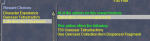
The rewards for these quests generally look like:
1609426996120.png

Thank you.
 
Looking for some help with my Overseer.ini and claiming specific rewards.
I have a character that is only doing Exploration, Trade, and Diplomacy quests ... and I want it to only claim the Collection Item Dispensers going forward.

Is this what I would put in the .ini file ?
[Rewards]
index=3
1=Character Experience
2=Overseer Tetradrachm
3=Collection Item Dispenser

The rewards for these quests generally look like:
View attachment 27035

Thank you.
[Rewards]
index=3
1=Collection Item Dispenser
2=Overseer Tetradrachm
3=Character Experience

You want your first pick as nr 1

the index 3 is only how many different choices you have to choose from
 
Hello, is there a reason why it never take the recovery mission? I changed the hours starting with 3 hours but it never take the recovery mission.
 
Having an issue when its done counting overseer, my wiz crashes to desktop. Only happens on one character.

INI:
[General]
claimRewards=1
repeatTimeMinutes=-1
minimumSuccessPercent=60
requireMercToClaimExpRewards=0
logLevel=2
useQuestPriorities=1
agentCountForConversion=7
useQuestPriorityGroups=Group1|Group2|Group3
ignoreConversionQuests=0
ignoreRecruitmentQuests=1
countAgentsBetweenCycles=1
useFastAgentSelection=1

[QuestPriority_Group1]
Priorities=Levels|Rarities|Types|Durations
Durations=6h|12h|24h
Rarities=Elite|Rare|Uncommon|Common|Easy
Types=Trade|Diplomacy|Exploration
Levels=5|4

[QuestPriority_Group2]
Priorities=Levels|Rarities|Types|Durations
Durations=6h|12h|24h
Rarities=Elite|Rare|Uncommon|Common|Easy
Types=Trade|Diplomacy|Exploration
Levels=3|2|1

[QuestPriority_Group3]
Priorities=Levels|Durations|Rarities|Types
Durations=6h|12h|24h
Rarities=Elite|Rare|Uncommon|Common|Easy
Types=Military|Stealth|crafting|Plunder
Levels=5|4|3|2|1

[QuestPriority_Unsubscribed]
Priorities=Levels|Durations|Rarities|Types
Durations=24h|12h|6h
Rarities=Elite|Rare|Uncommon|Common|Easy
Types=Exploration|Diplomacy|Trade|crafting|Military|Stealth|plunder
Levels=5|4|3|2|1

[Rewards]
index=1
1=Collection Item Dispenser

[QuestPriority]
Priorities=Levels|Durations|Rarities|Types
Durations=6h|12h
Rarities=Elite|Rare|Uncommon|Common
Types=Any
Levels=5|4|3|2|1

View attachment 25292
Does this not look to do recruitment quests? I just copied this because I really only want the collection items. So far it's working well. I changed the agent count to convert to 3. Thanks for sharing btw.
 
Does this not look to do recruitment quests? I just copied this because I really only want the collection items. So far it's working well. I changed the agent count to convert to 3. Thanks for sharing btw.
How many Agents does your Wizard have? I think there's an issue where if you have 300+ the macro will crash when trying to count.

Most of my toons have reached a point where they don't need recruitment anymore, but still get new agents via Critical successes, so once a week or two I'll turn Conversions back on to grind the total agents down to below 200.
 
Does this not look to do recruitment quests? I just copied this because I really only want the collection items. So far it's working well. I changed the agent count to convert to 3. Thanks for sharing btw.

As Novadude said - there's an issue when counts get that high. Set the config to be:
[General] countAgentsBetweenCycles=0

It's not doing recruitments for you due to your config below. Change to 0 to not ignore.

ignoreRecruitmentQuests=1
 
Does any wish to share a file for silver accounts to do collection items quests only? TY in advance

The quest type dictates what the reward options are.

This list is from quite some time ago so would have to verify it's still accurate (but can't imagine it's changed). Can just click around your Overseer window.
(Super secret, I actually haven't played EQ in like 6+ months... and rarely even have it loaded to test the Overseer stuff)
  • Exploration - Collection Item Dispenser
  • Diplomacy - Collection Item Dispenser
  • Trade - Collection Item Dispenser
  • Plunder - Mercenary Experience
  • Military - Mercenary Experience & Ornamentation Dispenser
  • Stealth - Mercenary Experience & Ornamentation Dispenser
  • Research - Tradeskill items
  • Crafting - Tradeskill items
  • Harvesting - Tradeskill items

So to target "Collection Item Dispenser" quests, you're talking Exploration, Diplomacy, and Trade...
INI:
[QuestPriority]
Priorities=Levels|Durations|Rarities|Types
Durations=24h|12h|6h
Rarities=Elite|Rare|Uncommon|Common
Types=Exploration|Diplomacy|Trade
Levels=5|4|3|2|1

At any point, you can run the command below and it'll "test" the configuration file, outputting which quests will be considered in which order.
It will not actually run anything. So great to just see what the configuration will result in
/overseer generalListFast
 
Is this broke its been working great for me till yesterday now I'm getting a pop up box to confirm each quest. If I don't click yrs it skips that quest and moves to a next and repeats finally says there are none available and ends itself
 
It appears that overseer has something broken since last night's test update.. It seems like it isn't able to switch between tabs anymore, and just errors a lot when trying to choose new quests after having started one.. its just staying on the active quests tab.. If i manually flip it to the quests tab, the mac is able to continue, but then gets stuck again when the next quest is started.. and so on so forth until all 5 are active and it goes into sleep mode.

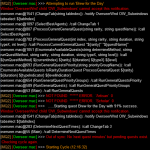
This is just a snippet, there was a lot spewing past, but it seemed to get caught specifically like i described above..
1610641198303.png
 
Is this broke its been working great for me till yesterday now I'm getting a pop up box to confirm each quest. If I don't click yrs it skips that quest and moves to a next and repeats finally says there are none available and ends itself

That's been a long-standing issue with core MQ2 itself. Nothing a macro can work-around. "Sometimes" the confirmation dialog isn't seen by the macro. (There's actually 2 dialogs, yadda yadda).

Unfortunately if you get in this mode, a log off/on seems to fix. Sometimes full restart of EQ.

I really wish I had anything better to give you about that one...
 
This is on Test server? I know you said that but verifying. At work so can't hit for a short bit but will check as soon as back.


There was a 'speculative' change....

INI:
*** Overseer ***

- Made a speculative fix to prevent Overseer quests from failing to start.
- Added in a message reporting when an Overseer agent has recovered.
- The Conflagrant Platinum in the Ring of Scale worker reward is limited to The Burning Lands like the rest of the items in that reward option.

yeppers, its still working fine on live.. the errors started on test just today after i downloaded and loaded up the updated VV from last night..

no rush, it still "works" by me just manually switching tabs, which lets it continue..

cheers!
LorDeth
 
yeppers, its still working fine on live.. the errors started on test just today after i downloaded and loaded up the updated VV from last night..

Thanks and thanks. Definitely some underlying EQ Windows changes on Test.

Seeing what I can do but also concerned about their "speculative fix" comment in the notes. This may be a temporary situation - or a fluid one. We'll have to see.
 
Looks to be a change/break to tab selection in general. KissAssist's macro (and other Campfire-related ones) have same issue.
/nomodkey /notify FellowshipWnd FP_Subwindows tabselect 2

1610653337492.png

The tabselect command no longer works. Will need deeper dives.
 
No longer work on test for now but should work soon when live will be patched too.
 
Looks to be a change/break to tab selection in general. KissAssist's macro (and other Campfire-related ones) have same issue.
/nomodkey /notify FellowshipWnd FP_Subwindows tabselect 2

View attachment 27373

The tabselect command no longer works. Will need deeper dives.

its all good.. let me put it this way... If not for your macro, I WOULDNT EVEN BOTHER PLAYING OVERSEER lol

i'm using it and collecting only the collection item rewards or xp type.. and it works PERFECT other than when patch changes bork things temporarily..
 
its all good.. let me put it this way... If not for your macro, I WOULDNT EVEN BOTHER PLAYING OVERSEER lol

i'm using it and collecting only the collection item rewards or xp type.. and it works PERFECT other than when patch changes bork things temporarily..

I am 100% on board, which you may have guessed that I only created this to allow myself to bother with Overseer.

Actually full honesty, I'd expected that this effort would somehow reveal what I wasn't seeing; Why is Overseer even a thing? Is it truly as shallow and mindless clicking as it seemed? I mean, Legends of Norrath required some thought. Can this truly be that dumb?

Answer: Yup.
 
I am 100% on board, which you may have guessed that I only created this to allow myself to bother with Overseer.

Actually full honesty, I'd expected that this effort would somehow reveal what I wasn't seeing; Why is Overseer even a thing? Is it truly as shallow and mindless clicking as it seemed? I mean, Legends of Norrath required some thought. Can this truly be that dumb?

Answer: Yup.
I have come to a different conclusion. Its to mess with mq2 users !
With the overseer collection dispensers they negated the need to have bots running around collecting shiny's and in the process destroyed the bazaar market for them.

Actually no, that is too deep of a thought.
Mindless: Yup
 
There is is a bug in game that causes overseer to show you have plenty of an agent but in reality it does not you get the in game chat message:
your overseer quest common conversion has failed to start. Please verify your selected agents and wait a moment before attempting to start it again.

macro in MQ2 returns;
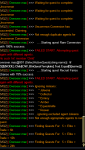
[MQ2] [Overseer.mac]>>> ......Starting quest Common Conversion with 93% success.
MQ2] [Overseer.mac]>>>FAILED START.Attempting quest with different agents.
MQ2] [Overseer.mac]>>>Common Conversion not found.
MQ2] [Overseer.mac]>>>ERROR
The current macro has ended.

is there a way to use the 93% as a check and skip that mission after retry maybe? As it kills the macro and I see this bug a few times a week between 7 accounts. Ie a conversion that doesn’t =100% has an issue

I do realize this is an EQ bug not a bug off your macro. I just think odds are higher you can find a solution than DPG.
otherwise this has become a must have macro to me it saves so much time and tedium
 
is there a way to use the 93% as a check and skip that mission after retry maybe? As it kills the macro and I see this bug a few times a week between 7 accounts. Ie a conversion that doesn’t =100% has an issue

Hadn't heard of this bug yet. (Full disclosure, I haven't played EQ in 6+months).

I realize not exactly what you're asking but to get it out there, you can specify minimum success percentage, either globally or per-tier:

INI:
[General]
minimumSuccessPercent=82
minimumSuccessPercent_Elite=0
minimumSuccessPercent_Rare=60
minimumSuccessPercent_Uncommon=0
minimumSuccessPercent_Common=95

But to your point, you're proposing a tweak where if a conversion quest success % reports at less than 100, then consider it invalid and skip?

And yeah, we have several work-arounds in the macro to EQ bugs, no worries there.
 
Last edited:
Release Overseer Automation

Users who are viewing this thread

Back
Top
Cart