• You've discovered RedGuides, an EverQuest multi-boxing and scripting community 🧙‍♀️⚙️. We want you to play several EQ characters at once, come join us and say hello! 👋

  • A TLP without truebox has thawed (Very Vanilla ready)
    Frostreaver
Overseer Automation

Release Overseer Automation 1.9

No permission to download
[General]
claimRewards=1
repeatTimeMinutes=-1
minimumSuccessPercent=0
requireMercToClaimExpRewards=1
logLevel=2
useQuestPriorities=1
agentCountForConversion=2
[QuestPriority]
Priorities=Levels|Durations|Rarities|Types
Durations=6h|12h
Rarities=Elite|Rare|Uncommon|Common
Types=Any
Levels=5|4|3|2|1
[QuestPriority_Unsubscribed]
Priorities=Levels|Durations|Rarities|Types
Durations=12h|6h
Rarities=Elite|Rare|Uncommon|Common
Types=Any
Levels=5|4|3|2|1
[Rewards]
index=2
1=Overseer Tetradrachm
2=Character Experience
3=Mercenary Experience

This morning I tried first time "claimRewards=1". My intension was to have all rewards claimed as "Character Experience". Befor I could do anything to stop it, all Rewards have ben automatically claime as "Overseer Tetradrachm".
My understaning is, that the last chapter [Rewards] is used to decide, which kind of Rewards should be claimed. I thought "index=2" should set the Rewards to be claimed as "Character Experience".

What shall I modify, to get the rewards automatically claimed as "Character Experience".?
 
index=2
1=Overseer Tetradrachm
2=Character Experience
3=Mercenary Experience
This gives the option to only choose between 1 and 2, if you want all 3 set it to index=3.

index=3
1 =Character Experience
2=Overseer Tetradrachm
3=Mercenary Experience
uses all 3 options and will select them in order of priorty with Character Experience first, Overseer Tetradrachm second, and Mercenary Experience third
 
5 active quests... and it's attempting the 6th for some reason. A common conversion

View attachment 23019

tl;dr: Remove Conversion and Recruitment from your Type= section.
Types=Conversion|Recruitment|Exploration|Diplomacy|Trade|Military|Stealth

The script always and automatically runs Conversions first, then Recruitments. You can't even opt-out of it. They run different than normal so called out separately.

Conversions have this unique-ish text: "Any Common Job (1)" and script doesn't worry about parsing it normally. But adding it here forces the script to see it as a "normal" quest that works differently.
1594484797839.png

Also you have a section [QuestPriority_Unsubscribed] --- that's going to run for any non-Gold accounts. Just keep in mind. I forget and sometimes my copy/paste between chars is wrong.

One *other* note - if all your characters are running the exact same INI, you can just put it in the main Overseer.ini with the flag. Just something to save some effort if it applies:
INI:
[General]
useCharacterConfigurations=0
 
Last edited:
I can see that - and I'll make the change to not do that logic under tutorial. Thanks for that, Multi.

So I tried using the modified one on several other accounts that were still in the tutorial and had it stopping at the tutorial conversion quest still (also found that you have to manually open the Overseer window, and click 'Ok' on the popup before running macro or it seems the script loses the ability to automatically click to accept quests sometimes). I ended up going back and band-aiding it by just checking for being in tutorial and instead of calling log to say excluded agent it instead just restarts the macro. What made it seem like it was working before is that on subsequent runs it ends up working - so restarting macro until it completes successfully seemed to be what really took care of it for me. I had to go and comment out /call Log ${Version} in initialize because for some reason that errors out with ${Version} not being a variable if you /mac anythingelse in overseer macro.
 
Can you clarify what you mean by that?

If I tried to have it restart with “ /mac overseer” it would throw an error about version not being a variable. Also, I tried incorporating overseer into a startup script so it would run overseer, then run a macro of mine to join a group and do some other stuff for me, and if I put in the section where it goes to a delay loop (countdown section) a /mac mystartupmac, instead of running my macro it instantly would stop all macro activity and say version was not a valid variable. So it seems like trying to call a different macro anywhere inside the overseer macro or restart using /mac overseer - results in it erroring out and MQ never starts the script you called with /mac. (But that is fixed by commenting out just that one line in the initialize section).
 
If I tried to have it restart with “ /mac overseer” it would throw an error about version not being a variable. Also, I tried incorporating overseer into a startup script so it would run overseer, then run a macro of mine to join a group and do some other stuff for me, and if I put in the section where it goes to a delay loop (countdown section) a /mac mystartupmac, instead of running my macro it instantly would stop all macro activity and say version was not a valid variable. So it seems like trying to call a different macro anywhere inside the overseer macro or restart using /mac overseer - results in it erroring out and MQ never starts the script you called with /mac. (But that is fixed by commenting out just that one line in the initialize section).
Ah I undersstand. I actually had a shell macro that would hop character to /traderMode 'til next Overseer cycle - doing similar. I aborted just 'cuz there were issues and my time is limited lately.

You're right, that requires a few tweaks. PM me separately if you want to work a few of these out and we can see if we can make it work.
 
It does look that way on yours though what's interesting is I can't see that on the 6 chars I use to test on - and haven't heard anyone else report something similar.

Are you using any special skin or other for Overseer window?
No, default UI with rearrangements,
 
Since the latest patch to Test /mac overseer won't open Overseer window. If I open the window manually and run the mac it works fine. Here is the message I get:

1594572245815.png

mod edit - removed names
 
Last edited by a moderator:
Since the latest patch to Test /mac overseer won't open Overseer window. If I open the window manually and run the mac it works fine. Here is the message I get:

Test looks to have added a delay, I'm guessing to handle the Agents-Not-Loading issue Jande found. When you log in you receive the following text:
1594568636592.png

If you run the macro or type /overseer - the window doesn't open. For me it takes about 3 seconds before things work.

This also happened no matter how long after logging in I waited to try the first time. So the start of the macro just takes 2-4 more seconds now.
 
Last edited:
GoldenFrog updated Overseer Automation with a new update entry:

1.24

  • Handle new delay in Everquest's delay in loading Overseer system. (Currently only happens in test. Assuming will push to live)
  • Corrected uncommon issue where macro would end, thinking no more quests pending.
  • If choosing currency reward, outputs current Tetradrachm count when claiming.
  • Corrected uncommon issue where macro would attempt a 6th quest.
  • Corrected issue caused if [Preview] window was opened before or during macro run.

Read the rest of this update entry...
 
Possible to add logic for claiming rewards based on conditions?
For example, once I'm max level and 100% into that level, skip the exp reward, and chose a different option like overseer tetradrachms currency.
Sounds a bit complicated to do, so not a big deal. Thanks for the great work!
 
Possible to add logic for claiming rewards based on conditions?
For example, once I'm max level and 100% into that level, skip the exp reward, and chose a different option like overseer tetradrachms currency.
Sounds a bit complicated to do, so not a big deal. Thanks for the great work!

Thanks, krawdad. Someone asked for something similar previously. Like a % into level:
ExpCutOffPercent=80

If the exp went below that it did Character Exp - else option 2.

At the time it wasn't a priority. On hold for a few other things, maybe worth looking into again.


(Again, thanks for the kind words)
 
INI:
[General]
claimRewards=1
repeatTimeMinutes=-1
minimumSuccessPercent=60
requireMercToClaimExpRewards=1
logLevel=2
useQuestPriorities=1
agentCountForConversion=2
useQuestPriorityGroups=Group1|Group2

[QuestPriority_Group1]
Priorities=Levels|Durations|Rarities|Types
Durations=24h|12h|6h
Rarities=Elite|Rare|Uncommon|Common
Types=Recruitment|Exploration|Diplomacy|Trade
Levels=5|4|3|2|1

[QuestPriority_Group2]
Priorities=Levels|Durations|Rarities|Types
Durations=24h|12h|6h
Rarities=Elite|Rare|Uncommon|Common
Types=Military|Stealth
Levels=5|4|3|2|1

[QuestPriority_Unsubscribed]
Priorities=Levels|Durations|Rarities|Types
Durations=24h|12h|6h
Rarities=Elite|Rare|Uncommon|Common
Types=Conversion|Recruitment|Exploration|Diplomacy|Trade|Military|Stealth
Levels=5|4|3|2|1

[Rewards]
index=3
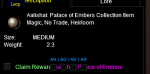
1=Collection Item Dispenser
2=Mercenary Experience
3=Overseer Tetradrachm

After spending 30 minutes trying to sort my quest with other setting this is what worked. Again thank you for the help.
 
Is there a way I can make it avoid the Recruitment missions altogether? I tried the below .ini in the "Types" section, but it still ended up picking up the recruitment mission.

Code:
[General]
claimRewards=0
repeatTimeMinutes=-1
minimumSuccessPercent=0
requireMercToClaimExpRewards=0
logLevel=2
useQuestPriorities=1
agentCountForConversion=2
[QuestPriority]
Priorities=Levels|Durations|Rarities|Types
Durations=12h|6h
Rarities=Elite|Rare|Uncommon|Common
Types=Military|Stealth|Exploration|Trade|Diplomacy|Harvesting|Crafting
Levels=5|4|3|2|1
[QuestPriority_Unsubscribed]
Priorities=Levels|Durations|Rarities|Types
Durations=12h|6h
Rarities=Elite|Rare|Uncommon|Common
Types=Any
Levels=5|4|3|2|1
[Rewards]
index=0
1=Character Experience
2=Mercenary Experience
3=Overseer Tetradrachm
 
Is there a way I can make it avoid the Recruitment missions altogether? I tried the below .ini in the "Types" section, but it still ended up picking up the recruitment mission.

At the moment no - nobody has ever asked for that before. Conversions and Recruitments are hard-coded to run first (in that order). We can add flags to ExcludeConversions and ExcludeRecruitments.

Curious why you are looking to do that?
 
At the moment no - nobody has ever asked for that before. Conversions and Recruitments are hard-coded to run first (in that order). We can add flags to ExcludeConversions and ExcludeRecruitments.

Curious why you are looking to do that?

Recruit missions don't give exp and I'm using Overseer to add additional exp in leveling up my new toons.
 
Recruit missions don't give exp and I'm using Overseer to add additional exp in leveling up my new toons.

Understood - will see when I can get some time free to add this.

Until then, you can just delete or comment out line 57:
/call RunRecruitQuests

To comment, add a pipe ( | ) at the start of the line:
| /call RunRecruitQuests
 
Understood - will see when I can get some time free to add this.

Until then, you can just delete or comment out line 57:
/call RunRecruitQuests

To comment, add a pipe ( | ) at the start of the line:
| /call RunRecruitQuests
Awesome. I appreciate your responsiveness.
 
At the moment no - nobody has ever asked for that before. Conversions and Recruitments are hard-coded to run first (in that order). We can add flags to ExcludeConversions and ExcludeRecruitments.

Curious why you are looking to do that?

Well another reason would be you have all the agents and have no need to run that part.
 
Well another reason would be you have all the agents and have no need to run that part.

Ah. See. That's forward thinking. I'm a couple away from having all - at max level, all collections done, no clue what /overseer offers me so hadn't looked that far ahead.

Two votes for opting out. Done.
 
Ah. See. That's forward thinking. I'm a couple away from having all - at max level, all collections done, no clue what /overseer offers me so hadn't looked that far ahead.

Two votes for opting out. Done.


I was just coming here to make this request, you're fantastic.
 
Well another reason would be you have all the agents and have no need to run that part.

Well, if you got all the agents, you can run them just to collect commons to exchange for converting to new agents later. I could certainly see the point in the ability to exclude of both, but don't agree with not doing it at all :P
 
Possible Bug: It appears my character.ini is reverting to

[General]
ignoreConversionQuests=0
ignoreRecruitmentQuests=0

after every run of the mac. None of the other settings are being changed.
 
Possible Bug: It appears my character.ini is reverting to

[General]
ignoreConversionQuests=0
ignoreRecruitmentQuests=0

after every run of the mac. None of the other settings are being changed.

Have you deleted or changed that value? Do you want it to be 1?
 
Yeah i changed it to

[General]
ignoreConversionQuests=0
ignoreRecruitmentQuests=1

and currently here is the ini.

[CODE lang="ini" title="INI"][General]
claimRewards=0
repeatTimeMinutes=-1
minimumSuccessPercent=0
requireMercToClaimExpRewards=0
logLevel=2
useQuestPriorities=0
agentCountForConversion=2
ignoreConversionQuests=0
ignoreRecruitmentQuests=0
[QuestOrder]
index=8
1=Elite|6h
2=Elite|12h
3=Rare|6h
4=Rare|12h
5=Uncommon|6h
6=Uncommon|12h
7=Common|6h
8=Common|12h
[QuestTypeOrder]
index=4
1=Research
2=Crafting
3=Harvesting
4=Any
[Rewards]
index=0
1=Overseer Tetradrachm
2=Character Experience
3=Mercenary Experience
[QuestPriority]
Priorities=Levels|Durations|Rarities|Types
Durations=6h|12h
Rarities=Elite|Rare|Uncommon|Common
Types=Any
Levels=5|4|3|2|1
[QuestPriority_Unsubscribed]
Priorities=Levels|Durations|Rarities|Types
Durations=12h|6h
Rarities=Common|Elite|Rare|Uncommon
Types=Any
Levels=5|4|3|2|1[/CODE]
 
Running this would result in an EQ crash on only one character.

It would complete finished quests, move on to checking the agents screen, and crash on this screen. Deleted and created a fresh ini (just to be sure, edited nothing) and crashed exactly the same.

Because the ini's were the same and it was only crashing on the character with the most total agents I had a theory this was related. I had my count for conversion quite high, so he was up at 390+ total agents. I did a few conversions by hand and tried again. Success - no crash. Total agents still very high, but under 390.

Now obviously, don't let your available agents get that high seems like the obvious answer and do conversions way more often. I've edited all other characters ini's to be more aggressive about conversions, but I have left this characters the same to see if I start crashing again as I approach 400 total agents ready. I'm only posting so you are aware this could be the case and the potential cause.

I'll report back if it starts crashing again as soon as he gets near the same count he had before.
 
It keeps count of duplicate agents in a string, with that huge amount of duplicate probably over the max string length.
 
Running this would result in an EQ crash on only one character.
...

Can you paste/screen shot the last several lines so we can see more specifically where it go boom-boom?

I'm intrigued by this but fascinated you had almost 400 agents. Was this intentional or did you just have it set to never run conversions? (Or had you been doing it by hand all this time and never converting)
 
I don't have a screenshot of it right now. However, since I didn't edit that characters ini, I should be able to get one in a few days when it (presumably) starts doing it again.

As for the near 400 agents, it's a combination of a few things. I was running overseer by hand until about 2 weeks ago or so when I began using this mac (also right after becoming a level 2 member). I had a lot of agents at 5-6 already just from not being very diligent about doing conversions by hand. It's not that I was never doing conversions, but that I didn't care enough to keep up with it very well after months of doing it by hand on multiple characters a day. So I would just sit down for like 20 minutes at a time every couple weeks and batch conversion on several accounts at a time, by hand, while I was responding to emails or whatever.

Then I started using redguides and this mac and the little bit of ocd in us all kicked in and I thought 5 is a good number, aesthetically. So conversion count was set to 6 and here we are. When it started throwing up crashes on only one character the old beta tester in me kicked in and I started looking at the variables so I could give my best guess as to a cause and steps to recreate. (Since overseer is a slow process, obviously I can't confirm the steps to recreate until I get more agents, again)

And the fact that it caused the actual game to crash and not just screw up the macro I found to be very interesting as I would not have expected that until it happened.
 
sooo anyone working on getting the collection dispensers to automatically claim what collection items you are missing? :)
 
And the fact that it caused the actual game to crash and not just screw up the macro I found to be very interesting as I would not have expected that until it happened.

The only way I know that a macro can (generally) screw up the game as a whole is recursively looping something - or maybe as jande guessed, there's some memory/string building concatenation going on. I glanced at macro but didn't see where. But haven't been at my system for a day to really look for good. I'll give it a peek.
 
This mac could use it's own guide. Would would i need to download and set up to just able to use commands. Specifically all i want is to see list of current quests, (highest) success chances(would be killer if you could get the first 3), and duration.
 
sooo anyone working on getting the collection dispensers to automatically claim what collection items you are missing? :)

There was a code snippet that someone (jande?) posted earlier to auto-claim the various dispensers when 4? were in memory. I haven't been rewarding myself dispensers so wasn't testing -- nobody else asked.
With that said, I'll hook up some side-char with that to set the basics for that, over the next day or two.
 
This mac could use it's own guide. Would would i need to download and set up to just able to use commands. Specifically all i want is to see list of current quests, (highest) success chances(would be killer if you could get the first 3), and duration.

It has definitely grown over time. There's really only a few commands that stand on their own.

If I'm reading your comment correctly, the closest two that currently exist for that are: generalList and generalListFast
/mac overseer generalList
/mac overseer generalListFast

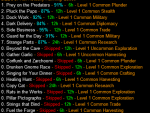
These run the entire process except don't *actually* run the quests. At the end, it outputs which quests would have been run and in which order, based on your current INI. Below is an example for a char I ran just now:
1595252647912.png

generalListFast is the same but doesn't select agents - so % success is the default. But *WAY* faster and great to debug your INI priorities.


With that said, the macro doesn't currently process "...current chance of success" as part of the prioritization. . You can specify a minimum chance of success to even run, though.
But success seems pretty common so this hasn't really been a request I've felt worthy, nor anyone else. My main has 1,300 quests run and only 33 failures. I can live with that.
 
sooo anyone working on getting the collection dispensers to automatically claim what collection items you are missing? :)
There was a code snippet that someone (jande?) posted earlier to auto-claim the various dispensers when 4? were in memory.
Not even close to what is needed, My code just combined the fragments into a dispenser claiming the correct one from the dispenser is another whole different level (and ogre said it will be changing soon (tm)) so doubt it is worthwhile investing the time in getting it working

Steps to claim one.
1/ Find out what you need.
2/ Claim the dispenser so it gets into reward window
1595257257712.png
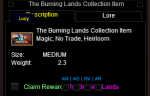
3/ Claim the correct xpac
1595257317720.png
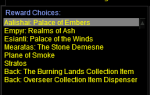
4/ Now get the xpac dispenser into rewards window
1595257396314.png
5/ Now get the correct zone dispenser
1595257436906.png
6/ Now get the zone dispenser into rewards
1595257540114.png

7/ Finally claim the correct collection item
1595257510356.png

Sounds fun right !?
 
Last edited:
Sounds fun right !?
Yowzah. Okay as someone who's never done any of that - thank you so much for outlining.

With that said, yes it DOES sound fun but opens a bigger question. Is this useful?

Seems nobody would keep a list of step #1 and then step #7 (Figure what you need, then actually select it).
The most important would be a UI connection to the /achievements window with maybe a rule of which expansion to look towards.

Without that, I don't see this actually useful in practice.

Am I wrong there?
 
Possible Bug: It appears my character.ini is reverting to

[General]
ignoreConversionQuests=0
ignoreRecruitmentQuests=0

after every run of the mac. None of the other settings are being changed.


So the problem is with the if statement in Sub EnsureIniDefaults where ignoreconversions is evaluated, i deleted the conditional there and my ini stays with ignorerecruitment = 1. I'm not too familiar with how the conditionals work so i couldn't fix it correctly.
 
Release Overseer Automation

Users who are viewing this thread

Back
Top
Cart