• You've discovered RedGuides, an EverQuest multi-boxing and scripting community 🧙‍♀️⚙️. We want you to play several EQ characters at once, come join us and say hello! 👋

  • A TLP without truebox has thawed (Very Vanilla ready)
    Frostreaver
MQ2Mule

Release MQ2Mule

Status
Not open for further replies.

DoNotReply

System messages. Not a monitored account.
Moderator
Joined
Jan 31, 2005
RedCents
1,265,360¢
Redbot submitted a new resource:

MQ2Mule - An interface for MuleAssist, an all-class combat macro


MQ2Mule is an interface for MuleAssist, an all-class combat macro.

Commands:
  • /mule show - Will bring up the MQ2Mule window.​

Features:
  • Visual configuration builder. You can drag spells, disciplines, AA's, and hotkeys onto any part of the configuration. You can also right-click for a full spell/AA/Item menu.
    [ATTACH type="full" width="309px"...​


Read more about this resource...
 
Hi @eqmule ,
Wanted to give some feedback, this looks incredible and I played around a little bit with it. The spell upgrade/dpwngrade features are amazingly well done. It found on a Mage I don;t pay a lot of attention to, that I have a higher spell purchased that I don;t even have on his spellbar.. so I was happily surprised. the management system you built for that is really nice.
The remote feature , I am not sure if I would use it too much, but I tested it and it locked up my ability to click on anything. Maybe its an issue you know about or some small bugs still going on, once I hit Remote, the little preview strip showed up fine, and it was 'Live feed' but it did NOT allow me to right click or left click anything. I could not close it or click on any character manualy in the viewport nor control looking around with mouseview (Rightclicking the mouse and looking around). It prevented me from any form of combat or even rightor left clicking in MQ2Mule window as well as any other EQ/MQ window. I had to hit Enter and unload the plugin to clear it. I reloaded immediately and I could control everything again. For testing, I did reopen the Remote Again and I had control as normal. I would like to ask what the little tabs are for above the preview windows and if the type above the preview (GM_1_107 WAR) for example is configurable to say the War name ? I only loaded the plugin on one character so far.. in hindsight I am now curious if if simply needed to load it on all 6 characters? Is clicking on a preview window supposed to bring up the other account or anything ?

The Import feature, amazing! I used it to import the Kiss.ini I already have on my computer, and it navigated easily to the MQ/Release/Macros folder and imported flawlessly. Doing something like this INSIDE of EQ was amazing! I looked through the raw and easily did the one DPS update I talked about above..so so simple!!

When I make changes and Save, is it saving to the Kiss.ini I imported or to what seems to be a new MuleAssist.ini?

Upon importing I can see it flags some issues with Error on the spell icons, some I can see why (such as I have NULL before some items) and some where I don;t understand why its being flagged as an issue. I'll keep playing to see if its just a learning curve thing or some odd condition I may not even understand and has never worked before.

ok for the moment I'll leave it there.. :)
 
When I make changes and Save, is it saving to the Kiss.ini I imported or to what seems to be a new MuleAssist.ini?
It will save to the MuleAssist ini.

Upon importing I can see it flags some issues with Error on the spell icons,
Feel free to drop a screenshot and we'll be happy to help you debug.

As for the plugin stuff, I'll leave that to EQM :).
 
MULE WINDOW DONT POP UP WHEN USING /MULE SHOW WONDER WHY AND MQ2MULE IS LOADED, SORRY FOR CAPS
 
With a fresh install of MQ2 using the red guides launcher and the client as the fresh install from the RoF2 links in the forum I am unable to use /plugin mq2mule. It even crashes EQ after using /reloadui.
In the Logs/dbg I can see "fatal error in main thread Code". After disabling the plugin from the MacroQuest.ini by removing the mq2mule=1 from the [Plugins] it works again.

I apologize I do not know how to troubleshoot this any further. If there is something I can do/provide please let me know.
 
Sorry, not sure exactly. It's been awhile since I coded a macro to crash lol.

When the exception window comes up, it should tell you where it is. That is very likely the dump file you're looking for.
 
Here are the log files as requested. I have also sent a message through redguides to eq2mule. I am not sure if that is the proper way to support a ticket here.
 

Attachments

Here are the log files as requested. I have also sent a message through redguides to eq2mule. I am not sure if that is the proper way to support a ticket here.
I gave the .dmp a quick peak just in case there was anything I could see and possibly assist with, but not much on the stack (and nothing I can view/help with)
1596291202906.png

E-mailing it to the [email protected] is the correct course of action, but i pinged him here also

Thanks for sending that in @johnezell it is really useful for the devs tracking down and fixing issues, so on behalf of mule, thanks!

@eqmule
 
I am not for sure if this will help. I installed WinDbg and attached to the eqgame.exe process. I was able to determine the following before the crash.:
note this is after mq2mule=1 was in the [Plugins] in the MacroQuest.ini file.


[MQ2] Adding WndNotification target 'MULE_Window_Buttons'
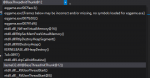
(336c.3c3c): Access violation - code c0000005 (first chance)
First chance exceptions are reported before any exception handling.
This exception may be expected and handled.
eax=00000000 ebx=00000000 ecx=005fcf84 edx=00368000 esi=00000001 edi=00000001
eip=00a8d884 esp=005fce68 ebp=00000002 iopl=0 nv up ei ng nz ac pe cy
cs=0023 ss=002b ds=002b es=002b fs=0053 gs=002b efl=00010297
eqgame+0x48d884:
00a8d884 3bbef0010000 cmp edi,dword ptr [esi+1F0h] ds:002b:000001f1=????????
 
This is from WinDbg upon loading the plugin. It acts as if it is going to work and gives the expected message about reloading the UI. However, upon reloading the UI it locks up.

[MQ2] mq2cast->ReloadUI()
(3804.15b8): Access violation - code c0000005 (first chance)
First chance exceptions are reported before any exception handling.
This exception may be expected and handled.
eax=00000000 ebx=00000000 ecx=01acd410 edx=00235000 esi=00000001 edi=00000001
eip=00a8d884 esp=01acd2f4 ebp=00000002 iopl=0 nv up ei ng nz ac pe cy
cs=0023 ss=002b ds=002b es=002b fs=0053 gs=002b efl=00010297
eqgame+0x48d884:
00a8d884 3bbef0010000 cmp edi,dword ptr [esi+1F0h] ds:002b:000001f1=????????
0:000> gu
 
So, I loaded the mqmule plug in and then did /show mule. I get the message to reloadui. I do that and it still will not come up when I type / mule show. However, I fogged onto my bazaar mule (on the same account) and the mqmule window was showing just fine. Went back to my main toon and it does not come up. Any suggestions?
 
So, I loaded the mqmule plug in and then did /show mule. I get the message to reloadui. I do that and it still will not come up when I type / mule show. However, I fogged onto my bazaar mule (on the same account) and the mqmule window was showing just fine. Went back to my main toon and it does not come up. Any suggestions?
Are you using a non-default UI?
 
So... The Mule Utility window is visible on 3 of my six accounts when I logged for the first time after loading the plug in. On the 4th account the utility window is not visible on my main toon, but is visible on all of the other toons on the account. On the remaining 2 accounts, I only have the one character on each account. I am running the default UI on all of my accounts and I went and looked all of the settings are set the same. It just seems very strange that it will load on all the characters on one account, except for my main character. I have done /reloadui and /mule show to no avail.

Any suggestions to get it working?
 
So, was able to fix it. For anyone else that might be having the issue. Go to Options, click on Loud UI Skin, then click on default (or which ever skin you want to load), make sure Keep you layout is toggles, then click Load Skin.
 
So, was able to fix it. For anyone else that might be having the issue. Go to Options, click on Loud UI Skin, then click on default (or which ever skin you want to load), make sure Keep you layout is toggles, then click Load Skin.
thank you for the fix!
 
With a fresh install of MQ2 using the red guides launcher and the client as the fresh install from the RoF2 links in the forum I am unable to use /plugin mq2mule. It even crashes EQ after using /reloadui.
In the Logs/dbg I can see "fatal error in main thread Code". After disabling the plugin from the MacroQuest.ini by removing the mq2mule=1 from the [Plugins] it works again.

I apologize I do not know how to troubleshoot this any further. If there is something I can do/provide please let me know.

same issue
 
can you used this with mq2eskay,bst,zerk,cler-bard and shaman with kisss assist- and mage with rgr? i need to add clickys and aa abilities to all of them and i'm trying to figure out how.
 
can you used this with mq2eskay,bst,zerk,cler-bard and shaman with kisss assist- and mage with rgr? i need to add clickys and aa abilities to all of them and i'm trying to figure out how.
it is not recommended to use the cwtn class automations with other automations since you can and will have conflicting behavior - and it becomes impossible for anyone to give you support.

you can add items to buffs with mule/kiss

edit: so notorious was actually trying to add clickies to the cwtn plugins, which they have options to do so build in

you can also add them to kiss/mule utilizing buffs and |dual| tag
 
Last edited:
When using a level 35 Magician, with pet targeted, and starting with /mac muleassist, I'm getting the following error in the MQ2 Window:
Window 'Blocked Pet Spells' is now open.
WARNING: Undefined Variable MaxBlockedBuffs used on line [email protected] /for k 0 to ${MaxBlockedBuffs}
Macro Paused.

Note, I don't get this if I target another group member, like bard or warrior.
 
Fixed in the next version. This was a macro issue where MaxBlockedBuffs just doesn't exist.
 
just trying this tonite, in monks i don't see how to add skills in dps i see aa and item but no skills am i missing something?
 
Hi Guys, Love this plugin.
I cannot figure out on a new mage, to have it give pet weapons, do I go to the Raw editor tab and type it in or is there another method? I'm not very good on the conditionals, do we have any form of tutorial on understnding those better for a dummy like me?
 
Plugin requests:
  • Add Resurrection spell to the UI
  • Dropdown ini selection for any (or all?) ini files in the folder. Could be partial or no string match on "MuleAssist_Server_Name" .
 
MuleAssist doesn't have a |rez tag for anything. We only have ini entries that are:
AutoRezOn=1
AutoRezWith=Resuscitate

which aren't available in the UI outside of the RAW tab
 
Just sent five crash logs to eqmule from over the past few days. Hopefully they are useful in tracking down bugs.
 
Can you elaborate more in this thread? What's causing the crash? What kind of crash is it? How are you reproducing it? What kind of server are you on?
 
so i just started messing with mule assist and was trying to import a INI file, i watched the youtube guide on the main page and followed it step by step but when i import i get nothing. i am not using a default ui so i swapped my ui thinking that mite be the issue but again nothing. any reason why this is happening?
 
Can you elaborate more in this thread? What's causing the crash? What kind of crash is it? How are you reproducing it? What kind of server are you on?

Live server

I can't say what caused the last three crashes other than to say all the toons were in the GL while I was away for the evening. I returned later (at least four hours) to find the dialogs displayed on the screen and the PC acting extremely sluggish (it's a relatively new build*). The first three dump files start with EQGraphicsDX9. I sent them because the crash dialog said this was the next step. The other two dump files start with mq2mule. I don't specifically recall what those crashes were, but I can say I've only recently started using muleassist. Up to today, there are 15 other dump files (that I did not send, but can if desired). Of these, 14 start with eqgame and one with mq2main.

* AMD Ryzen 2950X, 64GB RAM, GeForce RTX 2080, multiple drives with four separate installations of EQ on different drives (though in this case, the three that crashed where all on separate SSD drives)
 
Release MQ2Mule
Status
Not open for further replies.

Users who are viewing this thread

Back
Top
Cart