• You've discovered RedGuides, an EverQuest multi-boxing and scripting community 🧙‍♀️⚙️. We want you to play several EQ characters at once, come join us and say hello! 👋

  • A TLP without truebox has thawed (Very Vanilla ready)
    Frostreaver
Resource icon

Release MQ2HUDMove

obii1kanobie

New member
Joined
Feb 11, 2014
RedCents
73¢
I am new to messing around w/ mq2hud and mq2hudmove, but my issue is when i make changes to my mq2hud section and break it into section, and configure it to how i like it, it keeps loading back into the original spot before I Moved it. Is there a way to make it save it in that spot so I wouldn't have to move each section again to place it where i want it? I have looked around and can't seem to find it anywhere. Thank you in advance!
 
MQ2HudMove - by ieatacid allows you to move HUDs or sections of HUDs easily. It requires the MQ2HUD plugin

Features:
HUDs can be moved to the location of the cursor, or up/down/left/right by the specified number of units.
Individual elements can be moved, or user-specified sections
HUD colors can also be changed to a number of preset colors.
[edit]
Commands

/hudmove list
List all HUDs in the loaded HUD set and all sections in MQ2HUD.ini
/hudlist
Same as above
/hudcolor list
List preset colors
The following work with the currently loaded HUD
/hudmove <HUD name>
Move a single HUD
/hudmove <HUD name> delete
Delete a single HUD
/hudmove <HUD name> <up|down|left|right> <#>
Move a single HUD a specified number of units in whatever direction
/hudcolor <HUD name> <preset color name>
Change HUD to preset color (red, yellow, green, darkgreen, blue, lightblue, purple, lightgrey, darkgrey)

The following work for [sections] of HUDs
/hudmove <section name> <up|down|left|right> <#>
Move all HUDs within a specified section
/hudmove ;<comment tag name> <up|down|left|right> <
#>
These comment tags let the user define their own sections, even if they span across multiple ini sections [ ].

Examples
Rich (BB code):
If we typed "/hudmove ;section1 right 100", it would move the HUD elements "ManaRegen" and "BuffCount" 100 units to the right.
[elements]
Level=3,339,649,0,255,255,${If[${Target.ID},${Target.Level} - ${Target.Class} - ${Target.Distance} - ${Target.LineOfSight},]}
Raid=3,1263,468,0,255,255,${If[${Raid.Members}>0,In Raid - ${Raid.Members},]}
TarID=3,172,337,0,255,0,ID: ${Target.ID}
;<x> section1
ManaRegen=3,272,272,0,255,0,MR: ${Me.ManaRegen}
BuffCount=3,272,367,0,255,0,Buffs: ${Me.CountBuffs}
;<x> section2
ER=3,172,342,0,255,0,ER:  ${Me.AltAbilityTimer[Eldritch Rune].TimeHMS}
MGB=3,172,357,0,255,0,MGB:  ${Me.AltAbilityTimer[Mass Group Buff].TimeHMS}
 
Thats kind of odd. mq2hudmove changes the ini file on the fly soon as move.
Load just one toon.
Use the /movehud elements right 50 etc to get your hud where you want it
Camp out
see if that preserves you settings
 
C++:
   if(strchr(Section,','))
   {
      char * Tok;
      Tok=strtok_s(Section,",",NULL); //<~~~Crashing Here.
      while(Tok!=NULL)
      {
         strcpy_s(Temp,Tok);
         Tok=strtok_s(NULL,",",NULL);
      }
      strcpy_s(LastSection,Temp);
   }

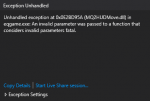
1588614072041.png

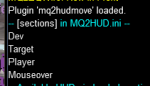
1588614880987.png

will review more tomorrow. currently char* Tok not being initialized seems to be the culprit.
 
Last edited:
So it seems that this plugin does it's job by changing the 2nd number (x coordinate) in each line and the 3rd number (y coordinate) on each line in the INI. The problem arises when you have font size turned on. Then the 2nd number is the font size and the 3rd number is the x coordinate. The up/down command will now move it left and right, and the left/right command changes the font size. When I tried to move it left, it set the font size to a negative number and the toon crashed to desktop. I couldn't log it back in until I went in and changed all the negative numbers in the INI to what they were supposed to be. Is there a way to adjust the plugin to recognize when font size is turned on?
 
Really wish this could be put on the "to be looked at/fixed" list at some point, if it already is, I apologize in advance, although i know it is a relative low priority issue
It works fine if font sizes are not used, but just messes up the ini if the extra font size number is used as described above

I do have a old none rg build that works fine with the font size enabled, just a pain to load that one up /copy ini over to move sections if needed, but still a lot easier than doing it manually with trial and error getting to correct position lol

Thanks in advance CWTN -)
 
Whenever i use movehud it just changes color of the elements, not actually move it? Something I am doing wrong?
 
Whenever i use movehud it just changes color of the elements, not actually move it? Something I am doing wrong?
when you're using font sizes the hudmove doesn't work as it adds an element in the middle of the comma separated list. Which sounds like what is happening in this situation.
 
Example,
[MQ2HUD]
Last=
SkipParse=30
CheckINI=10
UpdateInBackground=on
ClassHUD=on
ZoneHUD=on
UseFontSize=off


[GM]
//*** Center ***
GMIndicator1=3,800,253,255,0,255,*${Spawn[gm]}*
GMIndicator2=3,800,263,255,255,255,GM - ${NearestSpawn[GM]}
GMIndicator3=3,800,273,255,250,0,GM - ${If[${Spawn[gm].ID},${SpawnCount[gm]} GM's in zone.,No GM's Present]}
GMIndicatorLine=3,800,275,250,0,0,________________________________________________________


I then execute /hudmovedown 100 or up 100, and the text doesn't move just the font changes. I just copied someones example hud to play with it from q2hud page. I did not write this myself
 
Example,
[MQ2HUD]
Last=
SkipParse=30
CheckINI=10
UpdateInBackground=on
ClassHUD=on
ZoneHUD=on
UseFontSize=off


[GM]
//*** Center ***
GMIndicator1=3,800,253,255,0,255,*${Spawn[gm]}*
GMIndicator2=3,800,263,255,255,255,GM - ${NearestSpawn[GM]}
GMIndicator3=3,800,273,255,250,0,GM - ${If[${Spawn[gm].ID},${SpawnCount[gm]} GM's in zone.,No GM's Present]}
GMIndicatorLine=3,800,275,250,0,0,________________________________________________________


I then execute /hudmovedown 100 or up 100, and the text doesn't move just the font changes. I just copied someones example hud to play with it from q2hud page. I did not write this myself
Trying to recall the format for the MQ2Hud elements.
UseFontSizes=off
Type, X, Y, R, G, B, Stuff to parse

UseFontSize=on
Type, FontSize, X, Y, R, G, B, Stuff to parse


The plugin will alter the second or third parameter of an element based on if you are moving Left/Right (X Value) or Up/Down (Y value), but it doesn't account for using font sizes. So when UseFontSize=on it still moves the same elements, but everything is pushed over 1 element to the right, so it ends up changing FontSize for left/right changes, and X for up/down changes. Which of course is not correct.

That said, while the INI you're providing in your response shows UseFontSize=off, if you try to move an element up/down 100 units, does it instead move it left/right? Is that the actual HUD you are using or did you pull that from something else? Are you using ClassHUD?
I ask these questions because according to the above INI you're not using font sizes and your elements are Type of 3, with x=800 y=253 Red=255 Green=0 Blue=255 PreParseText=*${Spawn[gm]}*
Which does not use font sizes and the HudMove should work correctly with it.
 
Wrong forum
I'm trying to get my old HUD setup and when I tried to use /hudmove, it appears that left/right adjusts the font size. Up/Down appears to adjust left/right. Looks to me as though the arguement for these adjustments is just off by one. Guessing this plugin doesn't get much play, but it sure is handy for hud work.
 
i think most people abandoned huds for Lua scripts with imgui windows, for example stuff like boxhud and invisdiplsay and such, so hudmove might not have been properly updated to support font sizes in the elements.
 
Each resource on RG has an Overview / Discussion Thread and either a link to their wiki or tabs with FAQ, Commands, Etc.
Please make sure to post in the respective discussion thread, and check the FAQ/Commands/Wiki for information before posting.

Mq2hud should absolutely be a last resort. It is very resource intensive for no good reason
 
hudmove doesn't move things with the arrow buttons - rather it's a number value that you use to move the whole thing left/right or up down, in pixels. From the Commands link (top of page):

/hudmove <name> <direction> <#> | [ list ] | <name> [delete]Works with the currently loaded HUD. Move or delete elements and sections within MQ2HUD.ini
/hudlistList all HUDs in the loaded HUD set and all sections in MQ2HUD.ini
/hudcolor list | <name> <color name>Lists preset colors, and will change HUD to any of the preset colors

where <name> is the name of the element you want to move, <direction> is Right/left/up/down, <#> is how many pixels. ?hudlist gets you the names of the huds you can move, use the one at the top, iirc. Switched to QuickHud.Lua a long time back, and it has been working fine, even though it is unmaintained, last I looked - it provides some interactive things that can pop up, macro control, target info along with nav capability, invis status, zone info, etc.
 
Release MQ2HUDMove

Users who are viewing this thread

Back
Top
Cart