• You've discovered RedGuides, an EverQuest multi-boxing and scripting community 🧙‍♀️⚙️. We want you to play several EQ characters at once, come join us and say hello! 👋

  • A TLP without truebox has thawed (Very Vanilla ready)
    Frostreaver
MQ2Grind

Release MQ2Grind (2 Viewers) 3.1.52471.11

Lev keeps you from sliding on the ice that was the point of the comment. Ill be nice and keep it at that.
It doesn't prevent your characters from strafing around in combat right off the bridge.

My point is that the golems should be pulled away from the edge of the bridge, instead of the plugin running your tank right at it. And no, my setup is to use Protest to pull, never to engage with melee.
 
1611640783489.png

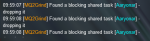
Any idea what this means when trying to start a task (not the Aaryonar one)?
Hint: no one in the group is in a shared task.
Camped all characters and brought them back, and the error persists.

To get around it, I manually requested the new mission, and then started up Grind; Grind then kicked the task, and I had to /grind start a second time. Now it's all good. I'm unsure why Grind was still finding an old task that was kicked awhile ago. Is there a cache somewhere?

 
View attachment 27723

Any idea what this means when trying to start a task (not the Aaryonar one)?
Hint: no one in the group is in a shared task.
Camped all characters and brought them back, and the error persists.

To get around it, I manually requested the new mission, and then started up Grind; Grind then kicked the task, and I had to /grind start a second time. Now it's all good. I'm unsure why Grind was still finding an old task that was kicked awhile ago. Is there a cache somewhere?


The plugin looks at the Task window, if there is a shared task in the task window (of whom you are driving) which differs from what you're doing, that message would be displayed.
 
The plugin looks at the Task window, if there is a shared task in the task window (of whom you are driving) which differs from what you're doing, that message would be displayed.
There wasn't a shared task though, which is why it was strange. Maybe there was some server-side lag or something, because there was no group task in any of my characters' windows.
 
View attachment 27723

Any idea what this means when trying to start a task (not the Aaryonar one)?
Hint: no one in the group is in a shared task.
Camped all characters and brought them back, and the error persists.

To get around it, I manually requested the new mission, and then started up Grind; Grind then kicked the task, and I had to /grind start a second time. Now it's all good. I'm unsure why Grind was still finding an old task that was kicked awhile ago. Is there a cache somewhere?

I just went to test to ensure that all the naming and look ups were correct.

What I tested:
1) When already having "Aaryonar" task, EQ will respond with:
1611649170646.png
in the MQ2 window you'll see:
1611649876030.png

When the phrase "You may not request a shared task" is seen, the plugin automatically shuts the grind down (/grind end), tells group to drop current task, and then tries to start back up in 3 seconds.

2) I went and grabbed Zlandicar mission, and then ran back to get Aaryonar mission:
1611649354241.png

What I don't like about this, is that it's damn spammy! I'll sort the spam of this out. So the plugin in this scenario will catch that the mission you are trying to begin and the mission you have differ. It leans towards the Shared Task you are trying to get and will do what it can to drop the existing Shared Task.

Would you mind sharing the output of /tasktimer from in game? I'm hoping to see that you finished Aaryonar and did another Shared Task (I'm guessing The Call or Zlandicar) after your finished Aaryonar?

What concerns me is that you had to do things manually... If the plugin didn't drop the task for you and get the new one that would be the first time I've heard of that happening. Obviously there are factors in everyone's game play which can differ, but I would suspect some bad lag to negate this routine from working immediately (as depicted above).

Are you able to replicate this by chance? If you can replicate this, please ping me on Discord and let's see if I can replicate based on how you did it?

Thanks in advance man!
 
During Fellowship pausing to exit the mission, the time delay between each update is a few minutes. See attachment. Any suggestions?
 

Attachments

  • fs.png
    fs.png
    32.4 KB · Views: 18
During Fellowship pausing to exit the mission, the time delay between each update is a few minutes. See attachment. Any suggestions?

I've seen this happen with very fast computers; which I really don't understand.

I'll work on a fix for this using another tactic. Thanks Rusang!
 
I've seen this happen with very fast computers; which I really don't understand.

I'll work on a fix for this using another tactic. Thanks Rusang!
Thanks! I am running it again to try it again. I am on an MSI Gl75 laptop, if that helps for specs.
Plugin is awesome! I wiped the first time I used it when the pathing skipped a step and ran past a bunch of mobs, but worked the 2nd time.
 
Would you mind sharing the output of /tasktimer from in game? I'm hoping to see that you finished Aaryonar and did another Shared Task (I'm guessing The Call or Zlandicar) after your finished Aaryonar?
I didn't finish the task, I requested it and dropped it when I was unable to taskadd an account under level 115. I went from WW to GD and went to run the GD mission. That's where I received the spam messages, but I did not receive the in-game message that I had a task, because I did not have one. It was kicked about 10-15 seconds after getting it.
Like I said, maybe some server-side lag, or maybe Grind was being silly.

  1. I was unable to run Grind with a <115 in group, EQ kept kicking the idea of me grabbing the task because my minimum level was too low.
  2. I tried requesting the task with the lower player, denied.
  3. I dropped the lower level, received the task (from Grind), and re-invited / tried to taskadd.
    1. Received the message they could not be added
    2. /kickp task
    3. /grind end
  4. Made my way to GD, started grind at Zrelik, and the message you see was what I was spammed. I had no shared task at the time.
  5. I was able to manually request the task from Zrelik. I then ran /grind start, which removed the task, and then didn't do anything else.
  6. I re-ran /grind start, and everything went back to normal.
 
An Ingame friend tried to help me to get this running. As he told me, it seems, that the commands in the config pretend, that you have bought different other class-plugins. I only use kissassist to run all my chars. When I bought this, I was under the impression, that no other payed plugins are needed. If thats the case, can someone please provide me with a config based on kissassist only? Actually when attempting to start I get the error message: Could´t parse "shd mode 0" Best regards Myxin
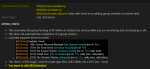
 
I didn't finish the task, I requested it and dropped it when I was unable to taskadd an account under level 115. I went from WW to GD and went to run the GD mission. That's where I received the spam messages, but I did not receive the in-game message that I had a task, because I did not have one. It was kicked about 10-15 seconds after getting it.
Like I said, maybe some server-side lag, or maybe Grind was being silly.

  1. I was unable to run Grind with a <115 in group, EQ kept kicking the idea of me grabbing the task because my minimum level was too low.
  2. I tried requesting the task with the lower player, denied.
  3. I dropped the lower level, received the task (from Grind), and re-invited / tried to taskadd.
    1. Received the message they could not be added
    2. /kickp task
    3. /grind end
  4. Made my way to GD, started grind at Zrelik, and the message you see was what I was spammed. I had no shared task at the time.
  5. I was able to manually request the task from Zrelik. I then ran /grind start, which removed the task, and then didn't do anything else.
  6. I re-ran /grind start, and everything went back to normal.

That is definitely an odd sequence of events. Lag could definitely be the culprit. The plugin uses TaskManager:

CTaskManager* tm = ppTaskManager; // compare the Task Title to the Quest Name for the zone if (_stricmp(tm->SharedTaskEntries->TaskTitle, getQuestName()) == 0) { ... }

This is where it decides what to do based on the values.

Well. I'm glad you got past this strange behavior. Please let me know if you run into it again.

Thanks man!
 
An Ingame friend tried to help me to get this running. As he told me, it seems, that the commands in the config pretend, that you have bought different other class-plugins. I only use kissassist to run all my chars. When I bought this, I was under the impression, that no other payed plugins are needed. If thats the case, can someone please provide me with a config based on kissassist only? Actually when attempting to start I get the error message: Could´t parse "shd mode 0" Best regards Myxin

Hey there Myxin!

I would strongly suggest that you open up MQ2Grind.ini which you will find in the Release folder along with the MQ2Grind.dll (and other plugins) file. This INI file has each class definition that you must edit to work with your crew. By no means does MQ2Grind take over or assume that you have paid plugins to control your characters.

If you run into trouble with setting it up, please feel free to reach out to me on Discord (hytiek#2341) or send me a private message here on the forums.

I've run MQ2Grind using nothing but KissAssist, Morisato was a tester of the plugin and only used RGMercs (go figure right?!), you can even use your own custom macro if you made such a tool to control your characters.

On the resource page, there's a few things worth reviewing:

1611676870874.png

If you haven't loaded MQ2Dannet before - please do so (/bcga //plugin mq2dannet load) - this will load it up on all of your toons. To confirm that it's running, type (/dnet info) and ensure that all of your toon names appear in the output. If one or more aren't listed, I suggest camping to Character select screen and come back in to allow Dannet to re-initialize.

Again, feel free to msg me for more help!
 
I am wondering if being tabbed to a different toon makes a difference. The delay seems to be longer when I am tabbed to another program or EQ instance. I doubt that would mess with it, and it may just be confirmation bias.
 
I'm working on a replacement system for the timing which initially use a core MQ2 feature which seems to have an odd behavior with faster processors. I hope to have the new routine completed before I go to sleep (tm) =)

I think my confirmation bias may be correct. I have run it several times, making the tank window not primary. Whenever I tab to a window that isn't my tank, the timing goes bonkers. If I am on the tank, it works perfectly.
 
I think my confirmation bias may be correct. I have run it several times, making the tank window not primary. Whenever I tab to a window that isn't my tank, the timing goes bonkers. If I am on the tank, it works perfectly.

That's very interesting. I cannot understand why that is. Let me explain a bit, to shed light on it.

The timing/timer/method I use is an internal API to MQ2 called OnPulse, which is like the heartbeat of MQ2. To delay, I skip heart beats (most plugins do this anyways) to slow the processing down. So the timing/timer skipping pulses is the same API that drives the tank around doing it's job (which I suspect is not adversely affected like the timing is), else it would have taken me much longer to get the plugin to where it is now... There's been lots of alt-tabing away frrom the tank =) /innocent.

The new timing handler that I'm working on is almost done, but I'm exhausted. So I'll give it more work tomorrow when I've had some sleep. =)

Thanks for looking into it the way you have!
 
Hey there Myxin!

I would strongly suggest that you open up MQ2Grind.ini which you will find in the Release folder along with the MQ2Grind.dll (and other plugins) file. This INI file has each class definition that you must edit to work with your crew. By no means does MQ2Grind take over or assume that you have paid plugins to control your characters.

If you run into trouble with setting it up, please feel free to reach out to me on Discord (hytiek#2341) or send me a private message here on the forums.

I've run MQ2Grind using nothing but KissAssist, Morisato was a tester of the plugin and only used RGMercs (go figure right?!), you can even use your own custom macro if you made such a tool to control your characters.

On the resource page, there's a few things worth reviewing:

View attachment 27737

If you haven't loaded MQ2Dannet before - please do so (/bcga //plugin mq2dannet load) - this will load it up on all of your toons. To confirm that it's running, type (/dnet info) and ensure that all of your toon names appear in the output. If one or more aren't listed, I suggest camping to Character select screen and come back in to allow Dannet to re-initialize.

Again, feel free to msg me for more help!
Hello Hytiek,

Many thanks for your response. I sent you a private message :-)

many Greetings

Myxin
 
hytiek updated MQ2Grind with a new update entry:

Fixed GMM rats, timing, and added The Call (CoV:ST)

1/29/2021
---
Enhancements
- Locked plugin to LIVE and TEST builds only
- Added instance support for Claws of Veeshan: The Call (Sleepers Tomb)

Resolved defects
- Fixed the rat problem in GMM (would agro but not attack)
- Fixed bad mesh for GMM (update your meshes via RG Launcher)
- Fixed the exit timing where it would take several minutes instead of 60 seconds

Caveats (known issues)
- Plugin is not available for EMU
- EQ, MQ2, and MQ2Nav say mob is LOS, but isn't, tried to avoid this by...

Read the rest of this update entry...
 
I've seen this program when it was free and didn't get a chance to try it. I have 10 levels to go before I can use the 95 part of this. I was shocked at the price point. I understand how the Hatchery macro works. It is a really hard choice on if I should save for this or not - I don't know enough to choose. Would anyone be willing to send me a private message here and explain what one can expect from this? Was this priced to keep it from being widely available so the company-who-shall-remain-namelesss doesn't lay a smack down on us for using it? Or, is it priced because of the instances available? Or, priced with the hope that those who pay will be responsible? With price points of $20-$50 it will limit what people can afford (or think is reasonable) - I'm guessing.
 
Redbot updated MQ2Grind with a new update entry:

1/29/2021

---
Enhancements
- Locked plugin to LIVE and TEST builds only
- Added instance support for Claws of Veeshan: The Call (Sleepers Tomb)

Resolved defects
- Fixed the rat problem in GMM (would agro but not attack)
- Fixed the exit timing where it would take several minutes instead of 60 seconds

Caveats (known issues)
- Plugin is not available for EMU
- EQ, MQ2, and MQ2Nav say mob is LOS, but isn't, tried to avoid this by locations, let me know if and where you get stuck
- EQ BUG where when...

Read the rest of this update entry...
 
Hey, Hytiek! Thanks so much for the one-on-one communication to fix several issues so far for GMM.

Additional question: is there any checks in place for mana? Occasionally the healer or tank will run out of mana, and the plugin keeps going. I am not sure if I am missing any options somewhere.
 
hytiek updated MQ2Grind with a new update entry:

SafeMode enhancements and more GMM fixes

1/30/2021
---
Enhancements
- Added SafeMode location setting for each Grind (future proofed)
- Updated INI handling
-- added ExitMode to INI if missing (default: taskquit)
-- added SafeMode defaults for each Grind (default: 0)

Resolved defects
- Fixed death notice to not complain if you were bound in GMM
- Fixed brute force auto accepting set up
- Fixed location numbers, no more skipping numbers

Caveats (known issues)
- Plugin is not available for EMU
- EQ, MQ2, and MQ2Nav say mob is LOS...

Read the rest of this update entry...
 
hytiek updated MQ2Grind with a new update entry:

Hotfix to reduce spam from 2021-01-30 build

1/30/2021 (9pm Eastern)
---
HOTFIX:
Reverted a 'fix' which unfortunately created excessive spam.
For now, you may notice a skipping in the locations, this is only a text output issue.
In the backend it's navigating to all of the pre-defined locations as it should.

Enhancements
- Added SafeMode location setting for each Grind
- Updated INI handling
-- added ExitMode to INI if missing (default: taskquit)
-- added SafeMode defaults for each Grind (default: 0)

Resolved defects
- Fixed death...

Read the rest of this update entry...
 
Enjoying this plugin immensely! Great work!
Out of curiosity, what is everyone running on their war? RG or CWTN? Has anyone seen any noticeable difference in one vs the other?
 
Enjoying this plugin immensely! Great work!
Out of curiosity, what is everyone running on their war? RG or CWTN? Has anyone seen any noticeable difference in one vs the other?

I run MQ2War daily.

During testing, I ran KA. @morisato did a bunch of testing with RGMercs (go figure right?)

I did notice that KA handles add differently than CWTN; so I added that factoring into the plugin. So depending on if you are running CWTN plugin or KA, the plugin actually uses a different mode internally to optimize with the automation instead of fighting it.

(thank you for the nice compliment though!!)
 
So I've been testing this out on test. Works nicely except when a death happens. it never resumes grind after the (30 pause) from rez. ALl chars are in dannet and they are at full h/m/e. Not sure what other setting to change to avoid this or if it's a recent change in your last fixed death update.

There's been no change to the death update; the fix I referenced above was more about being bound in GMM. The plugin would assume since you were in the zone you were bound in, that you died. =)

Would you mind reaching out to me on Discord (hytiek#2341) so we can work through the problem you found/encountered or send me a private message for some debuging / trouble shooting.

Thanks!
 
Enjoying this plugin immensely! Great work!
Out of curiosity, what is everyone running on their war? RG or CWTN? Has anyone seen any noticeable difference in one vs the other?
I have an SK and use CWTN! never used anything else
 
I love this plugin. I have one questin. Is the plgin supposed to recover automatically in the event of a death/corpse. I ask because I notice that when a death happens te plugin is paused and the rez is done but never restarts.
 
I love this plugin. I have one questin. Is the plgin supposed to recover automatically in the event of a death/corpse. I ask because I notice that when a death happens te plugin is paused and the rez is done but never restarts.

The plugin doesn't automatically recover as to not change original game play ... But ... if you were able to rez the fallen toon before the plugin picks up that the toon died, you'd be ahead of the game. =)
 
KA tank never stops between steps to do buffs. This results in me rushing 3+ mobs with a 2h'er, maybe no buffs on because I may have died during the last encounter with my 2h out.


INI:
DelayAfterRez=30
DelayAtStaging=10
WaitForLoot=0
What do these do? They don't allow for pausing after death, or rebuffing before blindly charging into the next spot. If I get a combat ress then the plugin just skips ahead to the next spot while my tank has zero buffs on.

Please let me know if you need help testing again.


Also as mentioned above, it would be nice if the plugin would resume XX seconds after all the group is ressed, and to not pause indefinitely. If for example the bard takes a bad round of melee and there is no combat ress able, then the grind is halted permanently.
 
My experience so far -
A few things that have worked well for my crew running this.
SK, Ber, Ber, Shm, Mnk, Enc
All CWTN plugins
i made sure the INI had my tank in mode 7 (sic tank) and my other toons in mode 3(vorpal) - I tried chase mode on everyone except my tank... but it seemed to cause issues randomly, so this setup seems to work best for me.
I typically run the Restless Assault Grind

at first i was having issues surviving, I changed my stickhow= in my CWTN ini to make all my toons stick FRONT and LOOSE. (doing this kept my guys from trying to run behind the mobs, which lessened the amount that i was aggroing extra mobs, and helped for the random (oh no, my guy got smacked in the back and splatted because he is stupid and got caught on a wall or was just being dumb)

If you're using CWTN plugins you modify your StickHow in your mq2berzerker_toonname.ini (or whichever plugin u happen to be wanting to modify.) its in your V V release folder
(this is what i have mine set as... No Idea what is BEST but, ya know, this is what ive got :) StickHow=snaproll front 10 moveback loose uw

I also added time to my staging area prep time. I tried 40sec at first, and that was too much, changed it to 20s, seems to give my lazy toons time to decide what they wanna be doin a little better than 10 seconds.
oh, i also set my burncount to 3, i feel like that is keeping me alive as well.

a few of my CWTN settings -
my autoassistat is at 100 , I don't have a reason for this really, it just "feels" the best to me.
I have my burncount set to 3 on all my toons. (this increased my ability to survive those random rounds where you would die because of timing/server lag)

All in all, this is one of my favorite active plugins. I use it daily, If you want to pwr level a toon, or just have a toon u want aa on but hasn't gotten gear yet or something, you just set them to manual mode, they will just follow the rest your guys around like a little puppy pickup up the XP kibble you give him. GREAT for running while watching a movie or something, and the better your toons get, the faster they run the grind. so it basically gets better the longer you use it. Hytiek is an awesome creator, always takes time to listen if i have any issues / questions to make sure the plugin is running smootly and properly. One of the best things is, its not just for crazy god like toons. it takes it nice and easy. There are options as to which instance you want to flip. some easier, some more difficult.
 
KA tank never stops between steps to do buffs. This results in me rushing 3+ mobs with a 2h'er, maybe no buffs on because I may have died during the last encounter with my 2h out.


INI:
DelayAfterRez=30
DelayAtStaging=10
WaitForLoot=0
What do these do? They don't allow for pausing after death, or rebuffing before blindly charging into the next spot. If I get a combat ress then the plugin just skips ahead to the next spot while my tank has zero buffs on.

Please let me know if you need help testing again.


Also as mentioned above, it would be nice if the plugin would resume XX seconds after all the group is ressed, and to not pause indefinitely. If for example the bard takes a bad round of melee and there is no combat ress able, then the grind is halted permanently.

Hey BlankStare, so to answer a few questions from the FAQ:

[General]
  • pulseSkip - this allows you to speed up or slow down the responsiveness of the plugin (10 = 1/10th of a second)
  • SafeMode - if enabled, the plugin will stop navigating to the "lastToVRALoc" defined
  • lastToVRALoc - if SafeMode is enabled, then this value will tell the plugin where to stop and exit the run. For instance loc 27 instead of running the full 34
  • WaitForLoot - if enabled (1,true,yes,on) will delay the plugin from recylcing the mission until all loot is distributed
  • DelayAfterRez - if configured, the value is integer and relates to how many seconds the plugin must wait before continuing
  • DelayAtStaging - if configured, the value is integer and relates to how many seconds the plugin must wait at the Staging location to allow group members to buff/do stuff before entering battle

Now, looking at the code, I think I can see where the DelayAfterRez could get skipped/bypassed. I've logged a bug against it and will look at relocating this bit of code higher up in the state machine to ensure that it doesn't get skipped. Thanks for bringing this to my attention!
 
Release MQ2Grind

Users who are viewing this thread

Back
Top
Cart