
-
 Hail, we're RedGuides. We want you to play six (yes, 6!) EverQuest characters at once. We have scripts and a friendly community to help, please join our playstyle and say hello! 👋
You are using an out of date browser. It may not display this or other websites correctly.
You should upgrade or use an alternative browser.
You should upgrade or use an alternative browser.
Resource icon
Release MQ2EasyFind (1 Viewer)
- Thread starter brainiac
- Start date

Awesome @Cannonballdex, thx a lot for thesePut this in your zoneconnections.yaml file. (might have to adjust the formatting)
Code:akhevatwo: - type: ZoneConnection location: [-1449.92, 125.33, 19] targetZone: maidentwo basilica: - type: ZoneConnection location: [1.14, 45.53, -20.30] switch: 1 targetZone: shadowvalley
And the navmesh in your navmesh folder.
Edit: Sorry I was being lazy, should of just uploaded everything I had the first time.

- Commits
- 2
I haven't been on test for a while, but you could always try to run the launcher repatch and restart everything.Play on Test and updated just this past Thursday(ish), and no editing or changing of anything it worked fine yesterday and stopped working right this morning.
Actually, I don't even think mqnext is on test yet is it? The navigation thing might not be supported anymore if that is the case.

yupI haven't been on test for a while, but you could always try to run the launcher repatch and restart everything.
Actually, I don't even think mqnext is on test yet is it? The navigation thing might not be supported anymore if that is the case.

Vanilla - Very Vanilla MQ (Test Server)
"Test server" works on: The Test Server (you may run it at the same time as the Live version with no issues) Install & Update With redfetch See also: Live Server version, Emulated Server version. Contents What is Very Vanilla? What is...
 www.redguides.com

- Commits
- 1
Not sure if this belongs here.
Maiden's Eye Two through nexus.
Under nexus:
ZoneConnections.yaml
Maiden's Eye Two through nexus.
Under nexus:
ZoneConnections.yaml
Code:
        -   type: ZoneConnection
            targetZone: maidentwo
            location: [-365.7, 64.8, -42.7]
            script: |
                --FIXME
                mq.cmd.docommand('/makemevisible')
                mq.cmdf('/target concerned')
                mq.cmdf('/say stones')
                mq.delay(2000)
                if (mq.TLO.Cursor.Name() == "Spire Stone of Maiden's Eye") then
                    mq.cmd.autoinventory()
                    mq.cmd.nav('loc 0.50 -4.1 -30.25')
                end
            expansion: Terror of Luclin
- Commits
- 2
steamfontmnts should be steamfontmts
it is already control+shift+click for groupI'd like to request a hotkey (CTRL+ALT+SHIFT) to mimic the group behavior to all available logged in toons. Is this possible? For now I'm just manually "/bcaa //travelto zonename" but would be easier to use the Find Window to move one zone at a time as needed.
2. new easyfind self travel is Control+Click (reminder in find window title bar)
3. new easyfind group travel is Control+Shift+Click
or you can
/travelto group zonenameYeah Sic, I want to mimic that capability to broadcast to ALL available toons logged in using dannet or eqbc. Sorry that it wasn't very clear in my original message, it was late and I was sleepy  .
.
CTRL - Driver travels
CTRL+Shift - Group Travels
CTRL+ALT+SHIFT - Raid travels
.CTRL - Driver travels
CTRL+Shift - Group Travels
CTRL+ALT+SHIFT - Raid travels
Diamondmine
Well-known member
report your issue here: https://github.com/brainiac/MQ2EasyFind/issues
- Commits
- 2
skyfire should be skyfiretwo
Code:
overtheretwo:
        -   type: ZoneConnection
            switch: 6
            targetZone: charasis
        -   type: ZoneConnection
            location: [24, 2575, 21]
targetZone: skyfiretwoI am wondering if there is something that I need to edit or change in how I am leaving my guild hall.
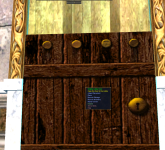
My characters come to the door and can't go to lobby and can't go out to Sunrise Hills so I manually right click and open door. Is there some kind of integration that can work in Easyfind for this?
Some if statement if it sees a "shabby lobby door" around it uses that?
Also is there a setting somewhere for it to use guild portal vendor?
My characters come to the door and can't go to lobby and can't go out to Sunrise Hills so I manually right click and open door. Is there some kind of integration that can work in Easyfind for this?
Some if statement if it sees a "shabby lobby door" around it uses that?
Also is there a setting somewhere for it to use guild portal vendor?
can use > guildclicky.lua < to use guild clicky itemsI am wondering if there is something that I need to edit or change in how I am leaving my guild hall.
View attachment 36843
My characters come to the door and can't go to lobby and can't go out to Sunrise Hills so I manually right click and open door. Is there some kind of integration that can work in Easyfind for this?
Some if statement if it sees a "shabby lobby door" around it uses that?
Also is there a setting somewhere for it to use guild portal vendor?
- Commits
- 2
Put this in your ZoneConnections.yaml under your guild hallI am wondering if there is something that I need to edit or change in how I am leaving my guild hall.
View attachment 36843
My characters come to the door and can't go to lobby and can't go out to Sunrise Hills so I manually right click and open door. Is there some kind of integration that can work in Easyfind for this?
Some if statement if it sees a "shabby lobby door" around it uses that?
Also is there a setting somewhere for it to use guild portal vendor?
Code:
-   type: ZoneConnection
            location: [2, 255, -10.60]
            script: |
                mq.cmd('/itemtarget "Shabby Lobby Door"')
                mq.delay(2000)
                mq.cmd('/click right item')
                mq.delay(2000)
                mq.cmd('/notify "open the door" menuselect')
            targetZone: guildlobby
Does anyone recall how the Zone Guide window works now? It's another downgrade of functionality from MQ2, I think I recall some sort of activate command that has to be run now to get it to do anything?

- Commits
- 191
/travelto activate
I believe.
I believe.
mental notes:Does anyone recall how the Zone Guide window works now? It's another downgrade of functionality from MQ2, I think I recall some sort of activate command that has to be run now to get it to do anything?
2. new easyfind self travel is Control+Click (reminder in find window title bar)
3. new easyfind group travel is Control+Shift+Click
4. If you selected a destination in your zone guide and want to activate it you /travelto activate
Thanks guys!
- Commits
- 2
Akheva from Maiden, need the navmesh to go with it.
Code:
maiden:
        -   type: ZoneConnection
            location: [-2290, 70, -160]
            targetZone: akheva
            identifier: 1
        -   type: ZoneConnection
            location: [-2339, 246, -160]
            targetZone: akheva
            identifier: 2
        -   type: ZoneConnection
            location: [-404, -2331, -156]
            targetZone: umbral
        -   type: ZoneConnection
            location: [1008, 2148, -234]
            targetZone: dawnshroud
Attachments
Last edited:
- Commits
- 2
Akheva
Code:
akheva:
        -   type: ZoneConnection
            location: [-1489, -70, 19]
            targetZone: maiden
identifier: 2I upgraded to MaroQuest from MQ2 after updating redguides launcher. I use both plugins and kissassist depending which characters I am using. My only issue is the auto navigation is no longer working for any character in any zone. The mystical path appears but that is it. I am sure there is something stupid I missed doing but after 2 days of looking I am asking for help.
I upgraded to MaroQuest from MQ2 after updating redguides launcher. I use both plugins and kissassist depending which characters I am using. My only issue is the auto navigation is no longer working for any character in any zone. The mystical path appears but that is it. I am sure there is something stupid I missed doing but after 2 days of looking I am asking for help.
Moving to next mental notes:
1. mq2map click is Control+Shift+Click
2. new easyfind self travel is Control+Click (reminder in find window title bar)
3. new easyfind group travel is Control+Shift+Click
4. If you selected a destination in your zone guide and want to activate it you /travelto activate
5. /yes and /no are now aliases
nah not rtm, just that some things are different, and here are a couple of notes you might want to sticky/copy/writedown because many of us have run into the same thing and needed a little list to referenceThe take home message is RTFM. I knew it was stupid and simple that you for the quick and complete reply. The support this community provides is amazing
I recently reloaded MQ2 to update from Legacy. Nav works for the most part, but now when I use the find window and click on an NPC zoneline, I only get the yellow misty path to get there and no longer go there using nav automatically. Even right clicking doesn't work. Any ideas on why this may be happening? I even ran an update for mq2 nav.
Thanks in advance.
I tried posting this in the nav questions under plugins but it wouldn't let me start a new post for some reason.
Thanks in advance.
I tried posting this in the nav questions under plugins but it wouldn't let me start a new post for some reason.
yep. it sure does work.
mental notes for MacroQuest compared to MQ2 Legacy
1. mq2map click is Control+Shift+Click
2. new easyfind self travel is Control+Click (reminder in find window title bar)
3. new easyfind group travel is Control+Shift+Click
4. If you selected a destination in your zone guide and want to activate it you /travelto activate
you should consider checking out >>> Functions & Features for MacroQuest <<<
mental notes for MacroQuest compared to MQ2 Legacy
1. mq2map click is Control+Shift+Click
2. new easyfind self travel is Control+Click (reminder in find window title bar)
3. new easyfind group travel is Control+Shift+Click
4. If you selected a destination in your zone guide and want to activate it you /travelto activate
you should consider checking out >>> Functions & Features for MacroQuest <<<
yes. it still isnt working. I do not understand why this has stopped working...it worked great before that patch so what changed?
I never ever had to reload nav or even mess with any plugins it just worked. IE I could hit find, then hit either a group player in the find window or a campfire or whatever and that player would run there. What has changed since the patch???
I get the following
Path received and successfully initialized.
MQ2EasyFind: Going to (Group)->Redguides (Path)
But I never move. I just see the path. It was not like that before lol.
Yup, it sure does work. Maybe I had a brain fart, but don't remember having to "Ctrl" + click. I think I just clicked before. Got it now. Thanks a million! And keep them video's coming. SUPER HELPFUL!!!!!!!!!!!yep. it sure does work.
mental notes for MacroQuest compared to MQ2 Legacy
1. mq2map click is Control+Shift+Click
2. new easyfind self travel is Control+Click (reminder in find window title bar)
3. new easyfind group travel is Control+Shift+Click
4. If you selected a destination in your zone guide and want to activate it you /travelto activate
you should consider checking out >>> Functions & Features for MacroQuest <<<
brighthyden
Member
In mq2 legacy, I am able to bring up zone guide through the map, and clicking on the destination zone and activating the path makes my character start navigating to the zone automatically. This does not happen in mq2next. I'm sure there is an obvious way to do this but I'm having a hard time finding it out.
What do I need to do to make this happen?
What do I need to do to make this happen?
here are some "mental notes" for MacroQuest which are a little different than legacyIn mq2 legacy, I am able to bring up zone guide through the map, and clicking on the destination zone and activating the path makes my character start navigating to the zone automatically. This does not happen in mq2next. I'm sure there is an obvious way to do this but I'm having a hard time finding it out.
What do I need to do to make this happen?
mental notes for MacroQuest compared to MQ2 Legacy
1. mq2map click is Control+Shift+Click
2. new easyfind self travel is Control+Click (reminder in find window title bar)
3. new easyfind group travel is Control+Shift+Click
4. If you selected a destination in your zone guide and want to activate it you /travelto activate
brighthyden
Member
Thanks for the information!here are some "mental notes" for MacroQuest which are a little different than legacy
mental notes for MacroQuest compared to MQ2 Legacy
1. mq2map click is Control+Shift+Click
2. new easyfind self travel is Control+Click (reminder in find window title bar)
3. new easyfind group travel is Control+Shift+Click
4. If you selected a destination in your zone guide and want to activate it you /travelto activate
With Legacy in zones I was able to click zonelines in Find and it would navigate me to those zoneline if mesh was available to it, this doesn't seem to work in Next. Is there something I am missing? Is there a guide to getting to learn the new functionality that comes with these changes?
here are some "mental notes" for MacroQuest which are a little different than legacyWith Legacy in zones I was able to click zonelines in Find and it would navigate me to those zoneline if mesh was available to it, this doesn't seem to work in Next. Is there something I am missing? Is there a guide to getting to learn the new functionality that comes with these changes?
mental notes for MacroQuest compared to MQ2 Legacy
1. mq2map click is Control+Shift+Click
2. new easyfind self travel is Control+Click (reminder in find window title bar)
3. new easyfind group travel is Control+Shift+Click
4. If you selected a destination in your zone guide and want to activate it you /travelto activate
note: 2, 3, and 4 for easyfind
That is awesome! Thank you very much!here are some "mental notes" for MacroQuest which are a little different than legacy
mental notes for MacroQuest compared to MQ2 Legacy
1. mq2map click is Control+Shift+Click
2. new easyfind self travel is Control+Click (reminder in find window title bar)
3. new easyfind group travel is Control+Shift+Click
4. If you selected a destination in your zone guide and want to activate it you /travelto activate
note: 2, 3, and 4 for easyfind
this is not a kissassist question.As per the title, I believe this is since I changed to next instead of legacy but cannot be 100% sure. Previously I do CTRL-F and click target and hey presto my toon is on his way there (inc clickly said target), now I just get the golden path and do not auto run.
this is an mq2easyfind question
with the official change over to MacroQuest, there are a couple of differences, one being how you use easyfind. you can see the "mental notes" at the bottom here
It is OFFICIAL! MacroQuest is the version of MacroQuest that we offer here at RedGuides.
You will see this with "MacroQuest - Live" in the RG Launcher.
Please, check out this link: >>> Functions & Features Demo + Migration to the new MacroQuest<<<
mental notes:
1. mq2map click is Control+Shift+Click
2. new easyfind self travel is Control+Click (reminder in find window title bar)
3. new easyfind group travel is Control+Shift+Click
4. If you selected a destination in your zone guide and want to activate it you /travelto activate
5. /yes and /no are now aliases, there is no mq2yes plugin
do youmean easyfind clicking in your find window?If anyone has a fix for this I could really use the help
if so make sure you check out the information below.
if you're missing meshes make sure you run the mesh updater in the launcher
It is OFFICIAL! MacroQuest is the version of MacroQuest that we offer here at RedGuides.
You will see this with "MacroQuest - Live" in the RG Launcher.
Please, check out this link: >>> Functions & Features Demo + Migration to the new MacroQuest<<<
mental notes:
1. mq2map click is Control+Shift+Click
2. new easyfind self travel is Control+Click (reminder in find window title bar)
3. new easyfind group travel is Control+Shift+Click
4. If you selected a destination in your zone guide and want to activate it you /travelto activate
5. /yes and /no are now aliases, there is no mq2yes plugin
Users who are viewing this thread
Total: 2 (members: 0, guests: 2)
Share: