• You've discovered RedGuides, an EverQuest multi-boxing and scripting community 🧙‍♀️⚙️. We want you to play several EQ characters at once, come join us and say hello! 👋

  • A TLP without truebox has thawed (Very Vanilla ready)
    Frostreaver
MQ2AutoSize

Release MQ2AutoSize (1 Viewer)

Skyjet2000

Member
Joined
Jul 2, 2011
RedCents
605¢
Doesn't seem MQ2size is available anymore.

I was wondering if MQ2Autosize could be used to change the size of your own character instead of those around you? Or is there anything currently that can do this?
 
MQ2Size code is floating around the boards some where. I will dig it up. May take me a few days to update the offset. I will include in the in future compiles.
 
Here you have MQ2Size

Rich (BB code):
#include "../MQ2Plugin.h" 

PreSetup("MQ2Size"); 

class SizeClass { 
public: 
void SizeFunc(float); 
}; 

FUNCTION_AT_ADDRESS(void SizeClass::SizeFunc(float), EQPlayer__ChangeHeight );

VOID Size(PSPAWNINFO pChar, PCHAR szLine) 
{ 
CHAR szArg[MAX_STRING]={0}; 
GetArg(szArg,szLine,1); 

if(szArg[0]!=0) 
if (ppTarget && pTarget) 
{ 
PSPAWNINFO Target = (PSPAWNINFO)pTarget; 
{ 
((SizeClass*)Target)->SizeFunc((float)atof(szArg)); 
} 
} 
} 

PLUGIN_API VOID InitializePlugin(VOID) 
{ 
AddCommand("/size",Size); 
} 

PLUGIN_API VOID ShutdownPlugin(VOID) 
{ 
RemoveCommand("/size"); 
}
 
MQ2AutoSize - Shrinks anyone in range down to minimum allowed size.
They will revert back to normal when they move out of range. These effects are CLIENT SIDE ONLY!
Rich (BB code):
/autosize              - Toggles zone-wide  AutoSize on/off
/autosize dist         - Toggles distance-based AutoSize on/off
/autosize pc           - Toggles AutoSize PC spawn types
/autosize npc          - Toggles AutoSize NPC spawn types
/autosize pets         - Toggles AutoSize pet spawn types
/autosize mercs        - Toggles AutoSize mercenary spawn types
/autosize mounts       - Toggles AutoSize mounted player spawn types
/autosize corpse       - Toggles AutoSize corpse spawn types
/autosize target       - Resizes your target to sizetarget size
/autosize everything   - Toggles AutoSize all spawn types
/autosize self         - Toggles AutoSize for your character
/autosize range #      - Sets range for distance-based AutoSize

(Valid sizes 1 to 250)
/autosize size #       - Sets default size for "everything"
/autosize sizepc #     - Sets size for PC spawn types
/autosize sizenpc #    - Sets size for NPC spawn types
/autosize sizepets #   - Sets size for pet spawn types
/autosize sizetarget # - Sets size for target parameter
/autosize sizemercs #  - Sets size for mercenary spawn types
/autosize sizemounts # - Sets size for mounted player spawn types
/autosize sizecorpse # - Sets size for corpse spawn types
/autosize sizeself #   - Sets size for your character

/autosize status       - Display current plugin settings to chatwnd
/autosize help         - Display command syntax to chatwnd
/autosize save         - Save settings to INI file (auto on plugin unload)
/autosize load         - Load settings from INI file (auto on plugin load)
/autosize autosave     - Automatically save settings to INI file when an option is toggled or size is set


Data is saved to MQ2AutoSize.ini
 
Last edited by a moderator:
The memory mask on it probably needs to be updated I'll see if i can get one of our guys to look at it.
 
Is this Plugin still MIA? It's not in the current download?
I have no way to compile the above code.
 
Wow you dug up a thread I made in 2011.

MQ2Autosize should cover everything you need to do in 2017.
 
I use it all the time, helps in Pok at small bank doing TS too.. I just forget to turn it off so it’s on like 90% of the time I play
 
I used it for years but sucks on raids because others see you as big. Better to not shrink self.
 
can you be more specific?

i just tested and it worked as expected here - what specifically isn't working?

It says that the size has changed, but it doesn't change the size visually. For example, it says size of self has changed from 10 to 20 but no visual change occurs

Edit: i tried unloading and reloading, but that doesn't fix it.
 
It says that the size has changed, but it doesn't change the size visually. For example, it says size of self has changed from 10 to 20 but no visual change occurs

Edit: i tried unloading and reloading, but that doesn't fix it.
hrm

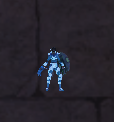
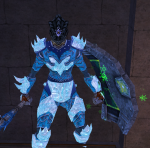
/autosize sizeself 1
1611498828941.png

using pictures against this all so you can see my size relative to a brick
1611498690322.png

/autosize sizeself 25
using pictures against this all so you can see my size relative to a brick
1611498800417.png

1611498729965.png
 
Hello cute fellows and fellowettes. /autosize being a toggle is frustrating. Support for on/off would be lovely. You can get out of sync with the current method.
 
for some reason everyone in my group but me is ant sized. if I switch to another character he is normal but everyone elts is small? whats is causing this?
 
Someone's question, becomes someone's (mine) Plugin of the day knowledge update! That's a great plugin for dungeon camping!!¬
 
Does this help not getting stucked in dungeons? Do other people around me see me in normal size?

Never noticed this plugin:confused:
 
Does this help not getting stucked in dungeons? Do other people around me see me in normal size?

Never noticed this plugin:confused:
It is only local. it does not actually shrink the toons. other people see you normal
 
Ah well, it's the thought that counts:) Luckily I have da pocket Shammy.
 
/autosize sizeself 3
/autosize sizepc 3

As long as it’s on this makes all PCs including self appear max shrunk size. Unfortunately illusions will break the change and things return to normal size after a shape shift.

It will help you not get stuck etc. Some places react better to different sizes. Smaller sizes miss getting snagged, larger sizes can someone just jump over things like bumps.
 
I found that after I cast some illusions spells such as necro lunaside and change myself from dark elf to bones , then, my poor necro [BGCOLOR=initial](auto size self set on) seems changed back to normal size ,[/BGCOLOR]
[BGCOLOR=initial]Anyone have this problem?[/BGCOLOR]
Or maybe its just my eyes problem… LOL
 
I found that after I cast some illusions spells such as necro lunaside and change myself from dark elf to bones , then, my poor necro [BGCOLOR=initial](auto size self set on) seems changed back to normal size ,[/BGCOLOR]
[BGCOLOR=initial]Anyone have this problem?[/BGCOLOR]
Or maybe its just my eyes problem… LOL
Yep, illusions would realize you. Gotta resize after
 
Anyone seeing minature toons all over the place? First saw it in guild hall ...every single toon is like 6 inches tall ...reference.
 
Release MQ2AutoSize

Users who are viewing this thread

Back
Top
Cart