• Hail, we're RedGuides. We want you to play six (yes, 6!) EverQuest characters at once. We have scripts and a friendly community to help, please join our playstyle and say hello! 👋
  • We've added LLM sections to our Terms & Rules and Resource Rules, for everyone's sanity & in-game safety.
    Read more
    a. Do not replace your voice with an LLM. This goes for your posts and your scripts. Drafting and editing with a tool is fine, but don't take you out of what you share.
    b. Do not replace your EQ character's voice with an LLM. We don't want scripts that speak over /ooc, /shout or other public channels. This has been an unwritten rule that's kept casino scripts off the site for decades, but we're now compelled to make it clear: keep automated communication private.

    Why Does RG Review Scripts?
    Nearly every LLM-written Lua script we see is making your character do impossible things, and rarely in a way that's beneficial to you. We've seen heavy server hammering, /target over impossible distances when /nav spawn would passively accomplish the same thing, a spawn search that fires 20+ times per second, and other pointless actions that are likely annoying GMs.

    You are welcome to use LLMs as a tool to structure, draft, and edit your work, but please read critically before hitting /lua run

Question - mq2 nav help

I am looking for help with mq2nav and fixing a few meshes that have breaks in them and im getting frustrated with the nav builder and not being able to fix these breaks in the nav meshs, Im currently useing the VV ones that come with the updater and am running into certain caves that have breaks in them to where my puller will not pull mobs in these rooms. Any help with this will be appreciated please.
 
I am looking for help with mq2nav and fixing a few meshes that have breaks in them and im getting frustrated with the nav builder and not being able to fix these breaks in the nav meshs, Im currently useing the VV ones that come with the updater and am running into certain caves that have breaks in them to where my puller will not pull mobs in these rooms. Any help with this will be appreciated please.
It would be helpful if you let folks know what zones and perhaps what areas / locs you're having issues with
 
Great divide, velks ( both tov) only 2 on the top of my head atm Kodiak caves
well again, its going to be much more helpful if you provide some more information to folks so we can address the specific challenges you're having.

can you give us some locs or at least some *general* area of those zones you're having issues with?

in GD the tizzy caves are definitely a pita, so i suspect that might be one spot you're having challenges with.

try my velks mesh
 

Attachments

i will try your velks one later when im in there, but i was really interested in knowing how in the nav generator i could try to fix these so i dont have to ask for help with it every time i run into this.
 
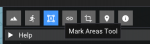
I usually open the map in meshgenerator, navigate through the areas of interest and use the mark areas tool (walkable area) to fix any broken areas, if you can't get it to turn blue, the I use the connection tool and make a two way connection between the two areas i want to travel. then save the mesh, after saving it should update in game real time.
 
i will try your velks one later when im in there, but i was really interested in knowing how in the nav generator i could try to fix these so i dont have to ask for help with it every time i run into this.
I made a post here showing how to edit out a section - adding in a section is the same just you would add "Walkable" instead of "Not Walkable" / "Avoid"
> HERE <


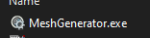
locate meshgenerator.exe in your release folder
1607275036423.png

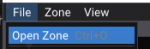
then file->open zone
1607275042262.png

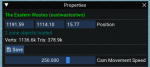
then you can move to the location you want to mark, either by your keyboard/mouse or by putting in the location in the window
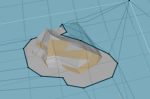
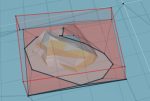
Here is some random rock in EW
1607275048397.png

1607275053012.png

Now let's say that I wanted to ensure that entire rock i don't go on instead of how it is now, where some of it i would walk on.
I like to use the Mark Area tools where i can and avoid "re rendering the mesh" if i don't need to.
1607275057503.png

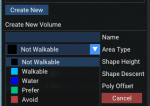
Once I click on the Mark Area Tool i can select the dropdown for what type of area i would like to create.
Not Walkable will mean if you end up on it some how (mob knocks you back, or you stick on to it or whatnot, that you would not be able to nav back off it - avoid means it is weighted higher for the nav calculations but you can still nav on it).

1607275061567.png

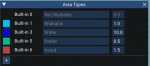
You can also create/adjust the weights of areas to make them "more avoidable" etc. some zones i will create a MEGAAVOID area type and give it a crazy weight like 50
1607275068661.png

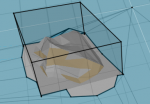
Let's say i just want to avoid this
I would click my 4 points
1607275073380.png
and then create volume

1607275084507.png
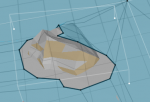
Now this area is "avoided"
1607275088386.png

for something like a tree I would just use the not-walkable avoid type
Which would make it look like this

1607275094041.png

once you have your tree marked off you just click save
1607275098117.png

if you are currently in-game it should auto-reload the map for you - if it didn't you can /nav reload

you can check in game that it got added by doing the /nav ui and clicking that "render navigation mesh" - you will see the marked out area

back to profit
 
Question - mq2 nav help

Users who are viewing this thread

Back
Top
Cart