
-
 Hail, we're RedGuides. We want you to play several EverQuest characters at once. We have scripts and a friendly community to help, please join our playstyle and say hello! 👋
You are using an out of date browser. It may not display this or other websites correctly.
You should upgrade or use an alternative browser.
You should upgrade or use an alternative browser.
Resource icon
Release Map (core plugin)
- Thread starter Teichou
- Start date
You can use nearby. The issue is you have run out of labels. Eq can only handle so much text on screen at once. Nearby solves this as it’s Lua not eq.Hi, I have a question about MQ2Map
Why are there sometimes some labels missing like in the top right part of this screenshot?
View attachment 75388
How can I fix this problem?
Thanks
Sometimes you get similar when you have all your bags open, or the map in PoK.
Wrong forum
When I go into a zone I have to type /mapshow npc in order to see the npc's on my map. I also have to do this in order to see respawns. I don't recall ever having to do this in the past. Did something change, did I possibly screw up a setting?
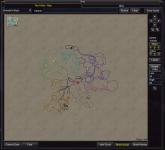
click your EQ button, go to macroquest, and click the maps option in the window that pops up. Is NPCs selected?When I go into a zone I have to type /mapshow npc in order to see the npc's on my map. I also have to do this in order to see respawns. I don't recall ever having to do this in the past. Did something change, did I possibly screw up a setting?

my maps on three accounts on one computer are showing no regular mobs
I have tried reset and my map settings show all
I have another computer with 2 accounts working fine.
I tried logging off the problem one all accounts starting MQ over
I can't find a solution.
It shows PC
I have tried reset and my map settings show all
I have another computer with 2 accounts working fine.
I tried logging off the problem one all accounts starting MQ over
I can't find a solution.
It shows PC
Attachments

Thank you I thought I read through this thread, but the answer is right above, this worked.Merging to the mq2map thread.
/mapshow npc
I am not sure why all three changed settings but this did bring the npc back up.
Thank you I did try reset and all I also checked the settings which seem to list everything as show.Merging to the mq2map thread.
Show your /mqsettings -> plugins -> map
You probably turned on named
Hope I don't do it again!!
I just zoned and all 3 maps lost npc again, is there something I have to do to save the settings?Merging to the mq2map thread.
Show your /mqsettings -> plugins -> map
You probably turned on named
if you have "named" turned on, this makes it so you dont see all regular mobsHey, i have a weird thing that happened when i updated to most recent. On the map i am only seeing named, collections, PCs group members etc, but not regular mobs
i've tried /mapshow reset and a few other things, any ideas?
sorry for newb question
/mapfilter named
or
you can just click it off in the map settings panel
/mqsettings -> plugins -> map
click this off

did the trick, thanks Sic, awesome like alwaysif you have "named" turned on, this makes it so you dont see all regular mobs
/mapfilter named
or
you can just click it off in the map settings panel
/mqsettings -> plugins -> map
click this off
View attachment 77009

Users who are viewing this thread
Total: 1 (members: 0, guests: 1)
Share: