• Hail, we're RedGuides. We want you to play six (yes, 6!) EverQuest characters at once. We have scripts and a friendly community to help, please join our playstyle and say hello! 👋
  • We've added LLM sections to our Terms & Rules and Resource Rules, for everyone's sanity & in-game safety.
    Read more
    a. Do not replace your voice with an LLM. This goes for your posts and your scripts. Drafting and editing with a tool is fine, but don't take you out of what you share.
    b. Do not replace your EQ character's voice with an LLM. We don't want scripts that speak over /ooc, /shout or other public channels. This has been an unwritten rule that's kept casino scripts off the site for decades, but we're now compelled to make it clear: keep automated communication private.

    Why Does RG Review Scripts?
    Nearly every LLM-written Lua script we see is making your character do impossible things, and rarely in a way that's beneficial to you. We've seen heavy server hammering, /target over impossible distances when /nav spawn would passively accomplish the same thing, a spawn search that fires 20+ times per second, and other pointless actions that are likely annoying GMs.

    You are welcome to use LLMs as a tool to structure, draft, and edit your work, but please read critically before hitting /lua run

Question - Login problems with Next

izar966

New member
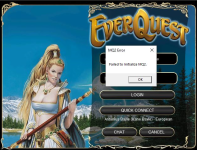
Hello, i can´t use MQNext since jan 5th patch, first i get the message on the picture below....
1641569986030.png
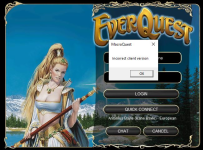
And when i hit the ok button i get
1641570107202.png

This would of course imply i have to run the EQ launchpad to update the game, but i have already done so.
If i switch to MQ2 Live it works but when i try to log in with Next i doesn´t, i did hit the reinstall button on Next but no difference.
I also tried to delete the EQgame.exe and rerun the launchpad, but no difference.
So any suggetions?
 
They tricked me it came up in yellow in the last hour “Greeting Norathians! we recently updated EverQuest client to fix a bug with incapacitated Overseer agents. Please re-patch and log back in to receive the fix.” It was a reminder that they did it yesterday sorry about that.
 
@brainiac Yeah, only running MQNext, is it even possible to run both at the same time? anyway....
I tried to remove the whole MQNext forlder and redo the whole process including migration from live and got the same result in the end.
MQ2 Live works like a charm tho, atleast to login to the game.
 
Question - Login problems with Next

Users who are viewing this thread

Back
Top
Cart