• You've discovered RedGuides, an EverQuest multi-boxing and scripting community 🧙‍♀️⚙️. We want you to play several EQ characters at once, come join us and say hello! 👋

  • A TLP without truebox has thawed (Very Vanilla ready)
    Frostreaver
KissAssist

KissAssist Release KissAssist (1 Viewer) 12.002.039

No permission to download
There is a .caster member you can check. Buff[].Caster I think it is. Caster is the name of the character that cast the debuff

I tried doing ${Target.Buff[Boastful Bellow I].Caster.Equal[${Me}]} which will return true if the character is the first one to cast the debuff but will return false for any subsequent characters that cast it. It does not seem to check debuffs past the first one applied.
 
You can try Target.MyBuff[Boastful Bellow I].ID. If you have Boastful Bellow I on the mob, it will return the buff slot number or the spell ID number, but either way it will give you a non null value.
 
ctaylor - I've seen a similar problem on my SK pullertank. If you use a pull spell with a cast time like "Refute" as opposed to bow/melee/"Terror", there is some times where you seem to interrupt the spell and it doesn't try to re-cast. Like EQ thinks your were still moving at cast time or such. Seems very rare though, like 1/50 pulls.

Yeah, I see this happening on my SK too.
 
I never thought about this before, but should Kiss 11 be restarted after zoning? It seems today that if I zone then Kiss 11.008 will stop running on some, but not all of my characters.
 
Would need to post a debug log of that happening. That way I have something to try and trace down what's causing is to end the macro
 
Can you use "cond#" tags in DPS "command" lines? I was updating my 10.2.6 warrior to try KA11 via the ini updater mac, but a few DPS lines aren't firing when I run KA11.

These two weapon swap commands with conditions aren't firing. In 10.2.6 the warrior would use WurmBoard (Wurm+shield) for any named or if we had 3+ mobs in camp, then swap to WurmConflag (dual wield) for the last two mobs in camp:
Code:
DPS1=command|100|bandolier|activate WurmBoard|cond2
DPS2=command|100|bandolier|activate WurmConflag|cond3

...

[KConditions]
ConOn=1
CondSize=18
Cond1=!${Me.ActiveDisc.ID}
Cond2=${Target.Named} || ${Me.XTarget}> 2
Cond3=!${Target.Named} && ${Me.XTarget}< 3
 
Last edited:
Can you use "cond#" tags in DPS "command" lines? I was updating my 10.2.6 warrior to try KA11 via the ini updater mac, but a few DPS lines aren't firing when I run KA11.

These two weapon swap commands with conditions aren't firing. In 10.2.6 the warrior would use WurmBoard (Wurm+shield) for any named or if we had 3+ mobs in camp, then swap to WurmConflag (dual wield) for the last two mobs in camp:
Code:
DPS1=command|100|bandolier|activate WurmBoard|cond2
DPS2=command|100|bandolier|activate WurmConflag|cond3

...

[KConditions]
ConOn=1
CondSize=18
Cond1=!${Me.ActiveDisc.ID}
Cond2=${Target.Named} || ${Me.XTarget}> 2
Cond3=!${Target.Named} && ${Me.XTarget}< 3

Code:
DPS2=Command:/bandolier activate WurmBoard|100|Cond2
 
This might be a bug report but honestly I'm not good enough with MQ2 coding to assert that! So I'm just posting as an observation...

I've been interested in the Mez section lately and dove into the actual script. In KA 11.008 at line 5525 it would appear that it is ignoring the Mezon 2 setting which should call for single mezzes only. I checked in 11.003 and also 10.2.6 and the line has not changed. But in EQMule's 10.0.4.1.95 the line is different.

KA 11.008
Code:
/if (${Select[${MezOn},1,2,3]} && ${MezAECount}>0 && ${MezMobAECount}>=${MezAECount} && ${MezAETimer}==0 && ${Select[${Me.Class.ShortName},BRD,ENC]})  {
            /if (${DebugMez}) /echo I'm about to AEMez \agLine#: ${Macro.CurLine}
            /if (${SpawnCount[npc xtarhater loc ${Spawn[id ${MezAEClosest}].X} ${Spawn[id ${MezAEClosest}].Y} radius ${Spell[${MezAESpell}].AERange}]}>=${SpawnCount[npc loc ${Spawn[id ${MezAEClosest}].X} ${Spawn[id ${MezAEClosest}].Y} radius ${Spell[${MezAESpell}].AERange}]})  /call MezMobsAE ${MezAEClosest}

KA 10.0.4.1.95
Code:
        /if (${Select[${MezOn},1,3]} && ${MezAECount}>0 && ${MezMobAECount}>=${MezAECount} && ${MezAETimer}==0 && ${Select[${Me.Class.ShortName},BRD,ENC]})  {
            /if (${DebugMez}) /echo I'm about to AEMez \agLine#: ${Macro.CurLine}
            /if (${SpawnCount[npc xtarhater loc ${Spawn[id ${MezAEClosest}].X} ${Spawn[id ${MezAEClosest}].Y} radius ${Spell[${MezAESpell}].AERange}]}>=${SpawnCount[npc loc ${Spawn[id ${MezAEClosest}].X} ${Spawn[id ${MezAEClosest}].Y} radius ${Spell[${MezAESpell}].AERange}]})  /call MezMobsAE ${MezAEClosest}
        }

Like I say, just an observation I think.
 
I finally found my problem with mezzing.

I routinely set my top Xtarget slot to GAT (Group Assist's Target). This was so I could just type /xtar 1 rather than /assist GROUP for my in-game hot buttons.

But KissAssist checks that the various Xtarget slots are Auto Hater before it counts them as a mob needing to be mezzed. This is in the MezRadar section.

This caused KA to always ignore an add, but with a 2nd add in camp then it mezzed normally. So I just modified my in-game stuff to use /xtar 13 instead of 1. I figure if I've got 13 mobs in camp needing to be mezzed I'm probably not going to make it anyway! :)
 
is there a way that the pull arc could be displayed on the map?
would be a nice to see displayed somehow
 
Is there any way to setup kind of a manual offtank currently? Main thing being is there any way to disable the forced assist and targeting? I know manual mode allows that however I am wondering if there is a way to allow the control manual mode does while still firing off spells and such from the aggro section of the macro? Essentially I have full control of movement and targeting, but the macro still controls spell casts.

I am assuming not since it looks like the dps/aggro/melee section all utilize automatic ways to obtain targets but I figured I would ask.
 
Is there any way to setup kind of a manual offtank currently? Main thing being is there any way to disable the forced assist and targeting? I know manual mode allows that however I am wondering if there is a way to allow the control manual mode does while still firing off spells and such from the aggro section of the macro? Essentially I have full control of movement and targeting, but the macro still controls spell casts.

I am assuming not since it looks like the dps/aggro/melee section all utilize automatic ways to obtain targets but I figured I would ask.

Yes and No. There is a Manual mode. /macro kissassist.mac manual. But to get the macro to do everything but control movement there is one more step, and I hate to say it, but I can't remember the last step. I think Maskoi can fill in the blanks here.

We are working on an OffTank role that will server 2 purposes. First is to be a backup tank for the Mainassist, and second is to keep aggro off other toons, kind of like merc's do.
 
Kiss11 v11.009 Beta 10-21-2018

Kiss will no longer try to cast buffs already on toons. Added a check from target window to prevent casting spells already on the target or those that do not stack i.e. cleric will no longer cast divine imposition on tank on Kiss start up if he has it.

Removed Banestrike event as it is now a passive AA - thanks Kaen01
Removed Health of Targets Targets open window code as it ancient and no longer relevant
Chase fix in case Chaseme command issued by someone other than main tank
OOG toons will now respond faster to out of group MA
Small tweak for finding mem blurred mobs
Fixed a delay on MA waiting to attack mezzed mobs in camp
Replaced /ranged with /autofire for toons using ranged weapons. (Who knew there was an Me.AutoFire TLO. Learn something new all the time)
Kissified CastMemSpell sub to match Kiss syntax
Kissified SpellRankCheck sub to match Kiss syntax and existing variables
Fixed a bard aura issue where bard would not cast aura if the spell was not memmed. they would mem spell then skip over now they will cast it.
Added some additional checks to pulling to prevent spam while hover or under the effects of resurrection sickness

New file uploaded
 
Maskoi updated Kiss11 with a new update entry:

Kiss11 v11.009 Beta 10-21-2018

Kiss11 v11.009 Beta 10-21-2018

Kiss will no longer try to cast buffs already on toons. Added a check from target window to prevent casting spells already on the target or those that do not stack i.e. cleric will no longer cast divine imposition on tank on Kiss start up if he has it.

Removed Banestrike event as it is now a passive AA - thanks Kaen01
Removed Health of Targets Targets open window code as it ancient and no longer relevant...

Read the rest of this update entry...
 
I am thinking it is this from the last patch

- Removed the message when an item glows upon casting a spell.

Did it ever work?
 
Can you add the PetAttackRange variable to the ini file down in the pet section? My mages kept sending their pets out way too early attacking things prior to arriving in camp. I played with all the other ini settings, and didn't have any impact. Went through the code and found the /varset petAttackRange down around line 6687. I changed the value to 40 and now mobs are inside this radius prior to them charging in.
 
We have had a lot of requests for this it will be in the new release next week.
 
Homebrew, Until PetAttackRange is delcared in the INI I have changed the following to help prevent that same issue.
My thinking is this makes the /pet attack happen at the same range that a melee toon would.
Code:
-    /declare PetAttackRange         int         outer       MeleeDistance
+     /declare PetAttackRange         int         outer       MeleeDistance
 

-    /varset PetAttackRange 115
+    /varset PetAttackRange MeleeDistance
 
So I was having issues with items and resists and immunes and looked at the debug to see if I could see what was going on. My guess is the problem being that it seems to leave CastItem before the Casting Events finishes. Haven't got around to looking at how to fix it yet, but took two debug logs for comparison sake. One using the spell Turgur's Insects from spellbook and the other using Time's Antithesis which casts Turgur's Insects but from an item click. Figured I would post it here incase anyone knows a quick way to fix before I get a chance to look into it.


Code:
Item Resisted - Did not recast after resist

[2018/10/29 14:42:59] [MQ2] DEBUGCAST CastWhat Enter  Time's Antithesis ID: 16153 Target:an erratic model SentFrom: DebuffCast Line#: 2478
[2018/10/29 14:42:59] [MQ2] DEBUGCAST CastWhat  Target Info !16153 || (16153!=16153 && 16153) Line#: 2490
[2018/10/29 14:42:59] [MQ2] DEBUGCAST CastItem Enter Line#: 2570
[2018/10/29 14:43:00] [MQ2] DEBUGCAST DoCastingEvents Enter Line#: 10857
[2018/10/29 14:43:00] [MQ2] DEBUGCAST Event_CAST_BEGIN Enter Line#: 10888
[2018/10/29 14:43:00] [MQ2] DEBUGCAST Event_CAST_BEGIN You begin casting Turgur's Insects. Line#: 10889
[2018/10/29 14:43:00] [MQ2] DEBUGCAST Event_CAST_BEGIN Leave Line#: 10891
[2018/10/29 14:43:00] [MQ2] DEBUGCAST DoCastingEvents Leave Line#: 10882
[2018/10/29 14:43:03] [MQ2] DEBUGCAST CastItem Leave CAST_NO_RESULT Line#: 2588
[2018/10/29 14:43:03] [MQ2] DEBUGCAST CastWhat  Leave Line#: 2536
[2018/10/29 14:43:03] [MQ2] DEBUGCAST Event_CAST_RESISTED Enter Line#: 11021
[2018/10/29 14:43:03] [MQ2] DEBUGCAST Event_CAST_RESISTED Leave Line#: 11023

Spell resisted - recast after resist

[2018/10/29 14:29:46] [MQ2] DEBUGCAST CastWhat Enter  Turgur's Insects ID: 16153 Target:an erratic model SentFrom: DebuffCast Line#: 2478
[2018/10/29 14:29:46] [MQ2] DEBUGCAST CastWhat  Target Info !16153 || (16153!=16153 && 16153) Line#: 2490
[2018/10/29 14:29:46] [MQ2] DEBUGCAST CastSpell Enter Line#: Turgur's Insects ID:16153 SentFrom:DebuffCast 0 Line#: 2632
[2018/10/29 14:29:46] [MQ2] DEBUGCAST DoCastingEvents Enter Line#: 10857
[2018/10/29 14:29:46] [MQ2] DEBUGCAST DoCastingEvents Leave Line#: 10882
[2018/10/29 14:29:48] [MQ2] DEBUGCAST DoCastingEvents Enter Line#: 10857
[2018/10/29 14:29:48] [MQ2] DEBUGCAST Event_CAST_BEGIN Enter Line#: 10888
[2018/10/29 14:29:48] [MQ2] DEBUGCAST Event_CAST_BEGIN You begin casting Turgur's Insects. Line#: 10889
[2018/10/29 14:29:48] [MQ2] DEBUGCAST Event_CAST_BEGIN Leave Line#: 10891
[2018/10/29 14:29:48] [MQ2] DEBUGCAST Event_CAST_RESISTED Enter Line#: 11021
[2018/10/29 14:29:48] [MQ2] DEBUGCAST Event_CAST_RESISTED Leave Line#: 11023
[2018/10/29 14:29:49] [MQ2] DEBUGCAST DoCastingEvents Leave Line#: 10882
[2018/10/29 14:29:54] [MQ2] DEBUGCAST DoCastingEvents Enter Line#: 10857
[2018/10/29 14:29:55] [MQ2] DEBUGCAST DoCastingEvents Leave Line#: 10882
[2018/10/29 14:29:57] [MQ2] DEBUGCAST DoCastingEvents Enter Line#: 10857
[2018/10/29 14:29:57] [MQ2] DEBUGCAST Event_CAST_BEGIN Enter Line#: 10888
[2018/10/29 14:29:57] [MQ2] DEBUGCAST Event_CAST_BEGIN You begin casting Turgur's Insects. Line#: 10889
[2018/10/29 14:29:57] [MQ2] DEBUGCAST Event_CAST_BEGIN Leave Line#: 10891
[2018/10/29 14:29:57] [MQ2] DEBUGCAST DoCastingEvents Leave Line#: 10882
[2018/10/29 14:29:57] [MQ2] DEBUGCAST CastSpell Leave 5889 CAST_SUCCESS Line#: 2682
[2018/10/29 14:29:58] [MQ2] DEBUGCAST CastWhat  Leave Line#: 2536
 
So I was having issues with items and resists and immunes and looked at the debug to see if I could see what was going on. My guess is the problem being that it seems to leave CastItem before the Casting Events finishes. Haven't got around to looking at how to fix it yet, but took two debug logs for comparison sake. One using the spell Turgur's Insects from spellbook and the other using Time's Antithesis which casts Turgur's Insects but from an item click. Figured I would post it here incase anyone knows a quick way to fix before I get a chance to look into it.

What version of Kiss 11 are you running. I know we worked on some casting and resist issues early last week.
 
Using 11.009 that was posted in the discord a little bit ago, not sure if that has any different changes from the one that was added to the forums since the forums one was added later.

Edit:
Updated to the latest 009 that is posted here on the forums, looked like there were some changes from the discord version. However didn't seem like anything that would effect what I am talking about with item click spells.

----

Tested it with the current version of 009 posted on the forums here with the same results. It still seems to enter and leave CastWhat and CastItem before DoCastingChecks returns resisted which leaves it as returning CAST_NO_RESULT that it sets at the start of CastWhat.
 
Last edited:
Somewhere along the line Nav has just stopped working right for me with KA both 10 and 11. If I use nav target everything is fine but if I let the ka puller code run nav just tells me "Could not locate destination on the navmesh: bla bla bla", "Could not find spawn matching id 0", this is currently happening on KA11.009 using the meshes from chatswithnames link here https://www.redguides.com/community/resources/mq2nav-navmeshs.221/
 
Somewhere along the line Nav has just stopped working right for me with KA both 10 and 11. If I use nav target everything is fine but if I let the ka puller code run nav just tells me "Could not locate destination on the navmesh: bla bla bla", "Could not find spawn matching id 0", this is currently happening on KA11.009 using the meshes from chatswithnames link here https://www.redguides.com/community/resources/mq2nav-navmeshs.221/

I've found that sometimes navmesh errors happen if the spawn is flying (and might be temporarily over a non-meshed area). Also, check where you are standing and make sure you on on the mesh (obviously that would give a "Could not locate starting location on the navmesh" error-- but as the output is flying by hard to keep track. Can use the "show mesh" in the MQ2Nav ui.

For off navmesh issues I wrote a nav call "fix" routine that checks for a valid path to the target. If it doesn't find one it "searches" for nearby points that are on the navmesh and runs there. Same for the start point. It's a crude fix... but navmesh can be messed up depending on topography of zone.

Perhaps a ValidTarget check is needed in KA for whether or not the target is "on mesh". Also, a routine might be written that looks for "nearby points" to either start the navigation or end it depending on a tolerance.

jjb
 
I’ve had similar issues running my own meshes. I actually stopped using mq2nav very frequently because of it.
 
Yeah, I custom my own meshes for grind areas primarily because of minor navmesh issues (corners on stairs etc. at which the puller often gets stuck). The "ID 0" I would not think is a nav problem entirely but something about how the Spawn is passed to the MQ2Nav?

But the offmesh issues are "real"-- though every time I've checked with "show mesh" on the UI... the mob in question is standing on a questionable navmesh area. Doing a validpath check and then moving the target point to a spot randomly nearby often solves it.
 
Finally got a chance to look at the code for casting items in my attempt to make it function like spells do in regards to resists and immunes and it seems like I got it working now. Seems to be no issues thus far after adding the following lines.


In Sub CastItem I found:
Code:
            /useitem "${WhatItem}"
            /delay 5
            /call DoCastingEvents
            /while (${Me.Casting.ID}) {
                /delay 5
            }

Added these lines to it:
Code:
             /call DoCastingEvents
             /varset CastResult ${castReturn}

So it looks like this now:
Code:
            /useitem "${WhatItem}"
            /delay 5
            /call DoCastingEvents
            /while (${Me.Casting.ID}) {
                /delay 5
            }
             /call DoCastingEvents
             /varset CastResult ${castReturn}

Somewhat unrelated but found what I believe to be a few errors in the casting events as well.
Original
Code:
| ----------------------------------------------------------------------------
| SUB: Event_CAST_INTERRUPT
| ----------------------------------------------------------------------------
    Sub Event_CAST_INTERRUPT
        /if (${DebugCast}) /echo \atDEBUGCAST Event_CAST_INTERRUPT \awEnter \agLine#: ${Macro.CurLine}
        /varset castReturn CAST_INTERRUPTED
        /if (${DebugCast}) /echo \atDEBUGCAST Event_CAST_INTERRUPT \awLeave \agLine#: ${Macro.CurLine}
    /return

Seems like it should be
Code:
| ----------------------------------------------------------------------------
| SUB: Event_CAST_INTERRUPTED
| ----------------------------------------------------------------------------
    Sub Event_CAST_INTERRUPTED
        /if (${DebugCast}) /echo \atDEBUGCAST Event_CAST_INTERRUPTED \awEnter \agLine#: ${Macro.CurLine}
        /varset castReturn CAST_INTERRUPTED
        /if (${DebugCast}) /echo \atDEBUGCAST Event_CAST_INTERRUPTED \awLeave \agLine#: ${Macro.CurLine}
    /return

Original
Code:
| ----------------------------------------------------------------------------
| SUB: Event_CAST_TAKEHOLD
| ----------------------------------------------------------------------------
    Sub Event_CAST_TAKEHOLD
        /if (${DebugCast}) /echo \atDEBUGCAST Event_CAST_TAKEHOLD \awEnter \agLine#: ${Macro.CurLine}
        /varset castReturn CAST_NOTHOLD
        /if (${DebugCast}) /echo \atDEBUGCAST Event_CAST_TAKEHOLD \awLeave \agLine#: ${Macro.CurLine}
    /return

Seems like it should be
Code:
| ----------------------------------------------------------------------------
| SUB: Event_CAST_TAKEHOLD
| ----------------------------------------------------------------------------
    Sub Event_CAST_TAKEHOLD
        /if (${DebugCast}) /echo \atDEBUGCAST Event_CAST_TAKEHOLD \awEnter \agLine#: ${Macro.CurLine}
        /varset castReturn CAST_TAKEHOLD
        /if (${DebugCast}) /echo \atDEBUGCAST Event_CAST_TAKEHOLD \awLeave \agLine#: ${Macro.CurLine}
    /return

Apologies for the big long post of stuff, just trying to help.
 
Last edited:
Was having issues with my enchanter mezing when there were only 2 mobs in camp (one tanked, one needing to be mezed). It looked like it had to do with the fact that somewhere along the line in the assist code it will change one of XTarget slots to Current Target from Auto Hater, but the mez code only checks for Auto Hater targets. Changed it so that it would account for both Specific NPC (the type when current target is set) and auto hater and it seems to be mezing properly now.

Found this line in MezRadar
Code:
            /if (${Me.XTarget[${i}].ID} && ${Me.XTarget[${i}].TargetType.Equal[Auto Hater]} && ${Me.XTarget[${i}].Type.Equal[NPC]}) {
Changed to
Code:
            /if (${Me.XTarget[${i}].ID} && (${Me.XTarget[${i}].TargetType.Equal[Auto Hater]} || ${Me.XTarget[${i}].TargetType.Equal[Specific NPC]}) && ${Me.XTarget[${i}].Type.Equal[NPC]}) {
 
Was having issues with my enchanter mezing when there were only 2 mobs in camp (one tanked, one needing to be mezed). It looked like it had to do with the fact that somewhere along the line in the assist code it will change one of XTarget slots to Current Target from Auto Hater, but the mez code only checks for Auto Hater targets. Changed it so that it would account for both Specific NPC (the type when current target is set) and auto hater and it seems to be mezing properly now.

Found this line in MezRadar
Code:
            /if (${Me.XTarget[${i}].ID} && ${Me.XTarget[${i}].TargetType.Equal[Auto Hater]} && ${Me.XTarget[${i}].Type.Equal[NPC]}) {
Changed to
Code:
            /if (${Me.XTarget[${i}].ID} && (${Me.XTarget[${i}].TargetType.Equal[Auto Hater]} || ${Me.XTarget[${i}].TargetType.Equal[Specific NPC]}) && ${Me.XTarget[${i}].Type.Equal[NPC]}) {

Relik Are you running a Mezzer out of group? because the mez code assumes your mezzer is in the same group as the MA. You would only need ${Me.XTarget[${i}].TargetType.Equal[Specific NPC]} if the mezzer is not in the same group as the MA.
 
Relik Are you running a Mezzer out of group? because the mez code assumes your mezzer is in the same group as the MA. You would only need ${Me.XTarget[${i}].TargetType.Equal[Specific NPC]} if the mezzer is not in the same group as the MA.

Yea my mezzer does run outside of the MA group.
 
Using this with my beastlord. He is chasing my tank as I run through the zone. He runs 30 feet, stops. Runs another 30 feet stops, etc... My tank never stops. The other toons in my group not using 11 never miss a step.

[MQ2Nav] Reached Destination *,*,* (about 30 feet)
[MQ2Nav] Stopping Navigation
[MQ2Nav] Navigating to Spawn: Tank (****)
[MQ2Nav] Reached Destination *,*,* (about 30 feet)
[MQ2Nav] Stopping Navigation
[MQ2Nav] Navigating to Spawn: Tank (****)
[MQ2Nav] Reached Destination *,*,* (about 30 feet)
[MQ2Nav] Stopping Navigation
[MQ2Nav] Navigating to Spawn: Tank (****)
[MQ2Nav] Reached Destination *,*,* (about 30 feet)
[MQ2Nav] Stopping Navigation
[MQ2Nav] Navigating to Spawn: Tank (****)
[MQ2Nav] Reached Destination *,*,* (about 30 feet)
[MQ2Nav] Stopping Navigation

What might be causing this, as it is unusable in the current form? I went back to 11.009 and this has gone away.

This is actually happening to my other characters now. Has EQ2Nav changed some how?
 
Last edited:
Ok , I am a total idiot/noob on this stuff . I have the basic older stuff up and running and helps a ton . I know I leave alot on the table because im not good at this stuff . Is there a super simple way of swapping my zerker over to this . I am good at copy, paste,delete kind of stuff , where I can read and it says ok click this , delete this , type this , paste this here . Sorry in advance for the non-pc skills , I can donate or whatever is needed . I was able to follow and get the KISS stuff to work with the tutorial , but Im scared to try this new stuff and ruin what I was able to piece together . Thanks in advance .
 
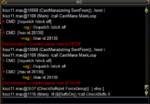
Maskoi, when I use the Come To Me button on my warrior from from EQBC, I get this error on all bots:

Untitled.png
 
Last edited:
Nav is loaded. No idea on the mesh, I used this in Gorowyn and was only a short distance from the others.

BTW, the Follow command works just fine.
 
KissAssist Release KissAssist

Users who are viewing this thread

Back
Top
Cart